
Best Lenovo Laptops for Programming in 2026: 14 Picks by Line
The ThinkPad P14s Gen 7 with the AMD Ryzen AI 9 PRO 470 is our top Lenovo pick for programming: its listing states 64GB of memory, 2TB of storage and Windows 11 Pro at 1.29kg, the lightest Lenovo in this pool. For CUDA work, step up to a Legion or a ThinkPad P16 with an NVIDIA GPU. We sorted Lenovo's many lines (ThinkPad P, T and E, V, Yoga, Legion and LOQ) by what each does for a developer, using stated specifications only; nobody at wikilaptop has used these units.
14 picks from 55 laptops that match this guide with a price we can quote today. Every price below is live and carries the moment it was read.
The picks at a glance
Which one should you buy?
- For developers who travel every week: The ThinkPad P14s Gen 7 (AMD) is the lightest Lenovo in the pool at 1.29kg and still states 64GB and 2TB. See pick 1
- For a 16-inch screen that stays portable: The ThinkPad T16 Gen 4 states a 16-inch touchscreen, an Intel Core Ultra 7 255H and a 52.5Wh battery at 1.79kg. See pick 6
- For CUDA and local models: The Legion Pro 7i Gen 10 has the most GPU memory in this list, 16GB on a GeForce RTX 5080, with 64GB of memory. See pick 13
- For virtual machines and big builds: The ThinkPad P16 Gen 3 with an RTX PRO 3000 states 128GB of memory and 4TB of storage, the most in this list. See pick 10
The 14 picks
1 Best overall

Lenovo ThinkPad P14s Gen 7 AMD Ryzen AI 9 PRO 470
- CPU
- AMD Ryzen AI 9 PRO 470
- GPU
- Radeon 890M
- RAM
- 64 GB
- Storage
- 2000 GB
- Screen
- 14 in
- Refresh
- 60 Hz
- Weight
- 1.29 kg
- OS
- Windows 11 Pro
$3,199.00 (as of 10/20/2026 16:22 PDT - Details)
Among Lenovo laptops in the pool, the P14s Gen 7 is the lightest at a stated 1.29kg, and it pairs that with 64GB of memory, 2TB of storage and Windows 11 Pro. Its AMD Ryzen AI 9 PRO 470 includes Radeon 890M integrated graphics. It edges out the Intel P14s Gen 6 below on weight while matching its memory and storage.
Pros
- Stated weight of 1.29kg, the lightest Lenovo in the pool
- 64GB of memory and 2TB of storage
- Windows 11 Pro, so Hyper-V and Windows containers are available
- AMD Ryzen AI 9 PRO 470 with Radeon 890M graphics
Cons
- No NVIDIA GPU, so no CUDA
- 14-inch 1920 x 1200 panel at 60Hz, per the listing
- Battery capacity not stated by the seller
Good fit if
- Backend and full-stack developers running several containers
- Consultants who work from client offices
Skip if
- You need CUDA for machine learning
- You want a 16-inch screen
Verdict: The Lenovo that carries the most developer capacity for its weight.
2 Best Intel ThinkPad

Lenovo ThinkPad P14s Gen 6 Intel Core Ultra 9 285H
- CPU
- Intel Core Ultra 9 285H
- RAM
- 64 GB
- Storage
- 2000 GB
- Screen
- 14.5 in
- Refresh
- 60 Hz
- Touchscreen
- No
- Weight
- 1.31 kg
- OS
- Windows 11 Pro
$2,895.00 (as of 10/20/2026 16:22 PDT - Details)
The P14s Gen 6 Intel states an Intel Core Ultra 9 285H (16 cores, per the listing), 64GB of memory and 2TB of storage on a 14.5-inch screen at 1.31kg. Choose it over the Gen 7 if your toolchain or employer prefers Intel.
Pros
- Intel Core Ultra 9 285H, stated as 16 cores
- 64GB of memory and 2TB of storage
- Stated weight of 1.31kg
- Windows 11 Pro
Cons
- Non-touch 60Hz panel, per the listing
- Battery capacity not stated by the seller
- No NVIDIA GPU
Good fit if
- Developers whose company standardizes on Intel
- Anyone who wants a slightly larger 14.5-inch screen in a light body
Skip if
- You need a touchscreen
- You need CUDA
Verdict: The Intel twin of our top pick, 0.02kg heavier and just as roomy.
3 Copilot+ PC ThinkPad
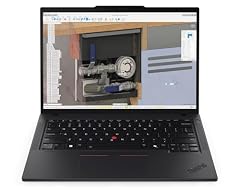
Lenovo Copilot+ PC ThinkPad P14s Gen 6 Mobile Workstation
- CPU
- AMD Ryzen AI 7 PRO 350
- RAM
- 32 GB
- Storage
- 1000 GB
- Screen
- 14 in
- Touchscreen
- No
- Weight
- 1.39 kg
- OS
- Windows 11 Pro
$1,629.99 (as of 10/20/2026 16:21 PDT - Details)
This P14s Gen 6 with an AMD Ryzen AI 7 PRO 350 is the only pick whose listing title calls it a Copilot+ PC, the Microsoft label for Windows laptops with an NPU above 40 TOPS. It states 32GB, 1TB and Windows 11 Pro at 1.39kg.
Pros
- Copilot+ PC, per the listing title
- Stated weight of 1.39kg
- Windows 11 Pro
- AMD Ryzen AI 7 PRO 350
Cons
- 32GB and 1TB, half the P14s picks above
- Non-touch screen, per the listing
- Battery capacity not stated by the seller
Good fit if
- Developers building apps that use Windows AI features on the NPU
- Web developers with moderate container use
Skip if
- You run many services and need 64GB
- You need CUDA
Verdict: The ThinkPad for developers who want to target Windows NPU features.
4 Stated battery in a 14-inch ThinkPad

Lenovo 2024 Laptop
- CPU
- Intel Core Ultra 7 155U
- RAM
- 32 GB
- Storage
- 1000 GB
- Screen
- 14 in
- Touchscreen
- Yes
- Weight
- 1.38 kg
- Battery
- 52.5 Wh
- OS
- Windows 11 Pro
$1,639.00 (as of 10/20/2026 16:21 PDT - Details)
The ThinkPad T14 Gen 5 is one of only two ThinkPads in this list that state a battery capacity (52.5Wh), along with a weight of 1.38kg, an Intel Core Ultra 7 155U, 32GB, 1TB and a touchscreen. It is the mainstream business ThinkPad rather than a workstation.
Pros
- Stated 52.5Wh battery and 1.38kg weight
- Touchscreen, per the listing
- Windows 11 Pro
Cons
- Intel Core Ultra 7 155U, a low-power U class chip
- 32GB and 1TB
- A 2024 model, older than the T16 Gen 4
Good fit if
- Developers who want known battery and weight figures before buying
- Students and junior developers on web or mobile stacks
Skip if
- You compile large projects often
- You need more than 32GB
Verdict: A dependable, well-documented 14-inch ThinkPad for everyday coding.
5 64GB in a ThinkPad T14
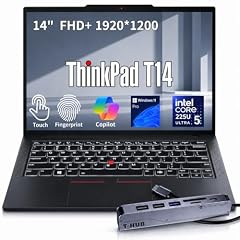
Lenovo ThinkPad T14 Business AI Laptop
- CPU
- Intel Core Ultra 5 225U
- RAM
- 64 GB
- Storage
- 2000 GB
- Screen
- 14 in
- Touchscreen
- Yes
- Weight
- 1.46 kg
- OS
- Windows 11 Pro
$2,149.00 (as of 10/20/2026 16:22 PDT - Details)
This ThinkPad T14 doubles the Gen 5's memory and storage to 64GB and 2TB, with an Intel Core Ultra 5 225U, a touchscreen and Windows 11 Pro at 1.46kg. It is the T14 to choose if containers and virtual machines are part of your day.
Pros
- 64GB of memory and 2TB of storage
- Stated weight of 1.46kg
- Touchscreen and Windows 11 Pro, per the listing
Cons
- Intel Core Ultra 5 225U, a U class chip
- Battery capacity not stated by the seller
- The listing does not state the generation
Good fit if
- Developers who run several containers on a light laptop
- Anyone who needs Hyper-V virtual machines on the go
Skip if
- You want a faster H class processor for builds
- You need a stated battery capacity
Verdict: A light ThinkPad T with memory for heavier local stacks.
6 Best 16-inch ThinkPad T

Lenovo 2026 Laptop
- CPU
- Intel Core Ultra 7 255H
- RAM
- 32 GB
- Storage
- 1000 GB
- Screen
- 16 in
- Touchscreen
- Yes
- Weight
- 1.79 kg
- Battery
- 52.5 Wh
- OS
- Windows 11 Pro
$2,019.00 (as of 10/20/2026 16:21 PDT - Details)
The T16 Gen 4 states an Intel Core Ultra 7 255H, a 16-inch 1920 x 1200 touchscreen, 32GB, 1TB and a 52.5Wh battery at 1.79kg. It gives you room for an editor and a terminal side by side without a workstation's weight.
Pros
- 16-inch touchscreen, per the listing
- Intel Core Ultra 7 255H, an H class chip
- Stated 52.5Wh battery
- Windows 11 Pro
Cons
- 32GB and 1TB
- Stated 1.79kg, more than any 14-inch Lenovo in this list
Good fit if
- Developers who work mainly at a desk but travel sometimes
- Anyone who wants a big ThinkPad screen without a GPU
Skip if
- You need 64GB
- You carry your laptop every day
Verdict: A roomy, documented 16-inch ThinkPad for long coding sessions.
7 Best ThinkPad E

Lenovo ThinkPad E16 Gen 3
- CPU
- Intel Core Ultra 7 255H
- RAM
- 32 GB
- Storage
- 1000 GB
- Screen
- 16 in
- Touchscreen
- No
- OS
- Windows 11 Pro
$1,669.99 (as of 10/20/2026 16:22 PDT - Details)
The ThinkPad E16 Gen 3 uses the same Intel Core Ultra 7 255H as the T16 Gen 4, with 32GB, 1TB and Windows 11 Pro. The E line is Lenovo's entry ThinkPad series; this listing states fewer details than the T16, with no weight or battery.
Pros
- Intel Core Ultra 7 255H, the same chip as the T16 Gen 4
- 32GB of DDR5 and 1TB of storage
- Windows 11 Pro
Cons
- Weight not stated by the seller
- Battery capacity not stated by the seller
- Non-touch screen, per the listing
Good fit if
- Students and junior developers who want a 16-inch ThinkPad
- Anyone who needs Windows 11 Pro on a 16-inch screen
Skip if
- You want stated weight and battery figures
- You need more than 32GB
Verdict: The T16's processor in a plainer 16-inch ThinkPad.
8 Most storage in a 14-inch Lenovo

Lenovo New Gen V-Series Business Laptop
- CPU
- Intel Core 7 240H
- RAM
- 64 GB
- Storage
- 4000 GB
- Screen
- 14 in
- Weight
- 1.37 kg
- Battery
- 47 Wh
- OS
- Windows 11 Pro
$1,899.99 (as of 10/20/2026 16:22 PDT - Details)
This Lenovo V-series laptop is the only 14-inch listing in the pool with 4TB, and it adds 64GB of memory, an Intel Core 7 240H (10 cores, per the listing), Windows 11 Pro and a stated 47Wh battery at 1.37kg. The V line is Lenovo's basic business series, so the listing names the series rather than an exact model.
Pros
- 4TB of storage, the only 14-inch Lenovo in the pool with that much
- 64GB of memory and Windows 11 Pro
- Stated weight of 1.37kg and a 47Wh battery
- Intel Core 7 240H, an H class chip
Cons
- 47Wh, smaller than the ThinkPad T batteries
- The listing does not give an exact model name
- No NVIDIA GPU
Good fit if
- Mobile developers who keep many emulator images
- Anyone who wants lots of storage and memory in a light laptop
Skip if
- You want a specific, documented ThinkPad model
- You need CUDA
Verdict: A light, plain Lenovo with room for large repositories and images.
9 Lightest Lenovo with an NVIDIA GPU

Lenovo ThinkPad P16v Mobile Workstation
- CPU
- Intel Core Ultra 7 165H
- GPU
- RTX 2000 Ada
- GPU memory
- 8 GB
- RAM
- 32 GB
- Storage
- 1000 GB
- Screen
- 16 in
- Weight
- 1.68 kg
- OS
- Windows 11 Pro
$2,599.99 (as of 10/20/2026 16:22 PDT - Details)
At a stated 1.68kg, the ThinkPad P16v is the lightest Lenovo in the pool with an NVIDIA GPU, an RTX 2000 Ada with 8GB. It adds an Intel Core Ultra 7 165H, 32GB, 1TB and a 16-inch 3840 x 2400 screen, per the listing.
Pros
- Stated weight of 1.68kg, the lightest Lenovo with an NVIDIA GPU
- RTX 2000 Ada with 8GB of GPU memory
- 16-inch 3840 x 2400 screen, per the listing
- Windows 11 Pro
Cons
- 32GB and 1TB
- Battery capacity not stated by the seller
Good fit if
- Developers who need CUDA on a laptop they carry
- Graphics and game-engine developers who want a sharp screen
Skip if
- Your models need more than 8GB of GPU memory
- You need 64GB of system memory
Verdict: The portable way to get an NVIDIA workstation GPU in a Lenovo.
10 Most memory and storage

Lenovo ThinkPad P16 Gen 3 with Ultra 9 285HX vPro 24-Core
- CPU
- Intel Core Ultra 9 285HX
- GPU
- RTX PRO 3000
- GPU memory
- 12 GB
- RAM
- 128 GB
- Storage
- 4000 GB
- Screen
- 16 in
- Refresh
- 120 Hz
- Weight
- 2.54 kg
$6,499.00 (as of 10/20/2026 16:22 PDT - Details)
This ThinkPad P16 Gen 3 states 128GB of memory, 4TB of storage, an Intel Core Ultra 9 285HX and an RTX PRO 3000 Blackwell with 12GB. It is our one pick from the 17 P16 Gen 3 listings in the pool, chosen because it states Windows 11 Pro, GPU memory and weight.
Pros
- 128GB of memory, the most in this list
- 4TB of storage, tied for the most in this list
- RTX PRO 3000 with 12GB of GPU memory
- Windows 11 Pro
Cons
- Stated weight of 2.54kg, the heaviest pick
- Battery capacity not stated by the seller
Good fit if
- Developers who run several virtual machines at once
- Engineers who build large C++ or Rust codebases and run local models
Skip if
- You carry your laptop daily
- 32GB covers your stack
Verdict: The Lenovo for the heaviest local workloads.
11 Consumer 16-inch with an RTX GPU under 2kg

Lenovo Yoga Pro 9i
- CPU
- Intel Core Ultra 9 285H
- GPU
- GeForce RTX 5060
- GPU memory
- 8 GB
- RAM
- 32 GB
- Storage
- 1000 GB
- Screen
- 16 in
- Refresh
- 120 Hz
- Weight
- 1.93 kg
$3,449.99 (as of 10/20/2026 16:22 PDT - Details)
The Yoga Pro 9i pairs an Intel Core Ultra 9 with a GeForce RTX 5060 (8GB), 32GB and 1TB at a stated 1.93kg, and the listing mentions a 3.2K Tandem OLED screen at 120Hz. It is Lenovo's premium consumer line, a lighter alternative to the Legions for CUDA work.
Pros
- GeForce RTX 5060 with 8GB of GPU memory
- Stated weight of 1.93kg
- 16-inch 3.2K Tandem OLED at 120Hz, per the listing
- Windows 11 Pro
Cons
- Exact processor model not stated by the seller
- 32GB and 1TB
- Battery capacity not stated by the seller
Good fit if
- Front-end and creative developers who care about screen quality
- Developers who want CUDA without a gaming look
Skip if
- You need to know the exact processor
- You need more than 8GB of GPU memory
Verdict: A lighter, screen-first route to an NVIDIA GPU.
12 Largest stated battery in this list

Lenovo Legion 5a Gaming Laptop
- CPU
- AMD Ryzen 7 250
- GPU
- GeForce RTX 5060
- GPU memory
- 8 GB
- RAM
- 32 GB
- Storage
- 1000 GB
- Screen
- 15.3 in
- Refresh
- 165 Hz
- Weight
- 2.27 kg
$1,999.99 (as of 10/20/2026 16:22 PDT - Details)
The Legion 5a states an 80Wh battery, the largest among these picks, with an AMD Ryzen 7 250, a GeForce RTX 5060 (8GB), 32GB and 1TB at 2.27kg. The listing mentions a 15.3-inch 2560 x 1600 OLED screen at 165Hz.
Pros
- Stated 80Wh battery, the largest in this list
- GeForce RTX 5060 with 8GB of GPU memory
- 15.3-inch 2560 x 1600 OLED, per the listing
Cons
- Windows edition not stated beyond Windows 11
- Stated weight of 2.27kg
- 32GB and 1TB
Good fit if
- Students who code, train small models and game on one machine
- Developers who want a stated battery with an NVIDIA GPU
Skip if
- You need Windows 11 Pro confirmed
- You want a laptop under 2kg
Verdict: The Legion for CUDA work with the biggest stated battery.
13 Most GPU memory in this list

Lenovo Legion Pro 7i Gen 10 16" Gaming Laptop
- CPU
- Intel Core Ultra 9 275HX
- GPU
- GeForce RTX 5080
- GPU memory
- 16 GB
- RAM
- 64 GB
- Storage
- 2000 GB
- Screen
- 16 in
- Refresh
- 240 Hz
- OS
- Windows 11 Pro
$4,398.00 (as of 10/20/2026 16:22 PDT - Details)
The Legion Pro 7i Gen 10 states a GeForce RTX 5080 with 16GB, the most GPU memory among these picks, with an Intel Core Ultra 9 275HX (24 cores, per the listing), 64GB, 2TB and Windows 11 Pro. It suits developers who run or fine-tune models locally.
Pros
- GeForce RTX 5080 with 16GB, the most GPU memory in this list
- Intel Core Ultra 9 275HX, stated as 24 cores
- 64GB of memory and 2TB of storage
- Windows 11 Pro
Cons
- Weight not stated by the seller
- Battery capacity not stated by the seller
- 240Hz gaming panel that coding does not need
Good fit if
- Machine learning engineers who test models locally
- Game developers who need a strong GPU
Skip if
- You travel with your laptop
- You do not run GPU workloads
Verdict: The Lenovo for GPU-heavy development.
14 64GB in the LOQ line

Lenovo LOQ 15 AI Gaming Laptop
- CPU
- AMD Ryzen 7 170
- GPU
- GeForce RTX 5050
- GPU memory
- 8 GB
- RAM
- 64 GB
- Storage
- 1000 GB
- Screen
- 15.6 in
- Refresh
- 144 Hz
- Weight
- 2.3 kg
$2,239.00 (as of 10/20/2026 16:22 PDT - Details)
Lenovo's LOQ is its entry gaming line, and this LOQ 15 AI states 64GB of memory with an AMD Ryzen 7 170, a GeForce RTX 5050 (8GB), 1TB and Windows 11 Pro at 2.3kg. It pairs CUDA with enough memory for heavy container use.
Pros
- 64GB of memory
- GeForce RTX 5050 with 8GB of GPU memory
- Windows 11 Pro
- 15.6-inch 144Hz screen with 100% sRGB, per the listing
Cons
- Stated weight of 2.3kg
- 1TB of storage
- Battery capacity not stated by the seller
Good fit if
- Students who need CUDA and many containers on one machine
- Developers who want Windows 11 Pro on a gaming laptop
Skip if
- You want a light laptop
- You need more than 8GB of GPU memory
Verdict: An entry CUDA laptop with an unusually large memory for its line.
Side by side
| # | Laptop | CPU | GPU | GPU memory | Rentable GPU model | RAM | Storage |
|---|---|---|---|---|---|---|---|
| 1 | Lenovo ThinkPad P14s Gen 7 AMD Ryzen AI 9 PRO 470 | AMD Ryzen AI 9 PRO 470 | Radeon 890M | not stated | not stated | 64 GB | 2000 GB |
| 2 | Lenovo ThinkPad P14s Gen 6 Intel Core Ultra 9 285H | Intel Core Ultra 9 285H | not stated | not stated | not stated | 64 GB | 2000 GB |
| 3 | Lenovo Copilot+ PC ThinkPad P14s Gen 6 Mobile Workstation | AMD Ryzen AI 7 PRO 350 | not stated | not stated | not stated | 32 GB | 1000 GB |
| 4 | Lenovo 2024 Laptop | Intel Core Ultra 7 155U | not stated | not stated | not stated | 32 GB | 1000 GB |
| 5 | Lenovo ThinkPad T14 Business AI Laptop | Intel Core Ultra 5 225U | not stated | not stated | not stated | 64 GB | 2000 GB |
| 6 | Lenovo 2026 Laptop | Intel Core Ultra 7 255H | not stated | not stated | not stated | 32 GB | 1000 GB |
| 7 | Lenovo ThinkPad E16 Gen 3 | Intel Core Ultra 7 255H | not stated | not stated | not stated | 32 GB | 1000 GB |
| 8 | Lenovo New Gen V-Series Business Laptop | Intel Core 7 240H | not stated | not stated | not stated | 64 GB | 4000 GB |
| 9 | Lenovo ThinkPad P16v Mobile Workstation | Intel Core Ultra 7 165H | RTX 2000 Ada | 8 GB | not stated | 32 GB | 1000 GB |
| 10 | Lenovo ThinkPad P16 Gen 3 with Ultra 9 285HX vPro 24-Core | Intel Core Ultra 9 285HX | RTX PRO 3000 | 12 GB | not stated | 128 GB | 4000 GB |
| 11 | Lenovo Yoga Pro 9i | Intel Core Ultra 9 285H | GeForce RTX 5060 | 8 GB | not stated | 32 GB | 1000 GB |
| 12 | Lenovo Legion 5a Gaming Laptop | AMD Ryzen 7 250 | GeForce RTX 5060 | 8 GB | not stated | 32 GB | 1000 GB |
| 13 | Lenovo Legion Pro 7i Gen 10 16" Gaming Laptop | Intel Core Ultra 9 275HX | GeForce RTX 5080 | 16 GB | not stated | 64 GB | 2000 GB |
| 14 | Lenovo LOQ 15 AI Gaming Laptop | AMD Ryzen 7 170 | GeForce RTX 5050 | 8 GB | not stated | 64 GB | 1000 GB |
How we picked
How we picked: 51 Lenovo laptops in our catalogue state at least 32GB of memory and 1TB of storage, the floor for a container stack, an IDE and several checkouts. The pool leans heavily on one model: 17 of the 51 listings are ThinkPad P16 Gen 3 configurations, and all 14 listings with 128GB are P16 Gen 3 units. We kept one P16 Gen 3 and spread the rest of the list across Lenovo's lines, choosing one or two machines per line for a distinct developer need: light travel, a 16-inch desk machine, an NVIDIA GPU for CUDA, or the most memory. We preferred listings that state weight and Windows edition, and dropped near-duplicates that differ only in color or storage. Prices on this page are live and read from the store listing with the time shown. Nobody tested these units.
How to choose
Which Lenovo line suits which developer
Lenovo sells many lines, and in this pool they sort cleanly by what they offer. The ThinkPad P14s Gen 7 AMD and Gen 6 Intel are the two lightest Lenovos in the pool (1.29kg and 1.31kg) and carry 64GB, but have no NVIDIA GPU. The ThinkPad T14 and T16 are mainstream business laptops, and both T picks with a Gen number state their battery capacity. The ThinkPad E16 and the V-series are plainer business machines. The ThinkPad P16v and P16 are the workstations with NVIDIA RTX GPUs, and all 14 listings with 128GB in the pool are P16 Gen 3 units. Yoga, Legion and LOQ are consumer and gaming lines that bring GeForce GPUs.
Of the 51 Lenovo listings, 26 are ThinkPad P models, 8 are LOQ, 7 are Legion, 4 are ThinkPad T, 3 are ThinkPad E, 2 are V series and one is a Yoga.
Windows edition: nearly every pick is Pro
Microsoft states that Hyper-V cannot be installed on Windows 11 Home, and Docker states that Windows containers need Pro or Enterprise; Home runs Linux containers only. We favored Pro listings: 13 of the 14 picks state Windows 11 Pro, and the Legion 5a states only Windows 11.
This matters most for .NET developers, anyone who tests on Windows containers, and people who run Hyper-V virtual machines. For Linux-only web and backend stacks, WSL 2 and Docker's Linux containers are enough.
Memory: 32GB, 64GB or 128GB
JetBrains lists 8GB of total memory for IntelliJ IDEA and Docker lists 8GB for Docker Desktop, but each covers one tool. WSL 2 also takes its own share: Microsoft sets its virtual machine to half of Windows memory by default, so on a 32GB laptop your Linux side gets 16GB unless you change it.
In this list, 7 picks have 32GB, 6 have 64GB and one has 128GB. Choose 64GB if you run many containers, virtual machines or local models.
Do you need an NVIDIA GPU?
For most programming, no. You need an NVIDIA GPU when your code runs on it: machine learning with CUDA, GPU computing or game engines. NVIDIA supports CUDA inside WSL 2 with only the Windows driver installed.
Six picks state an NVIDIA GPU: the ThinkPad P16v (8GB), the ThinkPad P16 Gen 3 (12GB), the Yoga Pro 9i (8GB), the Legion 5a (8GB), the Legion Pro 7i (16GB) and the LOQ 15 AI (8GB). GPU memory limits the size of model you can load, so compare that number first.
Copilot+ and the NPU
Microsoft defines Copilot+ PCs as Windows 11 laptops with an NPU above 40 TOPS, which runs Windows AI features and NPU-targeted models. For most developers the NPU is optional. If you build Windows apps that call those features, the P14s Gen 6 with the Ryzen AI 7 PRO 350, whose listing title states Copilot+ PC, gives you a device to test on.
Weight and battery
Stated weights in this list run from 1.29kg (ThinkPad P14s Gen 7) to 2.54kg (ThinkPad P16 Gen 3); two picks, the ThinkPad E16 Gen 3 and the Legion Pro 7i, do not state a weight. Only four picks state a battery capacity: the Legion 5a (80Wh), the ThinkPad T14 Gen 5 and T16 Gen 4 (52.5Wh each) and the V-series laptop (47Wh). Watt-hours measure capacity, not runtime.
Questions
ThinkPad or Legion for programming?
Choose a ThinkPad if you want a light machine with 64GB, Windows 11 Pro and business features; the P14s picks weigh around 1.3kg. Choose a Legion if you need an NVIDIA GPU for CUDA, game development or local models, and accept more weight (the Legion 5a states 2.27kg). The ThinkPad P16v and P16 sit in between as workstations with NVIDIA RTX GPUs.
Do I need a ThinkPad P mobile workstation?
Only if you need its extras. The P14s models are light business laptops with more memory, while the P16v and P16 add NVIDIA RTX GPUs and, in the P16's case, up to 128GB. If you write web, mobile or backend code without GPU work, a ThinkPad T or even the V-series pick with 64GB covers you.
Is 32GB enough for programming on a Lenovo?
For most web, mobile and backend work, yes. It gets tight when you run many containers, a Windows virtual machine or local AI models alongside an IDE and a browser, especially since WSL 2 takes half of Windows memory by default. Six picks here have 64GB and one has 128GB if you need more.
What is the difference between the ThinkPad P14s Gen 6 and Gen 7?
In this list, the Gen 7 uses an AMD Ryzen AI 9 PRO 470 at a stated 1.29kg, and the Gen 6 comes in two versions: an Intel Core Ultra 9 285H model at 1.31kg with 64GB, and an AMD Ryzen AI 7 PRO 350 Copilot+ model at 1.39kg with 32GB. All three state Windows 11 Pro.
Why is there only one ThinkPad P16 Gen 3?
The pool has 17 P16 Gen 3 listings that differ mainly in GPU, memory and storage. Listing several would crowd out the lighter and more common developer laptops. We kept the one with 128GB, 4TB, a 12GB RTX PRO 3000 and a stated Windows edition and weight.
Recent updates
- : First published.
Sources
- Microsoft Learn: Install Hyper-V (Windows edition requirements)
- Docker: Install Docker Desktop on Windows (system requirements)
- JetBrains: IntelliJ IDEA system requirements
- Microsoft Learn: Advanced settings configuration in WSL (default memory)
- NVIDIA: CUDA on WSL user guide
- Microsoft Learn: Copilot+ PCs developer guide (40+ TOPS NPU)