
Best Laptops Under $3000 in 2026: 13 Picks Compared on Specs
Our top pick is the Gigabyte AERO X16: it pairs an RTX 5070 with an AMD Ryzen AI 9 HX 370, 32GB of memory and 1TB of storage in a 1.9 kg body, the lightest GPU laptop here with a stated weight. For the strongest graphics, the HP OMEN Max reseller configuration carries an RTX 5080. The other picks cover gaming, travel, office and study. We chose all 13 from published specifications and the makers' own data, not from lab tests.
13 picks from 568 laptops that match this guide with a price we can quote today. Every price below is live and carries the moment it was read.
The picks at a glance
Which one should you buy?
- For creators who travel: The Gigabyte AERO X16 carries an RTX 5070 and 32GB of memory at 1.9 kg, the lightest GPU pick with a stated weight. See pick 1
- For the strongest gaming GPU: The HP OMEN Max reseller configuration has an RTX 5080 with 16GB, 64GB of memory, 2TB of storage and a 240Hz screen. See pick 2
- For students and travel: The MacBook Air M5 weighs 1.23 kg, the lightest pick, and comes with 24GB of memory and 1TB of storage. See pick 6
- For gaming on a moderate spend: The Acer Nitro V 16 pairs an RTX 5060 with 32GB of memory, 2TB of storage and a 165Hz screen. See pick 3
The 13 picks
1 Best overall

GIGABYTE AERO X16
- CPU
- AMD Ryzen AI 9 HX 370
- GPU
- GeForce RTX 5070
- RAM
- 32 GB
- Storage
- 1000 GB
- Screen
- 16 in
- Weight
- 1.9 kg
- OS
- Windows 11 Home
At 1.9 kg it is the lightest pick with a dedicated GPU among those that state a weight, yet it carries an RTX 5070, one tier below the RTX 5080 of the OMEN Max. It adds an AMD Ryzen AI 9 HX 370, 32GB of memory and 1TB of storage on a 16-inch screen.
Pros
- 1.9 kg, lightest stated weight among the GPU picks
- RTX 5070: 8GB or 12GB of GDDR7 per NVIDIA
- 32GB of memory
- AMD Ryzen AI 9 HX 370
Cons
- 1TB of storage, half of the 2TB picks
- Windows 11 Home, not Pro
- Graphics memory and refresh rate not stated by the seller
Good fit if
- Photo and video editors who carry their laptop
- Students who game and study on one machine
Skip if
- You want the strongest GPU in this budget
- You need Windows 11 Pro
Verdict: The best balance of GPU, memory and weight under $3000.
2 Strongest GPU in this list

HP OMEN Max 240Hz Ryzen AI 9 HX 375 RTX 5080 Gaming Laptop | 64GB DDR5
- CPU
- AMD Ryzen AI 9 HX 375
- GPU
- RTX 5080
- GPU memory
- 16 GB
- RAM
- 64 GB
- Storage
- 2000 GB
- Screen
- 16 in
- Refresh
- 240 Hz
- Weight
- 2.72 kg
It is the only pick with an RTX 5080, which NVIDIA lists with 16GB of GDDR7, plus 64GB of memory, 2TB of storage and a 240Hz screen. It is a reseller configuration of an HP OMEN Max, so confirm the warranty terms.
Pros
- RTX 5080 with 16GB of GDDR7
- 64GB of memory, the most in this list
- 2TB of storage, tied for the most
- 240Hz screen, the fastest stated here
Cons
- Reseller configuration: confirm the warranty
- Screen size, weight and operating system not stated by the seller
Good fit if
- Players who want high frame rates at high resolution
- Creators who render on the GPU and keep many apps open
Skip if
- You want a factory configuration sold new by the maker
- You want every spec confirmed on the listing
Verdict: The top gaming configuration in this budget, sold through a reseller.
3 Best RTX 5060 pick
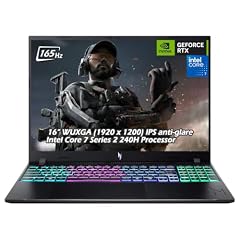
Acer Nitro V 16" WUXGA 165Hz Gaming Laptop
- CPU
- Intel Core 7 240H
- GPU
- GeForce RTX 5060
- RAM
- 32 GB
- Storage
- 2000 GB
- Screen
- 16 in
- Refresh
- 165 Hz
- Weight
- 2.1 kg
- OS
- Windows 11
$2,079.95 (as of 10/20/2026 15:20 PDT - Details)
Among the three RTX 5060 picks it is the only one that states both 32GB of memory and 2TB of storage. The 16-inch screen refreshes at 165Hz and the laptop weighs 2.1 kg.
Pros
- RTX 5060: 8GB of GDDR7 per NVIDIA
- 32GB of memory
- 2TB of storage, tied for the most
- 16-inch screen at 165Hz
Cons
- RTX 5060, two tiers below the OMEN Max's RTX 5080
- 2.1 kg
Good fit if
- Players who want a large game library installed
- Buyers who want a complete configuration from a major maker
Skip if
- You play demanding games at high resolution
- You carry your laptop all day
Verdict: The most complete RTX 5060 configuration here.
4 Fastest RTX 5060 screen

MECHREVO Aurora 16X Gaming Laptop
- CPU
- Intel Core i7-14650HX
- GPU
- GeForce RTX 5060
- RAM
- 32 GB
- Storage
- 1000 GB
- Screen
- 16 in
- Refresh
- 180 Hz
- Weight
- 2.35 kg
- Battery
- 80 Wh
$1,499.99 (as of 10/20/2026 15:22 PDT - Details)
Its 16-inch screen refreshes at 180Hz, the fastest among the RTX 5060 picks, and it pairs the GPU with an Intel Core i7-14650HX. MECHREVO is a smaller maker, so check its warranty and support terms before buying.
Pros
- 180Hz 16-inch screen
- RTX 5060: 8GB of GDDR7 per NVIDIA
- Core i7-14650HX
- 80Wh battery stated
Cons
- Memory, storage and operating system not stated by the seller
- HX processor: built for performance, not battery life
Good fit if
- Esports players who value refresh rate
- Buyers comfortable confirming specs with a smaller maker
Skip if
- You want support from a large laptop maker
- You want memory and storage confirmed on the listing
Verdict: An RTX 5060 option with a faster screen, once its configuration is confirmed.
5 Largest screen
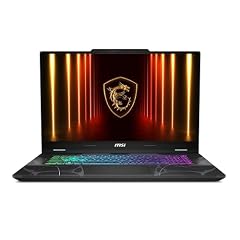
msi Cyborg 17 17.3" FHD 144Hz Gaming Laptop
- GPU
- GeForce RTX 5060
- RAM
- 16 GB
- Storage
- 1000 GB
- Screen
- 17.3 in
- Refresh
- 144 Hz
- Weight
- 2.49 kg
- OS
- Windows 11 Home
Its 17.3-inch 144Hz screen is the largest in this list, paired with an RTX 5060, 16GB of memory and 1TB of storage. The listing title names an Intel Core 7 240H.
Pros
- 17.3-inch screen, the largest here
- RTX 5060: 8GB of GDDR7 per NVIDIA
- 1TB of storage
Cons
- 16GB of memory, half the Nitro V 16's
- 2.49 kg, the heaviest stated weight here
Good fit if
- Players who want a big screen on a desk
- Buyers who use the laptop as a desktop replacement
Skip if
- You move your laptop often
- You want 32GB of memory out of the box
Verdict: The big-screen gaming pick.
6 Lightest pick
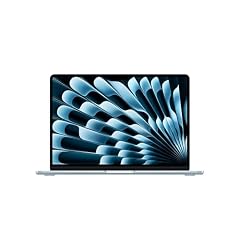
Apple 2026 MacBook Air 13-inch Laptop with M5 chip
- CPU
- Apple M5
- RAM
- 24 GB
- Storage
- 1000 GB
- Screen
- 13 in
- Weight
- 1.23 kg
- OS
- macOS
$1,649.00 (as of 10/20/2026 15:20 PDT - Details)
At 1.23 kg it is the lightest laptop here, with 24GB of memory and 1TB of storage. Apple lists the M5 with a 10-core CPU and a 13.6-inch display for this model.
Pros
- 1.23 kg, the lightest pick
- 24GB of unified memory
- 1TB of storage
Cons
- No dedicated GPU for Windows games
- macOS only: check that your Windows tools have Mac versions
Good fit if
- Students and writers who carry a laptop all day
- Developers and photographers who work in Mac apps
Skip if
- You need Windows-only software
- You want to play PC games
Verdict: The travel pick, well below the budget ceiling.
7 Best light Windows laptop

Microsoft Surface Laptop
- CPU
- Qualcomm Snapdragon X2 Elite
- RAM
- 16 GB
- Storage
- 1000 GB
- Screen
- 13.8 in
- Refresh
- 120 Hz
- Touchscreen
- Yes
- Weight
- 1.36 kg
- OS
- Windows 11
$1,689.00 (as of 10/20/2026 15:22 PDT - Details)
At 1.36 kg it is the lightest Windows pick, with a 120Hz 13.8-inch touchscreen and 1TB of storage. It uses the Snapdragon X2 Elite, an Arm processor that Microsoft lists as a 12-core chip.
Pros
- 1.36 kg, lightest Windows pick
- 13.8-inch touchscreen at 120Hz
- Snapdragon X2 Elite
- 1TB of storage
Cons
- 16GB of memory
- Arm processor: x86 and x64 apps run under emulation per Microsoft
Good fit if
- Windows users who travel
- Students who take notes on a touchscreen
Skip if
- You rely on older Windows software not confirmed on Arm
- You want more than 16GB of memory
Verdict: The light Windows choice, if your apps run on Arm.
8 Best compact workstation
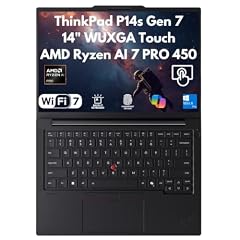
Lenovo ThinkPad P14s Gen 7 AI Ready Mobile Workstation Laptop 2026
- CPU
- AMD Ryzen AI 7 PRO 450
- GPU
- Radeon 860M
- RAM
- 32 GB
- Storage
- 2000 GB
- Screen
- 14 in
- Touchscreen
- Yes
- OS
- Windows 11 Pro
$1,629.00 (as of 10/20/2026 15:22 PDT - Details)
It is a ThinkPad P14s Gen 7 mobile workstation sold by a reseller, with an AMD Ryzen AI 7 PRO 450, 32GB of memory, 2TB of storage and a 14-inch touchscreen. Check the warranty terms with the seller.
Pros
- 2TB of storage, tied for the most
- 32GB of memory
- 14-inch touchscreen
- Windows 11 Pro
Cons
- Reseller configuration: confirm the warranty
- Weight not stated by the seller
- Integrated Radeon 860M graphics only
Good fit if
- Developers and analysts who want a compact machine with lots of storage
- Business buyers who want a ThinkPad
Skip if
- You want a factory configuration sold new by the maker
- You need a dedicated GPU
Verdict: A compact business workstation with 2TB, through a reseller.
9 Best 14-inch office laptop with 32GB

Lenovo ThinkPad E14 Gen 7 14" FHD+ Display Ryzen 7 250 32GB RAM
- CPU
- AMD Ryzen 7 250
- RAM
- 32 GB
- Storage
- 1000 GB
- Screen
- 14 in
- Refresh
- 60 Hz
- OS
- Windows 11 Pro
$1,399.99 (as of 10/20/2026 15:22 PDT - Details)
It is a ThinkPad E14 Gen 7 sold by a reseller with an AMD Ryzen 7 250, 32GB of memory and 1TB of storage. It is a simpler business laptop than the P14s, with no touchscreen stated.
Pros
- 32GB of memory
- 1TB of storage
- Windows 11 Pro
Cons
- Reseller configuration: confirm the warranty
- 60Hz screen, the slowest stated here
- Weight not stated by the seller
Good fit if
- Office workers who keep many apps open
- Students who want a business-class design
Skip if
- You want a factory configuration sold new by the maker
- You want a touchscreen
Verdict: A 32GB ThinkPad for heavy multitasking.
10 Best business laptop from its maker

Samsung Galaxy Book4 Business Laptop
- RAM
- 16 GB
- Storage
- 1000 GB
- Screen
- 15.6 in
- Weight
- 1.55 kg
- OS
- Windows 11 Pro
It comes with Windows 11 Pro, 16GB of memory and 1TB of storage on a 15.6-inch screen at 1.55 kg, sold under its maker's name. The listing title names an Intel Core 7 150U with 10 cores.
Pros
- Windows 11 Pro
- 1TB of storage and 16GB of memory
- 1.55 kg for a 15.6-inch laptop
Cons
- Processor stated only in the title, not in the specifications
- No dedicated GPU
Good fit if
- Office workers whose employer manages devices
- Buyers who want a large screen at a light weight
Skip if
- You play games
- You edit video often
Verdict: A light 15.6-inch office machine with Windows 11 Pro.
11 Largest battery

GEEKOM GeekBook M16 Laptop
- CPU
- Intel Core Ultra 9
- RAM
- 16 GB
- Storage
- 512 GB
- Screen
- 16 in
- Weight
- 1.72 kg
- Battery
- 99.9 Wh
- OS
- Windows 11
$849.00 (as of 10/20/2026 15:21 PDT - Details)
It states a 99.9Wh battery, the largest stated in this list, in a 16-inch body at 1.72 kg. GEEKOM is better known for mini PCs, so check its warranty and support terms before buying.
Pros
- 99.9Wh battery, the largest stated here
- 16-inch screen at 1.72 kg
- 16GB of memory
Cons
- Storage not stated by the seller
- Processor stated only as Core Ultra 9, without the exact model
Good fit if
- People who work away from power outlets
- Buyers who want a 16-inch screen under 2 kg
Skip if
- You want a large, established laptop maker's support network
- You want every spec confirmed
Verdict: The battery-first pick, from a smaller maker.
12 Best basic 16-inch laptop

ASUS Vivobook 16 Laptop
- CPU
- AMD Ryzen 5 150
- RAM
- 8 GB
- Storage
- 512 GB
- Screen
- 16 in
- Weight
- 1.88 kg
- OS
- Windows 11 Home
$571.81 (as of 10/20/2026 15:20 PDT - Details)
It gives a 16-inch 1920 x 1200 screen, an AMD Ryzen 5 150 and 512GB of storage at 1.88 kg. It is here for buyers whose needs sit far below this budget.
Pros
- 16-inch 1920 x 1200 screen
- AMD Ryzen 5 150
- 512GB of storage
Cons
- 8GB of memory, the least among the Windows picks
- 1.88 kg
Good fit if
- Home users who browse, stream and write
- Students with light coursework
Skip if
- You keep many apps and tabs open
- You want to edit photos or video
Verdict: A simple large-screen laptop for everyday tasks.
13 Only ChromeOS pick

HP Chromebook 14 Laptop
- CPU
- Intel Celeron N4500
- RAM
- 4 GB
- Storage
- 128 GB
- Screen
- 14 in
- Refresh
- 30 Hz
- Weight
- 1.52 kg
- OS
- ChromeOS
$259.98 (as of 10/20/2026 15:21 PDT - Details)
It is the only ChromeOS laptop in this list, with an Intel Celeron N4500, 4GB of memory and 128GB of storage on a 14-inch HD screen at 1.52 kg. Google publishes an automatic update expiration date for each ChromeOS device, so check it before buying.
Pros
- ChromeOS, suited to browser-based work
- 1.52 kg
- 14-inch screen
Cons
- 4GB of memory, the least in this list
- 128GB of storage, the least among the picks that state it
Good fit if
- Students whose school uses Google tools
- Buyers who work almost entirely in a browser
Skip if
- You need Windows or Mac apps
- You keep many tabs open at once
Verdict: A simple browser laptop far below the budget ceiling.
Side by side
| # | Laptop | CPU | GPU | GPU memory | Rentable GPU model | RAM | Storage |
|---|---|---|---|---|---|---|---|
| 1 | GIGABYTE AERO X16 | AMD Ryzen AI 9 HX 370 | GeForce RTX 5070 | not stated | not stated | 32 GB | 1000 GB |
| 2 | HP OMEN Max 240Hz Ryzen AI 9 HX 375 RTX 5080 Gaming Laptop | 64GB DDR5 | AMD Ryzen AI 9 HX 375 | RTX 5080 | 16 GB | not stated | 64 GB | 2000 GB |
| 3 | Acer Nitro V 16" WUXGA 165Hz Gaming Laptop | Intel Core 7 240H | GeForce RTX 5060 | not stated | not stated | 32 GB | 2000 GB |
| 4 | MECHREVO Aurora 16X Gaming Laptop | Intel Core i7-14650HX | GeForce RTX 5060 | not stated | not stated | 32 GB | 1000 GB |
| 5 | msi Cyborg 17 17.3" FHD 144Hz Gaming Laptop | not stated | GeForce RTX 5060 | not stated | not stated | 16 GB | 1000 GB |
| 6 | Apple 2026 MacBook Air 13-inch Laptop with M5 chip | Apple M5 | not stated | not stated | not stated | 24 GB | 1000 GB |
| 7 | Microsoft Surface Laptop | Qualcomm Snapdragon X2 Elite | not stated | not stated | not stated | 16 GB | 1000 GB |
| 8 | Lenovo ThinkPad P14s Gen 7 AI Ready Mobile Workstation Laptop 2026 | AMD Ryzen AI 7 PRO 450 | Radeon 860M | not stated | not stated | 32 GB | 2000 GB |
| 9 | Lenovo ThinkPad E14 Gen 7 14" FHD+ Display Ryzen 7 250 32GB RAM | AMD Ryzen 7 250 | not stated | not stated | not stated | 32 GB | 1000 GB |
| 10 | Samsung Galaxy Book4 Business Laptop | not stated | not stated | not stated | not stated | 16 GB | 1000 GB |
| 11 | GEEKOM GeekBook M16 Laptop | Intel Core Ultra 9 | not stated | not stated | not stated | 16 GB | 512 GB |
| 12 | ASUS Vivobook 16 Laptop | AMD Ryzen 5 150 | not stated | not stated | not stated | 8 GB | 512 GB |
| 13 | HP Chromebook 14 Laptop | Intel Celeron N4500 | not stated | not stated | not stated | 4 GB | 128 GB |
How we picked
How we picked: our catalogue held 477 laptops under $3000 when we wrote this, and we reviewed a working set of 60 of them. Many were low-end machines from little-known brands with older Celeron, Pentium or Core m3 chips; we left those out because this budget allows much better options. We preferred machines from established makers sold new and skipped customized rebuilds of HP, Dell and Lenovo models, except where a reseller configuration is clearly the best fit for a use: the HP OMEN Max and the two ThinkPads are labeled as reseller configurations. We dropped an HP Chromebook 15 listing whose title states 128GB of storage while its specifications state 64GB. GPU facts come from NVIDIA, and Mac and Surface facts from Apple and Microsoft. Prices on this page are live: each one is read from the store listing and shown with the time it was read. Nobody at wikilaptop.org has tested these units.
How to choose
You rarely need the whole budget
A budget under $3000 reaches an RTX 5080 gaming laptop, but most tasks need far less. Travel, study and office work are well served by the lighter picks here; gaming, video editing and 3D work are where the GPU picks earn their weight.
In this list, five picks have a dedicated NVIDIA GPU and eight use integrated graphics.
Graphics tiers
NVIDIA lists 16GB of GDDR7 for the laptop RTX 5080, 8GB or 12GB for the RTX 5070 and 8GB for the RTX 5060. This list has one RTX 5080 (HP OMEN Max), one RTX 5070 (Gigabyte AERO X16) and three RTX 5060 picks. RTX 50 laptop GPUs use NVIDIA's Blackwell architecture.
More graphics memory helps with high-resolution textures, 3D scenes and local AI models. A fast screen helps only if the GPU produces the frames.
Memory and storage
Memory among the picks runs from 4GB to 64GB. Four picks have 32GB and one, the OMEN Max, has 64GB. 16GB suits office work and study; 32GB or more helps with gaming, video editing and development.
Storage runs from 128GB to 2TB among the picks that state it, and three picks have 2TB. Check the maker's specifications for a spare SSD slot if you plan to add space later.
Processor and battery
The MECHREVO Aurora 16X uses an Intel HX processor, which is built for sustained performance rather than battery life. Two picks state a battery size: the GEEKOM GeekBook M16 at 99.9Wh and the MECHREVO at 80Wh.
For long days away from power, the MacBook Air and the Surface Laptop (2026) are the light options, and Microsoft notes that Arm-based Windows PCs are designed around power efficiency.
Reseller configurations and smaller makers
Three picks are reseller configurations: the HP OMEN Max and the two ThinkPads, each sold by a reseller rather than by HP or Lenovo directly. Two come from smaller makers, GEEKOM and MECHREVO. Before buying any of them, ask who handles the warranty, whether parts were changed after the laptop left the original maker, and how support works in your country.
Questions
Is a laptop under $3000 overkill for everyday use?
Often, yes. Browsing, office work and streaming run well on the lighter picks here, such as the MacBook Air M5 or the Surface Laptop (2026), which sit far below the ceiling. The higher end of this budget pays off for gaming at high settings, video editing, 3D work and development with heavy tools.
Which pick has the strongest graphics?
The HP OMEN Max reseller configuration is the only pick with an RTX 5080, which NVIDIA lists with 16GB of GDDR7. The Gigabyte AERO X16 follows with an RTX 5070, and three picks carry an RTX 5060. Because the OMEN Max comes through a reseller, confirm its warranty and full configuration first.
Should I buy a laptop or a desktop at this budget?
If you work in different places, a laptop is the answer; the AERO X16 brings an RTX 5070 at 1.9 kg. If you always work at the same desk, a desktop is easier to upgrade and cool. A large-screen laptop such as the 17.3-inch MSI Cyborg 17 is a middle ground.
Did you test these laptops?
No. Nobody at wikilaptop.org has used these units. We chose them from the specifications stated in each listing, cross-checked with NVIDIA, Apple, Microsoft and Google published information. We do not describe heat, noise, keyboard feel or battery runtime, because those claims need testing we have not done.
Why do prices on this page change?
Each price is read live from the store listing and shown with the time it was read. Prices move often, so we never write price comparisons into the text. Every pick was under $3000 when we read its price; check the time next to each price and confirm the configuration before you buy.
Recent updates
- : First published.