
Best Apple Laptops in 2026: 12 MacBook Configurations Compared
For most people the best Apple laptop is the 13-inch MacBook Air with the M5 chip, 16GB of memory and 512GB of storage: Apple lists it at 1.23 kg with a 53.8Wh battery and a 10-core CPU. Pick the MacBook Neo if you want the entry point, the 15-inch Air for a bigger screen, and a MacBook Pro with M5 Pro or M5 Max for sustained creative work. Every choice comes from stated specifications and Apple's published tech specs, not from time with the units.
12 picks from 42 laptops that match this guide with a price we can quote today. Every price below is live and carries the moment it was read.
The picks at a glance
Which one should you buy?
- For most students and home users: The 13-inch MacBook Air with M5, 16GB and 512GB covers everyday work at 1.23 kg. See pick 1
- For a first Mac on a tight budget: The MacBook Neo uses the A18 Pro chip with 8GB of memory; the 512GB version adds Touch ID per Apple. See pick 4
- For photo, music and video work: The 16-inch MacBook Pro with M5 Pro and 48GB gives a large XDR screen and room for big projects. See pick 7
- For AI models and 8K timelines: The 16-inch MacBook Pro with M5 Max and 128GB has the most memory Apple offers in a laptop. See pick 11
The 12 picks
1 Best Apple laptop for most people

Apple 2026 MacBook Air 13-inch Laptop with M5 chip
- CPU
- Apple M5
- RAM
- 16 GB
- Storage
- 512 GB
- Screen
- 13 in
- Weight
- 1.23 kg
- OS
- macOS
$1,149.00 (as of 10/20/2026 15:20 PDT - Details)
The 13-inch MacBook Air with M5, 16GB of memory and 512GB of storage is Apple's lightest M-series laptop here at 1.23 kg. Apple lists a 13.6-inch 2560x1664 screen, a 10-core CPU, a 53.8Wh battery, two Thunderbolt 4 ports plus MagSafe, and support for two external displays. In Apple's standard configurations this 512GB model has an 8-core GPU, while the 1TB models get 10 cores.
Pros
- 1.23 kg, tied for the lightest MacBook in the pool
- M5 with a 10-core CPU per Apple
- 16GB of memory and 512GB of storage
- Two Thunderbolt 4 ports plus MagSafe 3
Cons
- 8-core GPU in Apple's standard 512GB configuration
- No HDMI port or SD card slot, unlike the MacBook Pro
Good fit if
- Students and office workers who carry a laptop daily
- Home users who want a Mac that lasts several years
Skip if
- You edit long 4K video projects
- You want a screen larger than 13.6 inches
Verdict: The MacBook most people should buy.
2 Best 13-inch Air for heavier work
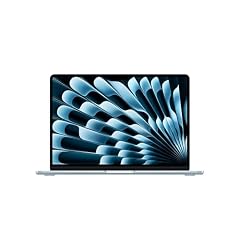
Apple 2026 MacBook Air 13-inch Laptop with M5 chip
- CPU
- Apple M5
- RAM
- 24 GB
- Storage
- 1000 GB
- Screen
- 13 in
- Weight
- 1.23 kg
- OS
- macOS
$1,649.00 (as of 10/20/2026 15:20 PDT - Details)
This 13-inch Air raises memory to 24GB and storage to 1TB, at the same 1.23 kg. In Apple's standard configurations the 24GB model comes with the 10-core GPU. It suits buyers who want Air portability but keep many apps, browser tabs or photo libraries open.
Pros
- 24GB of memory, the most of any MacBook Air listing in the pool
- 1TB of storage
- 10-core GPU in Apple's standard 24GB configuration
- Same 1.23 kg as the base Air
Cons
- Same 13.6-inch screen and ports as the base Air
- Pro models offer brighter XDR screens and more ports
Good fit if
- Developers and photographers who want a light Mac
- Buyers who keep laptops for many years
Skip if
- 16GB covers your apps
- You need sustained heavy GPU work
Verdict: The Air to choose when 16GB feels tight.
3 Best big-screen MacBook Air

Apple 2026 MacBook Air 15-inch Laptop with M5 chip
- CPU
- Apple M5
- RAM
- 16 GB
- Storage
- 512 GB
- Screen
- 15 in
- Weight
- 1.51 kg
- OS
- macOS
$1,446.00 (as of 10/20/2026 15:20 PDT - Details)
The 15-inch Air lists a 15.3-inch 2880x1864 screen, 16GB of memory and 512GB of storage at 1.51 kg per Apple. Apple gives the 15-inch model a 10-core GPU as standard, a 66.5Wh battery (the 13-inch has 53.8Wh) and a six-speaker sound system. It is 0.63 kg lighter than the 16-inch MacBook Pro with M5 Pro.
Pros
- 15.3-inch screen at 1.51 kg
- 10-core GPU as standard per Apple
- 66.5Wh battery, larger than the 13-inch Air
- Six-speaker sound system per Apple
Cons
- 512GB of storage
- Same ports as the 13-inch Air, with no HDMI or SD card slot
Good fit if
- Spreadsheet and document users who want more screen
- Students who work side by side in two windows
Skip if
- You travel light and want the smallest Mac
- You need an XDR screen for HDR editing
Verdict: The most screen you can get in a MacBook Air.
4 Best entry-level MacBook

Apple 2026 MacBook Neo 13-inch Laptop with A18 Pro chip
- CPU
- Apple A18 Pro
- RAM
- 8 GB
- Storage
- 512 GB
- Screen
- 13 in
- Weight
- 1.23 kg
- OS
- macOS
$789.99 (as of 10/20/2026 15:20 PDT - Details)
The MacBook Neo uses Apple's A18 Pro chip (6-core CPU, 5-core GPU) with 8GB of memory. This 512GB version adds Touch ID, which Apple lists as not available on the 256GB model. Apple specifies a 13-inch 2408x1506 screen, a 36.5Wh battery and one USB 3 plus one USB 2 port, at 1.23 kg.
Pros
- Touch ID on this 512GB model per Apple
- 512GB of storage, double the base Neo
- 1.23 kg, the same as the 13-inch Air
Cons
- 8GB of memory, the least of any Mac in the pool
- A18 Pro with a 5-core GPU and 60GB/s memory bandwidth, below the M5
- One USB 3 port, one USB 2 port and one external display per Apple
Good fit if
- Students and first-time Mac buyers with light workloads
- Families who want a simple Mac for browsing and schoolwork
Skip if
- You edit photos or video regularly
- You want to keep the laptop five years or more
Verdict: A simple way into macOS, best kept to light work.
5 Best entry MacBook Pro

Apple 2025 MacBook Pro Laptop
- CPU
- Apple M5
- RAM
- 16 GB
- Storage
- 1000 GB
- Screen
- 14.2 in
- Weight
- 1.55 kg
- OS
- macOS
$1,837.00 (as of 10/20/2026 15:20 PDT - Details)
The 14-inch MacBook Pro with M5 (10-core CPU, 10-core GPU) brings Apple's Liquid Retina XDR screen, up to 120Hz with ProMotion, to the lineup with 16GB of memory and 1TB of storage at 1.55 kg. Apple lists a 72.4Wh battery, three Thunderbolt 4 ports, HDMI and an SD card slot. It uses the same M5 chip family as the Air, so the gains are screen, ports and battery rather than processor tier.
Pros
- 14.2-inch XDR screen, up to 120Hz, 1000 nits SDR outdoor per Apple
- 1TB of storage
- HDMI, SD card slot and three Thunderbolt 4 ports
- 72.4Wh battery
Cons
- 16GB of memory, the same as the base Air
- Thunderbolt 4, not the Thunderbolt 5 of M5 Pro and M5 Max models
Good fit if
- Photographers who want an HDR screen and an SD slot
- Presenters who plug into HDMI displays
Skip if
- You need more than 16GB of memory
- An Air's screen and ports are enough for you
Verdict: The Pro screen and ports with the standard M5 chip.
6 Best 16-inch MacBook Pro to start with

Apple 2026 MacBook Pro Laptop
- CPU
- Apple M5 Pro
- RAM
- 24 GB
- Storage
- 1000 GB
- Screen
- 16.2 in
- Weight
- 2.14 kg
- OS
- macOS
This 16-inch MacBook Pro pairs an M5 Pro (18-core CPU, 20-core GPU) with 24GB of memory and 1TB of storage. Apple lists a 16.2-inch 3456x2234 XDR screen, a 100Wh battery, Thunderbolt 5 ports and 2.14 kg. It is the entry to the Pro chip tier on the big screen.
Pros
- M5 Pro with 18-core CPU and 20-core GPU
- 16.2-inch XDR screen per Apple
- 100Wh battery per Apple, the largest in any MacBook
- Thunderbolt 5 ports
Cons
- 24GB of memory, half of the 48GB M5 Pro pick
- 2.14 kg, 0.91 kg more than the 13-inch Air
Good fit if
- Developers and designers who want a large screen
- Musicians running mid-size sessions
Skip if
- You carry your laptop all day
- Your projects already push past 24GB
Verdict: The big-screen Pro for buyers who do not need maximum memory.
7 Best MacBook for creative professionals

Apple 2026 MacBook Pro Laptop
- CPU
- Apple M5 Pro
- RAM
- 48 GB
- Storage
- 1000 GB
- Screen
- 16.2 in
- Weight
- 2.14 kg
- OS
- macOS
$3,369.00 (as of 10/20/2026 15:20 PDT - Details)
The same 16-inch M5 Pro machine with 48GB of memory doubles the previous pick's memory, which helps with large photo catalogs, orchestral sample libraries and multi-camera edits. Apple lists 307GB/s memory bandwidth for the M5 Pro and support for up to three external displays. Storage stays at 1TB.
Pros
- 48GB of memory with the M5 Pro
- 16.2-inch XDR screen and 100Wh battery per Apple
- Up to three external displays per Apple
Cons
- 1TB of storage for a creative machine
- 2.14 kg
Good fit if
- Photo and video editors with large projects
- Music producers using big sample libraries
Skip if
- You need the M5 Max GPU for 3D or AI
- You want a 14-inch laptop
Verdict: The balanced choice for serious creative work.
8 Most portable M5 Max MacBook

Apple 2026 MacBook Pro Laptop
- CPU
- Apple M5 Max
- RAM
- 36 GB
- Storage
- 2000 GB
- Screen
- 14.2 in
- Weight
- 1.63 kg
- OS
- macOS
$3,844.99 (as of 10/20/2026 15:20 PDT - Details)
The 14-inch MacBook Pro with M5 Max (18-core CPU, 32-core GPU), 36GB of memory and 2TB of storage puts Apple's top chip tier into a 1.63 kg laptop, per the listing. Apple lists 460GB/s memory bandwidth for this M5 Max and two video encode engines, useful for export-heavy video work.
Pros
- M5 Max with 32-core GPU at 1.63 kg
- 2TB of storage
- 460GB/s memory bandwidth and two video encode engines per Apple
Cons
- 36GB of memory, fixed by Apple to this 32-core GPU version
- Smaller 14.2-inch screen for long editing sessions
Good fit if
- Video editors who travel
- Developers who compile large projects on the go
Skip if
- You need more than 36GB of memory
- A 16-inch screen suits your work
Verdict: M5 Max performance in the smaller Pro body.
9 Best 16-inch M5 Max for video editors
Apple 2026 MacBook Pro Laptop
- CPU
- Apple M5 Max
- RAM
- 36 GB
- Storage
- 2000 GB
- Screen
- 16.2 in
- Weight
- 2.15 kg
- OS
- macOS
The 16-inch version of the 32-core GPU M5 Max, with 36GB of memory and 2TB of storage, adds the 16.2-inch XDR screen and 100Wh battery at 2.15 kg. Compared with the 14-inch M5 Max pick, it trades 0.52 kg for more screen and battery.
Pros
- M5 Max with 32-core GPU
- 16.2-inch XDR screen and 100Wh battery per Apple
- 2TB of storage
Cons
- 2.15 kg, the heaviest stated weight in the pool
- 36GB of memory, below the 48GB M5 Pro pick
Good fit if
- Colorists and editors who grade on the laptop screen
- Creators who want M5 Max with a large display
Skip if
- Your projects need more than 36GB of memory
- You fly often with your laptop
Verdict: The big-screen M5 Max for video work.
10 Most memory in a 14-inch MacBook

Apple MacBook Pro with M5 Max
- CPU
- Apple M5 Max
- RAM
- 128 GB
- Storage
- 2000 GB
- Screen
- 14.2 in
- OS
- macOS
$6,699.00 (as of 10/20/2026 15:20 PDT - Details)
This 14-inch MacBook Pro uses the 40-core GPU M5 Max with 128GB of memory and 2TB of storage, sold by Expercom, which lists itself as an Apple Premier Partner. Apple lists 614GB/s memory bandwidth for this chip and 128GB as the maximum memory, available only with the 40-core GPU. The weight is not in the listing; Apple lists 1.62 kg for the 14-inch M5 Max.
Pros
- 128GB of memory, the most any MacBook offers
- 40-core GPU M5 Max with 614GB/s bandwidth per Apple
- 14.2-inch body
Cons
- Weight not stated by the seller
- 2TB of storage for a machine aimed at very large projects
Good fit if
- Researchers running large local AI models on the go
- 3D artists who need memory more than screen size
Skip if
- 36GB or 48GB covers your work
- You want a 16-inch screen
Verdict: Maximum MacBook memory in the smaller body.
11 Most powerful Apple laptop
Apple MacBook Pro Laptop with M5 Max
- CPU
- Apple M5 Max
- RAM
- 128 GB
- Storage
- 2000 GB
- Screen
- 16.2 in
- OS
- macOS
$6,999.00 (as of 10/20/2026 15:20 PDT - Details)
The 16-inch MacBook Pro with the 40-core GPU M5 Max and 128GB of memory is the top of the MacBook range: the highest GPU core count, the most memory and, per Apple, the 100Wh battery of the 16-inch body. It lists 2TB of storage and is sold by Expercom, which lists itself as an Apple Premier Partner.
Pros
- M5 Max with 40-core GPU
- 128GB of memory
- 16.2-inch XDR screen and 100Wh battery per Apple
- Thunderbolt 5 ports
Cons
- Weight not stated by the seller
- 2TB of storage; a 4TB version is also in the pool
Good fit if
- AI developers working with large local models
- Studios editing 8K or multi-camera projects
Skip if
- Your work fits in 48GB
- You want a light laptop
Verdict: The most capable MacBook you can buy, for work that needs it.
12 Most storage in a MacBook here

(CTO) Apple 14-inch MacBook Pro
- CPU
- Apple M5 Max
- RAM
- 36 GB
- Storage
- 8000 GB
- Screen
- 14 in
$7,009.00 (as of 10/20/2026 15:20 PDT - Details)
This build-to-order 14-inch MacBook Pro, sold by the reseller DataVision, pairs the 32-core GPU M5 Max and 36GB of memory with 8TB of storage, the most in the Apple pool. It suits people who keep entire media libraries on the laptop. The listing includes a 96W power adapter.
Pros
- 8TB of storage, the most in the pool
- M5 Max with 32-core GPU
- 96W power adapter per the listing
Cons
- Reseller build-to-order listing rather than a standard configuration
- 36GB of memory
- Weight not stated by the seller
Good fit if
- Filmmakers who carry raw footage
- Photographers with very large archives
Skip if
- External SSDs suit your workflow
- You need more memory rather than storage
Verdict: For storage-heavy work where external drives are not an option.
Side by side
| # | Laptop | CPU | GPU | GPU memory | Rentable GPU model | RAM | Storage |
|---|---|---|---|---|---|---|---|
| 1 | Apple 2026 MacBook Air 13-inch Laptop with M5 chip | Apple M5 | not stated | not stated | not stated | 16 GB | 512 GB |
| 2 | Apple 2026 MacBook Air 13-inch Laptop with M5 chip | Apple M5 | not stated | not stated | not stated | 24 GB | 1000 GB |
| 3 | Apple 2026 MacBook Air 15-inch Laptop with M5 chip | Apple M5 | not stated | not stated | not stated | 16 GB | 512 GB |
| 4 | Apple 2026 MacBook Neo 13-inch Laptop with A18 Pro chip | Apple A18 Pro | not stated | not stated | not stated | 8 GB | 512 GB |
| 5 | Apple 2025 MacBook Pro Laptop | Apple M5 | not stated | not stated | not stated | 16 GB | 1000 GB |
| 6 | Apple 2026 MacBook Pro Laptop | Apple M5 Pro | not stated | not stated | not stated | 24 GB | 1000 GB |
| 7 | Apple 2026 MacBook Pro Laptop | Apple M5 Pro | not stated | not stated | not stated | 48 GB | 1000 GB |
| 8 | Apple 2026 MacBook Pro Laptop | Apple M5 Max | not stated | not stated | not stated | 36 GB | 2000 GB |
| 9 | Apple 2026 MacBook Pro Laptop | Apple M5 Max | not stated | not stated | not stated | 36 GB | 2000 GB |
| 10 | Apple MacBook Pro with M5 Max | Apple M5 Max | not stated | not stated | not stated | 128 GB | 2000 GB |
| 11 | Apple MacBook Pro Laptop with M5 Max | Apple M5 Max | not stated | not stated | not stated | 128 GB | 2000 GB |
| 12 | (CTO) Apple 14-inch MacBook Pro | Apple M5 Max | not stated | not stated | not stated | 36 GB | 8000 GB |
How we picked
How we picked: our catalogue held 27 Apple laptop listings with a live price. They cover seven models (MacBook Neo, 13-inch and 15-inch MacBook Air, and the 14-inch and 16-inch MacBook Pro with M5, M5 Pro or M5 Max) in 16 distinct memory, storage and screen combinations. Because Apple sells the same model in several configurations, our 12 picks are configurations, each with a different job, not 12 different laptops. We dropped repeat listings of the same configuration, checked every chip, screen, battery and port figure against Apple's tech specs pages, and preferred listings from the store itself or Apple-authorized sellers; one pick is a reseller's build-to-order unit, labeled below. Prices are live and read from the store listing, with the time shown. Nobody tested these units.
How to choose
Apple's chip tiers, from A18 Pro to M5 Max
Apple's own spec pages set out four chip tiers in the current MacBooks. The MacBook Neo uses the A18 Pro, with a 6-core CPU, a 5-core GPU and 60GB/s memory bandwidth. The MacBook Air and the base 14-inch Pro use the M5: a 10-core CPU, an 8-core or 10-core GPU and 153GB/s.
The M5 Pro comes with a 15-core CPU and 16-core GPU or an 18-core CPU and 20-core GPU, at 307GB/s. The M5 Max has an 18-core CPU with a 32-core GPU (460GB/s) or a 40-core GPU (614GB/s), and two video encode engines. More GPU cores and bandwidth help with 3D, video export and local AI models; everyday apps feel little difference.
Memory is set when you buy
Apple offers memory choices only when you configure the machine, so choose it at purchase. Apple's spec pages tie memory to chips: the Neo comes with 8GB; the Air with 16GB, 24GB or 32GB; the M5 Pro with 24GB, 48GB or 64GB; and the M5 Max with 36GB on the 32-core GPU version or 48GB, 64GB or 128GB on the 40-core version.
In our pool, 10 of the 27 listings have 32GB or more, all of them MacBook Pro models. For most people 16GB is enough; creative professionals should look at 24GB and up.
Air or Pro: screen, ports and battery
Per Apple, the Air has a Liquid Retina screen at 500 nits, two Thunderbolt 4 ports and MagSafe. The Pro adds a Liquid Retina XDR screen with ProMotion up to 120Hz, HDMI, an SD card slot and three Thunderbolt ports (Thunderbolt 5 on M5 Pro and M5 Max). Battery capacity rises from 53.8Wh on the 13-inch Air to 100Wh on the 16-inch Pro.
If you do not need HDR editing, external HDMI screens or sustained heavy loads, an Air is the better fit.
Weight by model
Apple lists 1.23 kg for both the MacBook Neo and the 13-inch Air, 1.51 kg for the 15-inch Air, 1.55 kg to 1.62 kg for the 14-inch Pro depending on chip, and 2.14 kg to 2.15 kg for the 16-inch Pro. The 16-inch Pro is roughly 0.9 kg heavier than a 13-inch Air, which is noticeable in a daily bag.
Configurations, resellers and build-to-order
Most listings in our pool are sold by the store itself. A few come from Expercom, which describes itself as an Apple Premier Partner, and from DataVision, which sells build-to-order (CTO) configurations such as 8TB of storage. Several of Apple's configurations appear more than once in the pool, sometimes in different colors; we list each configuration once.
Questions
Which MacBook should I buy in 2026?
For most people, the 13-inch MacBook Air with M5, 16GB and 512GB. Choose the MacBook Neo if you only browse, write and stream, the 15-inch Air for a bigger screen, the 14-inch MacBook Pro with M5 for an XDR screen and more ports, and the M5 Pro or M5 Max models for long photo, video, music or AI work.
What is the difference between M5, M5 Pro and M5 Max?
Per Apple, the M5 has a 10-core CPU and up to a 10-core GPU with 153GB/s memory bandwidth. The M5 Pro adds cores (up to an 18-core CPU and 20-core GPU) and 307GB/s. The M5 Max keeps the 18-core CPU but has a 32-core or 40-core GPU, 460GB/s or 614GB/s, two video encode engines and up to 128GB of memory.
Is the MacBook Neo good enough?
For light work, yes. Apple gives it the A18 Pro chip, 8GB of memory, a 13-inch screen and 1.23 kg, the same weight as the 13-inch Air. It has fewer and slower ports (one USB 3, one USB 2), supports one external display, and the 256GB model lacks Touch ID. If you edit photos or video, or want a Mac for many years, the Air is the safer choice.
How much memory does a MacBook need?
Apple offers memory choices only at purchase, so buy for the years ahead. 16GB suits everyday work and is the Air's starting point. 24GB to 48GB suits developers, photographers and music producers. The 128GB M5 Max is for large local AI models and very large video or 3D projects. Only the MacBook Neo ships with 8GB.
Is the 15-inch MacBook Air worth it over the 13-inch?
It gives you a 15.3-inch screen instead of 13.6 inches, a 10-core GPU as standard, a 66.5Wh battery instead of 53.8Wh and six speakers instead of four, per Apple. The cost is 0.28 kg more weight (1.51 kg against 1.23 kg). If you work at a desk often, the bigger screen is the main reason to choose it.
Recent updates
- : First published.