
Best 512GB Storage Laptops in 2026: 14 Picks Compared on Specs
Our top pick among 512GB laptops is the 13-inch MacBook Air with M5: it pairs the most common storage size with 16GB of unified memory at 1.23 kg, a light, all-round machine for study and work. The other 13 picks cover Windows ultralights, business ThinkPads, a Chromebook, two RTX 50 gaming laptops and a Dell Precision workstation. We chose all 14 from stated specifications and the makers' published data, not from lab tests.
14 picks from 144 laptops that match this guide with a price we can quote today. Every price below is live and carries the moment it was read.
The picks at a glance
Which one should you buy?
- For students and everyday work: The 13-inch MacBook Air with M5 brings 16GB of unified memory at 1.23 kg. See pick 1
- For the lightest Windows laptop: The ASUS Zenbook 14 weighs 1.09 kg, the lightest pick, with a Snapdragon X Plus and an OLED screen per the listing. See pick 4
- For business users: The ThinkPad T14 Gen 6 pairs 32GB of memory with an Intel Core Ultra 7 255U and Windows 11 Pro. See pick 5
- For gaming on a 512GB drive: The Acer Nitro V 16 carries an RTX 5060 and a 165Hz 16-inch screen; plan for extra storage as your library grows. See pick 8
The 14 picks
1 Best overall

Apple 2026 MacBook Air 13-inch Laptop with M5 chip
- CPU
- Apple M5
- RAM
- 16 GB
- Storage
- 512 GB
- Screen
- 13 in
- Weight
- 1.23 kg
- OS
- macOS
$1,254.00 (as of 10/20/2026 15:20 PDT - Details)
It combines 16GB of unified memory with Apple's M5, which Apple lists with a 10-core CPU, in a 1.23 kg body. For browsing, writing, study and photo work, 512GB is a comfortable fit on this machine.
Pros
- Apple M5: 10-core CPU per Apple
- 16GB of unified memory
- 1.23 kg, among the lightest picks
- macOS
Cons
- 512GB is the base storage; Apple lists 1TB, 2TB and 4TB configurations
- No battery size stated by the seller
Good fit if
- Students and office workers who carry a laptop every day
- Buyers who keep large files in cloud storage
Skip if
- You rely on Windows-only software
- You want a larger screen: the 15-inch Air has the same chip
Verdict: The all-round 512GB laptop for most people.
2 Best big-screen ultralight

Apple 2026 MacBook Air 15-inch Laptop with M5 chip
- CPU
- Apple M5
- RAM
- 16 GB
- Storage
- 512 GB
- Screen
- 15 in
- Weight
- 1.51 kg
- OS
- macOS
$1,444.00 (as of 10/20/2026 15:20 PDT - Details)
It keeps the M5 and 16GB of the 13-inch Air on a 15.3-inch screen per the listing, at 1.51 kg. Apple lists a 10-core GPU as standard on the 15-inch model.
Pros
- 15.3-inch screen per the listing
- Apple M5 with a 10-core GPU per Apple
- 16GB of unified memory
- 1.51 kg, light for its screen size
Cons
- Heavier than the 13-inch Air at 1.23 kg
- No battery size stated by the seller
Good fit if
- Buyers who want more screen without a heavy laptop
- Students who split windows side by side
Skip if
- You want the lightest possible Mac
- You need a dedicated GPU for games
Verdict: The MacBook Air for people who want a bigger screen.
3 Best Windows ultralight

Dell XPS 13.4" Laptop
- CPU
- Qualcomm Snapdragon X Elite
- RAM
- 32 GB
- Storage
- 512 GB
- Screen
- 13.4 in
- Refresh
- 120 Hz
- Weight
- 1.19 kg
- Battery
- 55 Wh
- OS
- Windows 11 Pro
It pairs a Snapdragon X Elite with 32GB of memory, a 120Hz 13.4-inch screen and a stated 55Wh battery at 1.19 kg. It is the lightest 32GB pick with a stated weight.
Pros
- 32GB of memory, tied for the most in this list
- 1.19 kg
- 120Hz screen
- 55Wh battery stated, Windows 11 Pro
Cons
- Arm-based Windows: confirm your apps and games run on it
- 13.4-inch screen is small for side-by-side work
Good fit if
- Travelers who want a light Windows laptop with a smooth screen
- Office users who multitask across many apps
Skip if
- You rely on software without Windows on Arm support
- You want a larger screen
Verdict: A compact, 32GB Windows machine for daily carrying.
4 Lightest pick

ASUS Zenbook 14 AI Business Laptop
- CPU
- Qualcomm Snapdragon X Plus
- Storage
- 512 GB
- Screen
- 14 in
- Weight
- 1.09 kg
- OS
- Windows 11 Home
At 1.09 kg it is the lightest laptop in this list, with a Snapdragon X Plus and a 14-inch FHD+ OLED screen per the listing. The seller's specifications omit the memory, though the listing title names 16GB.
Pros
- 1.09 kg, the lightest pick
- 14-inch OLED screen per the listing
- Snapdragon X Plus processor
Cons
- Memory not stated in the seller's specifications; the title says 16GB
- Arm-based Windows: confirm app compatibility
- Windows 11 Home, without Pro's BitLocker and device management
Good fit if
- Commuters who want the lightest bag
- Writers and students who work in a browser and office apps
Skip if
- Your employer requires Windows 11 Pro
- You rely on x86-only software
Verdict: The featherweight Windows pick.
5 Best business laptop
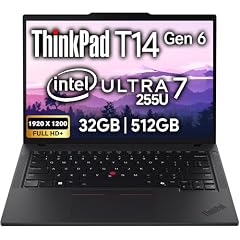
Lenovo ThinkPad T14 Gen 6 Business Laptop 14" FHD+ IPS
- CPU
- Intel Core Ultra 7 255U
- RAM
- 32 GB
- Storage
- 512 GB
- Screen
- 14 in
- Touchscreen
- No
- OS
- Windows 11 Pro
$1,639.95 (as of 10/20/2026 15:22 PDT - Details)
It pairs the Intel Core Ultra 7 255U, a low-power U-series chip, with 32GB of memory and Windows 11 Pro. It is the business pick for people who multitask but keep files on company servers or in the cloud.
Pros
- 32GB of memory, tied for the most in this list
- Intel Core Ultra 7 255U
- Windows 11 Pro stated
- 14-inch FHD+ IPS screen per the listing
Cons
- Weight not stated by the seller
- No battery size stated by the seller
Good fit if
- Corporate users on managed networks
- Analysts who keep many spreadsheets and tabs open
Skip if
- You store large media files locally
- You want a known weight before buying
Verdict: The 32GB business ThinkPad for cloud-first work.
6 Best light workstation

Lenovo ThinkPad P14s Gen 6 14" FHD+ Laptop
- CPU
- AMD Ryzen AI 7 350
- GPU
- Radeon 860M
- RAM
- 16 GB
- Storage
- 512 GB
- Screen
- 14 in
- Refresh
- 60 Hz
- Weight
- 1.45 kg
- Battery
- 57 Wh
$1,149.99 (as of 10/20/2026 15:22 PDT - Details)
The P14s Gen 6 is Lenovo's 14-inch mobile workstation line; this configuration pairs a Ryzen AI 7 350 with Radeon 860M graphics, 16GB of memory and a stated 57Wh battery at 1.45 kg. It suits engineers who need a portable machine for lighter CAD and code.
Pros
- 57Wh battery, the largest stated in this list
- 1.45 kg
- Ryzen AI 7 350 with Radeon 860M graphics
- Windows 11 Pro stated
Cons
- 16GB of memory for workstation tasks
- 60Hz screen
Good fit if
- Engineers and developers who travel
- Business users who want a workstation-class line in a 14-inch body
Skip if
- You work with large 3D models that need a dedicated GPU
- You keep big project folders locally
Verdict: A portable workstation for lighter technical work.
7 Best 16-inch touchscreen

Samsung Galaxy Book6 Business Ai Laptop 2026
- CPU
- Intel Core Ultra 7 355
- RAM
- 16 GB
- Storage
- 512 GB
- Screen
- 16 in
- Refresh
- 120 Hz
- Touchscreen
- Yes
- Weight
- 1.84 kg
- OS
- Windows 11 Pro
$1,299.99 (as of 10/20/2026 15:22 PDT - Details)
It brings a 16-inch FHD+ 120Hz touchscreen with an Intel Core Ultra 7 355 and Windows 11 Pro at 1.84 kg. It is the only 16-inch pick with both touch and 120Hz.
Pros
- 16-inch touchscreen at 120Hz
- Intel Core Ultra 7 355
- Windows 11 Pro stated
- 16GB of memory
Cons
- 1.84 kg, heavier than the 14-inch picks
- No battery size stated by the seller
Good fit if
- Business users who present or annotate on screen
- Buyers who want a large, smooth screen for spreadsheets
Skip if
- You want a very light laptop
- You need a dedicated GPU
Verdict: The large-screen touch option for business users.
8 Best gaming pick
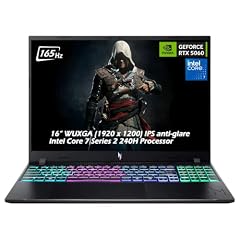
Acer Nitro V Gaming Laptop
- CPU
- Intel Core 7 240H
- GPU
- GeForce RTX 5060
- RAM
- 16 GB
- Storage
- 512 GB
- Screen
- 16 in
- Refresh
- 165 Hz
- Weight
- 2.1 kg
- OS
- Windows 11
$1,579.95 (as of 10/20/2026 15:20 PDT - Details)
It carries an RTX 5060, which NVIDIA lists with 8GB of GDDR7, with an Intel Core 7 240H and a 16-inch WUXGA 165Hz screen at 2.1 kg. It is the strongest GeForce GPU among the picks, though 512GB fills quickly with modern games.
Pros
- RTX 5060: 8GB of GDDR7 per NVIDIA
- 16-inch screen at 165Hz
- Intel Core 7 240H
- 16GB of memory
Cons
- 512GB fills quickly with large games; plan for an extra drive
- 2.1 kg
Good fit if
- Players who keep a handful of games installed
- Students who game and do schoolwork on one machine
Skip if
- You keep a large game library installed
- You carry your laptop all day
Verdict: A current-generation gaming laptop that needs storage planning.
9 Best 15.6-inch gaming pick

acer Nitro V 15.6” FHD IPS 165Hz Gaming Laptop
- CPU
- Intel Core i5-13420H
- GPU
- GeForce RTX 5050
- GPU memory
- 8 GB
- RAM
- 16 GB
- Storage
- 512 GB
- Screen
- 15.6 in
- Refresh
- 165 Hz
- Weight
- 2.11 kg
$1,049.99 (as of 10/20/2026 15:20 PDT - Details)
It pairs an RTX 5050 with 8GB of GDDR7 and an Intel Core i5-13420H with a 15.6-inch FHD 165Hz screen. It is the entry point to RTX 50 graphics in this list.
Pros
- RTX 5050 with 8GB of graphics memory
- 15.6-inch FHD screen at 165Hz
- 16GB of memory
Cons
- One tier below the RTX 5060 pick
- 2.11 kg, the heaviest of the gaming picks
- 512GB fills quickly with large games
Good fit if
- First-time buyers who play esports titles
- Buyers who prefer a 15.6-inch footprint
Skip if
- You play new releases at high settings
- You install many large games
Verdict: The entry RTX 50 gaming pick for a smaller library.
10 Most powerful pick

Dell Precision 7780 Mobile Workstation 17.3" FHD Laptop
- CPU
- Intel Core i9-13950HX
- GPU
- RTX 4000 Ada
- GPU memory
- 12 GB
- RAM
- 32 GB
- Storage
- 512 GB
- Screen
- 17.3 in
- OS
- Windows 11 Pro
$2,499.99 (as of 10/20/2026 15:21 PDT - Details)
It is the only professional workstation here: an RTX 4000 Ada (Ada Lovelace generation) with 12GB of graphics memory, a Core i9-13950HX and 32GB of memory on a 17.3-inch screen. 512GB is small for a machine like this, so plan on external or network storage for projects.
Pros
- RTX 4000 Ada with 12GB of graphics memory, the most in this list
- Core i9-13950HX, an HX-class performance chip
- 32GB of memory, tied for the most here
- 17.3-inch screen, the largest in this list
Cons
- Only 512GB of storage for a workstation
- Weight not stated by the seller
Good fit if
- Engineers who keep projects on a network or server
- Buyers who need certified professional GPU drivers
Skip if
- You need local space for large projects
- You carry your laptop often
Verdict: Serious GPU power with a drive you will want to expand.
11 Best 16-inch business basic

HP ProBook 4 G1a Laptop
- CPU
- AMD Ryzen 5 230
- GPU
- Radeon 760M
- RAM
- 16 GB
- Storage
- 512 GB
- Screen
- 16 in
- Refresh
- 60 Hz
- Weight
- 1.75 kg
- OS
- Windows 11 Pro
$899.99 (as of 10/20/2026 15:21 PDT - Details)
It pairs an AMD Ryzen 5 230 with Radeon 760M graphics, 16GB of memory and Windows 11 Pro on a 16-inch FHD+ screen at 1.75 kg. It is a straightforward office machine.
Pros
- 16-inch FHD+ screen
- Ryzen 5 230 with Radeon 760M graphics
- Windows 11 Pro stated
- 1.75 kg, light for a 16-inch laptop
Cons
- 60Hz screen
- No battery size stated by the seller
Good fit if
- Office staff who work in documents and web apps
- Companies buying standard business laptops
Skip if
- You edit video or photos heavily
- You want a smoother 120Hz screen
Verdict: A plain, capable 16-inch business laptop.
12 Business pick with a stated battery

Dell Pro 16 PC16250 Laptop
- CPU
- Intel Core 5 120U
- RAM
- 16 GB
- Storage
- 512 GB
- Screen
- 16 in
- Weight
- 1.92 kg
- Battery
- 55 Wh
- OS
- Windows 11 Pro
$999.98 (as of 10/20/2026 15:21 PDT - Details)
It pairs an Intel Core 5 120U with 16GB of memory, Windows 11 Pro and a stated 55Wh battery on a 16-inch screen. Among the 16-inch business picks, it is the only one whose seller states the battery size.
Pros
- 55Wh battery stated
- 16-inch screen
- Windows 11 Pro stated
- 16GB of memory
Cons
- 1.92 kg, the heaviest of the business picks
- Core 5 120U is an entry business chip
Good fit if
- Office users who want a large screen and a known battery size
- IT buyers standardizing on Dell business laptops
Skip if
- You carry your laptop daily
- You run heavy creative apps
Verdict: A standard 16-inch Dell for office work.
13 Best Chromebook

Acer Chromebook Plus 514 Laptop
- CPU
- Intel Core i3-N355
- RAM
- 8 GB
- Storage
- 512 GB
- Screen
- 14 in
- Touchscreen
- Yes
- Weight
- 1.4 kg
- OS
- ChromeOS
$499.98 (as of 10/20/2026 15:20 PDT - Details)
It is the only ChromeOS pick, with an Intel Core i3-N355, 8GB of memory and a 14-inch touchscreen at 1.4 kg. ChromeOS works mostly in the browser, so 512GB is generous for this kind of laptop.
Pros
- ChromeOS, the only one in this list
- 14-inch touchscreen
- 1.4 kg
- 512GB is ample for a browser-centered system
Cons
- 8GB of memory, tied for the least here
- Runs Android and web apps, not Windows software
Good fit if
- Students whose schools use Google tools
- Home users who browse, stream and write
Skip if
- You need Windows or macOS apps
- You edit photos or video
Verdict: The simple, browser-first choice.
14 Lightest Mac with 8GB
Apple 2026 MacBook Neo 13-inch Laptop with A18 Pro chip
- CPU
- Apple A18 Pro
- RAM
- 8 GB
- Storage
- 512 GB
- Screen
- 13 in
- Weight
- 1.23 kg
- OS
- macOS
$789.99 (as of 10/20/2026 15:20 PDT - Details)
The MacBook Neo uses Apple's A18 Pro chip with 8GB of memory and weighs 1.23 kg, the same as the 13-inch Air. It suits basic macOS use; for heavier work the Air's M5 and 16GB fit better.
Pros
- Apple A18 Pro chip
- 1.23 kg
- macOS
Cons
- 8GB of memory, tied for the least here
- Half the memory of the MacBook Air picks
Good fit if
- Students who want macOS for writing and browsing
- Buyers who keep files in iCloud or other cloud storage
Skip if
- You edit photos or video
- You keep many apps open at once
Verdict: An entry Mac for light work.
Side by side
| # | Laptop | CPU | GPU | GPU memory | Rentable GPU model | RAM | Storage |
|---|---|---|---|---|---|---|---|
| 1 | Apple 2026 MacBook Air 13-inch Laptop with M5 chip | Apple M5 | not stated | not stated | not stated | 16 GB | 512 GB |
| 2 | Apple 2026 MacBook Air 15-inch Laptop with M5 chip | Apple M5 | not stated | not stated | not stated | 16 GB | 512 GB |
| 3 | Dell XPS 13.4" Laptop | Qualcomm Snapdragon X Elite | not stated | not stated | not stated | 32 GB | 512 GB |
| 4 | ASUS Zenbook 14 AI Business Laptop | Qualcomm Snapdragon X Plus | not stated | not stated | not stated | not stated | 512 GB |
| 5 | Lenovo ThinkPad T14 Gen 6 Business Laptop 14" FHD+ IPS | Intel Core Ultra 7 255U | not stated | not stated | not stated | 32 GB | 512 GB |
| 6 | Lenovo ThinkPad P14s Gen 6 14" FHD+ Laptop | AMD Ryzen AI 7 350 | Radeon 860M | not stated | not stated | 16 GB | 512 GB |
| 7 | Samsung Galaxy Book6 Business Ai Laptop 2026 | Intel Core Ultra 7 355 | not stated | not stated | not stated | 16 GB | 512 GB |
| 8 | Acer Nitro V Gaming Laptop | Intel Core 7 240H | GeForce RTX 5060 | not stated | not stated | 16 GB | 512 GB |
| 9 | acer Nitro V 15.6” FHD IPS 165Hz Gaming Laptop | Intel Core i5-13420H | GeForce RTX 5050 | 8 GB | not stated | 16 GB | 512 GB |
| 10 | Dell Precision 7780 Mobile Workstation 17.3" FHD Laptop | Intel Core i9-13950HX | RTX 4000 Ada | 12 GB | not stated | 32 GB | 512 GB |
| 11 | HP ProBook 4 G1a Laptop | AMD Ryzen 5 230 | Radeon 760M | not stated | not stated | 16 GB | 512 GB |
| 12 | Dell Pro 16 PC16250 Laptop | Intel Core 5 120U | not stated | not stated | not stated | 16 GB | 512 GB |
| 13 | Acer Chromebook Plus 514 Laptop | Intel Core i3-N355 | not stated | not stated | not stated | 8 GB | 512 GB |
| 14 | Apple 2026 MacBook Neo 13-inch Laptop with A18 Pro chip | Apple A18 Pro | not stated | not stated | not stated | 8 GB | 512 GB |
How we picked
How we picked: 60 laptops in our catalogue state 512GB of storage and had a current listing when we read the data. We dropped listings whose data contradicts itself: an HP 17-inch model whose title says 1TB, a KAIGERR model whose title names a Ryzen chip while its specifications name a Celeron, and a Lenovo LOQ gaming listing with an implausibly low stated weight. We preferred established makers sold new, skipped reseller-customized builds and unbranded machines with older low-power chips, and kept one listing where two were near-identical (Dell XPS 13, Acer Nitro V with RTX 4050). We then kept one strong option per use: everyday, business, gaming, workstation and ChromeOS. Mac facts come from Apple, GPU facts from NVIDIA. Prices are live, read from the store listing and shown with the time read. Nobody at wikilaptop.org has tested these units.
How to choose
Is 512GB enough for you?
512GB holds the operating system, office and creative apps, a large photo collection and a few games. It is enough for most students and office workers, especially if documents and photos sync to cloud storage. Microsoft lists 64GB as the minimum storage for Windows 11, so the system itself takes only a small share.
It becomes tight for people who install many large games, edit long video projects or keep raw photo libraries locally. For them, a larger drive or an external one is the better plan.
Can you add storage later?
It depends on the laptop. Apple lists the MacBook Air with 512GB or 1TB, configurable to 2TB or 4TB, so decide on a Mac at purchase. Many Windows laptops use a replaceable SSD or have a spare slot, but not all. Check the maker's spec page or service manual before counting on an upgrade, and remember that an external USB drive is the simplest addition.
Gaming on a 512GB drive
Three picks have a dedicated GPU: two Acer Nitro V models with RTX 50 graphics and the Dell Precision with an RTX 4000 Ada. NVIDIA lists 8GB of GDDR7 for the RTX 5060. Modern games are large, so a 512GB gaming laptop often runs out of space before it runs out of performance. Keep a few games installed, or plan for a second drive.
Memory next to storage
Eight picks have 16GB of memory, three have 32GB and two have 8GB; the Zenbook's seller does not state memory in its specifications. 16GB is a sound baseline for Windows multitasking. The 8GB picks are the MacBook Neo and the Chromebook, which suit lighter work.
Arm, x86 and ChromeOS
The XPS 13 and Zenbook 14 use Qualcomm Snapdragon chips, which run Windows on Arm. Check that your software, drivers and games support Windows on Arm before buying. The Chromebook runs ChromeOS with web and Android apps, and the Macs run macOS. Everything else here runs standard Windows on Intel or AMD chips.
Questions
Is 512GB of storage enough for a laptop?
For most students and office workers, yes: it holds the system, your apps, documents and a good photo collection. It gets tight with many large games, long video projects or local raw photo libraries. If that describes you, look at 1TB or larger, or plan for an external drive from day one.
512GB or 1TB: which should I choose?
Choose 512GB if your files sync to cloud storage and you play few large games. Choose 1TB or more if you keep media locally, install many games or edit video. On laptops where the maker does not document a replaceable drive, err toward the larger size.
Is 512GB enough for a gaming laptop?
It works if you keep only a few large games installed at once. Modern titles are big, so a 512GB drive fills fast. Check whether the laptop has a spare SSD slot, as many gaming laptops do, and confirm it on the maker's spec page before counting on it.
Did you test these laptops?
No. Nobody at wikilaptop.org has used these units. We chose them from the specifications stated on each listing, cross-checked with Apple, NVIDIA and Microsoft published data. We do not describe drive speed, battery hours, heat or build quality, because those claims need testing we have not done.
Recent updates
- : First published.