
Best MSI Laptops in 2026: 12 Picks for Work and Play
Our top MSI pick is the Vector A16 HX: an RTX 5080 with 16GB of graphics memory, 64GB of system memory and a 16-core Ryzen 9 8940HX, so it handles large games, video timelines and local AI models without an upgrade. The other 11 picks run from the 1.95 kg Cyborg A15 AI to the RTX 5090 Titan 18, with stops for big screens and big storage. Every choice rests on published specifications and the makers' data, not on lab tests.
12 picks from 22 laptops that match this guide with a price we can quote today. Every price below is live and carries the moment it was read.
The picks at a glance
Which one should you buy?
- For video editing and 3D work: The Vector A16 HX pairs 64GB of memory with an RTX 5080 and 16 processor cores, the best-balanced workstation spec here. See pick 1
- For running large local AI models: The Titan 18 is the only pick with 24GB of graphics memory, the figure that decides which models fit on the GPU. See pick 2
- For class, the office and travel: The Cyborg A15 AI weighs 1.95 kg, the lightest in this list, and still has a dedicated RTX 5050. See pick 9
- For a big screen on the desk: The 64GB Crosshair 18 HX AI gives you an 18-inch 240Hz panel with stated DCI-P3 coverage and room for heavy multitasking. See pick 6
The 12 picks
1 Best overall

msi Vector A16 HX 16" QHD+ 240Hz Gaming Laptop
- CPU
- AMD Ryzen 9 8940HX
- GPU
- GeForce RTX 5080
- GPU memory
- 16 GB
- RAM
- 64 GB
- Storage
- 2000 GB
- Screen
- 16 in
- Refresh
- 240 Hz
- Weight
- 2.7 kg
$3,338.99 (as of 10/20/2026 15:22 PDT - Details)
It is the one MSI here that covers games, editing and local AI work without a weak spec: an RTX 5080 with 16GB of graphics memory, 64GB of system memory and a 16-core AMD processor. It matches the Titan 18 on memory while weighing 2.7 kg instead of 3.6 kg.
Pros
- RTX 5080 with 16GB of GDDR7, per the listing and NVIDIA
- 64GB of memory, tied for the most in this list
- Ryzen 9 8940HX: 16 cores and 32 threads, per AMD
- 16-inch QHD+ screen at 240Hz
Cons
- 2.7 kg, heavier than every 15-inch and 17-inch pick here
- The specs state 2TB of storage while the listing title says 3TB; confirm the drive layout with the seller
Good fit if
- Video editors and 3D artists who also play demanding games
- Developers who run local AI models that fit in 16GB of graphics memory
Skip if
- You need the 24GB of graphics memory that only the Titan 18 offers here
- You carry the laptop every day and want something under 2 kg
Verdict: The MSI to choose when one laptop has to handle games, video timelines and local AI work.
2 Most graphics memory

msi Titan 18" Gaming Laptop
- CPU
- Intel Core Ultra 9 290HX
- GPU
- GeForce RTX 5090
- GPU memory
- 24 GB
- RAM
- 64 GB
- Storage
- 2000 GB
- Screen
- 18 in
- Refresh
- 120 Hz
- Weight
- 3.6 kg
$7,699.00 (as of 10/20/2026 15:22 PDT - Details)
It is the only pick with an RTX 5090, which NVIDIA equips with 24GB of GDDR7, half again the 16GB of the RTX 5080 models. The listing pairs it with the 24-core Core Ultra 9 290HX Plus, 64GB of memory and a 2TB SSD, so it is the pick for work that fills graphics memory first.
Pros
- RTX 5090 with 24GB of graphics memory, the most in this list
- 64GB of memory, tied for the most here
- Core Ultra 9 290HX Plus: 24 cores, per Intel
- 2TB SSD, listed as Gen5
Cons
- 3.6 kg, the heaviest pick
- 120Hz screen, the lowest refresh rate among these 12
Good fit if
- AI developers who need 24GB of graphics memory in a laptop
- 3D and video professionals who keep the laptop on a desk
Skip if
- You play fast competitive games and want a screen above 120Hz
- You move the laptop between rooms or cities often
Verdict: The MSI for workloads that are limited by graphics memory more than by weight or screen speed.
3 Most storage

msi Vector 16 HX AI 16" QHD+ 240Hz Gaming Laptop
- CPU
- Intel Core Ultra 9 275HX
- GPU
- GeForce RTX 5080
- GPU memory
- 16 GB
- RAM
- 64 GB
- Storage
- 4000 GB
- Screen
- 16 in
- Refresh
- 240 Hz
- Weight
- 2.7 kg
$4,699.00 (as of 10/20/2026 15:22 PDT - Details)
Its 4TB of storage is double that of any other pick in this list, and it adds 64GB of memory and an RTX 5080 with 16GB. It is the Intel counterpart of the Vector A16 HX, with the 24-core Core Ultra 9 275HX in place of the AMD chip.
Pros
- 4TB of storage, the most in this list
- 64GB of memory, tied for the most here
- RTX 5080 with 16GB of GDDR7, per the listing
- Core Ultra 9 275HX: 24 cores, per Intel
Cons
- 2.7 kg
- Same RTX 5080 as the Vector A16 HX, so storage is the main difference, not graphics speed
Good fit if
- Video editors who keep raw footage and large projects on the laptop
- Buyers who prefer Intel and want a large game and project library
Skip if
- Your files already live on a network drive or cloud storage
- You want the lightest 16-inch option
Verdict: The MSI for people who never want to delete a project to make room.
4 Intel RTX 5080 with 32GB
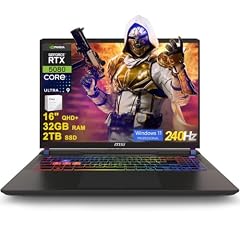
msi Vector 16 HX AI Gaming Laptop 16" QHD+ IPS 240Hz Intel 24-core Ultra
- CPU
- Intel Core Ultra 9 275HX
- GPU
- GeForce RTX 5080
- GPU memory
- 16 GB
- RAM
- 32 GB
- Storage
- 2000 GB
- Screen
- 16 in
- Refresh
- 240 Hz
- OS
- Windows 11 Pro
$2,889.48 (as of 10/20/2026 15:22 PDT - Details)
It keeps the RTX 5080 and Core Ultra 9 275HX of the 4TB Vector but halves memory to 32GB and storage to 2TB. For games and most editing that is still plenty, which makes it the Intel model to compare with the Vector A16 HX.
Pros
- RTX 5080 with 16GB of graphics memory
- Core Ultra 9 275HX: 24 cores, per Intel
- 16-inch QHD+ screen at 240Hz
- 2TB of storage
Cons
- Weight not stated by the seller
- 32GB of memory, half the 64GB of the other RTX 5080 and RTX 5090 picks
Good fit if
- Gamers who want an RTX 5080 and also edit video
- Buyers who prefer an Intel processor to the AMD chip in the Vector A16 HX
Skip if
- You work with very large datasets or long high-resolution timelines that benefit from 64GB
- You want a confirmed weight before you buy
Verdict: A leaner RTX 5080 Vector that gives up memory, not graphics tier.
5 Only RTX 5070 Ti pick

msi Vector 16 HX AI 16" 240Hz QHD+ Gaming Laptop
- CPU
- AMD Ryzen 9 8940HX
- GPU
- GeForce RTX 5070 Ti
- GPU memory
- 12 GB
- RAM
- 32 GB
- Storage
- 1000 GB
- Screen
- 16 in
- Refresh
- 240 Hz
- Weight
- 2.7 kg
It is the only RTX 5070 Ti in this list, a GPU that NVIDIA ships with 12GB of graphics memory, 4GB more than the Crosshair 18 listings state for their RTX 5070. It shares the 16-core Ryzen 9 8940HX and 240Hz QHD+ screen of the Vector A16 HX.
Pros
- RTX 5070 Ti with 12GB of GDDR7
- Ryzen 9 8940HX: 16 cores and 32 threads, per AMD
- 32GB of memory
- 16-inch QHD+ screen at 240Hz
Cons
- The listing calls it a Vector 16 HX AI but names an AMD chip, which MSI's spec pages place in the Vector A16 HX; confirm the model number with the seller
- 1TB of storage, the least among the 16-inch picks here
Good fit if
- Gamers who want more graphics memory than an RTX 5070 gives
- Programmers and editors who value 16 processor cores
Skip if
- You want RTX 5080 headroom for the newest games at high settings
- You store large projects locally
Verdict: The step below the RTX 5080 Vectors, with the same screen and a 12GB GPU.
6 18-inch pick with 64GB of memory

MSI Crosshair 18 HX AI Gaming Laptop 18" QHD+ 240Hz
- CPU
- Intel Core Ultra 9 275HX
- GPU
- GeForce RTX 5070
- GPU memory
- 8 GB
- RAM
- 64 GB
- Storage
- 1000 GB
- Screen
- 18 in
- Refresh
- 240 Hz
- OS
- Windows 11
$2,499.00 (as of 10/20/2026 15:22 PDT - Details)
It puts 64GB of memory behind an 18-inch QHD+ screen that refreshes at 240Hz, and the listing states 100% DCI-P3 color coverage. The RTX 5070 with 8GB sits two tiers below the Vector A16 HX, so this machine suits memory-heavy work more than the highest game settings.
Pros
- 64GB of memory, tied for the most here
- 18-inch QHD+ 240Hz screen; the listing states 100% DCI-P3
- Core Ultra 9 275HX: 24 cores, per Intel
Cons
- RTX 5070 with 8GB of graphics memory, tied for the least among the 16-inch and 18-inch picks
- Weight not stated by the seller
- 1TB of storage
Good fit if
- Photo and video editors who want a large panel with stated DCI-P3 coverage
- Multitaskers who keep many apps, virtual machines or browser tabs open
Skip if
- You want the highest game settings: the RTX 5080 and RTX 5090 picks go further
- You need a laptop that fits an ordinary backpack
Verdict: A big-screen MSI where memory, not graphics, is the headline.
7 18-inch pick with 2TB of storage

msi Crosshair 18 HX AI Gaming Laptop 18" QHD+ 240Hz 100% DCI-P3 Intel
- CPU
- Intel Core Ultra 9 275HX
- GPU
- GeForce RTX 5070
- GPU memory
- 8 GB
- RAM
- 32 GB
- Storage
- 2000 GB
- Screen
- 18 in
- Refresh
- 240 Hz
- OS
- Windows 11 Pro
$2,249.99 (as of 10/20/2026 15:22 PDT - Details)
It has the same 18-inch 240Hz screen, Core Ultra 9 275HX and RTX 5070 as the 64GB Crosshair, with 32GB of memory and twice the storage. For a desk machine that holds a large game library and project files, that trade is the sensible one.
Pros
- 2TB of storage
- 18-inch QHD+ 240Hz screen; the listing states 100% DCI-P3
- 32GB of memory
- Core Ultra 9 275HX: 24 cores, per Intel
Cons
- RTX 5070 with 8GB of graphics memory
- Weight not stated by the seller
Good fit if
- Players who want a big screen and room for many installed games
- Design students who need screen space more than portability
Skip if
- You edit large projects and want 64GB of memory
- You want 12GB or more of graphics memory
Verdict: The Crosshair to choose when storage matters more than memory.
8 Best 15.6-inch all-rounder

msi Katana 15 HX 15.6” 165Hz QHD+ Gaming Laptop
- CPU
- Intel Core i9-14900HX
- GPU
- GeForce RTX 5070
- RAM
- 32 GB
- Storage
- 1000 GB
- Screen
- 15.6 in
- Refresh
- 165 Hz
- Weight
- 2.25 kg
- OS
- Windows 11 Home
$2,129.00 (as of 10/20/2026 15:22 PDT - Details)
It fits an RTX 5070, 32GB of memory and a 24-core Core i9-14900HX into a 2.25 kg body, and the listing states a QHD+ 165Hz screen. No other pick under 2.5 kg matches that combination of processor, GPU and memory.
Pros
- Core i9-14900HX: 24 cores and 32 threads, per Intel
- RTX 5070 with 32GB of memory
- 15.6-inch QHD+ 165Hz screen, per the listing
- 2.25 kg
Cons
- 1TB of storage
- Graphics memory not stated in the listing; NVIDIA offers the RTX 5070 with 8GB or 12GB
Good fit if
- Students and developers who want one laptop for work and evening games
- Buyers who want HX-class processor power without an 18-inch chassis
Skip if
- You need more than 1TB of storage without adding a drive
- You want a screen larger than 15.6 inches
Verdict: The most capable MSI in this list that still weighs under 2.5 kg.
9 Lightest MSI in this list

msi Cyborg A15 AI 15.6” FHD 144Hz Thin & Light Gaming Laptop
- CPU
- AMD Ryzen 7 260
- GPU
- GeForce RTX 5050
- RAM
- 16 GB
- Storage
- 1000 GB
- Screen
- 15.6 in
- Refresh
- 144 Hz
- Weight
- 1.95 kg
- OS
- Windows 11
$1,209.99 (as of 10/20/2026 15:22 PDT - Details)
At 1.95 kg it is the only pick under 2 kg, and it still carries a current RTX 5050 with 8GB, 16GB of memory and 1TB of storage. AMD lists the Ryzen 7 260 with 8 cores and 16 threads, enough for coursework, office work and light editing.
Pros
- 1.95 kg, the lightest pick
- RTX 5050 with 8GB of GDDR7, per NVIDIA
- 1TB of storage
- Ryzen 7 260: 8 cores and 16 threads, per AMD
Cons
- 16GB of memory, a quarter of the top picks' 64GB
- RTX 5050, the entry tier of NVIDIA's RTX 50 laptop line
- 15.6-inch FHD 144Hz screen, per the listing
Good fit if
- Students who carry the laptop to class and play after hours
- Commuters who want a dedicated GPU in a lighter body
Skip if
- You edit long 4K projects or work with large datasets
- You want high settings in the newest big-budget games
Verdict: The MSI to carry, with enough GPU for everyday play.
10 Only 17.3-inch pick
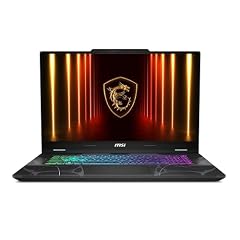
msi Cyborg 17 17.3" FHD 144Hz Gaming Laptop
- GPU
- GeForce RTX 5060
- RAM
- 16 GB
- Storage
- 1000 GB
- Screen
- 17.3 in
- Refresh
- 144 Hz
- Weight
- 2.49 kg
- OS
- Windows 11 Home
It is the only 17.3-inch screen here: bigger than the 15.6-inch and 16-inch models and, at 2.49 kg, far lighter than the 3.6 kg Titan 18. The listing names a Core 7 240H, which Intel lists with 10 cores, and an RTX 5060 with 8GB.
Pros
- 17.3-inch FHD 144Hz screen, per the listing
- RTX 5060 with 8GB of GDDR7, per NVIDIA
- 1TB of storage
- 2.49 kg
Cons
- 16GB of memory
- FHD resolution on a 17.3-inch panel, lower than the QHD+ picks
Good fit if
- Buyers who want a large screen for spreadsheets, timelines and games
- Home users who move the laptop between desk and sofa
Skip if
- You want sharper text and images than FHD at this size
- You need more than 16GB of memory for editing
Verdict: The middle ground between a 16-inch laptop and an 18-inch desktop replacement.
11 Entry-level GPU tier

msi Thin 15 15.6” 144Hz FHD Gaming Laptop
- CPU
- Intel Core i7-13620H
- GPU
- GeForce RTX 4050
- RAM
- 16 GB
- Storage
- 512 GB
- Screen
- 15.6 in
- Refresh
- 144 Hz
- OS
- Windows 11
$1,129.99 (as of 10/20/2026 15:22 PDT - Details)
It carries the oldest GPU generation in this list, an RTX 4050 that NVIDIA ships with 6GB, alongside a 10-core Core i7-13620H and 16GB of memory. It covers office work, study and lighter games, and nothing more demanding.
Pros
- Core i7-13620H: 10 cores and 16 threads, per Intel
- RTX 4050 with 6GB of graphics memory, per NVIDIA
- 16GB of memory
- 15.6-inch 144Hz screen
Cons
- 512GB of storage, the least stated in this list
- DDR4 memory, per the listing, where every other pick that names a memory type lists DDR5
- Weight not stated by the seller
Good fit if
- Buyers who want an MSI for study and office work with light gaming on the side
- A second laptop for a household
Skip if
- You plan to edit video or run AI models: 6GB of graphics memory is tight
- You install many large games
Verdict: The simplest MSI here, for everyday work with occasional play.
12 Katana 15 HX with a Core i7

msi Katana 15 HX Gaming Laptop
- CPU
- Intel Core i7-14650HX
- GPU
- GeForce RTX 5070
- RAM
- 16 GB
- Storage
- 1000 GB
- Screen
- 15.6 in
- Refresh
- 165 Hz
- Weight
- 2.25 kg
- OS
- Windows 11 Home
$1,619.99 (as of 10/20/2026 15:22 PDT - Details)
It uses the same 15.6-inch 165Hz Katana chassis and RTX 5070 as the Core i9 version, with the Core i7-14650HX, which Intel lists with 16 cores. The listing does not state memory, storage or operating system, so confirm all three before you buy.
Pros
- RTX 5070
- Core i7-14650HX: 16 cores and 24 threads, per Intel
- 15.6-inch 165Hz screen at 2.25 kg
Cons
- Memory not stated by the seller
- Storage and operating system not stated by the seller
Good fit if
- Buyers who want the Katana chassis with a slightly smaller processor
- Shoppers willing to confirm the configuration with the seller
Skip if
- You want every spec written down before you order
- You need 24 processor cores for heavy compiling or rendering
Verdict: A reasonable Katana alternative once the seller confirms memory and storage.
Side by side
| # | Laptop | CPU | GPU | GPU memory | Rentable GPU model | RAM | Storage |
|---|---|---|---|---|---|---|---|
| 1 | msi Vector A16 HX 16" QHD+ 240Hz Gaming Laptop | AMD Ryzen 9 8940HX | GeForce RTX 5080 | 16 GB | not stated | 64 GB | 2000 GB |
| 2 | msi Titan 18" Gaming Laptop | Intel Core Ultra 9 290HX | GeForce RTX 5090 | 24 GB | not stated | 64 GB | 2000 GB |
| 3 | msi Vector 16 HX AI 16" QHD+ 240Hz Gaming Laptop | Intel Core Ultra 9 275HX | GeForce RTX 5080 | 16 GB | not stated | 64 GB | 4000 GB |
| 4 | msi Vector 16 HX AI Gaming Laptop 16" QHD+ IPS 240Hz Intel 24-core Ultra | Intel Core Ultra 9 275HX | GeForce RTX 5080 | 16 GB | not stated | 32 GB | 2000 GB |
| 5 | msi Vector 16 HX AI 16" 240Hz QHD+ Gaming Laptop | AMD Ryzen 9 8940HX | GeForce RTX 5070 Ti | 12 GB | not stated | 32 GB | 1000 GB |
| 6 | MSI Crosshair 18 HX AI Gaming Laptop 18" QHD+ 240Hz | Intel Core Ultra 9 275HX | GeForce RTX 5070 | 8 GB | not stated | 64 GB | 1000 GB |
| 7 | msi Crosshair 18 HX AI Gaming Laptop 18" QHD+ 240Hz 100% DCI-P3 Intel | Intel Core Ultra 9 275HX | GeForce RTX 5070 | 8 GB | not stated | 32 GB | 2000 GB |
| 8 | msi Katana 15 HX 15.6” 165Hz QHD+ Gaming Laptop | Intel Core i9-14900HX | GeForce RTX 5070 | not stated | not stated | 32 GB | 1000 GB |
| 9 | msi Cyborg A15 AI 15.6” FHD 144Hz Thin & Light Gaming Laptop | AMD Ryzen 7 260 | GeForce RTX 5050 | not stated | not stated | 16 GB | 1000 GB |
| 10 | msi Cyborg 17 17.3" FHD 144Hz Gaming Laptop | not stated | GeForce RTX 5060 | not stated | not stated | 16 GB | 1000 GB |
| 11 | msi Thin 15 15.6” 144Hz FHD Gaming Laptop | Intel Core i7-13620H | GeForce RTX 4050 | not stated | not stated | 16 GB | 512 GB |
| 12 | msi Katana 15 HX Gaming Laptop | Intel Core i7-14650HX | GeForce RTX 5070 | not stated | not stated | 16 GB | 1000 GB |
How we picked
How we picked: our catalogue held 16 MSI laptops with a live price when we read it, and every one of them is sold as a gaming laptop. No listing from MSI's business or thin-and-light lines had a price, so this guide covers the gaming-class range and judges it for work as well as play. The 16 listings include four Crosshair 18 HX AI and five Vector 16 HX AI configurations; we kept only those that differ in a way that matters (memory, storage, GPU tier) and weighed memory, storage, processor cores and graphics memory more heavily than in our MSI gaming guide, which draws on the same listings. Processor facts come from Intel and AMD, GPU facts from NVIDIA. Prices are live: each is read from the store listing and shown with the time it was read. Nobody at wikilaptop.org has tested these units.
How to choose
Match the MSI line to the job
In the listings we could price, MSI's range splits cleanly by size and GPU. The Titan 18 is the flagship with an RTX 5090. The Vector models are 16-inch machines with an RTX 5070 Ti or RTX 5080. The Crosshair 18 HX AI puts an RTX 5070 behind an 18-inch screen. The Katana 15 HX brings an RTX 5070 to a 15.6-inch body, while the Cyborg and Thin models cover the RTX 5050, RTX 5060 and RTX 4050.
For work, the line matters less than the configuration. The same Vector or Crosshair chassis appears with 16GB, 32GB or 64GB of memory and 1TB to 4TB of storage, so decide on those two numbers before you compare models.
Memory: 32GB for serious work, 64GB for heavy projects
16GB is enough for office work, study and most games. Video editing, large photo libraries, virtual machines and code builds with many containers use far more, and 32GB is the comfortable level for that kind of work. 64GB makes sense for long high-resolution timelines, big 3D scenes and local AI models that spill out of graphics memory into system memory.
In this list, four picks have 64GB, four have 32GB and three have 16GB; one listing does not state its memory.
Graphics memory decides AI and creative headroom
NVIDIA lists 8GB of graphics memory for the RTX 5050 and RTX 5060, 8GB or 12GB for the RTX 5070, 12GB for the RTX 5070 Ti, 16GB for the RTX 5080 and 24GB for the RTX 5090. The previous-generation RTX 4050 has 6GB.
For games, the GPU tier sets frame rates. For local AI models, 3D rendering and heavy effects work, the amount of graphics memory often matters more, because a model or scene that does not fit must be split or run more slowly. If AI work is a main reason to buy, start from the graphics memory you need and pick the model after that.
Processor: HX chips for sustained work
Most picks here use HX-class processors built for large laptops. Intel lists the Core Ultra 9 275HX and Core Ultra 9 290HX Plus with 24 cores and 24 threads, and the Core i9-14900HX with 24 cores and 32 threads; AMD lists the Ryzen 9 8940HX with 16 cores and 32 threads. The Core i7-13620H in the Thin 15 has 10 cores, and the Ryzen 7 260 in the Cyborg A15 AI has 8.
More cores shorten code builds, video exports and rendering. For games and office work, the GPU and memory make a bigger difference than the jump from 16 to 24 cores.
Weight and screen size
The lightest pick is the 1.95 kg Cyborg A15 AI and the heaviest is the 3.6 kg Titan 18; the 16-inch Vectors with a stated weight come in at 2.7 kg. The two 15.6-inch Katana models weigh 2.25 kg. Several listings do not state a weight at all, so check the maker's page if you carry the laptop daily.
An 18-inch screen is easier on the eyes for long editing sessions, but it is a desk machine. If the laptop travels, a 15.6-inch or 16-inch model is the practical limit.
Read the listing before you buy
Many MSI listings come from third-party sellers who configure memory and storage themselves, and some titles add comparisons such as a processor being faster than another chip; treat those as the seller's claim. We found listing details that do not line up: one Vector 16 HX AI title names an AMD processor that MSI places in its Vector A16 HX, and one Vector A16 HX title says 3TB while its specs state 2TB. Check the model number and the configuration with the seller, and keep the maker's spec page open when you compare.
Questions
Does MSI make laptops that are not for gaming?
Yes. MSI also sells business, creator and thin-and-light models, but none of them had a live price in our catalogue when we built this guide, so every pick here is a gaming-class machine. That is less of a limit than it sounds: the Vector and Crosshair models carry the memory, processor cores and graphics memory that creative and technical work needs. We will add other lines when they come back in stock.
Which MSI laptop is best for running AI models locally?
Start from graphics memory. The Titan 18 has 24GB on its RTX 5090, the most in this list, followed by 16GB on the three RTX 5080 Vector models and 12GB on the RTX 5070 Ti. For most people experimenting with local models, one of the 16GB machines with 64GB of system memory, such as the Vector A16 HX, is the practical choice.
Is 64GB of memory worth it on an MSI laptop?
Only for specific work. 64GB helps with long high-resolution video timelines, large 3D scenes, several virtual machines at once and AI models that exceed graphics memory. For games, study and office work, 32GB is already generous and 16GB is enough. If you are unsure, choose 32GB and put the difference toward a stronger GPU or more storage.
Did you test these MSI laptops?
No. Nobody at wikilaptop.org has used these units. We chose the picks from the specifications stated in each listing, checked processor and GPU facts against Intel, AMD and NVIDIA, and flagged every place where a listing leaves a spec out or contradicts itself. Qualities such as noise, heat and keyboard feel are not covered because we cannot verify them from specifications.
Why do the prices on this page change?
Each price is read live from the store listing and shown with the time it was read. Sellers change prices, run out of stock and swap configurations, so the figure you see can differ from the one another reader saw earlier. We do not rank these laptops by price for the same reason: the order would be out of date within hours.
Recent updates
- : First published.
Sources
- NVIDIA GeForce RTX 50 Series laptop GPU specifications
- NVIDIA GeForce RTX 40 Series laptop GPU specifications
- Intel Core Ultra 9 processor 275HX specifications
- Intel Core Ultra 9 processor 290HX Plus specifications
- Intel Core i9-14900HX specifications
- Intel Core i7-14650HX specifications
- Intel Core i7-13620H specifications
- Intel Core 7 processor 240H specifications
- AMD Ryzen 9 8940HX specifications
- AMD Ryzen 7 260 specifications
- MSI Vector A16 HX specifications