
Best 128GB Storage Laptops: 12 Picks Compared on Specs
Our top pick is the ASUS Chromebook CX14: it pairs 128GB of storage with 8GB of memory, a 14-inch touchscreen and ChromeOS, a system designed around web apps and cloud files, and at 1.39 kg it is the lightest pick here. For Windows, the Lenovo 15.6-inch model with an Intel N150 and 8GB of DDR5 is the strongest option. A 128GB drive suits browser-based work, not large local libraries. We chose all 12 from stated specifications and the makers' published data, not from lab tests.
12 picks from 36 laptops that match this guide with a price we can quote today. Every price below is live and carries the moment it was read.
The picks at a glance
Which one should you buy?
- For students who work in the browser: The ASUS Chromebook CX14 has 8GB of memory, a touchscreen and weighs 1.39 kg, the lightest in this list. See pick 1
- For a basic Windows laptop: The Lenovo 15.6-inch model combines an Intel N150 with 8GB of DDR5 and Windows 11 Home. See pick 2
- For many open tabs: The TRHRO 15.6-inch laptop lists 12GB of memory, the most of any pick here. See pick 10
- For a small secondary laptop: The HP 14 (14-dq6015dx) weighs 1.47 kg and is one of only two picks with a stated battery size, 41Wh. See pick 6
The 12 picks
1 Best overall

ASUS Chromebook CX14 Laptop
- CPU
- Intel Celeron N4500
- RAM
- 8 GB
- Storage
- 128 GB
- Screen
- 14 in
- Touchscreen
- Yes
- Weight
- 1.39 kg
- OS
- ChromeOS
$389.99 (as of 10/20/2026 15:20 PDT - Details)
It is the only pick with a touchscreen and one of three with 8GB of memory, and at 1.39 kg it is the lightest laptop in this list. ChromeOS keeps most work in web apps and cloud storage, which is the use a 128GB drive is built for.
Pros
- 1.39 kg, the lightest pick
- 8GB of memory, double the 4GB of most picks
- 14-inch touchscreen, the only one in this list
- Intel Celeron N4500 per the listing
Cons
- ChromeOS does not run Windows desktop apps
- Storage type (eMMC or SSD) not stated by the seller
Good fit if
- Students who work in Google Docs, web apps and online classes
- Buyers who want a light laptop for daily carrying
Skip if
- You need Windows-only software
- You keep large photo or video libraries on the laptop itself
Verdict: The most complete browser-first machine among these 12.
2 Best Windows pick

Lenovo Business 15.6" FHD Laptop
- CPU
- Intel N150
- RAM
- 8 GB
- Storage
- 128 GB
- Screen
- 15.6 in
- Weight
- 1.55 kg
- OS
- Windows 11 Home
$429.99 (as of 10/20/2026 15:21 PDT - Details)
It pairs 128GB of storage with 8GB of DDR5 and an Intel N150, which Intel lists with 4 cores and a 3.6 GHz maximum turbo frequency, the highest turbo among the Intel N-series chips in this list. The 15.6-inch FHD screen and 1.55 kg weight make it the strongest general Windows option here.
Pros
- Intel N150: 4 cores, up to 3.6 GHz per Intel
- 8GB of DDR5 memory
- 15.6-inch FHD screen at 1.55 kg
- Windows 11 Home
Cons
- Intel lists a 16GB maximum memory for the N150, so upgrades are capped
- Storage type not stated by the seller; the title only says 128GB Storage
Good fit if
- Home users who want Windows for office apps and browsing
- Students who need a larger 15.6-inch screen
Skip if
- You install many large apps, since Windows and its updates need a large part of 128GB
- You want a touchscreen
Verdict: The Windows machine in this list with the best balance of memory and processor.
3 Best Chromebook from HP

HP Chromebook 14 Laptop
- CPU
- Intel Celeron N4500
- RAM
- 4 GB
- Storage
- 128 GB
- Screen
- 14 in
- Refresh
- 30 Hz
- Weight
- 1.52 kg
- OS
- ChromeOS
$259.98 (as of 10/20/2026 15:21 PDT - Details)
It gives you ChromeOS on a 14-inch HD screen at 1.52 kg with an Intel Celeron N4500. It is a simpler alternative to the CX14 with half the memory and no touchscreen.
Pros
- ChromeOS, suited to cloud storage and web apps
- 1.52 kg
- 14-inch screen for easy carrying
Cons
- 4GB of memory, half of the CX14's 8GB
- HD screen resolution per the title, below the FHD of several picks
Good fit if
- Students with mostly online coursework
- Families who want a simple shared laptop
Skip if
- You keep many browser tabs open at once
- You need Windows software
Verdict: A plain Chromebook for light browser work.
4 Chromebook with a Full HD screen

Acer Gateway Chromebook 314 CBO314 Intel Celeron N4500 14" Full HD
- CPU
- Intel Celeron N4500
- RAM
- 4 GB
- Storage
- 128 GB
- Screen
- 14 in
- OS
- ChromeOS
Its title lists a 14-inch Full HD (1920 x 1080) screen, sharper than the HD panel of the HP Chromebook 14. It runs ChromeOS on an Intel Celeron N4500 with 4GB of LPDDR4X.
Pros
- 14-inch 1920 x 1080 screen per the title
- ChromeOS
- Wi-Fi 5 per the title
Cons
- 128GB eMMC storage per the title, a slower storage type than an SSD
- 4GB of memory
- No weight stated by the seller
Good fit if
- Browser users who want a sharper screen than the HP Chromebook 14
- Students who store files in the cloud
Skip if
- You need a known weight before buying
- You want more than 4GB of memory
Verdict: The Chromebook pick for a Full HD screen on a 4GB machine.
5 Best 15.6-inch Lenovo IdeaPad
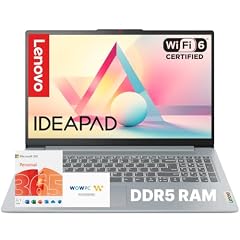
Lenovo IdeaPad Slim 3i • 15.6" FHD Laptop
- CPU
- Intel N100
- RAM
- 4 GB
- Screen
- 15.6 in
- Weight
- 1.68 kg
- OS
- Windows 11
$339.99 (as of 10/20/2026 15:21 PDT - Details)
It uses an Intel N100, which Intel lists with 4 cores and a 3.4 GHz maximum turbo, in a 15.6-inch FHD IdeaPad Slim 3i body. The title states a 128GB SSD and 4GB of DDR5.
Pros
- Intel N100: 4 cores, up to 3.4 GHz per Intel
- 128GB SSD per the title
- 15.6-inch FHD screen
- Windows 11
Cons
- 4GB of memory, the Windows 11 minimum per Microsoft
- 1.68 kg, among the heavier picks
Good fit if
- Buyers who want a known IdeaPad model with a large screen
- Light office and web work
Skip if
- You multitask heavily
- You carry your laptop all day and want something lighter
Verdict: A large-screen Lenovo for simple Windows tasks.
6 Lightest Windows pick

HP HP-14-DQ6015DX 14" WXGA HD
- CPU
- Intel N150
- RAM
- 4 GB
- Storage
- 128 GB
- Screen
- 14 in
- Weight
- 1.47 kg
- Battery
- 41 Wh
- OS
- Windows 11 Home
$269.00 (as of 10/20/2026 15:21 PDT - Details)
At 1.47 kg it is the lightest Windows laptop in this list, and it uses the same Intel N150 as the Lenovo 15.6-inch pick. It is also one of only two picks with a stated battery size.
Pros
- 1.47 kg, the lightest Windows pick
- Intel N150: 4 cores per Intel
- 41Wh battery stated
- Wi-Fi 6 per the title
Cons
- 14-inch 1366 x 768 screen, the lowest resolution stated among the picks
- 4GB of memory
Good fit if
- Buyers who want a small Windows laptop to carry
- A secondary laptop for email and documents
Skip if
- You want a Full HD screen
- You run many apps at once
Verdict: The small, light Windows option, with a low-resolution screen as the trade-off.
7 Largest stated battery

ASUS 15.6” Vivobook Go Slim Laptop
- CPU
- Intel Celeron N4500
- RAM
- 4 GB
- Storage
- 128 GB
- Screen
- 15.6 in
- Refresh
- 60 Hz
- Weight
- 1.57 kg
- Battery
- 42 Wh
- OS
- Windows 11
$279.99 (as of 10/20/2026 15:20 PDT - Details)
It lists a 42Wh battery, the largest stated capacity among the picks, with a 15.6-inch 60Hz screen and an Intel Celeron N4500. The title states a 128GB SSD.
Pros
- 42Wh battery, the largest stated in this list
- 128GB SSD per the title
- 1.57 kg for a 15.6-inch laptop
Cons
- 4GB of memory
- Celeron N4500 is an entry-level chip
Good fit if
- Students who want a larger screen at moderate weight
- Buyers who want a stated battery capacity
Skip if
- You need more than 4GB of memory
- You want a light 14-inch laptop
Verdict: A 15.6-inch ASUS with the most battery capacity stated here.
8 HP Windows pick with an N150

HP New Everyday Slim Laptop
- CPU
- Intel N150
- RAM
- 4 GB
- Storage
- 128 GB
- Screen
- 14 in
- Weight
- 1.47 kg
- OS
- Windows 11
$309.99 (as of 10/20/2026 15:21 PDT - Details)
It combines an Intel N150 with a 128GB SSD and Windows 11, the same processor as the Lenovo and HP 14 picks. The listing leaves out several basics, so check them before buying.
Pros
- Intel N150: up to 3.6 GHz per Intel
- 128GB SSD per the title
- Windows 11
Cons
- Screen size and weight not stated by the seller
- 4GB of memory
- Battery capacity not stated by the seller, although the title mentions long battery
Good fit if
- Buyers who want a current Intel N-series chip from HP
- Light home use
Skip if
- You need to know screen size and weight before buying
- You multitask heavily
Verdict: A reasonable HP option if you confirm the missing details first.
9 Best 8GB pick from a smaller brand
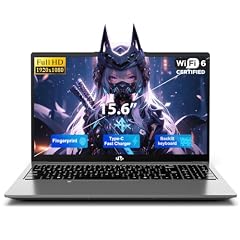
NIMO 15.6" FHD Copilot AI-Laptop
- CPU
- Intel N100
- RAM
- 8 GB
- Storage
- 128 GB
- Screen
- 15.6 in
- Weight
- 1.68 kg
- OS
- Windows 11
$599.99 (as of 10/20/2026 15:22 PDT - Details)
It pairs a 128GB SSD with 8GB of memory and an Intel N100 on a 15.6-inch FHD screen. NIMO is a smaller brand, so check the warranty terms and support contact on the listing before buying.
Pros
- 8GB of memory, tied for second most in this list
- Intel N100: 4 cores per Intel
- 15.6-inch FHD screen
Cons
- 1.68 kg, among the heavier picks
- Smaller brand: warranty and support terms must be checked on the listing
Good fit if
- Windows users who want 8GB on a large screen
- Buyers comfortable checking a smaller maker's warranty
Skip if
- You prefer an established maker's support network
- You want a light laptop
Verdict: An 8GB Windows machine, provided the warranty terms suit you.
10 Most memory

TRHRO Laptop 15.6 Inch
- CPU
- Intel Pentium Gold 6500Y
- RAM
- 12 GB
- Storage
- 128 GB
- Screen
- 15.6 in
- Weight
- 1.59 kg
$339.00 (as of 10/20/2026 15:22 PDT - Details)
It lists 12GB of memory, the most of any pick, with a Pentium Gold 6500Y and a 128GB SSD. The EvoSpan 15.6-inch listing states identical specs, so we kept only this one.
Pros
- 12GB of memory, the most in this list
- 128GB SSD per the title
- 1.59 kg for a 15.6-inch laptop
Cons
- Operating system not stated by the seller
- Smaller brand: check warranty and support terms
- Pentium Gold 6500Y is a low-power Y-series chip
Good fit if
- Users who keep many browser tabs open
- Buyers who prioritize memory over processor speed
Skip if
- You need the operating system confirmed up front
- You want an established maker
Verdict: The memory-first choice, with details to confirm.
11 Windows in S mode pick

ASUS 15.6” FHD Laptop
- CPU
- Intel Celeron N4020
- RAM
- 4 GB
- Storage
- 128 GB
- Screen
- 15.6 in
- Weight
- 1.57 kg
- OS
- Windows 11 Home
$220.00 (as of 10/20/2026 15:20 PDT - Details)
It ships with Windows 11 Home in S mode per the title, which Microsoft limits to apps from the Microsoft Store. It uses an Intel Celeron N4020, which Intel lists with 2 cores and 2 threads.
Pros
- Windows 11 Home in S mode, which Microsoft says limits apps to the Microsoft Store
- 15.6-inch FHD screen
- 1.57 kg
Cons
- Celeron N4020: 2 cores and 2 threads per Intel, the fewest here
- 4GB of memory
- Leaving S mode requires an internet connection per Microsoft
Good fit if
- Families who want a locked-down laptop for children
- Users who only need Store apps and a browser
Skip if
- You need desktop apps from outside the Microsoft Store and do not want to switch out of S mode
- You want a faster processor
Verdict: A simple, restricted Windows laptop for basic use.
12 14-inch Windows pick with FHD

ASUS Vivobook E410KA-CL4128 14" FHD Thin Laptop
- CPU
- Intel Celeron N4500
- RAM
- 4 GB
- Storage
- 128 GB
- Screen
- 14 in
- Weight
- 1.95 kg
- OS
- Windows 11 Home
$209.00 (as of 10/20/2026 15:20 PDT - Details)
It is the only 14-inch Windows pick whose title states a Full HD screen, with an Intel Celeron N4500 and 4GB of memory. The storage is eMMC per the title.
Pros
- 14-inch FHD screen per the title
- Windows 11 Home
- Established ASUS Vivobook line
Cons
- 1.95 kg stated, the heaviest pick; confirm it on the maker page
- 128GB eMMC per the title, slower than an SSD
- 4GB of memory
Good fit if
- Buyers who want a sharp 14-inch Windows screen
- Light schoolwork and browsing
Skip if
- You want the lightest possible laptop
- You need SSD storage
Verdict: A small FHD Windows laptop, with a stated weight worth double-checking.
Side by side
| # | Laptop | CPU | GPU | GPU memory | Rentable GPU model | RAM | Storage |
|---|---|---|---|---|---|---|---|
| 1 | ASUS Chromebook CX14 Laptop | Intel Celeron N4500 | not stated | not stated | not stated | 8 GB | 128 GB |
| 2 | Lenovo Business 15.6" FHD Laptop | Intel N150 | not stated | not stated | not stated | 8 GB | 128 GB |
| 3 | HP Chromebook 14 Laptop | Intel Celeron N4500 | not stated | not stated | not stated | 4 GB | 128 GB |
| 4 | Acer Gateway Chromebook 314 CBO314 Intel Celeron N4500 14" Full HD | Intel Celeron N4500 | not stated | not stated | not stated | 4 GB | 128 GB |
| 5 | Lenovo IdeaPad Slim 3i • 15.6" FHD Laptop | Intel N100 | not stated | not stated | not stated | 4 GB | not stated |
| 6 | HP HP-14-DQ6015DX 14" WXGA HD | Intel N150 | not stated | not stated | not stated | 4 GB | 128 GB |
| 7 | ASUS 15.6” Vivobook Go Slim Laptop | Intel Celeron N4500 | not stated | not stated | not stated | 4 GB | 128 GB |
| 8 | HP New Everyday Slim Laptop | Intel N150 | not stated | not stated | not stated | 4 GB | 128 GB |
| 9 | NIMO 15.6" FHD Copilot AI-Laptop | Intel N100 | not stated | not stated | not stated | 8 GB | 128 GB |
| 10 | TRHRO Laptop 15.6 Inch | Intel Pentium Gold 6500Y | not stated | not stated | not stated | 12 GB | 128 GB |
| 11 | ASUS 15.6” FHD Laptop | Intel Celeron N4020 | not stated | not stated | not stated | 4 GB | 128 GB |
| 12 | ASUS Vivobook E410KA-CL4128 14" FHD Thin Laptop | Intel Celeron N4500 | not stated | not stated | not stated | 4 GB | 128 GB |
How we picked
How we picked: the pool for this page held 28 listings that state exactly 128GB of storage. Most come from small brands whose listings leave the processor or operating system unstated, so we gave priority to established makers (Lenovo, HP, ASUS and Acer) sold new, then added one smaller-brand machine with 8GB and one with 12GB of memory to cover those needs. Two listings with identical specs, the TRHRO and EvoSpan 15.6-inch models, are the same configuration, so we kept one. Processor facts come from Intel's specification pages and Windows 11 storage and memory minimums from Microsoft. Prices on this page are live: each one is read from the store listing and shown with the time it was read. Nobody at wikilaptop.org has tested these units; every comparison is drawn from the stated specifications.
How to choose
What 128GB of storage really gives you
Microsoft lists a 64GB or larger drive as the minimum for Windows 11 and notes that updates need extra space on top. On a 128GB Windows laptop, the system and its updates therefore take a large share of the drive before you save anything.
That makes 128GB a fit for work that lives online: web apps, cloud documents, streaming and email. If you keep photos, videos or games on the laptop, choose a larger drive or plan on an external one.
ChromeOS or Windows
Three picks here run ChromeOS: the ASUS Chromebook CX14, HP Chromebook 14 and Acer Gateway Chromebook 314. ChromeOS is designed around the browser and cloud storage, which suits a small drive. It does not run Windows desktop software.
Eight picks run Windows 11, and one listing does not state its operating system. Choose Windows if you rely on desktop apps; keep in mind that each installed app takes space from the 128GB.
Memory: 4GB versus 8GB or more
Microsoft lists 4GB as the minimum memory for Windows 11, and eight of the 12 picks have exactly 4GB. Three picks have 8GB and one has 12GB. More memory helps when many browser tabs or apps are open at once.
Check the processor's memory limit before planning an upgrade: Intel lists a 16GB maximum for the N150, and many entry laptops have soldered memory.
eMMC versus SSD
eMMC is flash storage often used in entry-level laptops and is usually soldered to the board. It is slower than an NVMe SSD. Two picks state eMMC in the title (the Acer Gateway Chromebook 314 and ASUS Vivobook E410KA), and several state SSD. When the listing says only 128GB Storage, check the maker's spec page for the type.
Processor: the Intel N-series and Celeron chips
Every pick with a named processor uses an entry-level, low-power chip. Intel lists the N150 with 4 cores and up to 3.6 GHz, the N100 with 4 cores and up to 3.4 GHz, both with 6 W processor base power, and the Celeron N4020 with 2 cores and 2 threads. These chips suit browsing and documents, not video editing or gaming.
Questions
Is 128GB of storage enough for Windows 11?
It meets Microsoft's minimum of 64GB or more, so Windows 11 installs and runs. The catch is free space: the system and its updates take a large part of the drive, and Microsoft notes that updates need room to install. Keep files in cloud storage or on an external drive, and remove apps you do not use.
Who should buy a laptop with 128GB of storage?
People who work mainly in a web browser, students using online tools, and anyone who wants a simple second laptop for email and documents. If you keep a local photo library, edit video, or install games, a 256GB or larger drive fits better. A Chromebook is often the natural match for this capacity.
What is eMMC storage?
eMMC is a type of flash storage used in many entry-level laptops. It is slower than an NVMe SSD and is usually soldered to the board, so it cannot be replaced. Two of the 12 picks state eMMC in their titles. If a listing does not say which type it uses, check the maker's specification page.
What is Windows 11 in S mode?
S mode is a setting of Windows 11 Home that, per Microsoft, limits the PC to apps from the Microsoft Store. The ASUS 15.6-inch FHD pick ships this way according to its title. You can switch out of S mode, which Microsoft says requires an internet connection, to install apps from other sources.
Did you test these laptops?
No. Nobody at wikilaptop.org has used these units. We chose them from the specifications stated on each listing, checked against Intel's and Microsoft's published data. We do not describe speed in daily use, screen quality or keyboard feel, because those claims would need testing we have not done.
Recent updates
- : First published.