
Best Windows 11 Laptops in 2026: 13 Picks Compared on Specs
Our top pick is Microsoft's Surface Laptop 13.8: a Snapdragon X2 Elite, 16GB of memory, a 1TB drive and a 120Hz touchscreen at 1.36 kg, the lightest pick here. Its Arm chip is the one caveat, so we also cover Intel and AMD machines for business, big screens and basic tasks, plus creative and gaming laptops from RTX 5060 to RTX 5090. We chose all 13 from published specifications and makers' data, not from lab tests.
13 picks from 498 laptops that match this guide with a price we can quote today. Every price below is live and carries the moment it was read.
The picks at a glance
Which one should you buy?
- For most people: The Surface Laptop 13.8 pairs a 1TB drive and a 120Hz touchscreen with the lowest weight here, 1.36 kg, if your apps run well on Arm. See pick 1
- For work managed by IT: The ThinkPad T14 Gen 6 ships with Windows 11 Pro and 32GB of memory on an Intel x86 chip. See pick 2
- For gaming: The MSI Katana 15 HX pairs an RTX 5070 with 32GB of memory and a 165Hz QHD+ screen. See pick 10
- For basic browsing and documents: The Lenovo 15.6-inch with an Intel N150 and 8GB of memory covers web, mail and documents at 1.55 kg. See pick 7
The 13 picks
1 Best overall

Microsoft Surface Laptop
- CPU
- Qualcomm Snapdragon X2 Elite
- RAM
- 16 GB
- Storage
- 1000 GB
- Screen
- 13.8 in
- Refresh
- 120 Hz
- Touchscreen
- Yes
- Weight
- 1.36 kg
- OS
- Windows 11
$1,689.00 (as of 10/20/2026 15:22 PDT - Details)
Microsoft's own Surface Laptop pairs a Snapdragon X2 Elite with 16GB of memory, a 1TB drive and a 13.8-inch 120Hz touchscreen at 1.36 kg, the lightest pick in this list. The chip is Arm-based, so it runs Windows 11 on Arm, where most apps run natively or through Microsoft's emulation layer.
Pros
- 1.36 kg, the lightest pick here
- 13.8-inch touchscreen at 120Hz
- 1TB drive with 16GB of memory
Cons
- Arm chip: Microsoft states emulation does not support drivers, so some hardware and older software may not work
- No separate graphics card
- Windows 11 edition not named by the seller
Good fit if
- Students and office workers who carry a laptop all day
- Users whose work lives in a browser and Office apps
Skip if
- You rely on specialized drivers, older utilities or games with anti-cheat
- You play recent games
Verdict: The best all-round mix of weight, screen and storage here, provided your apps run on Arm.
2 Best for business
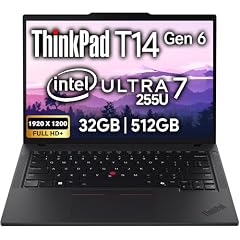
Lenovo ThinkPad T14 Gen 6 Business Laptop 14" FHD+ IPS
- CPU
- Intel Core Ultra 7 255U
- RAM
- 32 GB
- Storage
- 512 GB
- Screen
- 14 in
- Touchscreen
- No
- OS
- Windows 11 Pro
$1,639.95 (as of 10/20/2026 15:22 PDT - Details)
The ThinkPad T14 Gen 6 ships with Windows 11 Pro, an Intel Core Ultra 7 255U and 32GB of memory, the most among the office and school picks. Pro adds the BitLocker, domain join and Group Policy tools an IT department usually needs.
Pros
- Windows 11 Pro edition
- 32GB of memory
- Intel x86 chip for full software compatibility
Cons
- 512GB of storage, half of the Samsung Galaxy Book4
- Weight not stated by the seller
- No touchscreen, stated by the seller
Good fit if
- Employees whose laptop is managed by an IT team
- Consultants who keep many apps and browser tabs open
Skip if
- You need more than 512GB of local storage
- You want a light laptop with a confirmed weight
Verdict: The pick for managed business use, with memory to spare.
3 Best 15-inch for work

Samsung Galaxy Book4 Business Laptop
- RAM
- 16 GB
- Storage
- 1000 GB
- Screen
- 15.6 in
- Weight
- 1.55 kg
- OS
- Windows 11 Pro
Samsung's Galaxy Book4 Business combines Windows 11 Pro, 16GB of memory and a 1TB drive with a 15.6-inch screen at 1.55 kg. The listing names an Intel Core 7 150U processor.
Pros
- Windows 11 Pro edition
- 1TB drive
- 1.55 kg for a 15.6-inch laptop
Cons
- Processor not stated in the spec fields; only the listing name gives it
- 16GB of memory, half of the ThinkPad T14 Gen 6
Good fit if
- Office workers who want a full-size screen and Pro features
- Small businesses that store files locally
Skip if
- You run memory-heavy apps such as virtual machines
- You want a touchscreen
Verdict: A roomy Windows 11 Pro work laptop that stays light for its size.
4 Best everyday laptop for home and school

Dell 15.6 Laptop
- CPU
- Intel Core Ultra 5 225U
- RAM
- 16 GB
- Storage
- 512 GB
- Screen
- 15 in
- Weight
- 1.66 kg
- OS
- Windows 11 Home
$719.99 (as of 10/20/2026 15:20 PDT - Details)
Dell's 15-inch laptop uses an Intel Core Ultra 5 225U with 16GB of memory and a 512GB drive at 1.66 kg. It is a plain, current-generation Intel machine running Windows 11 Home.
Pros
- Current Intel Core Ultra 5 225U
- 16GB of memory
- 1.66 kg
Cons
- 512GB of storage
- No touchscreen or high refresh rate stated
Good fit if
- Families who want one shared laptop for school and home
- Students who need standard x86 Windows software
Skip if
- You need Pro features for work
- You edit video or play recent games
Verdict: A sensible everyday Windows 11 Home laptop from an established maker.
5 Best big screen for work

HP 17 Inch FHD Laptop Computer for Business & Students 16GB RAM 1TB SSD
- CPU
- AMD Ryzen 5 7430U
- RAM
- 16 GB
- Storage
- 1000 GB
- Screen
- 17 in
- OS
- Windows 11 Pro
$739.99 (as of 10/20/2026 15:21 PDT - Details) Typical price: $790.93, 6% off
The HP 17 has the largest screen among the non-gaming picks, at 17 inches, plus Windows 11 Pro, an AMD Ryzen 5 7430U, 16GB of memory and a 1TB drive.
Pros
- 17-inch screen, the largest outside the gaming picks
- Windows 11 Pro edition
- 1TB drive with 16GB of memory
Cons
- Weight not stated by the seller
- Ryzen 5 7430U is an older chip than the Core Ultra picks
Good fit if
- Spreadsheet and trading users who want more rows on screen
- Home offices where the laptop mostly stays on a desk
Skip if
- You carry your laptop daily
- You want a newer chip with an NPU
Verdict: The choice for a large work screen with the Pro edition.
6 Best 16-inch for everyday basics

ASUS Vivobook 16 Laptop
- CPU
- AMD Ryzen 5 150
- RAM
- 8 GB
- Storage
- 512 GB
- Screen
- 16 in
- Weight
- 1.88 kg
- OS
- Windows 11 Home
$571.81 (as of 10/20/2026 15:20 PDT - Details)
The ASUS Vivobook 16 puts an AMD Ryzen 5 150, 8GB of memory and a 512GB drive behind a 16-inch WUXGA screen at 1.88 kg. It gives more screen and storage than the Lenovo 15.6-inch basic pick.
Pros
- 16-inch WUXGA screen
- 512GB drive, four times the Lenovo basic pick
- Windows 11 Home
Cons
- 8GB of memory limits heavy multitasking
- 1.88 kg, heavier than the 15-inch work picks
Good fit if
- Students who want a big screen for documents
- Home use: web, mail, streaming
Skip if
- You keep dozens of browser tabs open
- You want a light carry laptop
Verdict: A large-screen everyday laptop for light workloads.
7 Best for basic tasks

Lenovo Business 15.6" FHD Laptop
- CPU
- Intel N150
- RAM
- 8 GB
- Storage
- 128 GB
- Screen
- 15.6 in
- Weight
- 1.55 kg
- OS
- Windows 11 Home
$429.99 (as of 10/20/2026 15:21 PDT - Details)
This Lenovo 15.6-inch laptop runs Windows 11 Home on an Intel N150 with 8GB of memory at 1.55 kg. It covers web, mail and documents, with 128GB of storage as its clear limit.
Pros
- 8GB of memory, double Microsoft's 4GB minimum for Windows 11
- 1.55 kg for a 15.6-inch laptop
- Intel N150, an x86 chip for standard apps
Cons
- 128GB of storage, the least among picks that state a drive size
- Intel N150 is an entry-level chip
Good fit if
- A spare laptop for browsing and video calls
- Younger students and light home use
Skip if
- You store many photos or files locally
- You edit photos or video
Verdict: Enough for the basics, with storage as the firm ceiling.
8 Best for creative work on the move

GIGABYTE AERO X16
- CPU
- AMD Ryzen AI 9 HX 370
- GPU
- GeForce RTX 5070
- RAM
- 32 GB
- Storage
- 1000 GB
- Screen
- 16 in
- Weight
- 1.9 kg
- OS
- Windows 11 Home
The GIGABYTE AERO X16 pairs an AMD Ryzen AI 9 HX 370 with an RTX 5070, 32GB of memory and a 1TB drive at 1.9 kg, lighter than every gaming pick with the same or a lower-tier GPU. That mix suits photo editing, video editing and coding.
Pros
- RTX 5070, a Blackwell-generation GPU per NVIDIA
- 32GB of memory and 1TB of storage
- 1.9 kg with a dedicated GPU
Cons
- Screen refresh rate not stated by the seller
- No touchscreen stated, unlike the ProArt P16
Good fit if
- Photo and video editors who travel
- Developers who want GPU acceleration
Skip if
- You need 4K output or pen input
- You want the highest GPU tier
Verdict: A light 16-inch creator laptop with a current RTX GPU.
9 Most powerful for creative work
![HIDevolution [2025] ASUS ProArt P16 H7606WX Black 16" 4K 120Hz OLED](https://m.media-amazon.com/images/I/41BUZNaAIUL._SL240_.jpg)
HIDevolution [2025] ASUS ProArt P16 H7606WX Black 16" 4K 120Hz OLED
- CPU
- AMD Ryzen AI 9 HX 370
- GPU
- RTX 5090
- GPU memory
- 24 GB
- RAM
- 64 GB
- Storage
- 4000 GB
- Screen
- 16 in
- Refresh
- 120 Hz
- Touchscreen
- Yes
$6,199.00 (as of 10/20/2026 15:21 PDT - Details)
This is an ASUS ProArt P16 configured by a reseller that upgrades memory and storage; we include it because no other pick offers an RTX 5090 (24GB of GDDR7 per NVIDIA), 64GB of memory, a 4TB drive and a 4K 120Hz OLED touchscreen. At 1.85 kg it is also lighter than the AERO X16.
Pros
- RTX 5090, NVIDIA's top laptop GPU
- 64GB of memory and 4TB of storage, the most here
- 16-inch 4K OLED touchscreen at 120Hz per the listing
- Windows 11 Pro edition
Cons
- Reseller configuration, not a stock ASUS model
- Far more machine than office work needs
Good fit if
- 4K video editors and 3D artists
- Users running local AI models that need a large GPU memory pool
Skip if
- You want a stock factory configuration
- Your work is documents and browsing
Verdict: The strongest creative machine in this list, sold as a reseller build.
10 Best for gaming

msi Katana 15 HX 15.6” 165Hz QHD+ Gaming Laptop
- CPU
- Intel Core i9-14900HX
- GPU
- GeForce RTX 5070
- RAM
- 32 GB
- Storage
- 1000 GB
- Screen
- 15.6 in
- Refresh
- 165 Hz
- Weight
- 2.25 kg
- OS
- Windows 11 Home
$2,129.00 (as of 10/20/2026 15:22 PDT - Details)
The MSI Katana 15 HX pairs an RTX 5070 with an Intel Core i9-14900HX, 32GB of memory and a 1TB drive. Its 15.6-inch QHD+ screen refreshes at 165Hz, per the listing.
Pros
- RTX 5070 with 32GB of memory
- 15.6-inch QHD+ screen at 165Hz per the listing
- 1TB of storage
Cons
- 2.25 kg
- HX processor is built for plugged-in performance, not battery life
Good fit if
- Players who want high settings in recent games
- Streamers who game and encode on one machine
Skip if
- You carry your laptop all day
- You want long unplugged sessions
Verdict: The strongest gaming pick in this list for a mainstream screen size.
11 Best RTX 5060 gaming laptop
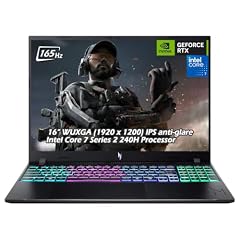
Acer Nitro V 16" WUXGA 165Hz Gaming Laptop
- CPU
- Intel Core 7 240H
- GPU
- GeForce RTX 5060
- RAM
- 32 GB
- Storage
- 2000 GB
- Screen
- 16 in
- Refresh
- 165 Hz
- Weight
- 2.1 kg
- OS
- Windows 11
$2,079.95 (as of 10/20/2026 15:20 PDT - Details)
The Acer Nitro V 16 pairs an RTX 5060 (8GB of GDDR7 per NVIDIA) with an Intel Core 7 240H, 32GB of memory and a 2TB drive, the most storage in this list after the ProArt P16's 4TB. Its 16-inch WUXGA screen runs at 165Hz.
Pros
- 32GB of memory and 2TB of storage
- RTX 5060, a Blackwell-generation GPU per NVIDIA
- 165Hz 16-inch screen
Cons
- 2.1 kg
- Windows 11 edition not named by the seller
Good fit if
- Players with a large game library
- First-time PC gamers who want room to grow
Skip if
- You want the highest settings at QHD
- You want a light laptop
Verdict: An entry RTX 50 gaming laptop with generous memory and storage.
12 Best big-screen gaming laptop
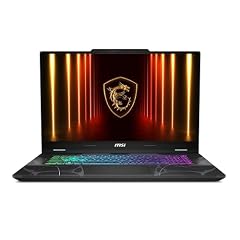
msi Cyborg 17 17.3" FHD 144Hz Gaming Laptop
- GPU
- GeForce RTX 5060
- RAM
- 16 GB
- Storage
- 1000 GB
- Screen
- 17.3 in
- Refresh
- 144 Hz
- Weight
- 2.49 kg
- OS
- Windows 11 Home
The MSI Cyborg 17 has the largest screen in this list, a 17.3-inch FHD panel at 144Hz, with an RTX 5060, 16GB of memory and a 1TB drive. The listing names an Intel Core 7 240H.
Pros
- 17.3-inch screen, the largest here
- RTX 5060 with a 144Hz screen
- 1TB of storage
Cons
- 2.49 kg, the heaviest pick
- 16GB of memory, half of the Nitro V 16
Good fit if
- Players who want a big screen without an external monitor
- Desk-bound users who move the laptop between rooms
Skip if
- You travel with your laptop
- You want 32GB of memory
Verdict: The pick for the biggest gaming screen here.
13 Largest stated battery

GEEKOM GeekBook M16 Laptop
- CPU
- Intel Core Ultra 9
- RAM
- 16 GB
- Storage
- 512 GB
- Screen
- 16 in
- Weight
- 1.72 kg
- Battery
- 99.9 Wh
- OS
- Windows 11
$849.00 (as of 10/20/2026 15:21 PDT - Details)
GEEKOM is a smaller maker, but its GeekBook M16 is clearly the best fit for battery capacity: 99.9Wh, the only battery size stated among these picks. It adds an Intel Core Ultra 9, 16GB of memory and a 16-inch screen at 1.72 kg.
Pros
- 99.9Wh battery stated by the seller
- Intel Core Ultra 9 processor
- 1.72 kg for a 16-inch laptop
Cons
- Storage not stated by the seller
- Smaller maker than the rest of this list
- Windows 11 edition not named by the seller
Good fit if
- Travelers who work long stretches away from an outlet
- Users who want a 16-inch screen with a large battery
Skip if
- You need a confirmed drive size before buying
- You prefer an established maker's support network
Verdict: The pick for maximum battery capacity, from a less established maker.
Side by side
| # | Laptop | CPU | GPU | GPU memory | Rentable GPU model | RAM | Storage |
|---|---|---|---|---|---|---|---|
| 1 | Microsoft Surface Laptop | Qualcomm Snapdragon X2 Elite | not stated | not stated | not stated | 16 GB | 1000 GB |
| 2 | Lenovo ThinkPad T14 Gen 6 Business Laptop 14" FHD+ IPS | Intel Core Ultra 7 255U | not stated | not stated | not stated | 32 GB | 512 GB |
| 3 | Samsung Galaxy Book4 Business Laptop | not stated | not stated | not stated | not stated | 16 GB | 1000 GB |
| 4 | Dell 15.6 Laptop | Intel Core Ultra 5 225U | not stated | not stated | not stated | 16 GB | 512 GB |
| 5 | HP 17 Inch FHD Laptop Computer for Business & Students 16GB RAM 1TB SSD | AMD Ryzen 5 7430U | not stated | not stated | not stated | 16 GB | 1000 GB |
| 6 | ASUS Vivobook 16 Laptop | AMD Ryzen 5 150 | not stated | not stated | not stated | 8 GB | 512 GB |
| 7 | Lenovo Business 15.6" FHD Laptop | Intel N150 | not stated | not stated | not stated | 8 GB | 128 GB |
| 8 | GIGABYTE AERO X16 | AMD Ryzen AI 9 HX 370 | GeForce RTX 5070 | not stated | not stated | 32 GB | 1000 GB |
| 9 | HIDevolution [2025] ASUS ProArt P16 H7606WX Black 16" 4K 120Hz OLED | AMD Ryzen AI 9 HX 370 | RTX 5090 | 24 GB | not stated | 64 GB | 4000 GB |
| 10 | msi Katana 15 HX 15.6” 165Hz QHD+ Gaming Laptop | Intel Core i9-14900HX | GeForce RTX 5070 | not stated | not stated | 32 GB | 1000 GB |
| 11 | Acer Nitro V 16" WUXGA 165Hz Gaming Laptop | Intel Core 7 240H | GeForce RTX 5060 | not stated | not stated | 32 GB | 2000 GB |
| 12 | msi Cyborg 17 17.3" FHD 144Hz Gaming Laptop | not stated | GeForce RTX 5060 | not stated | not stated | 16 GB | 1000 GB |
| 13 | GEEKOM GeekBook M16 Laptop | Intel Core Ultra 9 | not stated | not stated | not stated | 16 GB | 512 GB |
How we picked
How we picked: 417 laptops in our catalogue state Windows 11 as their operating system, in the Home or Pro edition or without an edition named. From those we drew a shortlist of 60, ordered by sales rank and taken one maker at a time so no single brand dominates. We preferred established makers and new, stock configurations, kept one configuration per model, and chose one clear option per purpose: everyday work, business, big screens, basic tasks, battery, creative work and gaming. Two picks break the preference and say why: a reseller-built ASUS ProArt P16 and a GEEKOM laptop. GPU facts come from NVIDIA and Windows facts from Microsoft. Prices on this page are live: each one is read from the store listing and shown with the time it was read. Nobody at wikilaptop.org has tested these units; every comparison below is drawn from the stated specifications.
How to choose
Home or Pro: which Windows 11 edition you need
Both editions run the same apps and games. Pro adds business tools that Microsoft lists on its comparison page: BitLocker encryption, domain join with Group Policy, Remote Desktop hosting and Azure Active Directory sign-in. Microsoft Learn also states that Hyper-V virtual machines cannot be installed on Windows 11 Home.
For personal use, Home is usually enough, and the hardware should drive your choice. If an employer will manage the laptop, or you run virtual machines, look for Pro; four of the 13 picks here ship with it: the ThinkPad T14 Gen 6, the Galaxy Book4 Business, the HP 17 and the ProArt P16.
Intel, AMD or Arm: check the chip type
Intel and AMD chips run standard x86 Windows software. Snapdragon chips, like the one in the Surface Laptop 13.8, are Arm-based. Microsoft states that Windows 11 on Arm emulates x86 and x64 apps, but emulation covers user-mode code only and does not support drivers.
In practice, that means specialized hardware drivers, some older utilities and some games with anti-cheat software may not work. Check your essential software before choosing an Arm laptop; every other pick here uses an Intel or AMD chip.
Memory and storage
Microsoft's minimum for Windows 11 is 4GB of memory and 64GB of storage. That minimum boots the system; it does not leave much room for many browser tabs, large files or games.
In this list, two picks state 8GB, six state 16GB, four state 32GB and one states 64GB. For storage, 1TB holds a working set of projects and several large games; 512GB fills quickly once games are installed, and 128GB suits only browser-based work.
Graphics for games and creative work
Laptops without a separate graphics card handle office work, streaming and light photo editing. For recent games and GPU-accelerated video editing, look at the five NVIDIA picks. NVIDIA's RTX 50 laptop GPUs use its Blackwell architecture, and NVIDIA lists 8GB of GDDR7 on the RTX 5060 and 24GB on the RTX 5090.
Processors with HX in the name are high-power parts meant for plugged-in performance, so do not choose them for battery life.
Screen size, touch and weight
A 14-inch laptop is easier to carry; a 16-inch or 17-inch screen gives more workspace but adds weight. The picks here range from 1.36 kg to 2.49 kg where the seller states a weight; two picks have no stated weight.
Touchscreens help with note taking and signing documents. Two picks state a touchscreen: the Surface Laptop 13.8 and the ProArt P16.
Questions
Should I choose Windows 11 Home or Pro?
Home suits personal use, study and gaming. Pro adds BitLocker, domain join, Group Policy, Remote Desktop hosting and Hyper-V, which employers and IT teams often require. Microsoft states that both Home and Pro for personal use need internet access and a Microsoft account during initial setup.
Do Arm-based Windows 11 laptops run all apps?
Most apps run, either natively or through Microsoft's built-in emulation of x86 and x64 apps. Microsoft states that emulation does not support drivers, so hardware that needs its own driver, some older programs and games with anti-cheat software may not work. List the apps you rely on and check them before buying a Snapdragon laptop such as the Surface Laptop.
What is Windows 11 in S mode?
S mode is a locked-down setup of Windows 11 Home. Microsoft states that it only allows apps from the Microsoft Store and keeps Microsoft Edge as the default browser. Switching out of S mode is free but one-way: once you leave, you cannot return. Some low-cost laptops ship in S mode, so check the listing if you need desktop software.
Is Windows 11 good for gaming?
Yes. Windows runs the largest library of PC games, and every gaming pick here ships with Windows 11. Performance depends on the graphics card, processor, memory and screen of each laptop, not on the Windows edition. Choose the GPU tier first, then check memory and storage for your game library.
How much memory does a Windows 11 laptop need?
Microsoft's minimum is 4GB, which covers basic browsing and documents. For everyday multitasking, 16GB is a comfortable level, and 32GB suits creative work, gaming with apps open in the background, or virtual machines. Five of the 13 picks in this guide state 32GB of memory or more.
Recent updates
- : First published.