
Best Windows 11 Pro Laptops in 2026: 14 Picks for Work, Compared
Our top pick is the Dell 16 Plus with an Intel Core Ultra 7 258V: 32GB of memory, a 2TB drive and a 16-inch touchscreen at 1.87 kg, a sound base for office work, virtual machines and managed fleets. The other 13 picks cover a 1.28 kg OLED ultraportable, Dell Precision mobile workstations with up to 128GB of memory, and gaming machines up to an RTX 5090. All ship with Windows 11 Pro, and we chose them from published specifications, not lab tests.
14 picks from 250 laptops that match this guide with a price we can quote today. Every price below is live and carries the moment it was read.
The picks at a glance
Which one should you buy?
- For most office and hybrid workers: The Dell 16 Plus gives you 32GB of memory, 2TB of storage and a touchscreen at 1.87 kg, ready for BitLocker and domain join out of the box. See pick 1
- For frequent travelers: The Zenbook 14 OLED weighs 1.28 kg, the lightest pick, with a 2K OLED touchscreen and a 1TB drive. See pick 2
- For engineers and 3D work: The Precision 7780 pairs an RTX 3500 Ada with 12GB of graphics memory, 128GB of system memory and 4TB of storage. See pick 4
- For developers running virtual machines: The Vivobook 15 with 48GB of memory and a 2TB drive leaves room for several Hyper-V guests at 1.7 kg. See pick 10
The 14 picks
1 Best overall

Dell 16 Plus Laptop DB16250 Intel Core Ultra 7 258V 32GB LPDDR5X 2TB SSD
- CPU
- Intel Core Ultra 7 258V
- RAM
- 32 GB
- Storage
- 2000 GB
- Screen
- 16 in
- Weight
- 1.87 kg
- OS
- Windows 11 Pro
$1,599.99 (as of 10/20/2026 15:20 PDT - Details)
It combines an Intel Core Ultra 7 258V, 32GB of memory and a 2TB drive with a 16-inch touchscreen at 1.87 kg. That is more storage than most of the thin business picks and a large screen for spreadsheets and side-by-side windows.
Pros
- 32GB of memory and 2TB of storage
- 16-inch touchscreen
- 1.87 kg, lighter than the 16-inch workstation and gaming picks
Cons
- No separate graphics card
- Battery size not stated by the seller
Good fit if
- Office and hybrid workers who keep many apps open
- IT teams who want a capable, standard business laptop
Skip if
- You carry your laptop all day and want a 14-inch size
- You need GPU power for 3D or video
Verdict: The most balanced business machine among these 14.
2 Lightest pick

ASUS Zenbook 14 OLED Laptop
- CPU
- AMD Ryzen AI 9 465
- Storage
- 1000 GB
- Screen
- 14 in
- Touchscreen
- Yes
- Weight
- 1.28 kg
- OS
- Windows 11 Pro
$1,278.99 (as of 10/20/2026 15:20 PDT - Details)
At 1.28 kg it is the lightest laptop here, 0.12 kg under the Precision 3490. It pairs an AMD Ryzen AI 9 465 with a 14-inch 2K OLED touchscreen, a 1TB drive and a stylus in the listing.
Pros
- 1.28 kg, the lightest pick
- 14-inch 2K OLED touchscreen with a stylus in the listing
- 1TB of storage
Cons
- Memory size not stated by the seller
- 14-inch screen is tight for large spreadsheets
Good fit if
- Consultants and sales staff who travel
- Pen users who sign and annotate documents
Skip if
- You need a confirmed memory size for virtual machines
- You want a 16-inch workspace
Verdict: The pick for carrying Windows 11 Pro everywhere.
3 Most compact mobile workstation

Dell Precision 3490 Mobile Workstation Laptop
- CPU
- Intel Core Ultra 5 135H
- RAM
- 32 GB
- Storage
- 1000 GB
- Screen
- 14 in
- Weight
- 1.4 kg
- OS
- Windows 11 Pro
Listed as a mobile workstation, this 14-inch model weighs 1.4 kg with an Intel Core Ultra 5 135H, 32GB of memory and a 1TB drive. It is less than half the weight of the Precision 7780.
Pros
- 1.4 kg, second lightest pick
- 32GB of memory and 1TB of storage
- 14-inch size for daily carry
Cons
- No separate graphics card stated by the seller
- FHD screen, lower resolution than the OLED picks
Good fit if
- Engineers and analysts who travel with a workstation-class laptop
- Developers who want 32GB in a small body
Skip if
- You render 3D scenes on the GPU
- You want a touchscreen
Verdict: A small Precision for work that needs memory more than graphics.
4 Best mobile workstation

Dell Precision 7780 Laptop
- CPU
- Intel Core i9-13950HX
- GPU
- RTX 3500 Ada
- GPU memory
- 12 GB
- RAM
- 128 GB
- Storage
- 4000 GB
- Screen
- 17.3 in
- Weight
- 3.05 kg
- OS
- Windows 11 Pro
$6,299.99 (as of 10/20/2026 15:21 PDT - Details)
It has the most memory and storage in this list: 128GB of system memory and 4TB of storage, with an NVIDIA RTX 3500 Ada carrying 12GB of graphics memory and an Intel Core i9-13950HX. The 17.3-inch screen is the largest among the non-gaming picks.
Pros
- 128GB of memory, the most in this list
- 4TB of storage, also the most here
- RTX 3500 Ada with 12GB of graphics memory
Cons
- 3.05 kg, the heaviest pick
- HX processor built for plugged-in use, not battery life
- 13th-generation Intel chip, older than the Core Ultra picks
Good fit if
- CAD, simulation and 3D users with large datasets
- Data work that needs large amounts of memory
Skip if
- You commute with your laptop daily
- Your work is mostly office apps
Verdict: The desk-bound powerhouse of this list.
5 Best 16-inch workstation
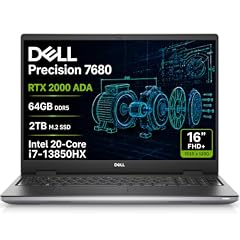
Dell Precision 7680 Laptop
- CPU
- Intel Core i7-13850HX
- GPU
- RTX 2000 Ada
- GPU memory
- 8 GB
- RAM
- 64 GB
- Storage
- 2000 GB
- Screen
- 16 in
- Weight
- 2.68 kg
- OS
- Windows 11 Pro
$3,199.99 (as of 10/20/2026 15:21 PDT - Details)
It brings a professional NVIDIA RTX 2000 Ada with 8GB of graphics memory, an Intel Core i7-13850HX, 64GB of memory and 2TB of storage into a 16-inch body at 2.68 kg, 0.37 kg lighter than the Precision 7780.
Pros
- RTX 2000 Ada with 8GB of graphics memory
- 64GB of memory and 2TB of storage
- 16-inch FHD+ screen, smaller footprint than the 17.3-inch Precision
Cons
- 2.68 kg
- HX processor favors plugged-in use
Good fit if
- Designers and engineers who want a workstation GPU in a 16-inch size
- Users who run several virtual machines at once
Skip if
- You need 12GB of graphics memory
- You want a laptop under 2 kg
Verdict: A middle path between the compact Precision 3490 and the 17.3-inch 7780.
6 Best 16-inch touchscreen for business

Acer Swift 16 AI Laptop 16" WUXGA 120Hz Touchscreen
- CPU
- AMD Ryzen AI 9 465
- GPU
- Radeon 880M
- RAM
- 32 GB
- Storage
- 1000 GB
- Screen
- 16 in
- Refresh
- 120 Hz
- Touchscreen
- Yes
- Weight
- 1.6 kg
$1,241.49 (as of 10/20/2026 15:20 PDT - Details)
It pairs an AMD Ryzen AI 9 465 and Radeon 880M graphics with 32GB of memory and a 16-inch 120Hz touchscreen at 1.6 kg, 0.27 kg lighter than the Dell 16 Plus.
Pros
- 1.6 kg for a 16-inch laptop
- 120Hz WUXGA touchscreen
- 32GB of memory
Cons
- 1TB of storage, half of the Dell 16 Plus
- No separate graphics card
Good fit if
- Hybrid workers who want a large touchscreen that is easy to carry
- Users who want a current AMD chip with an NPU
Skip if
- You store large project files locally
- You need a workstation GPU
Verdict: The lightest 16-inch business pick with a stated weight in this list.
7 Sharpest screen for business

Acer Swift 16 AI Laptop 16" WQXGA+ 3200x2000 OLED 120Hz Intel 14-core
- CPU
- Intel Core Ultra 5 125H
- RAM
- 8 GB
- Storage
- 1000 GB
- Screen
- 16 in
- Refresh
- 120 Hz
- OS
- Windows 11 Pro
$909.00 (as of 10/20/2026 15:20 PDT - Details)
Its 16-inch OLED screen runs at 3200x2000 and 120Hz, the highest stated resolution among the business picks. An Intel Core Ultra 5 125H and a 1TB drive back it up, but memory is the weak point.
Pros
- 16-inch 3200x2000 OLED screen at 120Hz
- 1TB of storage
- Fingerprint reader per the listing
Cons
- 8GB of memory, the least among the picks with a stated size
- Weight not stated by the seller
Good fit if
- Users who read and edit dense documents all day
- Light photo work on a high-resolution panel
Skip if
- You run virtual machines or many apps at once
- You need a confirmed weight for travel
Verdict: Pick it for the screen, and accept that memory is the limit.
8 Best entry business laptop

Dell Pro 16 PC16250 Business Laptop
- CPU
- Intel Core 5 120U
- RAM
- 16 GB
- Storage
- 1000 GB
- Screen
- 16 in
- OS
- Windows 11 Pro
$1,049.99 (as of 10/20/2026 15:21 PDT - Details)
Listed as a business laptop, this 16-inch model pairs an Intel Core 5 120U with 16GB of memory, a 1TB drive and a 2K anti-glare screen. It suits standard office fleets that do not need workstation power.
Pros
- 16-inch 2K anti-glare screen per the listing
- 1TB drive
- Low-power U-series processor
Cons
- 16GB of memory, half of the Dell 16 Plus
- Weight not stated by the seller
Good fit if
- Small businesses equipping office staff
- Users who work under bright office lights
Skip if
- You run virtual machines
- You want a touchscreen
Verdict: A plain, practical business laptop for everyday office work.
9 Best 15-inch touchscreen
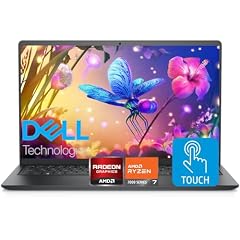
Dell Inspiron 15.6" FHD Touchscreen Laptop
- CPU
- AMD Ryzen 7 7730U
- RAM
- 32 GB
- Storage
- 1000 GB
- Screen
- 15.6 in
- Touchscreen
- Yes
- OS
- Windows 11 Pro
It pairs an AMD Ryzen 7 7730U with 32GB of memory, a 1TB drive and a 15.6-inch FHD touchscreen. It is the only 15-inch touchscreen pick, sitting between the 14-inch and 16-inch business models.
Pros
- 32GB of memory
- 15.6-inch FHD touchscreen
- 1TB of storage
Cons
- Weight not stated by the seller
- Ryzen 7 7730U is an older chip than the Ryzen AI picks
Good fit if
- Home office users who want touch on a mid-size screen
- Small offices that standardize on 15-inch machines
Skip if
- You want a current-generation processor
- You need a confirmed weight
Verdict: A 15-inch touchscreen option with generous memory.
10 Best for virtual machines
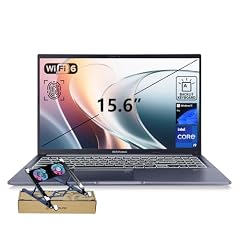
ASUS Vivobook 15 Laptop
- CPU
- Intel Core i9-13900H
- RAM
- 48 GB
- Storage
- 2000 GB
- Screen
- 15.6 in
- Touchscreen
- No
- Weight
- 1.7 kg
- OS
- Windows 11 Pro
It combines an Intel Core i9-13900H with 48GB of memory and a 2TB drive at 1.7 kg. That is the most memory among picks under 2 kg, useful for Hyper-V, which Microsoft supports on Pro and not on Home.
Pros
- 48GB of memory, the most among picks under 2 kg
- 2TB of storage
- 1.7 kg
- Physical webcam shield per the listing
Cons
- FHD screen, lower resolution than the OLED picks
- No touchscreen, stated by the seller
Good fit if
- Developers and IT staff running several Hyper-V guests
- Testers who keep multiple environments on one laptop
Skip if
- You need a workstation GPU
- You want a touchscreen
Verdict: The most memory you can carry easily in this list.
11 Best for gaming and creative work

Acer Predator Helios Neo 16S AI Gaming Laptop
- CPU
- Intel Core Ultra 9 275HX
- GPU
- GeForce RTX 5070 Ti
- GPU memory
- 12 GB
- RAM
- 64 GB
- Storage
- 2000 GB
- Screen
- 16 in
- Refresh
- 240 Hz
- Weight
- 2.3 kg
It pairs an RTX 5070 Ti, which NVIDIA lists with 12GB of GDDR7, with an Intel Core Ultra 9 275HX, 64GB of memory and 2TB of storage. The 16-inch screen refreshes at 240Hz, and the laptop weighs 2.3 kg.
Pros
- RTX 5070 Ti with 12GB of GDDR7 per NVIDIA
- 64GB of memory and 2TB of storage
- 240Hz 16-inch screen
Cons
- 2.3 kg
- HX processor favors plugged-in performance over battery life
Good fit if
- Creators who edit video and also game
- Freelancers who need Pro features on a powerful machine
Skip if
- You only do office work
- You want a laptop under 2 kg
Verdict: A strong mix of GPU, memory and storage with Windows 11 Pro.
12 Most powerful GPU

ASUS ROG Strix SCAR 18
- CPU
- Intel Core Ultra 9 275HX
- GPU
- GeForce RTX 5090
- RAM
- 32 GB
- Storage
- 2000 GB
- Screen
- 18 in
- Refresh
- 240 Hz
- Weight
- 2.85 kg
- OS
- Windows 11 Pro
$4,499.99 (as of 10/20/2026 15:20 PDT - Details)
It is the only pick with an RTX 5090, which NVIDIA lists with 24GB of GDDR7, the largest graphics memory in this list. It adds an Intel Core Ultra 9 275HX, 32GB of memory, 2TB of storage and an 18-inch 2.5K 240Hz screen.
Pros
- RTX 5090 with 24GB of GDDR7 per NVIDIA
- 18-inch 2.5K screen at 240Hz
- 2TB of storage
Cons
- 2.85 kg in an 18-inch body
- 32GB of memory, half of the Helios Neo 16S
Good fit if
- Users running local AI models that need a large GPU memory pool
- Players who want the highest GPU tier
Skip if
- You travel with your laptop often
- Your engineering software lists only professional RTX GPUs as supported
Verdict: The top of NVIDIA's laptop range with the Pro edition.
13 Lightest with a dedicated GPU

ASUS ROG Zephyrus G14 GA403 GA403WR-XS97 14" Copilot+ PC Gaming Notebook
- CPU
- AMD Ryzen AI 9 HX 370
- GPU
- GeForce RTX 5070 Ti
- RAM
- 32 GB
- Storage
- 2000 GB
- Screen
- 14 in
- Refresh
- 120 Hz
- Weight
- 1.57 kg
- OS
- Windows 11 Pro
It fits an RTX 5070 Ti and an AMD Ryzen AI 9 HX 370 into a 14-inch body at 1.57 kg, the lightest pick with a separate graphics card. It has 32GB of memory, a 2TB drive and a 3K 120Hz screen.
Pros
- RTX 5070 Ti in a 1.57 kg laptop
- 2TB of storage and 32GB of memory
- 14-inch 3K screen at 120Hz
- Copilot+ PC per the listing
Cons
- 14-inch screen is small for long editing sessions
- 120Hz refresh, half of the 240Hz picks
Good fit if
- Creators who edit on the move
- Professionals who want one laptop for work and games
Skip if
- You want a large screen
- Your work needs no GPU
Verdict: The most portable GPU machine among these 14.
14 Best mid-range gaming pick

Dell Alienware 15 AI Gaming Laptop 15.3" WUXGA 165Hz FreeSync AMD 8-core
- CPU
- AMD Ryzen 7 260
- GPU
- GeForce RTX 5060
- GPU memory
- 8 GB
- RAM
- 64 GB
- Storage
- 2000 GB
- Screen
- 15.3 in
- Refresh
- 165 Hz
- Weight
- 2.25 kg
$2,749.00 (as of 10/20/2026 15:20 PDT - Details)
It pairs an RTX 5060 with 8GB of graphics memory and an AMD Ryzen 7 260 with 64GB of memory and 2TB of storage. Its 15.3-inch 165Hz screen is smaller than those of the 16-inch and 18-inch GPU picks, and it weighs 2.25 kg.
Pros
- 64GB of memory and 2TB of storage
- RTX 5060 with 8GB of graphics memory
- 15.3-inch 165Hz screen
Cons
- 8GB of graphics memory, a third of the RTX 5090
- 2.25 kg, heavier than the Zephyrus G14
Good fit if
- Players at 1080p-class resolutions
- Users who want large memory next to a mid-range GPU
Skip if
- You want high settings at 2.5K
- You carry your laptop all day
Verdict: A mid-range GPU with plenty of memory and storage.
Side by side
| # | Laptop | CPU | GPU | GPU memory | Rentable GPU model | RAM | Storage |
|---|---|---|---|---|---|---|---|
| 1 | Dell 16 Plus Laptop DB16250 Intel Core Ultra 7 258V 32GB LPDDR5X 2TB SSD | Intel Core Ultra 7 258V | not stated | not stated | not stated | 32 GB | 2000 GB |
| 2 | ASUS Zenbook 14 OLED Laptop | AMD Ryzen AI 9 465 | not stated | not stated | not stated | not stated | 1000 GB |
| 3 | Dell Precision 3490 Mobile Workstation Laptop | Intel Core Ultra 5 135H | not stated | not stated | not stated | 32 GB | 1000 GB |
| 4 | Dell Precision 7780 Laptop | Intel Core i9-13950HX | RTX 3500 Ada | 12 GB | not stated | 128 GB | 4000 GB |
| 5 | Dell Precision 7680 Laptop | Intel Core i7-13850HX | RTX 2000 Ada | 8 GB | not stated | 64 GB | 2000 GB |
| 6 | Acer Swift 16 AI Laptop 16" WUXGA 120Hz Touchscreen | AMD Ryzen AI 9 465 | Radeon 880M | not stated | not stated | 32 GB | 1000 GB |
| 7 | Acer Swift 16 AI Laptop 16" WQXGA+ 3200x2000 OLED 120Hz Intel 14-core | Intel Core Ultra 5 125H | not stated | not stated | not stated | 8 GB | 1000 GB |
| 8 | Dell Pro 16 PC16250 Business Laptop | Intel Core 5 120U | not stated | not stated | not stated | 16 GB | 1000 GB |
| 9 | Dell Inspiron 15.6" FHD Touchscreen Laptop | AMD Ryzen 7 7730U | not stated | not stated | not stated | 32 GB | 1000 GB |
| 10 | ASUS Vivobook 15 Laptop | Intel Core i9-13900H | not stated | not stated | not stated | 48 GB | 2000 GB |
| 11 | Acer Predator Helios Neo 16S AI Gaming Laptop | Intel Core Ultra 9 275HX | GeForce RTX 5070 Ti | 12 GB | not stated | 64 GB | 2000 GB |
| 12 | ASUS ROG Strix SCAR 18 | Intel Core Ultra 9 275HX | GeForce RTX 5090 | not stated | not stated | 32 GB | 2000 GB |
| 13 | ASUS ROG Zephyrus G14 GA403 GA403WR-XS97 14" Copilot+ PC Gaming Notebook | AMD Ryzen AI 9 HX 370 | GeForce RTX 5070 Ti | not stated | not stated | 32 GB | 2000 GB |
| 14 | Dell Alienware 15 AI Gaming Laptop 15.3" WUXGA 165Hz FreeSync AMD 8-core | AMD Ryzen 7 260 | GeForce RTX 5060 | 8 GB | not stated | 64 GB | 2000 GB |
How we picked
How we picked: we started from the 60 laptops in our catalogue whose listing states Windows 11 Pro as the operating system. We skipped refurbished units (two renewed Dell Latitude listings), budget listings from unknown makers and near-identical configurations of the same model, keeping one per purpose. Because Pro is chosen for work, we weighted memory for virtual machines, storage, touch input and weight for commuting, then added workstation and gaming options for buyers who need Pro on a powerful machine. Edition facts come from Microsoft and GPU facts from NVIDIA. Prices on this page are live: each one is read from the store listing and shown with the time it was read. Nobody at wikilaptop.org has tested these units; every comparison below is drawn from the stated specifications.
How to choose
What Windows 11 Pro adds over Home
Pro runs the same apps and games as Home and performs the same on the same hardware. Microsoft's comparison page lists what Pro adds: BitLocker encryption, domain join with Group Policy so IT staff can manage PCs and accounts, Remote Desktop, Azure Active Directory sign-in and Windows Hello for Business. Microsoft Learn states that Hyper-V is available on Windows 11 Pro and Enterprise and cannot be installed on Home.
If your employer manages the laptop, you run virtual machines, or you want BitLocker, Pro is the edition to look for. For purely personal use, Home is usually enough.
Memory for virtual machines and multitasking
Microsoft lists 4GB of memory as the minimum to enable Hyper-V, but every virtual machine you run needs its own share on top of Windows itself. For one or two guests next to office apps, 32GB is a comfortable level; for several at once, 48GB or more helps.
Eleven of the 14 picks here state 32GB or more, from the Dell 16 Plus to the 128GB Precision 7780.
Processor class: U, H and HX
Low-power U-series chips, such as the Core 5 120U in the Dell Pro 16 and the Ryzen 7 7730U in the Dell Inspiron, are built for everyday office work. H-series chips, like the Core Ultra 5 125H and 135H, add headroom for heavier tasks.
HX chips, such as the Core i9-13950HX and Core Ultra 9 275HX, are high-power parts for plugged-in performance. Choose them for workstation or GPU work, not for battery life.
Workstation or gaming GPU
The Dell Precision picks use NVIDIA's professional RTX Ada Generation GPUs (RTX 2000 Ada and RTX 3500 Ada here). The gaming picks use GeForce RTX 50 Series laptop GPUs, which NVIDIA builds on its Blackwell architecture and lists with 8GB of GDDR7 on the RTX 5060, 12GB on the RTX 5070 Ti and 24GB on the RTX 5090.
If your company's CAD or engineering software lists supported GPUs, check that list before choosing. For video editing, AI experiments and games, a GeForce laptop often fits.
Weight, screen and touch
Where the seller states a weight, the picks range from 1.28 kg to 3.05 kg. Commuters should look at the Zenbook 14 OLED, the Precision 3490 and the Acer Swift 16 AI; desk-based work suits the larger Precision models.
Four picks state a touchscreen: the Dell 16 Plus, the Zenbook 14 OLED, the Acer Swift 16 AI with Ryzen AI 9 465 and the Dell Inspiron. Touch helps with signing documents and pen notes.
Questions
Do I need Windows 11 Pro?
You need it if your employer manages the laptop through a domain or Group Policy, if you want to run Hyper-V virtual machines, or if you want BitLocker encryption. Microsoft lists these as Pro features. For personal use, study and gaming, Windows 11 Home is usually enough, and the hardware matters more than the edition.
Is Windows 11 Pro faster than Home?
No. Both editions run on the same core system, so speed comes from the processor, memory, storage and graphics, not from the edition. Pro adds management and security tools. On the same laptop, a game or an office app runs the same under Home and Pro.
Can a Windows 11 Pro laptop join a company network?
Yes. Microsoft lists domain join, Group Policy and Azure Active Directory sign-in as Pro features, which let IT staff manage the laptop and its user accounts. Home does not offer domain join. Check with your IT team which setup your organization uses before buying.
Can I run virtual machines on Windows 11 Pro?
Yes. Microsoft Learn states that Hyper-V is built into Windows 11 Pro and Enterprise as an optional feature and cannot be installed on Home. It also needs a 64-bit processor with Second Level Address Translation and at least 4GB of memory. In practice, plan for extra memory for each virtual machine you run.
Does Windows 11 Pro need a Microsoft account?
Microsoft states that Windows 11 Pro for personal use and Windows 11 Home require internet connectivity and a Microsoft account during initial device setup. Either way, plan to be online when you first switch on the laptop.
Recent updates
- : First published.