
Best 17.3 Inch Laptops in 2026: 12 Picks Compared on Specs
Our top pick is the HP OMEN 17.3 with an RTX 5070: it combines a current NVIDIA Blackwell GPU with a 2K 240Hz screen, 32GB of memory and 1TB of storage. For the most GPU power, the GIGABYTE AORUS 17X carries an RTX 4090, and for professional work the Dell Precision 7780 offers up to 128GB of memory. The other nine picks cover creators, home offices and basic study. We chose all 12 from stated specifications and makers' published data, not from lab tests.
12 picks from 42 laptops that match this guide with a price we can quote today. Every price below is live and carries the moment it was read.
The picks at a glance
Which one should you buy?
- For gaming on a big screen: The OMEN 17.3 pairs an RTX 5070 with a 2K 240Hz screen and 32GB of memory. See pick 1
- For CAD, simulation and large datasets: The Precision 7780 with an RTX 3500 Ada has 128GB of memory and 4TB of storage, the most in this list. See pick 3
- For creators who still move around: The OmniBook 7 AI adds a touchscreen, an RTX 4050 and an 83Wh battery at 2.35 kg. See pick 6
- For a home office desk: The HP 17.3 home office laptop pairs 32GB of memory with a numeric keypad listed in the title. See pick 11
The 12 picks
1 Best overall
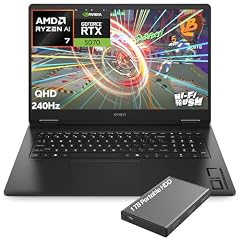
HP OMEN Gaming Laptop
- CPU
- AMD Ryzen AI 7 350
- GPU
- GeForce RTX 5070
- GPU memory
- 8 GB
- RAM
- 32 GB
- Storage
- 1000 GB
- Screen
- 17.3 in
- Refresh
- 240 Hz
- Weight
- 2.95 kg
$2,249.99 (as of 10/20/2026 15:21 PDT - Details)
It is the only 17.3-inch pick with a current RTX 50 series GPU at the RTX 5070 tier, which NVIDIA lists with 8GB or 12GB of GDDR7 (this listing states 8GB). It pairs that with a 2K QHD 240Hz screen, 32GB of memory and an AMD Ryzen AI 7 350.
Pros
- RTX 5070 with 8GB of GDDR7, current NVIDIA Blackwell generation
- 17.3-inch 2K QHD screen at 240Hz, tied for the fastest here
- 32GB of memory and 1TB of storage
Cons
- 2.95 kg, among the heaviest picks
- 8GB of graphics memory, half of the AORUS 17X's 16GB
Good fit if
- Players who want a large, fast screen with a current GPU
- Buyers who want a desktop replacement that still fits on one desk
Skip if
- You carry your laptop daily
- You need the most GPU power: the AORUS 17X has an RTX 4090
Verdict: The most balanced big-screen gaming laptop in this list.
2 Most powerful gaming GPU

GIGABYTE - AORUS 17X
- CPU
- Intel Core i9-14900HX
- GPU
- GeForce RTX 4090
- GPU memory
- 16 GB
- RAM
- 32 GB
- Storage
- 2000 GB
- Screen
- 17.3 in
- Refresh
- 240 Hz
- Weight
- 2.8 kg
$3,429.21 (as of 10/20/2026 15:21 PDT - Details)
Its RTX 4090 is the top chip of NVIDIA's previous RTX 40 laptop range, which NVIDIA lists with 16GB of GDDR6 on the Ada Lovelace architecture. It pairs it with a Core i9-14900HX (24 cores, 32 threads per Intel), a 2560 x 1440 240Hz screen and 2TB of storage at 2.8 kg.
Pros
- RTX 4090 with 16GB of graphics memory, the most among the gaming picks
- Core i9-14900HX: 24 cores and 32 threads per Intel
- 2560 x 1440 screen at 240Hz
- 2TB of storage
Cons
- Previous-generation RTX 40 series GPU from a 2024 model
- HX processor built for plugged-in use
Good fit if
- Players who want maximum frame rates at 1440p
- Creators who render on the GPU and need 16GB of graphics memory
Skip if
- You want the newest GPU generation and its features
- You often work away from a power outlet
Verdict: The strongest gaming GPU here, one generation back.
3 Most memory

Dell Precision 7780 Laptop
- CPU
- Intel Core i9-13950HX
- GPU
- RTX 3500 Ada
- GPU memory
- 12 GB
- RAM
- 128 GB
- Storage
- 4000 GB
- Screen
- 17.3 in
- Weight
- 3.05 kg
- OS
- Windows 11 Pro
$6,299.99 (as of 10/20/2026 15:21 PDT - Details)
It carries 128GB of memory and 4TB of storage, the most of both in this list, with a professional NVIDIA RTX 3500 Ada GPU (12GB) and a Core i9-13950HX. That suits large engineering models, simulations and datasets.
Pros
- 128GB of memory, the most in this list
- 4TB of storage, the most in this list
- NVIDIA RTX 3500 Ada professional GPU with 12GB
- Windows 11 Pro
Cons
- 3.05 kg, the heaviest stated weight here
- Screen resolution and refresh not stated by the seller
Good fit if
- Engineers running CAD or simulation with very large files
- Data analysts who keep big datasets in memory
Skip if
- You mainly game: GeForce picks suit play better
- You need a light laptop
Verdict: The heavy-duty workstation of this list.
4 Highest-tier professional GPU

Dell Precision 7780 Mobile Workstation 17.3" FHD
- CPU
- Intel Core i9-13950HX
- GPU
- RTX 4000 Ada
- GPU memory
- 12 GB
- RAM
- 32 GB
- Storage
- 2000 GB
- Screen
- 17.3 in
- OS
- Windows 11 Pro
$2,799.99 (as of 10/20/2026 15:21 PDT - Details)
It uses an NVIDIA RTX 4000 Ada with 12GB, the highest professional GPU tier among the picks, with a Core i9-13950HX and 32GB of memory. The listing states a 512GB drive plus a 2TB drive.
Pros
- NVIDIA RTX 4000 Ada professional GPU with 12GB
- Two drives per the listing: 512GB plus 2TB
- 17.3-inch FHD screen per the listing
- Windows 11 Pro
Cons
- 32GB of memory, a quarter of the RTX 3500 Ada configuration
- Weight not stated by the seller
Good fit if
- Designers whose apps lean on the GPU more than on memory
- Studios that want a certified-class GPU in a 17.3-inch body
Skip if
- Your datasets need more than 32GB
- You want a sharper than FHD screen
Verdict: The GPU-first Precision configuration.
5 Lightest RTX 50 series pick
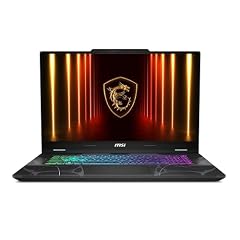
msi Cyborg 17 17.3" FHD 144Hz Gaming Laptop
- GPU
- GeForce RTX 5060
- RAM
- 16 GB
- Storage
- 1000 GB
- Screen
- 17.3 in
- Refresh
- 144 Hz
- Weight
- 2.49 kg
- OS
- Windows 11 Home
At 2.49 kg it is lighter than the other RTX 50 pick, the 2.95 kg OMEN, and it carries an RTX 5060, which NVIDIA lists with 8GB of GDDR7. The FHD screen runs at 144Hz and the listing names an Intel Core 7 240H.
Pros
- RTX 5060: 8GB of GDDR7 per NVIDIA
- 2.49 kg, the lightest RTX 50 series pick
- 17.3-inch FHD screen at 144Hz
- 1TB of storage
Cons
- 16GB of memory, half of the OMEN's 32GB
- 144Hz refresh, below the 240Hz picks
Good fit if
- Players who want a large screen at a lower weight
- Students who game at 1080p settings
Skip if
- You want a 240Hz screen
- You multitask heavily and want 32GB
Verdict: A lighter, mid-tier path into 17.3-inch gaming.
6 Best for creators

HP OmniBook 7 AI Laptop
- CPU
- Intel Core Ultra 7 258V
- GPU
- RTX 4050
- GPU memory
- 6 GB
- RAM
- 32 GB
- Storage
- 1000 GB
- Screen
- 17.3 in
- Touchscreen
- Yes
- Weight
- 2.35 kg
$1,599.99 (as of 10/20/2026 15:21 PDT - Details)
It pairs a 17.3-inch touchscreen with an RTX 4050 and an Intel Core Ultra 7 258V, which Intel lists with 8 cores and a 17W base power. Its 83Wh battery is the largest stated in this list, and it weighs 2.35 kg.
Pros
- 83Wh battery, the largest stated in this list
- Touchscreen with a dedicated RTX 4050 (6GB)
- 32GB of memory and 1TB of storage
- 2.35 kg
Cons
- Intel lists 32GB as the maximum memory for the Core Ultra 7 258V
- RTX 4050 is the entry tier of the previous RTX 40 range
Good fit if
- Photo editors who want a large touchscreen
- Students who want some GPU help and a big battery
Skip if
- You play demanding games
- You need more than 32GB of memory
Verdict: The most versatile non-gaming 17.3-inch pick.
7 Lightest pick

HP OmniBook 17.3" FHD AI PC
- CPU
- Intel Core Ultra 7 255U
- RAM
- 16 GB
- Storage
- 2000 GB
- Screen
- 17.3 in
- Weight
- 2.01 kg
- OS
- Windows 11 Pro
$1,099.00 (as of 10/20/2026 15:21 PDT - Details)
At 2.01 kg it ties for the lightest laptop in this list, with an Intel Core Ultra 7 255U and 16GB of memory. The listing's 2TB storage figure is 1TB inside the laptop plus 1TB in a docking station.
Pros
- 2.01 kg, tied for the lightest in this list
- Core Ultra 7 255U processor
- Windows 11 Pro
Cons
- Only 1TB of the stated 2TB is inside the laptop, per the listing
- 16GB of memory
Good fit if
- Office users who move between desks
- Buyers who want a docking station included
Skip if
- You need 32GB of memory
- You want a dedicated GPU
Verdict: A light everyday 17.3-inch, once you read the storage fine print.
8 Best AMD everyday pick
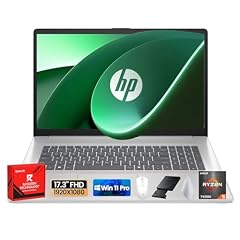
HP 17 Laptop
- CPU
- AMD Ryzen 5 7430U
- RAM
- 32 GB
- Storage
- 1000 GB
- Screen
- 17.3 in
- OS
- Windows 11 Pro
$909.99 (as of 10/20/2026 15:21 PDT - Details)
It pairs an AMD Ryzen 5 7430U with 32GB of memory and 1TB of storage under a 17.3-inch FHD anti-glare screen. That is double the memory of the other Ryzen 5 7430U pick.
Pros
- 32GB of memory and 1TB of storage
- 17.3-inch FHD anti-glare screen per the listing
- Wi-Fi 6 and HDMI named in the listing
Cons
- Weight not stated by the seller
- No touchscreen
Good fit if
- Home users who keep many tabs and apps open
- Office workers who want an anti-glare screen
Skip if
- You need to know the weight before buying
- You want a touchscreen
Verdict: A roomy AMD home laptop with plenty of memory.
9 Budget-class touchscreen

HP 17.3" HD Touchscreen Laptop
- CPU
- AMD Ryzen 5 7430U
- RAM
- 16 GB
- Storage
- 1000 GB
- Screen
- 17.3 in
- Touchscreen
- Yes
- OS
- Windows 11 Home
$949.00 (as of 10/20/2026 15:21 PDT - Details)
It is one of two touchscreen picks, with an AMD Ryzen 5 7430U, 16GB of memory and 1TB of storage. The listing calls the screen HD, a lower resolution than the FHD picks.
Pros
- 17.3-inch touchscreen
- 1TB of storage
- 16GB of memory
Cons
- HD screen per the listing, softer than FHD on a 17.3-inch panel
- Weight not stated by the seller
Good fit if
- Home users who like tapping and scrolling on screen
- Family laptops for browsing and video calls
Skip if
- Screen sharpness matters to you
- You want a dedicated GPU
Verdict: A simple touchscreen option if resolution is not a priority.
10 Basic pick for light tasks
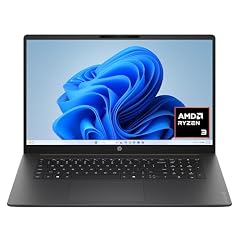
HP OmniBook 3 17.3 inch Laptop PC
- GPU
- Radeon 610M
- RAM
- 8 GB
- Storage
- 512 GB
- Screen
- 17.3 in
- Weight
- 2.01 kg
- OS
- Windows 11 Home
$509.60 (as of 10/20/2026 15:21 PDT - Details)
It is the simplest machine here: an AMD Ryzen 3 processor per the listing, Radeon 610M graphics, 8GB of memory and 512GB of storage in a body that ties for the lightest at 2.01 kg.
Pros
- 2.01 kg, tied for the lightest in this list
- 17.3-inch FHD screen
- 512GB of storage
Cons
- 8GB of memory, the least in this list
- Entry-level Radeon 610M graphics
Good fit if
- Browsing, email and documents on a large screen
- Users who want bigger text without a separate monitor
Skip if
- You keep many browser tabs open
- You edit photos or video
Verdict: A large screen for light everyday work.
11 Best for home office
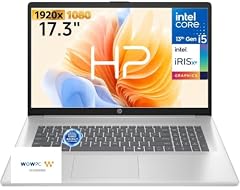
HP 17.3" FHD Home Office Laptop
- CPU
- Intel Core i5
- RAM
- 32 GB
- Storage
- 512 GB
- Screen
- 17.3 in
- Weight
- 2.09 kg
- OS
- Windows 11
$799.99 (as of 10/20/2026 15:21 PDT - Details)
It pairs a 10-core Intel Core i5 per the listing with 32GB of memory, and the title names a backlit keyboard with a numeric keypad, useful for spreadsheets and bookkeeping. It weighs 2.09 kg.
Pros
- 32GB of memory
- Backlit keyboard with numeric keypad named in the listing
- 2.09 kg
Cons
- 512GB of storage, less than most picks
- Exact processor model not stated by the seller
Good fit if
- Bookkeepers and spreadsheet-heavy users
- Home offices with one main work machine
Skip if
- You store large photo or video libraries
- You need a dedicated GPU
Verdict: A practical number-crunching desk laptop.
12 Most memory without a dedicated GPU

NIMO Copilot+ PC
- CPU
- AMD Ryzen AI 9 HX 370
- GPU
- Radeon 890M
- RAM
- 64 GB
- Storage
- 2000 GB
- Screen
- 17.3 in
- Refresh
- 144 Hz
- Weight
- 2.09 kg
- Battery
- 75 Wh
$1,899.99 (as of 10/20/2026 15:22 PDT - Details)
It pairs 64GB of memory and 2TB of storage with an AMD Ryzen AI 9 HX 370 and Radeon 890M integrated graphics, plus a 144Hz screen and a stated 75Wh battery at 2.09 kg. NIMO is a smaller maker than the others here.
Pros
- 64GB of memory and 2TB of storage
- Radeon 890M integrated graphics
- 144Hz screen and 75Wh battery stated
- 2.09 kg
Cons
- Operating system not stated by the seller
- Smaller maker, so check warranty terms on the listing
Good fit if
- Users who run local AI tools or many virtual machines
- Buyers who want lots of memory without a gaming laptop's weight
Skip if
- You want an established maker's support network
- You play demanding games that need a dedicated GPU
Verdict: A memory-rich 17.3-inch from a smaller brand.
Side by side
| # | Laptop | CPU | GPU | GPU memory | Rentable GPU model | RAM | Storage |
|---|---|---|---|---|---|---|---|
| 1 | HP OMEN Gaming Laptop | AMD Ryzen AI 7 350 | GeForce RTX 5070 | 8 GB | not stated | 32 GB | 1000 GB |
| 2 | GIGABYTE - AORUS 17X | Intel Core i9-14900HX | GeForce RTX 4090 | 16 GB | not stated | 32 GB | 2000 GB |
| 3 | Dell Precision 7780 Laptop | Intel Core i9-13950HX | RTX 3500 Ada | 12 GB | not stated | 128 GB | 4000 GB |
| 4 | Dell Precision 7780 Mobile Workstation 17.3" FHD | Intel Core i9-13950HX | RTX 4000 Ada | 12 GB | not stated | 32 GB | 2000 GB |
| 5 | msi Cyborg 17 17.3" FHD 144Hz Gaming Laptop | not stated | GeForce RTX 5060 | not stated | not stated | 16 GB | 1000 GB |
| 6 | HP OmniBook 7 AI Laptop | Intel Core Ultra 7 258V | RTX 4050 | 6 GB | not stated | 32 GB | 1000 GB |
| 7 | HP OmniBook 17.3" FHD AI PC | Intel Core Ultra 7 255U | not stated | not stated | not stated | 16 GB | 2000 GB |
| 8 | HP 17 Laptop | AMD Ryzen 5 7430U | not stated | not stated | not stated | 32 GB | 1000 GB |
| 9 | HP 17.3" HD Touchscreen Laptop | AMD Ryzen 5 7430U | not stated | not stated | not stated | 16 GB | 1000 GB |
| 10 | HP OmniBook 3 17.3 inch Laptop PC | not stated | Radeon 610M | not stated | not stated | 8 GB | 512 GB |
| 11 | HP 17.3" FHD Home Office Laptop | Intel Core i5 | not stated | not stated | not stated | 32 GB | 512 GB |
| 12 | NIMO Copilot+ PC | AMD Ryzen AI 9 HX 370 | Radeon 890M | not stated | not stated | 64 GB | 2000 GB |
How we picked
How we picked: 39 laptops in our catalogue list a 17.3-inch screen, and we reviewed 30 of those listings in detail. We preferred established makers (HP, Dell, GIGABYTE, MSI) sold new and kept one configuration per model unless the difference mattered, such as a different professional GPU. We dropped a listing that states 17.3 inches for a model sold as a 16-inch laptop, and an older workstation that still ships with Windows 10. Because the 17.3-inch field is small, we also kept one pick from NIMO, a smaller maker, for its memory and battery figures. GPU facts come from NVIDIA and processor facts from Intel. Prices on this page are live: each is read from the store listing and shown with the time it was read. Nobody at wikilaptop.org has tested these units; every comparison is drawn from the stated specifications.
How to choose
Dedicated GPU or integrated graphics
Six of the 12 picks have a dedicated GPU. For games, the OMEN's RTX 5070 and the Cyborg's RTX 5060 belong to NVIDIA's current RTX 50 series (Blackwell), while the AORUS 17X's RTX 4090 and the OmniBook 7's RTX 4050 belong to the previous RTX 40 series (Ada Lovelace). NVIDIA lists 16GB of GDDR6 for the RTX 4090 and 6GB for the RTX 4050.
The two Dell Precision picks carry professional RTX Ada GPUs aimed at design and engineering software. The rest rely on integrated graphics, which suit office work and video.
Resolution on a large panel
A 17.3-inch screen spreads its pixels over a large area, so low resolutions look soft. Half of the picks list FHD (1920 x 1080); one HP lists only HD. The OMEN and AORUS 17X list 2560 x 1440 panels, the sharpest stated here; a few sellers do not state resolution at all.
Refresh rate for gaming
Two picks run at 240Hz (OMEN and AORUS 17X) and two at 144Hz (Cyborg 17 and the NIMO). A fast screen only helps if the GPU can deliver matching frame rates, so pair a 240Hz panel with an RTX 5070 or stronger.
Memory and storage
Eight of the 12 picks have 32GB of memory or more, led by the Precision with 128GB. Check the listing wording on storage: one HP counts a drive in a docking station toward its total, and one Precision lists two separate drives.
Some chips cap memory: Intel lists 32GB as the maximum for the Core Ultra 7 258V in the OmniBook 7.
Weight and power
Stated weights run from 2.01 kg to 3.05 kg. Workstation and gaming picks with HX processors, such as the Core i9-14900HX that Intel lists at a 55W base power, are made for plugged-in use and come with large power adapters. Only two picks state a battery size: 83Wh for the OmniBook 7 and 75Wh for the NIMO.
Questions
Is a 17.3-inch laptop portable?
It can be moved, but it is built for a desk. The picks here weigh 2.01 kg to 3.05 kg where stated, before the power adapter, and they need a large laptop bag. If you carry a laptop daily, a 14-inch or 16-inch model is easier; a 17.3-inch suits people who mostly stay in one place.
Is a 17.3-inch laptop good for gaming?
It can be, if it has a dedicated GPU and a fast screen. In this list, the OMEN and AORUS 17X pair 240Hz screens with an RTX 5070 and an RTX 4090, and the Cyborg 17 pairs a 144Hz screen with an RTX 5060. Integrated-graphics picks are for work and video, not demanding games.
Who should buy a 17.3-inch laptop?
People who want a large screen without a separate monitor, desktop-replacement users, and anyone who finds small text hard to read. It also suits engineers and analysts who need a mobile workstation with lots of memory, such as the 128GB Precision 7780 in this list.
Did you test these laptops?
No. Nobody at wikilaptop.org has used these units. We chose them from the specifications stated on each listing and cross-checked GPU and processor facts with NVIDIA and Intel. We do not describe keyboard feel, heat or noise, because those claims need testing we have not done.
Why do prices on this page change?
Each price is read live from the store listing and shown with the time it was read. Laptop prices move often, so we never write price comparisons into the text. Check the time next to each price and confirm the configuration on the listing before you buy.
Recent updates
- : First published.