
Best Apple M5 Laptops: 12 MacBook Picks Compared on Specs
Our top pick is the 13-inch MacBook Air with the M5 chip, 16GB of memory and 512GB of storage: at 1.23 kg it is the lightest laptop in the M5 family, and Apple builds it with a fanless design. The other 11 picks step up through more memory and storage, the 15-inch Air, the 14-inch MacBook Pro and the M5 Pro and M5 Max models with up to 128GB. We chose all 12 from Apple's published specifications and the listings, not from lab tests.
12 picks from 35 laptops that match this guide with a price we can quote today. Every price below is live and carries the moment it was read.
The picks at a glance
Which one should you buy?
- For students and everyday work: The 13-inch MacBook Air with 16GB and 512GB is the lightest pick at 1.23 kg and covers study, office work and photo editing. See pick 1
- For a bigger screen that stays light: The 15-inch MacBook Air with 1TB gives Apple's 15.3-inch display at 1.51 kg. See pick 5
- For video and photo professionals: The 16-inch MacBook Pro with M5 Pro and 48GB gives the most memory below the M5 Max tier and Apple's 100Wh battery. See pick 8
- For the heaviest workloads: The 16-inch MacBook Pro with M5 Max and 128GB offers Apple's maximum memory for this chip. See pick 12
The 12 picks
1 Best overall

Apple 2026 MacBook Air 13-inch Laptop with M5 chip
- CPU
- Apple M5
- RAM
- 16 GB
- Storage
- 512 GB
- Screen
- 13 in
- Weight
- 1.23 kg
- OS
- macOS
$1,254.00 (as of 10/20/2026 15:20 PDT - Details)
It is the lightest M5 laptop in this list at 1.23 kg, and Apple builds the MacBook Air without fans. With 16GB of unified memory it covers study, office work, coding and photo editing, and it is the entry point to the whole list.
Pros
- 1.23 kg, tied for the lightest pick
- Apple M5 with a 10-core CPU per Apple
- Fanless design per Apple
- 13.6-inch display per Apple's specifications
Cons
- 512GB of storage, the least in this list
- 16GB of memory, fixed at purchase
Good fit if
- Students and writers who carry a laptop all day
- First-time Mac buyers with everyday workloads
Skip if
- You keep large photo or video libraries on the laptop
- You edit long 4K timelines or run virtual machines
Verdict: The M5 laptop most buyers should start from.
2 Best 13-inch with more storage

Apple 2026 MacBook Air 13-inch Laptop with M5 chip
- CPU
- Apple M5
- RAM
- 16 GB
- Storage
- 1000 GB
- Screen
- 13 in
- Weight
- 1.23 kg
- OS
- macOS
$1,449.00 (as of 10/20/2026 15:20 PDT - Details)
The same 13-inch MacBook Air with 16GB of memory, but with 1TB of storage. Since storage cannot be upgraded later, it suits buyers who keep files locally.
Pros
- 1TB of storage, double the base Air
- 1.23 kg
- Apple M5 with 16GB of unified memory
Cons
- Same 16GB of memory as the base model
- Near-duplicate of our top pick apart from storage
Good fit if
- Photographers who keep a working library on the laptop
- Buyers who want to avoid external drives
Skip if
- You store most files in the cloud
- You need more memory rather than more storage
Verdict: Choose it over the base Air if 512GB would fill up.
3 Most memory in a MacBook Air
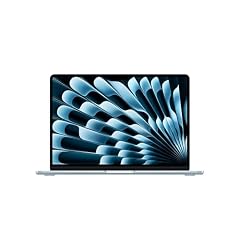
Apple 2026 MacBook Air 13-inch Laptop with M5 chip
- CPU
- Apple M5
- RAM
- 24 GB
- Storage
- 1000 GB
- Screen
- 13 in
- Weight
- 1.23 kg
- OS
- macOS
$1,649.00 (as of 10/20/2026 15:20 PDT - Details)
This 13-inch Air pairs the M5 with 24GB of memory and 1TB of storage, the most memory of any Air in this list. Extra memory helps with many browser tabs, larger photo edits and development tools.
Pros
- 24GB of memory, the most among the Air picks
- 1TB of storage
- 1.23 kg
Cons
- 13.6-inch screen, the smallest size in this list
- No ProMotion display: that is a MacBook Pro feature per Apple
Good fit if
- Developers and heavy multitaskers who want a light laptop
- Buyers who keep a laptop for many years
Skip if
- 16GB covers your work
- You want a larger screen
Verdict: The Air to buy if memory headroom matters most.
4 Best 15-inch MacBook Air

Apple 2026 MacBook Air 15-inch Laptop with M5 chip
- CPU
- Apple M5
- RAM
- 16 GB
- Storage
- 512 GB
- Screen
- 15 in
- Weight
- 1.51 kg
- OS
- macOS
$1,444.00 (as of 10/20/2026 15:20 PDT - Details)
It gives Apple's 15.3-inch display with the same M5 chip and 16GB of memory as the 13-inch Air, at 1.51 kg. Apple lists a 66.5Wh battery for the 15-inch Air against 53.8Wh for the 13-inch.
Pros
- 15.3-inch display per Apple
- 66.5Wh battery per Apple, larger than the 13-inch Air's 53.8Wh
- 1.51 kg
Cons
- 512GB of storage
- 0.28 kg heavier than the 13-inch Air
Good fit if
- Buyers who want more screen space for spreadsheets or split windows
- Home users who move the laptop between rooms
Skip if
- You travel with your laptop daily and want the smallest size
- You need more than 512GB
Verdict: The big-screen Air for everyday work.
5 Best 15-inch with 1TB
Apple 2026 MacBook Air 15-inch Laptop with M5 chip
- CPU
- Apple M5
- RAM
- 16 GB
- Storage
- 1000 GB
- Screen
- 15 in
- Weight
- 1.51 kg
- OS
- macOS
$1,649.00 (as of 10/20/2026 15:20 PDT - Details)
The same 15-inch MacBook Air with 1TB of storage. It is the right Air for buyers who want both the large screen and room for local files.
Pros
- 15.3-inch display and 1TB of storage
- 1.51 kg
- Fanless design per Apple
Cons
- 16GB of memory
- Near-duplicate of the 512GB 15-inch Air apart from storage
Good fit if
- Home office users who keep documents and photos locally
- Students who want a large screen for long study sessions
Skip if
- You need more than 16GB of memory
- You want the lightest MacBook
Verdict: The balanced large-screen Air.
6 Best entry MacBook Pro

Apple 2025 MacBook Pro Laptop
- CPU
- Apple M5
- RAM
- 16 GB
- Storage
- 1000 GB
- Screen
- 14.2 in
- Weight
- 1.55 kg
- OS
- macOS
$1,849.00 (as of 10/20/2026 15:20 PDT - Details)
The 14-inch MacBook Pro with the base M5 adds what the Air lacks: a Liquid Retina XDR display with ProMotion up to 120Hz and a 72.4Wh battery, per Apple. It weighs 1.55 kg with 16GB of memory and 1TB of storage.
Pros
- Liquid Retina XDR display with refresh up to 120Hz per Apple
- 72.4Wh battery per Apple
- 1TB of storage
- 1.55 kg
Cons
- 16GB of memory, the same as the Air picks
- Base M5 chip: Apple limits it to two external displays
Good fit if
- Creators who want a better screen for photo and video grading
- Buyers who want a larger battery than the Air offers
Skip if
- You need more than two external displays
- Portability matters more than the display
Verdict: The MacBook Pro to buy when the base M5 chip is enough.
7 Best M5 Pro entry

Apple 2026 MacBook Pro Laptop
- CPU
- Apple M5 Pro
- RAM
- 24 GB
- Storage
- 1000 GB
- Screen
- 16.2 in
- Weight
- 2.14 kg
- OS
- macOS
The 16-inch MacBook Pro with the M5 Pro has an 18-core CPU and 20-core GPU per the listing, 24GB of memory and 1TB of storage. Apple lists a 100Wh battery and support for up to three external displays with the M5 Pro.
Pros
- M5 Pro with an 18-core CPU and 20-core GPU
- 16.2-inch display
- 100Wh battery per Apple
- Up to three external displays per Apple
Cons
- 2.14 kg, much heavier than the Air picks
- 24GB of memory, half of the other M5 Pro pick
Good fit if
- Developers and editors who work on a large built-in screen
- Users who connect several external monitors
Skip if
- You carry your laptop every day
- Your work already fits the base M5
Verdict: The step into the Pro chip tier on a large screen.
8 Best for video and photo professionals

Apple 2026 MacBook Pro Laptop
- CPU
- Apple M5 Pro
- RAM
- 48 GB
- Storage
- 1000 GB
- Screen
- 16.2 in
- Weight
- 2.14 kg
- OS
- macOS
$3,369.00 (as of 10/20/2026 15:20 PDT - Details)
It is the same 16-inch M5 Pro machine with 48GB of memory, double the other M5 Pro pick. Apple lists up to 64GB for the M5 Pro, so this sits near the top of that tier.
Pros
- 48GB of memory, the most below the M5 Max tier
- M5 Pro with an 18-core CPU and 20-core GPU
- 100Wh battery per Apple
Cons
- 1TB of storage, the same as the cheaper configurations
- 2.14 kg
Good fit if
- Video editors with multi-track timelines
- Photographers working with large batches of raw files
Skip if
- You need the M5 Max GPU for 3D work
- You want to carry a light laptop
Verdict: The M5 Pro configuration with room for serious projects.
9 Lightest M5 Max

Apple 2026 MacBook Pro Laptop
- CPU
- Apple M5 Max
- RAM
- 36 GB
- Storage
- 2000 GB
- Screen
- 14.2 in
- Weight
- 1.63 kg
- OS
- macOS
$3,844.99 (as of 10/20/2026 15:20 PDT - Details)
The 14-inch MacBook Pro with M5 Max has an 18-core CPU and 32-core GPU per the listing, 36GB of memory and 2TB of storage, and weighs 1.63 kg. It is the smallest way into the Max tier in this list.
Pros
- M5 Max at 1.63 kg, the lightest Max pick
- 2TB of storage
- Up to four external displays with M5 Max per Apple
Cons
- 32-core GPU, below the 40-core M5 Max picks
- 36GB of memory, less than the 48GB M5 Pro pick
Good fit if
- Creators who need Max-tier graphics but travel often
- Users who drive several external displays
Skip if
- You need very large memory for 3D or AI work
- You prefer a 16-inch screen
Verdict: M5 Max power in the most portable body here.
10 Best 16-inch M5 Max entry
Apple 2026 MacBook Pro Laptop
- CPU
- Apple M5 Max
- RAM
- 36 GB
- Storage
- 2000 GB
- Screen
- 16.2 in
- Weight
- 2.15 kg
- OS
- macOS
The 16-inch MacBook Pro with the same 32-core-GPU M5 Max, 36GB of memory and 2TB of storage. It trades weight (2.15 kg) for the larger 16.2-inch screen and Apple's 100Wh battery.
Pros
- 16.2-inch display with M5 Max
- 100Wh battery per Apple
- 2TB of storage
Cons
- 2.15 kg, the heaviest pick with a stated weight
- 36GB of memory
Good fit if
- Editors who work mostly on the built-in screen
- Users who want Max graphics without paying for 128GB
Skip if
- You need more than 36GB of memory
- You carry your laptop daily
Verdict: The large-screen entry to the M5 Max tier.
11 Most memory in a 14-inch

Apple MacBook Pro with M5 Max
- CPU
- Apple M5 Max
- RAM
- 128 GB
- Storage
- 2000 GB
- Screen
- 14.2 in
- OS
- macOS
$6,699.00 (as of 10/20/2026 15:20 PDT - Details)
This 14.2-inch MacBook Pro carries the 40-core-GPU M5 Max with 128GB of memory, Apple's maximum for the chip, and 2TB of storage. It puts the most memory in this list into the smaller body.
Pros
- 128GB of memory, tied for the most
- M5 Max with a 40-core GPU per the listing
- 14.2-inch size
Cons
- Weight not stated by the seller
- 2TB of storage for a machine aimed at large projects
Good fit if
- AI developers who run large local models on the go
- 3D artists who travel with heavy scenes
Skip if
- Your projects fit in 36GB or 48GB
- You want a bigger screen for long sessions
Verdict: The most capable compact MacBook here.
12 Most powerful

Apple MacBook Pro Laptop with M5 Max
- CPU
- Apple M5 Max
- RAM
- 128 GB
- Storage
- 2000 GB
- Screen
- 16.2 in
- OS
- macOS
The 16.2-inch MacBook Pro with a 40-core-GPU M5 Max, 128GB of memory and 2TB of storage is the top configuration in this list. It pairs Apple's highest memory ceiling with the larger screen and 100Wh battery.
Pros
- 128GB of memory, tied for the most
- M5 Max with a 40-core GPU per the listing
- 16.2-inch display and 100Wh battery per Apple
Cons
- Weight not stated by the seller
- 2TB of storage; a 4TB version exists in our catalogue
Good fit if
- Studios running 3D rendering, simulation or local AI models
- Editors with multi-stream high-resolution timelines
Skip if
- Your work is office, study or photo editing
- You want a light laptop
Verdict: The M5-family flagship for the heaviest work.
Side by side
| # | Laptop | CPU | GPU | GPU memory | Rentable GPU model | RAM | Storage |
|---|---|---|---|---|---|---|---|
| 1 | Apple 2026 MacBook Air 13-inch Laptop with M5 chip | Apple M5 | not stated | not stated | not stated | 16 GB | 512 GB |
| 2 | Apple 2026 MacBook Air 13-inch Laptop with M5 chip | Apple M5 | not stated | not stated | not stated | 16 GB | 1000 GB |
| 3 | Apple 2026 MacBook Air 13-inch Laptop with M5 chip | Apple M5 | not stated | not stated | not stated | 24 GB | 1000 GB |
| 4 | Apple 2026 MacBook Air 15-inch Laptop with M5 chip | Apple M5 | not stated | not stated | not stated | 16 GB | 512 GB |
| 5 | Apple 2026 MacBook Air 15-inch Laptop with M5 chip | Apple M5 | not stated | not stated | not stated | 16 GB | 1000 GB |
| 6 | Apple 2025 MacBook Pro Laptop | Apple M5 | not stated | not stated | not stated | 16 GB | 1000 GB |
| 7 | Apple 2026 MacBook Pro Laptop | Apple M5 Pro | not stated | not stated | not stated | 24 GB | 1000 GB |
| 8 | Apple 2026 MacBook Pro Laptop | Apple M5 Pro | not stated | not stated | not stated | 48 GB | 1000 GB |
| 9 | Apple 2026 MacBook Pro Laptop | Apple M5 Max | not stated | not stated | not stated | 36 GB | 2000 GB |
| 10 | Apple 2026 MacBook Pro Laptop | Apple M5 Max | not stated | not stated | not stated | 36 GB | 2000 GB |
| 11 | Apple MacBook Pro with M5 Max | Apple M5 Max | not stated | not stated | not stated | 128 GB | 2000 GB |
| 12 | Apple MacBook Pro Laptop with M5 Max | Apple M5 Max | not stated | not stated | not stated | 128 GB | 2000 GB |
How we picked
How we picked: our catalogue holds 16 laptops whose listings state an Apple M5-family chip: six with the base M5, two with the M5 Pro and eight with the M5 Max. We kept all six M5 models and both M5 Pro models, and four of the eight M5 Max listings. We skipped two custom-order 16-inch M5 Max listings that repeat configurations already here, a 16-inch 128GB model that differs from a pick only in storage, and a 14-inch M5 Max with 8TB (covered in our M5 Max guide). Several picks are the same laptop with different memory or storage; each entry says what sets it apart. Chip, battery and display facts come from Apple's specification pages. Prices on this page are live: each one is read from the store listing and shown with the time it was read. Nobody at wikilaptop.org has tested these units.
How to choose
M5, M5 Pro or M5 Max
Apple's specification pages give the base M5 a 10-core CPU and up to 32GB of memory, the M5 Pro an 18-core CPU with up to 64GB, and the M5 Max an 18-core CPU with up to a 40-core GPU and up to 128GB. The Pro and Max also drive more external displays: two for the M5, three for the M5 Pro and four for the M5 Max.
For study, office work and photo editing, the base M5 is plenty. Step up to the Pro for long video timelines and many monitors, and to the Max for 3D, heavy GPU work and large local AI models.
MacBook Air or MacBook Pro
The Air picks weigh 1.23 kg (13-inch) or 1.51 kg (15-inch) and use a fanless design, per Apple. The MacBook Pro adds a Liquid Retina XDR display with refresh up to 120Hz and a larger battery (72.4Wh on the 14-inch, 100Wh on the 16-inch M5 Pro and M5 Max, per Apple).
If you mostly type, browse and edit photos, the Air is the better carry. If you export video for long stretches or grade color, the Pro is the better tool.
Memory and storage are fixed at purchase
Apple silicon laptops cannot be upgraded later, so buy for the heaviest work you expect over the life of the laptop. In this list, five picks have 16GB, two have 24GB, two have 36GB, one has 48GB and two have 128GB.
Storage runs from 512GB to 2TB across the picks. Choose 1TB or more if you keep photo or video libraries on the laptop.
Screen size and weight
Stated weights run from 1.23 kg for the 13-inch Air to 2.15 kg for the 16-inch M5 Max. The two 128GB M5 Max picks do not state a weight on their listings; Apple's specification page lists the 16-inch M5 Max model at 4.7 pounds. A 14-inch MacBook Pro is the middle ground between Air portability and 16-inch screen space.
Questions
Can an Apple M5 laptop run Windows software?
Not natively. Many Windows programs have macOS versions, and Windows for Arm can run inside virtualization software, with compatibility that varies by app. Before buying, check that the software you rely on for work or study runs on macOS or has a supported alternative.
Is 16GB enough on an M5 MacBook?
For study, office work, coding and photo editing, 16GB is comfortable, and five picks here ship with it. Since memory cannot be upgraded later, choose 24GB or more if you keep many apps open, run virtual machines or plan to keep the laptop for many years.
Does an Apple M5 laptop have a separate graphics card?
No. Every M5-family chip has its GPU built in, sharing unified memory with the CPU. Apple says each GPU core in the M5 includes a Neural Accelerator for AI work. For games and 3D, the M5 Max with up to 40 GPU cores is the strongest option in this list.
Did you test these laptops?
No. Nobody at wikilaptop.org has used these units. We compared the specifications on each listing with Apple's own specification pages, and we do not describe heat, noise, battery runtime or keyboard feel, since those claims need testing we have not done.
Why do prices on this page change?
Each price is read live from the store listing and shown with the time it was read. MacBook prices move with promotions and new models, so we never write price comparisons into the text. Open the listing and confirm the chip, memory and storage before you buy.
Recent updates
- : First published.