
Best Intel Core 7 240H Laptops in 2026: 11 Picks Compared on Specs
Our top pick is the ASUS V16 with an RTX 5070: it carries the strongest graphics chip among the 11 Core 7 240H laptops in our catalogue and, at 1.95 kg, weighs less than every other pick with a dedicated GPU. Eight picks are 16-inch gaming machines with RTX 5070, 5060, 5050 or 4050 graphics; three are 14-inch Lenovo business laptops at 1.37 kg. We compared all 11 on stated specifications and Intel and NVIDIA published data, not on lab tests.
11 picks from 12 laptops that match this guide with a price we can quote today. Every price below is live and carries the moment it was read.
The picks at a glance
Which one should you buy?
- For the most graphics power: The ASUS V16 is the only pick with an RTX 5070, in a 1.95 kg, 16-inch body. See pick 1
- For gaming with room to spare: This Acer Nitro V pairs an RTX 5060 with 32GB of memory, a 2TB SSD and a 165Hz screen. See pick 2
- For work you carry every day: The Lenovo V14 G5 weighs 1.37 kg and has 32GB of memory and a 1TB SSD. See pick 10
- For huge datasets or many virtual machines: This Lenovo V-Series configuration lists 64GB of memory and 4TB of storage, the most in this list. See pick 9
The 11 picks
1 Best overall

ASUS V16 16" WUXGA 144Hz Gaming Laptop
- CPU
- Intel Core 7 240H
- GPU
- RTX 5070
- RAM
- 16 GB
- Storage
- 1000 GB
- Screen
- 16 in
- Refresh
- 144 Hz
- Weight
- 1.95 kg
- OS
- Windows 11
$1,549.49 (as of 10/20/2026 16:20 PDT - Details)
It is the only pick with an RTX 5070, one tier above the five RTX 5060 picks, and at 1.95 kg it is the lightest laptop here with a dedicated GPU. It has a 16-inch WUXGA screen at 144Hz, 16GB of DDR5 memory and a 1TB SSD.
Pros
- RTX 5070, the strongest GPU in this list
- 1.95 kg, the lightest pick with a dedicated GPU
- 1TB SSD
- Matte 16-inch WUXGA screen per the listing
Cons
- 16GB of memory, half of the 32GB Nitro V picks
- 144Hz refresh, below the 165Hz of the Nitro V picks
- Graphics memory not stated by the seller (NVIDIA lists 8GB or 12GB for the RTX 5070)
Good fit if
- Players who want the most GPU performance available with this chip
- Buyers who carry a gaming laptop often
Skip if
- You want 32GB of memory out of the box
- You play fast shooters and want 165Hz or more
Verdict: The strongest and lightest gaming option among the Core 7 240H laptops here.
2 Best RTX 5060 configuration
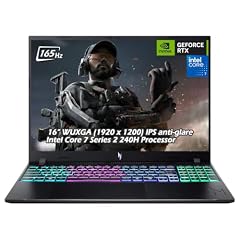
Acer Nitro V 16" WUXGA 165Hz Gaming Laptop
- CPU
- Intel Core 7 240H
- GPU
- GeForce RTX 5060
- RAM
- 32 GB
- Storage
- 2000 GB
- Screen
- 16 in
- Refresh
- 165 Hz
- Weight
- 2.1 kg
- OS
- Windows 11
$2,079.95 (as of 10/20/2026 16:20 PDT - Details)
Among the RTX 5060 picks it has the largest stated configuration: 32GB of DDR5 memory and a 2TB SSD, with a 16-inch WUXGA screen at 165Hz. It weighs 2.1 kg.
Pros
- 32GB of DDR5 memory
- 2TB SSD
- 16-inch WUXGA screen at 165Hz
- RTX 5060: 8GB of GDDR7 per NVIDIA
Cons
- RTX 5060, one tier below the ASUS V16's RTX 5070
- Another Nitro V listing states identical specifications; compare both before buying
Good fit if
- Players with a large game library
- Buyers who stream or keep many apps open next to a game
Skip if
- You want the strongest GPU here: the ASUS V16 has an RTX 5070
- You want a laptop under 2 kg
Verdict: The most complete RTX 5060 laptop in this list.
3 Second listing of the 32GB Nitro V

Acer Nitro V Gaming Laptop
- CPU
- Intel Core 7 240H
- GPU
- GeForce RTX 5060
- RAM
- 32 GB
- Storage
- 2000 GB
- Screen
- 16 in
- Refresh
- 165 Hz
- Weight
- 2.1 kg
- OS
- Windows 11
$2,089.95 (as of 10/20/2026 16:20 PDT - Details)
Its stated specifications match the pick above: RTX 5060, 32GB of DDR5 memory, a 2TB SSD, a 16-inch 165Hz screen and 2.1 kg. We include it because it is a separate listing of the same configuration, which lets you choose by seller and live price.
Pros
- 32GB of DDR5 memory and a 2TB SSD
- 16-inch WUXGA IPS screen at 165Hz
- RTX 5060 graphics
Cons
- Near-duplicate of the other 32GB Nitro V listing
- The listing title is cut off in the GPU name; confirm the RTX 5060 on the listing
Good fit if
- Buyers who want the 32GB Nitro V and compare sellers
- Players who need plenty of storage
Skip if
- You already chose the other 32GB Nitro V listing
- You want an RTX 5070
Verdict: The same laptop as the pick above, listed separately.
4 Only listing that states graphics memory

Acer Nitro V 16" WUXGA IPS 165Hz Gaming Laptop
- CPU
- Intel Core 7 240H
- GPU
- GeForce RTX 5060
- GPU memory
- 8 GB
- RAM
- 16 GB
- Storage
- 1000 GB
- Screen
- 16 in
- Refresh
- 165 Hz
- Weight
- 2.1 kg
$1,689.95 (as of 10/20/2026 16:20 PDT - Details)
It is the only pick whose listing states the graphics memory: 8GB of GDDR7 on the RTX 5060, which matches NVIDIA's figure. It has 16GB of memory, a 1TB SSD and a 16-inch 165Hz screen at 2.1 kg.
Pros
- RTX 5060 with 8GB of GDDR7 stated on the listing
- 1TB SSD, twice the 512GB Nitro V
- 16-inch WUXGA IPS screen at 165Hz
- Backlit keyboard per the listing
Cons
- 16GB of memory, half of the 32GB Nitro V picks
- 2.1 kg, heavier than the ASUS V16
Good fit if
- Players who want a mid configuration of the Nitro V
- Buyers who want 1TB of storage without paying for 32GB
Skip if
- You run a game plus streaming software at once
- You want the lightest gaming pick
Verdict: The middle Nitro V configuration.
5 Entry Nitro V configuration
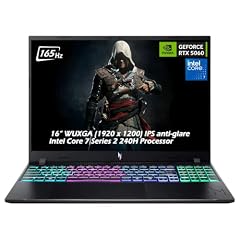
Acer Nitro V Gaming Laptop
- CPU
- Intel Core 7 240H
- GPU
- GeForce RTX 5060
- RAM
- 16 GB
- Storage
- 512 GB
- Screen
- 16 in
- Refresh
- 165 Hz
- Weight
- 2.1 kg
- OS
- Windows 11
$1,579.95 (as of 10/20/2026 16:20 PDT - Details)
It is the smallest Nitro V configuration here: RTX 5060, 16GB of DDR5 memory and a 512GB SSD, with the same 16-inch 165Hz screen and 2.1 kg weight as the others.
Pros
- RTX 5060 graphics
- 16-inch WUXGA IPS screen at 165Hz
- 16GB of DDR5 memory
Cons
- 512GB SSD, the least stated storage in this list
- 2.1 kg
Good fit if
- Players who keep a small set of games installed
- Buyers who plan to add storage later
Skip if
- You install many large games
- You want 32GB of memory
Verdict: The basic RTX 5060 Nitro V; plan on more storage.
6 Alienware option with an RTX 5060

Alienware 16 Aurora Gaming Laptop
- CPU
- Intel Core 7 240H
- GPU
- RTX 5060
- RAM
- 16 GB
- Storage
- 1000 GB
- Screen
- 16 in
- Refresh
- 120 Hz
- Weight
- 2.49 kg
- OS
- Windows 11 Home
$1,599.00 (as of 10/20/2026 16:20 PDT - Details)
It pairs the Core 7 240H with an RTX 5060 in Alienware's 16-inch Aurora chassis at 2.49 kg. The listing does not state memory, storage, operating system or refresh rate, so read the configuration carefully.
Pros
- RTX 5060: 8GB of GDDR7 per NVIDIA
- 16-inch screen
- Alienware brand for buyers who prefer it
Cons
- Memory, storage, operating system and refresh rate not stated by the seller
- 2.49 kg, tied for the heaviest pick
Good fit if
- Buyers who want an Alienware laptop with RTX 5060 graphics
- Players who will confirm the configuration with the seller
Skip if
- You want every spec stated up front: the Nitro V listings are more complete
- You carry your laptop daily
Verdict: An Alienware RTX 5060 choice, with key specs to confirm first.
7 Only RTX 5050 pick

Alienware 16 Aurora Gaming Laptop
- CPU
- Intel Core 7 240H
- GPU
- RTX 5050
- RAM
- 16 GB
- Storage
- 1000 GB
- Screen
- 16 in
- Refresh
- 120 Hz
- Weight
- 2.49 kg
- OS
- Windows 11 Home
$1,349.99 (as of 10/20/2026 16:20 PDT - Details)
It is the only laptop here with an RTX 5050, NVIDIA's entry RTX 50 laptop chip, which NVIDIA lists with 8GB of GDDR7. It has a 16-inch 120Hz screen and weighs 2.49 kg.
Pros
- RTX 5050: 8GB of GDDR7 per NVIDIA
- 16-inch screen at 120Hz
- Current RTX 50-series graphics
Cons
- 120Hz, the lowest stated refresh rate in this list
- Memory, storage and operating system not stated by the seller
- 2.49 kg, tied for the heaviest pick
Good fit if
- Players of esports and older titles
- Buyers who want an Alienware laptop at the entry GPU tier
Skip if
- You want a fast screen for competitive games
- You want stated memory and storage
Verdict: The entry RTX 50 option, with a slower screen than the Nitro V picks.
8 Only RTX 40-series pick

Alienware 15 Gaming Laptop
- CPU
- Intel Core 7 240H
- GPU
- RTX 4050
- RAM
- 16 GB
- Storage
- 1000 GB
- Screen
- 16 in
- Refresh
- 165 Hz
- Weight
- 2.2 kg
- OS
- Windows 11 Home
$1,248.00 (as of 10/20/2026 16:20 PDT - Details)
It is the only pick with a previous-generation RTX 4050, which NVIDIA lists with 6GB of GDDR6. It has a 165Hz screen, Windows 11 Home and a stated weight of 2.2 kg. Its name says Alienware 15, but its specifications list a 16-inch screen.
Pros
- 165Hz screen
- 2.2 kg, lighter than the Alienware 16 Aurora picks
- Windows 11 Home stated
Cons
- RTX 4050 (Ada Lovelace), a generation behind the RTX 50 (Blackwell) picks
- Name and screen size disagree; confirm the size before buying
- Memory and storage not stated by the seller
Good fit if
- Players of esports titles at 1080p
- Buyers who want a 165Hz Alienware
Skip if
- You want current RTX 50-series graphics
- You need confirmed memory and storage
Verdict: An older GPU generation with a fast screen and details to verify.
9 Most memory and storage

Lenovo New Gen V-Series Business Laptop
- CPU
- Intel Core 7 240H
- RAM
- 64 GB
- Storage
- 4000 GB
- Screen
- 14 in
- Weight
- 1.37 kg
- Battery
- 47 Wh
- OS
- Windows 11 Pro
$1,899.99 (as of 10/20/2026 16:22 PDT - Details)
It lists 64GB of memory and 4TB of storage, the most in this list, in a 14-inch FHD business laptop at 1.37 kg with Windows 11 Pro. It has no dedicated graphics card.
Pros
- 64GB of memory, the most here
- 4TB of storage, the most here
- 1.37 kg, tied for the lightest pick
- Windows 11 Pro
Cons
- No dedicated GPU
- 47Wh battery, the same as the other Lenovo picks
- Confirm how the 64GB and 4TB are fitted and who provides the warranty
Good fit if
- Developers running virtual machines or containers
- Analysts who keep large datasets on the laptop
Skip if
- You play games
- Your work fits in 16GB or 32GB
Verdict: The highest-capacity Core 7 240H laptop in a light 14-inch body.
10 Best for everyday work

Lenovo V14 G5 14" FHD Anti-Glare Laptop for Home & Work
- CPU
- Intel Core 7 240H
- RAM
- 32 GB
- Storage
- 1000 GB
- Screen
- 14 in
- Weight
- 1.37 kg
- Battery
- 47 Wh
- OS
- Windows 11 Home
$969.99 (as of 10/20/2026 16:22 PDT - Details)
It combines 32GB of DDR5 memory and a 1TB SSD with a 14-inch FHD anti-glare screen and a weight of 1.37 kg. The listing names Intel's 10-core, 16-thread layout and ships with Windows 11 Home.
Pros
- 1.37 kg, tied for the lightest pick
- 32GB of DDR5 memory and a 1TB SSD
- 14-inch FHD anti-glare screen
- 47Wh battery stated
Cons
- No dedicated GPU
- Windows 11 Home, not Pro
Good fit if
- Students and home users who want a fast chip in a light laptop
- Programmers who compile code on the move
Skip if
- You need Windows 11 Pro
- You want to game
Verdict: A light, well-equipped work laptop with an H-series chip.
11 Entry business configuration
Lenovo New Gen V-Series Business Laptop
- CPU
- Intel Core 7 240H
- RAM
- 16 GB
- Storage
- 1000 GB
- Screen
- 14 in
- Weight
- 1.37 kg
- Battery
- 47 Wh
- OS
- Windows 11 Pro
$1,099.99 (as of 10/20/2026 16:22 PDT - Details)
It shares the 14-inch, 1.37 kg, 47Wh build of the other Lenovo picks, with 16GB of memory, a 1TB SSD and Windows 11 Pro.
Pros
- 1.37 kg, tied for the lightest pick
- Windows 11 Pro
- 1TB of storage
Cons
- 16GB of memory, the least among the Lenovo picks
- No dedicated GPU
Good fit if
- Business users who need Windows 11 Pro on a light laptop
- Office workers with moderate multitasking
Skip if
- You run virtual machines
- You want graphics for games or 3D work
Verdict: The simplest Lenovo configuration with this chip.
Side by side
| # | Laptop | CPU | GPU | GPU memory | Rentable GPU model | RAM | Storage |
|---|---|---|---|---|---|---|---|
| 1 | ASUS V16 16" WUXGA 144Hz Gaming Laptop | Intel Core 7 240H | RTX 5070 | not stated | not stated | 16 GB | 1000 GB |
| 2 | Acer Nitro V 16" WUXGA 165Hz Gaming Laptop | Intel Core 7 240H | GeForce RTX 5060 | not stated | not stated | 32 GB | 2000 GB |
| 3 | Acer Nitro V Gaming Laptop | Intel Core 7 240H | GeForce RTX 5060 | not stated | not stated | 32 GB | 2000 GB |
| 4 | Acer Nitro V 16" WUXGA IPS 165Hz Gaming Laptop | Intel Core 7 240H | GeForce RTX 5060 | 8 GB | not stated | 16 GB | 1000 GB |
| 5 | Acer Nitro V Gaming Laptop | Intel Core 7 240H | GeForce RTX 5060 | not stated | not stated | 16 GB | 512 GB |
| 6 | Alienware 16 Aurora Gaming Laptop | Intel Core 7 240H | RTX 5060 | not stated | not stated | 16 GB | 1000 GB |
| 7 | Alienware 16 Aurora Gaming Laptop | Intel Core 7 240H | RTX 5050 | not stated | not stated | 16 GB | 1000 GB |
| 8 | Alienware 15 Gaming Laptop | Intel Core 7 240H | RTX 4050 | not stated | not stated | 16 GB | 1000 GB |
| 9 | Lenovo New Gen V-Series Business Laptop | Intel Core 7 240H | not stated | not stated | not stated | 64 GB | 4000 GB |
| 10 | Lenovo V14 G5 14" FHD Anti-Glare Laptop for Home & Work | Intel Core 7 240H | not stated | not stated | not stated | 32 GB | 1000 GB |
| 11 | Lenovo New Gen V-Series Business Laptop | Intel Core 7 240H | not stated | not stated | not stated | 16 GB | 1000 GB |
How we picked
How we picked: our catalogue holds 11 laptops whose listing states an Intel Core 7 240H, and this guide covers all of them. That means some near-duplicates: two Acer Nitro V listings state identical specifications, and three Lenovo 14-inch listings share one chassis with different memory and storage. We kept each and say how they differ. Three Alienware listings leave memory and storage unstated, and one Alienware listing names a 15-inch model while its specifications give a 16-inch screen; we flag both. Processor facts come from Intel and graphics facts from NVIDIA. Prices on this page are live: each one is read from the store listing and shown with the time it was read. Nobody at wikilaptop.org has tested these units; every comparison below is drawn from the stated specifications.
How to choose
What the Core 7 240H is
Intel lists the Core 7 240H with 10 cores (6 performance cores and 4 efficient cores), 16 threads, a maximum turbo frequency of 5.2 GHz, 24MB of cache, a 45W processor base power and a 115W maximum turbo power. It belongs to Intel's Core processors (Series 2) family. Intel's processor number guide describes the H suffix as highest performance, a step above the power-efficient U chips.
In practice that means more sustained speed for programming, photo editing and gaming, at the cost of higher power draw than a U-series chip.
Graphics decide what kind of laptop it is
The same processor sits in two very different kinds of laptop here. Eight picks carry a dedicated NVIDIA GPU: one RTX 5070, five RTX 5060, one RTX 5050 and one RTX 4050. The three Lenovo picks rely on the chip's built-in Intel Graphics.
For gaming, the GPU sets frame rates more than the processor. NVIDIA lists 8GB or 12GB of GDDR7 for the RTX 5070, 8GB for the RTX 5060 and RTX 5050, and 6GB of GDDR6 for the RTX 4050. RTX 50 laptop GPUs use NVIDIA's Blackwell architecture and the RTX 40 series uses Ada Lovelace.
Screen and refresh rate
All eight gaming picks list a 16-inch screen. Refresh rates differ: five state 165Hz, the ASUS V16 states 144Hz, the RTX 5050 Alienware states 120Hz, and one Alienware listing does not state it. A faster screen helps in competitive games when the GPU can keep up. The three Lenovo picks have 14-inch FHD screens and no stated refresh rate.
Memory, storage and missing specs
Where stated, memory runs from 16GB to 64GB and storage from 512GB to 4TB. The three Alienware listings do not state memory or storage, so confirm the configuration with the seller before buying.
Intel lists a 96GB memory maximum and support for DDR5 up to 6400 MT/s for this chip. Before you plan an upgrade, check the maker's service documentation for slot counts.
Weight and battery
The Lenovo picks weigh 1.37 kg each and are the only listings that state a battery capacity, 47Wh. The gaming picks weigh between 1.95 kg (ASUS V16) and 2.49 kg (Alienware 16 Aurora). An H-series chip and a dedicated GPU both draw more power than a U-series office chip, so plan to plug in for gaming sessions.
Questions
Is the Intel Core 7 240H good for gaming?
Yes, when the laptop pairs it with a dedicated graphics card. Intel lists 6 performance cores, 16 threads and a 45W base power, which is enough to keep a mainstream GPU busy. The GPU then sets frame rates and detail, so compare the graphics chip first: in this list that ranges from an RTX 4050 to an RTX 5070.
What is the difference between the Core 7 240H and a U-series chip?
Intel's U chips such as the Core 7 150U have a 15W base power and 2 performance cores. The Core 7 240H has a 45W base power and 6 performance cores. That gives it more sustained speed for demanding work, and it asks more of the laptop's cooling and battery in return.
Does the Core 7 240H have an NPU?
Intel's specification page does not list an Intel AI Boost NPU for the Core 7 240H; it lists the Intel Gaussian and Neural Accelerator 3.0 and Intel Deep Learning Boost on the CPU. If an app you rely on requires a dedicated NPU, check Intel Core Ultra laptops and that app's own requirements.
Are the Lenovo V-Series listings the same laptop?
They state the same 14-inch FHD screen, the same 1.37 kg weight and the same 47Wh battery. They differ in memory and storage (16GB and 1TB, 32GB and 1TB, or 64GB and 4TB) and in Windows edition. For the 64GB configuration, confirm with the seller how the memory and storage are fitted and who provides the warranty.
Did you test these laptops?
No. Nobody at wikilaptop.org has run these units. We compared them from the specifications stated on each listing, cross-checked with Intel and NVIDIA published data. We do not describe heat, noise, keyboard feel or battery runtime, because those claims need testing that has not been done.
Recent updates
- : First published.