
Best Big Screen Laptops in 2026: 14 Picks at 17 and 18 Inches
Our top big screen pick for most people is the HP OmniBook 7 AI 17: its listing pairs a 17.3-inch touch screen with 32GB of RAM, a GeForce RTX 4050 and an 83Wh battery at 2.35 kg, the lightest pick here with a separate graphics card. Gamers and creators will find 18-inch RTX 5090 machines below, and everyday users a lighter 17.3-inch option. Picks are based on stated specifications and maker data, not on our own testing.
14 picks from 90 laptops that match this guide with a price we can quote today. Every price below is live and carries the moment it was read.
The picks at a glance
Which one should you buy?
- For work, study and streaming: The HP OmniBook 7 AI 17 lists a 17.3-inch touch screen, 32GB of RAM and an 83Wh battery, the only battery capacity stated in this list. See pick 1
- For high-end gaming: The ASUS ROG Strix SCAR 18 carries an RTX 5090 on an 18-inch 2.5K 240Hz screen at 2.85 kg, the lightest RTX 5090 pick. See pick 5
- For gaming on a smaller budget: The MSI Cyborg 17 has an RTX 5060 and a 17.3-inch 144Hz screen at 2.49 kg. See pick 14
- For professional 3D and data work: The Dell Precision 7780 lists 128GB of RAM, 4TB of storage and an NVIDIA RTX 3500 Ada with 12GB of GPU memory. See pick 11
The 14 picks
1 Best overall

HP OmniBook 7 AI Laptop
- CPU
- Intel Core Ultra 7 258V
- GPU
- RTX 4050
- GPU memory
- 6 GB
- RAM
- 32 GB
- Storage
- 1000 GB
- Screen
- 17.3 in
- Touchscreen
- Yes
- Weight
- 2.35 kg
$1,599.99 (as of 10/20/2026 15:21 PDT - Details)
It is the lightest pick with a separate graphics card, at 2.35 kg, and the only one that states both a touch screen and a battery capacity (83Wh). Its Intel Core Ultra 7 258V belongs to a processor family Microsoft lists for Copilot+ PCs, and it has the 32GB of RAM and 1TB of storage that most big screen buyers will want.
Pros
- 2.35 kg, the lightest pick with a dedicated GPU
- 83Wh battery, the only one stated here
- 17.3-inch touch screen per the listing
- 32GB of RAM and a GeForce RTX 4050 (6GB)
Cons
- RTX 4050 is an entry GPU for gaming
- Screen resolution and refresh rate not stated by the seller
Good fit if
- Students and home workers who want a big screen they can move around
- Light photo editing and casual gaming
Skip if
- You want a high-refresh gaming screen
- You need a powerful GPU for 3D or AI work
Verdict: The most balanced everyday big screen laptop in this list.
2 Lightest pick
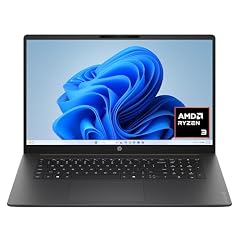
HP OmniBook 3 17.3 inch Laptop PC
- GPU
- Radeon 610M
- RAM
- 8 GB
- Storage
- 512 GB
- Screen
- 17.3 in
- Weight
- 2.01 kg
- OS
- Windows 11 Home
$509.60 (as of 10/20/2026 15:21 PDT - Details)
At 2.01 kg it is the lightest laptop in this list, with a 17.3-inch FHD screen, an AMD Ryzen 3 processor and integrated Radeon 610M graphics. It has 8GB of RAM and 512GB of storage, the least in this list, which is enough for browsing, documents and video but not much more.
Pros
- 2.01 kg, the lightest pick
- 17.3-inch FHD screen per the listing
- Windows 11 Home
Cons
- 8GB of RAM, the least here
- 512GB of storage, the least here
- Integrated graphics, not suited to gaming or 3D
Good fit if
- Browsing, email and streaming on a bigger screen
- Buyers who need large, easy-to-read text
Skip if
- You keep many browser tabs and apps open
- You plan to game or edit photos and video
Verdict: A basic big screen laptop for light everyday use.
3 Best big screen for office work

HP OmniBook (Next Gen Pavilion) 17.3" FHD IPS AI Laptop
- CPU
- Intel Core Ultra 7 255U
- RAM
- 32 GB
- Storage
- 1000 GB
- Screen
- 17.3 in
- OS
- Windows 11
$1,239.99 (as of 10/20/2026 15:21 PDT - Details)
It lists a 17.3-inch FHD IPS screen, an Intel Core Ultra 7 255U and 32GB of DDR5 RAM with 1TB of storage. That is four times the memory of the OmniBook 3, which matters for heavy spreadsheets and many open apps.
Pros
- 32GB of RAM
- 1TB of storage
- 17.3-inch FHD IPS screen per the listing
- Intel Core Ultra 7 255U
Cons
- Weight not stated by the seller
- Graphics not stated by the seller (no separate GPU is listed)
Good fit if
- Office workers with large spreadsheets and many windows
- Home users who want a big screen and plenty of memory
Skip if
- You want to game
- You need to know the weight before buying
Verdict: A roomy, well-equipped office laptop.
4 Most powerful 18-inch laptop

Lenovo Legion 9i 18" WQUXGA IPS 240Hz Gaming Notebook Intel Core Ultra 9
- CPU
- Intel Core Ultra 9 290HX
- GPU
- GeForce RTX 5090
- RAM
- 64 GB
- Storage
- 2000 GB
- Screen
- 18 in
- Refresh
- 240 Hz
- Weight
- 3.49 kg
$6,099.99 (as of 10/20/2026 15:21 PDT - Details)
Its GeForce RTX 5090 has 24GB of GPU memory, and it adds 64GB of RAM, 2TB of storage and an 18-inch WQXGA 240Hz screen. It has twice the RAM of the SCAR 18, the other RTX 5090 pick, at 3.49 kg.
Pros
- RTX 5090 with 24GB of GPU memory
- 64GB of RAM and 2TB of storage
- 18-inch WQXGA 240Hz screen per the listing
- Intel Core Ultra 9 290HX Plus
Cons
- 3.49 kg
- Windows 11 Home rather than Pro
Good fit if
- Gamers who want the top GPU tier on a big screen
- Creators who render or edit video
Skip if
- You carry your laptop often
- Your games and apps do not need an RTX 5090
Verdict: The most complete high-end spec sheet among the big screen picks.
5 Lightest RTX 5090 pick

ASUS ROG Strix SCAR 18
- CPU
- Intel Core Ultra 9 275HX
- GPU
- GeForce RTX 5090
- RAM
- 32 GB
- Storage
- 2000 GB
- Screen
- 18 in
- Refresh
- 240 Hz
- Weight
- 2.85 kg
- OS
- Windows 11 Pro
$4,499.99 (as of 10/20/2026 15:20 PDT - Details)
It carries a GeForce RTX 5090, which NVIDIA lists with 24GB of GPU memory, at 2.85 kg, 0.64 kg lighter than the Legion 9i. Its listing describes an 18-inch Nebula HDR 2.5K 240Hz screen, and it ships with Windows 11 Pro.
Pros
- RTX 5090 at 2.85 kg
- 18-inch 2.5K 240Hz HDR screen per the listing
- Intel Core Ultra 9 275HX
- Windows 11 Pro
Cons
- 32GB of RAM, half of the Legion 9i
- Battery capacity not stated by the seller
Good fit if
- Gamers who want top-tier graphics and still move the laptop around
- HDR gaming and video
Skip if
- You need 64GB or more of RAM
- You only play lighter games
Verdict: The top GPU tier in the lightest 18-inch body here.
6 Most memory and storage

2026 Alien.ware 18 Area-51 Gaming Laptop AI PC
- CPU
- Intel Core Ultra 9 275HX
- GPU
- GeForce RTX 5080
- GPU memory
- 16 GB
- RAM
- 128 GB
- Storage
- 8000 GB
- Screen
- 18 in
- Refresh
- 300 Hz
- Weight
- 4.35 kg
$7,499.00 (as of 10/20/2026 15:20 PDT - Details)
It lists 128GB of RAM and 8TB of storage, tied for the most memory and the most storage in this list, with a GeForce RTX 5080 (16GB) and an 18-inch WQXGA 300Hz screen. The 300Hz screen is the fastest stated here.
Pros
- 128GB of RAM and 8TB of storage
- 18-inch WQXGA 300Hz screen, the fastest here
- RTX 5080 with 16GB of GPU memory
Cons
- 4.35 kg, the heaviest pick
- Windows 11 Home rather than Pro
Good fit if
- Competitive gamers who want the highest refresh rate
- Users who keep large game or media libraries on the laptop
Skip if
- You plan to carry it anywhere often
- You do not need 8TB of storage
Verdict: A desktop replacement with room for everything.
7 Best RTX 5070 Ti pick
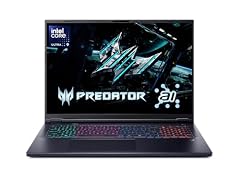
Acer Predator Helios Neo 18 AI Gaming Laptop
- CPU
- Intel Core Ultra 9 275HX
- GPU
- GeForce RTX 5070 Ti
- RAM
- 32 GB
- Storage
- 2000 GB
- Screen
- 18 in
- Refresh
- 240 Hz
- Weight
- 3.3 kg
It lists a GeForce RTX 5070 Ti, which NVIDIA lists with 12GB of GPU memory, with an Intel Core Ultra 9 275HX, 32GB of RAM and 2TB of storage on an 18-inch 240Hz screen. It sits one GPU tier below the RTX 5080 and 5090 picks.
Pros
- RTX 5070 Ti, 12GB per NVIDIA
- 32GB of RAM and 2TB of storage
- 18-inch 240Hz screen
- Intel Core Ultra 9 275HX
Cons
- 3.3 kg
- Operating system and battery not stated by the seller
Good fit if
- Gamers who want a step up from 8GB GPUs on an 18-inch screen
- Creators who want 12GB of GPU memory
Skip if
- You want a lighter 18-inch laptop
- You need to confirm the operating system
Verdict: A strong upper-middle gaming pick.
8 Best color claim

msi Crosshair 18 HX AI Gaming Laptop 18" QHD+ 240Hz 100% DCI-P3 Intel
- CPU
- Intel Core Ultra 9 275HX
- GPU
- GeForce RTX 5070
- GPU memory
- 8 GB
- RAM
- 32 GB
- Storage
- 1000 GB
- Screen
- 18 in
- Refresh
- 240 Hz
- Weight
- 3.1 kg
$2,139.99 (as of 10/20/2026 15:22 PDT - Details)
Its listing states an 18-inch QHD+ 240Hz screen with 100% DCI-P3 coverage, the widest color claim in this list. It pairs that with an RTX 5070 (8GB), an Intel Core Ultra 9 275HX, 32GB of RAM and 1TB of storage.
Pros
- 100% DCI-P3 screen per the listing
- 18-inch QHD+ 240Hz
- Intel Core Ultra 9 275HX
- Windows 11 Pro
Cons
- 8GB of GPU memory
- 3.1 kg
- 1TB of storage
Good fit if
- Gamers who also edit photos or video
- Anyone who wants vivid color on a big screen
Skip if
- You need more than 8GB of GPU memory
- You want a laptop under 3 kg
Verdict: The pick for color on a big screen.
9 Best 17.3-inch RTX 5070
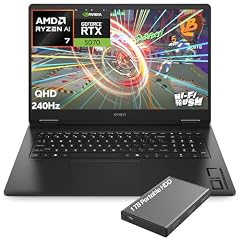
HP OMEN Gaming Laptop
- CPU
- AMD Ryzen AI 7 350
- GPU
- GeForce RTX 5070
- GPU memory
- 8 GB
- RAM
- 32 GB
- Storage
- 1000 GB
- Screen
- 17.3 in
- Refresh
- 240 Hz
- Weight
- 2.95 kg
$2,249.99 (as of 10/20/2026 15:21 PDT - Details)
It lists a 17.3-inch 2K QHD 240Hz screen with a GeForce RTX 5070 (8GB), 32GB of RAM and 1TB of storage at 2.95 kg. It is one of two RTX 50 picks on a 17.3-inch screen, with a higher-tier GPU and twice the RAM of the MSI Cyborg 17.
Pros
- 17.3-inch 2K QHD 240Hz screen per the listing
- RTX 5070 with 8GB of GPU memory
- 32GB of RAM
- AMD Ryzen AI 7 350
Cons
- 1TB of storage
- 2.95 kg
Good fit if
- Gamers who prefer 17.3 inches to 18
- Students who game and study on one laptop
Skip if
- You want an 18-inch screen
- You need more than 8GB of GPU memory
Verdict: A well-rounded 17-inch gaming laptop.
10 Most GPU memory on a 17.3-inch screen

GIGABYTE - AORUS 17X
- CPU
- Intel Core i9-14900HX
- GPU
- GeForce RTX 4090
- GPU memory
- 16 GB
- RAM
- 32 GB
- Storage
- 2000 GB
- Screen
- 17.3 in
- Refresh
- 240 Hz
- Weight
- 2.8 kg
$3,429.21 (as of 10/20/2026 15:21 PDT - Details)
Its GeForce RTX 4090 has 16GB of GPU memory, the most of any 17.3-inch pick, and it lists a 2560x1440 240Hz screen at 2.8 kg. It uses previous-generation parts, an RTX 40 GPU and an Intel Core i9-14900HX.
Pros
- RTX 4090 with 16GB of GPU memory
- 17.3-inch 2560x1440 240Hz screen per the listing
- 2TB of storage
- 2.8 kg
Cons
- Previous-generation RTX 40 GPU
- 32GB of RAM
- Windows 11 Home
Good fit if
- Gamers who want high-end graphics in a 17-inch body
- 3D hobbyists who need 16GB of GPU memory
Skip if
- You want the newest GPU generation
- You want an 18-inch screen
Verdict: High-end 17-inch performance from the previous generation.
11 Best big screen workstation

Dell Precision 7780 Laptop
- CPU
- Intel Core i9-13950HX
- GPU
- RTX 3500 Ada
- GPU memory
- 12 GB
- RAM
- 128 GB
- Storage
- 4000 GB
- Screen
- 17.3 in
- Weight
- 3.05 kg
- OS
- Windows 11 Pro
$6,299.99 (as of 10/20/2026 15:21 PDT - Details)
It is the only professional workstation here, with an NVIDIA RTX 3500 Ada (12GB), 128GB of RAM, 4TB of storage and a 17.3-inch screen. It shares the most memory in this list with the Alienware 18 at 3.05 kg instead of 4.35 kg.
Pros
- 128GB of RAM and 4TB of storage
- NVIDIA RTX 3500 Ada with 12GB of GPU memory
- Windows 11 Pro
Cons
- 3.05 kg
- 13th-generation Intel Core i9-13950HX
- Screen resolution and refresh rate not stated by the seller
Good fit if
- Engineers, architects and data analysts
- Firms that standardize on Dell Precision workstations
Skip if
- You mainly game
- You do not need workstation-class memory
Verdict: The big screen pick for professional workloads.
12 Best 18-inch pick with 32GB and an RTX 5060

ASUS TUF 18 AI Gaming Laptop
- CPU
- AMD Ryzen 7 260
- GPU
- GeForce RTX 5060
- GPU memory
- 8 GB
- RAM
- 32 GB
- Storage
- 1000 GB
- Screen
- 18 in
- Refresh
- 144 Hz
- Weight
- 2.6 kg
$1,929.00 (as of 10/20/2026 15:20 PDT - Details)
It lists an 18-inch WUXGA 144Hz screen with 100% sRGB coverage, an RTX 5060 with 8GB of GPU memory, 32GB of RAM and 1TB of storage at 2.6 kg. It is one of the lighter 18-inch picks here.
Pros
- 32GB of RAM
- RTX 5060 with 8GB of GPU memory
- 18-inch WUXGA screen, 100% sRGB per the listing
- 2.6 kg
Cons
- 144Hz, below the 240Hz gaming picks
- 1TB of storage
Good fit if
- Students who want a big screen for coursework and games
- Mainstream gaming at modest settings
Skip if
- You want a high-refresh competitive gaming screen
- You need more GPU memory
Verdict: A sensible 18-inch all-rounder.
13 Lightest 18-inch pick

ASUS ROG Strix G18
- CPU
- AMD Ryzen 9 8940HX
- GPU
- GeForce RTX 5050
- RAM
- 16 GB
- Storage
- 1000 GB
- Screen
- 18 in
- Refresh
- 144 Hz
- Weight
- 2.5 kg
- OS
- Windows 11
At 2.5 kg it is the lightest 18-inch laptop in this list, with a GeForce RTX 5050, an AMD Ryzen 9 8940HX and an 18-inch FHD+ 144Hz screen. It has 16GB of RAM and 1TB of storage.
Pros
- 2.5 kg, the lightest 18-inch pick
- AMD Ryzen 9 8940HX
- 18-inch FHD+ 144Hz screen per the listing
Cons
- RTX 5050, the entry model of NVIDIA's RTX 50 laptop line
- 16GB of RAM
Good fit if
- Buyers who want an 18-inch screen with the least weight
- Casual and esports gaming
Skip if
- You play demanding new games at high settings
- You need 32GB of RAM
Verdict: The easiest 18-inch laptop here to carry.
14 Lightest 17.3-inch gaming laptop
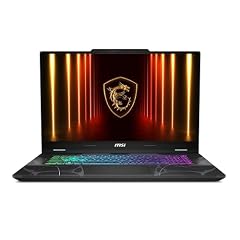
msi Cyborg 17 17.3" FHD 144Hz Gaming Laptop
- GPU
- GeForce RTX 5060
- RAM
- 16 GB
- Storage
- 1000 GB
- Screen
- 17.3 in
- Refresh
- 144 Hz
- Weight
- 2.49 kg
- OS
- Windows 11 Home
At 2.49 kg it is the lightest gaming laptop in this list, with a GeForce RTX 5060 and a 17.3-inch FHD 144Hz screen. The listing name gives the processor as an Intel Core 7 240H. It has 16GB of RAM and 1TB of storage.
Pros
- 2.49 kg
- RTX 5060, 8GB per NVIDIA
- 17.3-inch FHD 144Hz screen per the listing
Cons
- 16GB of RAM
- Processor not in the seller's spec data (only in the listing name)
- Windows 11 Home
Good fit if
- First gaming laptop with a big screen
- Students who game on the side
Skip if
- You want a sharper than FHD screen
- You multitask heavily
Verdict: An approachable 17-inch gaming laptop.
Side by side
| # | Laptop | CPU | GPU | GPU memory | Rentable GPU model | RAM | Storage |
|---|---|---|---|---|---|---|---|
| 1 | HP OmniBook 7 AI Laptop | Intel Core Ultra 7 258V | RTX 4050 | 6 GB | not stated | 32 GB | 1000 GB |
| 2 | HP OmniBook 3 17.3 inch Laptop PC | not stated | Radeon 610M | not stated | not stated | 8 GB | 512 GB |
| 3 | HP OmniBook (Next Gen Pavilion) 17.3" FHD IPS AI Laptop | Intel Core Ultra 7 255U | not stated | not stated | not stated | 32 GB | 1000 GB |
| 4 | Lenovo Legion 9i 18" WQUXGA IPS 240Hz Gaming Notebook Intel Core Ultra 9 | Intel Core Ultra 9 290HX | GeForce RTX 5090 | not stated | not stated | 64 GB | 2000 GB |
| 5 | ASUS ROG Strix SCAR 18 | Intel Core Ultra 9 275HX | GeForce RTX 5090 | not stated | not stated | 32 GB | 2000 GB |
| 6 | 2026 Alien.ware 18 Area-51 Gaming Laptop AI PC | Intel Core Ultra 9 275HX | GeForce RTX 5080 | 16 GB | not stated | 128 GB | 8000 GB |
| 7 | Acer Predator Helios Neo 18 AI Gaming Laptop | Intel Core Ultra 9 275HX | GeForce RTX 5070 Ti | not stated | not stated | 32 GB | 2000 GB |
| 8 | msi Crosshair 18 HX AI Gaming Laptop 18" QHD+ 240Hz 100% DCI-P3 Intel | Intel Core Ultra 9 275HX | GeForce RTX 5070 | 8 GB | not stated | 32 GB | 1000 GB |
| 9 | HP OMEN Gaming Laptop | AMD Ryzen AI 7 350 | GeForce RTX 5070 | 8 GB | not stated | 32 GB | 1000 GB |
| 10 | GIGABYTE - AORUS 17X | Intel Core i9-14900HX | GeForce RTX 4090 | 16 GB | not stated | 32 GB | 2000 GB |
| 11 | Dell Precision 7780 Laptop | Intel Core i9-13950HX | RTX 3500 Ada | 12 GB | not stated | 128 GB | 4000 GB |
| 12 | ASUS TUF 18 AI Gaming Laptop | AMD Ryzen 7 260 | GeForce RTX 5060 | 8 GB | not stated | 32 GB | 1000 GB |
| 13 | ASUS ROG Strix G18 | AMD Ryzen 9 8940HX | GeForce RTX 5050 | not stated | not stated | 16 GB | 1000 GB |
| 14 | msi Cyborg 17 17.3" FHD 144Hz Gaming Laptop | not stated | GeForce RTX 5060 | not stated | not stated | 16 GB | 1000 GB |
How we picked
How we picked: the catalogue held 91 laptops whose listing states a screen of 17 inches or more. Many are the same model in several memory and storage configurations, so we kept one version of each model, and set aside most smaller-brand machines and most reseller-upgraded builds. We then chose picks to cover three kinds of buyer: everyday work and study, gaming, and professional work. Within each, we compared weight, graphics, memory, storage and the screen details stated in the listing. Prices on this page are live and read from the store listing, with the time shown next to each one. Nobody at wikilaptop.org has tested these units.
How to choose
17.3 or 18 inches
Seven picks have 17.3-inch screens and seven have 18-inch screens. The 18-inch models in this list are mostly gaming laptops with high-refresh screens and powerful GPUs, while the 17.3-inch group includes everyday laptops as well as gaming and workstation models. An 18-inch laptop gives more screen area but usually needs a larger bag; check your bag's stated laptop size before buying.
Weight: big screens are rarely light
Stated weights in this list run from 2.01 kg (HP OmniBook 3 17) to 4.35 kg (Alienware 18 Area-51). Three picks weigh under 2.5 kg: the OmniBook 3, the OmniBook 7 AI and the MSI Cyborg 17. Every RTX 5070 and higher pick weighs 2.8 kg or more. If you carry your laptop daily, weight matters more than any other spec here.
Graphics: integrated, entry or high-end
Two picks use integrated graphics, which suit office work, browsing and video. The rest have GeForce or NVIDIA RTX professional GPUs. NVIDIA lists 8GB of GPU memory for the laptop RTX 5050 and RTX 5060, 12GB for the RTX 5070 Ti, 16GB for the RTX 5080 and 24GB for the RTX 5090; it lists 6GB for the RTX 4050 and 16GB for the RTX 4090. More GPU memory helps with high game settings, 3D work and AI tools.
Screen details: resolution, refresh rate and color
A bigger screen at the same resolution shows larger pixels, so resolution matters more at 17 and 18 inches. Several picks state FHD or FHD+ (1920 pixels wide), while others state QHD, WQXGA or 2.5K. For gaming, ten picks state 144Hz or faster. For color, only two listings state gamut coverage: the MSI Crosshair 18 (100% DCI-P3) and the ASUS TUF 18 (100% sRGB).
Memory and storage
In this list, one pick has 8GB of RAM, two have 16GB, eight have 32GB, one has 64GB and two have 128GB. For everyday use, 16GB is a comfortable baseline, and Microsoft sets 16GB as the minimum for Copilot+ PCs. Storage runs from 512GB (OmniBook 3) to 8TB (Alienware 18 Area-51); seven picks list 1TB.
Questions
What is considered a big screen laptop?
In this guide, a big screen laptop is one whose listing states a screen of 17 inches or more. In practice that means 17.3-inch and 18-inch models; our catalogue held 91 such listings when this guide was written. Most 15.6-inch and 16-inch laptops are easier to carry, so choose 17 or 18 inches when screen area matters more than portability.
Are 17-inch laptops too heavy to carry?
It depends on the model. The lightest picks here, the HP OmniBook 3 17 at 2.01 kg and the OmniBook 7 AI at 2.35 kg, are carryable for occasional trips. Gaming and workstation models run from about 2.5 kg to 4.35 kg and are better treated as desktop replacements. Remember the charger adds weight on top of the stated figure.
Is a big screen laptop good for gaming?
Yes, most of the big screen laptops in our catalogue are gaming models. Twelve of the fourteen picks here have a dedicated GPU, from the RTX 5050 to the RTX 5090, and ten state refresh rates of 144Hz or higher. Look at GPU memory and refresh rate first, then weight.
How much RAM does a big screen laptop need?
For browsing, office work and streaming, 16GB is a comfortable baseline, and it is the minimum Microsoft sets for Copilot+ PCs. Heavy multitasking, photo and video editing or 3D work benefit from 32GB or more. Eleven of the fourteen picks here have 32GB or more; the OmniBook 3 17 has 8GB, which is fine only for light use.
Is 18 inches better than 17.3 inches?
An 18-inch screen gives more area and, in this list, usually comes with higher refresh rates and stronger GPUs. A 17.3-inch laptop is physically smaller, so it fits more bags, and includes lighter everyday models such as the HP OmniBooks. If you carry it often, 17.3 inches is the safer choice; for a desk setup, 18 inches gives more room.
Recent updates
- : First published.