
Best Laptops for Data Science in 2026: 12 Picks with 64GB or More
The Lenovo ThinkPad P16 Gen 3 with the Core Ultra 9 285HX is our top pick for data science: its listing states 128GB of memory and 4TB of storage, so large DataFrames stay in RAM and raw files stay on the machine, plus an NVIDIA RTX PRO 2000 for GPU DataFrame libraries and Windows 11 Pro. If you prefer macOS, the 14.2-inch MacBook Pro with M5 Max and 128GB is the lighter alternative. Every pick was chosen from stated specifications and makers' published information; nobody at wikilaptop has used these units.
12 picks from 31 laptops that match this guide with a price we can quote today. Every price below is live and carries the moment it was read.
The picks at a glance
Which one should you buy?
- For the biggest in-memory datasets on Windows: The ThinkPad P16 Gen 3 states 128GB of memory and 4TB of storage with Windows 11 Pro, enough to give WSL 2 a large share and still run Windows tools. See pick 1
- For analysts who work on a Mac: The 14.2-inch MacBook Pro with M5 Max has 128GB of unified memory, and Apple states 1.62kg for this model. See pick 2
- For fieldwork and client visits: The ThinkPad T14 states 64GB, 2TB and Windows 11 Pro at 1.46kg in a 14-inch body. See pick 10
- For long sessions away from a desk: The HP ZBook Fury 16 G11 states a 95Wh battery, the largest among the Windows picks, with 64GB and 2TB. See pick 5
The 12 picks
1 Best overall
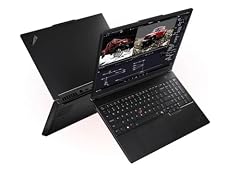
Lenovo ThinkPad P16 Gen 3 Intel
- CPU
- Intel Core Ultra 9 285HX
- GPU
- RTX PRO 2000
- GPU memory
- 8 GB
- RAM
- 128 GB
- Storage
- 4000 GB
- Screen
- 16 in
- Weight
- 2.54 kg
- OS
- Windows 11 Pro
It combines the most memory in the pool (128GB) with the most storage in this list (4TB) and Windows 11 Pro. The RTX PRO 2000 with 8GB adds GPU acceleration for libraries such as NVIDIA RAPIDS without turning the machine into a gaming laptop. The Dell Precision 7780 also has 128GB, but only 1TB of storage.
Pros
- 128GB of memory, tied for the most in this list
- 4TB of storage, tied for the most in this list
- Intel Core Ultra 9 285HX, an HX class processor
- Windows 11 Pro and an NVIDIA RTX PRO 2000 with 8GB
Cons
- Stated weight of 2.54kg
- Battery capacity not stated by the seller
Good fit if
- Data scientists who load multi-gigabyte tables into pandas or Polars
- Teams that want Windows, WSL 2 and CUDA on one machine
Skip if
- You carry your laptop every day
- Your datasets live in a cloud warehouse and never touch the laptop
Verdict: The most memory and storage in the list, with a GPU for accelerated DataFrames as a bonus.
2 Best Mac for data science

Apple MacBook Pro with M5 Max
- CPU
- Apple M5 Max
- RAM
- 128 GB
- Storage
- 2000 GB
- Screen
- 14.2 in
- OS
- macOS
$6,699.00 (as of 10/20/2026 15:20 PDT - Details)
This 14.2-inch MacBook Pro states an M5 Max (18-core CPU, 40-core GPU), 128GB of unified memory and 2TB of storage. Apple lists 1.62kg and a 72.4Wh battery for the 14-inch M5 Max model, well below the 2.54kg of the ThinkPad P16 Gen 3, the other 128GB pick that states a weight.
Pros
- 128GB of unified memory, tied for the most in this list
- M5 Max with an 18-core CPU, per the listing
- 1.62kg and 72.4Wh, per Apple's specifications
- macOS, a Unix-like environment for Python and R
Cons
- No NVIDIA GPU, so no CUDA or RAPIDS
- 2TB of storage, half of the 4TB picks
- Weight not stated by the seller (Apple's figure used)
Good fit if
- Analysts and data scientists who already work on macOS
- Anyone who wants 128GB in a 14-inch laptop
Skip if
- Your pipeline depends on CUDA or NVIDIA RAPIDS
- You need Windows-only tools
Verdict: The portable way to get 128GB of memory for in-memory analysis.
3 Most storage in a Mac

(CTO) Apple 16-inch MacBook Pro
- CPU
- Apple M5 Max
- RAM
- 128 GB
- Storage
- 4000 GB
- Screen
- 16 in
$7,895.00 (as of 10/20/2026 15:20 PDT - Details)
This configure-to-order 16-inch MacBook Pro states an M5 Max, 128GB of memory and 4TB of storage, the most storage among the Macs in the pool. Apple lists 2.15kg and a 100Wh battery (99.6Wh actual) for the 16-inch M5 Max model.
Pros
- 4TB of storage, tied for the most in this list
- 128GB of unified memory
- 100Wh battery per Apple, the largest in this list
- 16-inch screen
Cons
- No NVIDIA GPU, so no CUDA or RAPIDS
- 2.15kg per Apple, heavier than the 14-inch Mac
- Operating system and weight not stated by the seller
Good fit if
- Mac users who keep large raw datasets locally
- Anyone who wants a large screen for notebooks and plots
Skip if
- 2TB is enough for you: the 14-inch Mac is lighter
- You need CUDA
Verdict: The Mac to choose when local storage matters as much as memory.
4 Lightest 16-inch with an NVIDIA GPU

Lenovo 2026 ThinkPad P1 Gen 8 w Core Ultra 9 285H
- CPU
- Intel Core Ultra 9 285H
- GPU
- RTX PRO 2000
- RAM
- 64 GB
- Screen
- 16 in
- Refresh
- 120 Hz
- Touchscreen
- Yes
- Weight
- 1.84 kg
$4,548.80 (as of 10/20/2026 15:21 PDT - Details)
At a stated 1.84kg, the ThinkPad P1 Gen 8 is the lightest 16-inch pick with an NVIDIA GPU (an RTX PRO 2000), paired with an Intel Core Ultra 9 285H and 64GB of memory. The listing mentions a 16-inch OLED touchscreen.
Pros
- Stated weight of 1.84kg for a 16-inch workstation
- NVIDIA RTX PRO 2000
- 64GB of memory and an Intel Core Ultra 9 285H
Cons
- Storage not stated by the seller
- GPU memory and Windows edition not stated by the seller
- 64GB, half of the 128GB picks
Good fit if
- Data scientists who travel but want a large screen
- Anyone who wants CUDA without a heavy workstation
Skip if
- You need to confirm storage before you buy
- You work with datasets beyond 64GB of memory
Verdict: A light 16-inch workstation, if you confirm the storage with the seller.
5 Largest battery among Windows picks

HP ZBook Fury 16 G11 Laptop
- CPU
- Intel Core i9-13950HX
- GPU
- RTX 2000 Ada
- GPU memory
- 8 GB
- RAM
- 64 GB
- Storage
- 2000 GB
- Screen
- 16 in
- Weight
- 2.35 kg
- Battery
- 95 Wh
$4,999.99 (as of 10/20/2026 15:21 PDT - Details)
The ZBook Fury 16 G11 states a 95Wh battery, the largest of the Windows picks here, with an Intel Core i9-13950HX, an RTX 2000 Ada with 8GB, 64GB of memory and 2TB of storage. It is a full mobile workstation at a stated 2.35kg.
Pros
- Stated 95Wh battery
- Intel Core i9-13950HX, an HX class processor
- RTX 2000 Ada with 8GB
- 64GB of memory, 2TB of storage and Windows 11 Pro
Cons
- Stated weight of 2.35kg
- 64GB, half of the 128GB picks
Good fit if
- Data scientists who work long stretches on battery
- Companies that standardize on HP workstations
Skip if
- You want a laptop under 2kg
- You need 128GB of memory
Verdict: The Windows workstation for long unplugged sessions.
6 83Wh battery at about 2kg

HP ZBook X G1i Laptop
- CPU
- Intel Core Ultra 7 265H
- GPU
- RTX PRO 1000
- GPU memory
- 8 GB
- RAM
- 64 GB
- Storage
- 2000 GB
- Screen
- 16 in
- Weight
- 2.04 kg
- Battery
- 83 Wh
$5,099.00 (as of 10/20/2026 15:21 PDT - Details)
The ZBook X G1i states an 83Wh battery and 2.04kg, with an Intel Core Ultra 7 265H, an RTX PRO 1000 with 8GB, 64GB of memory and 2TB of storage. It trades a little battery against the Fury 16 for about 0.3kg less weight.
Pros
- Stated 83Wh battery
- Stated weight of 2.04kg
- RTX PRO 1000 with 8GB
- 64GB of memory, 2TB of storage and Windows 11 Pro
Cons
- Core Ultra 7 265H, an H class chip rather than HX
- 64GB, half of the 128GB picks
Good fit if
- Analysts who move between office and home
- Anyone who wants CUDA and a large battery in one machine
Skip if
- You run heavy multi-core jobs all day
- You need 128GB
Verdict: A balanced 16-inch workstation for mobile analysts.
7 Best Dell 16-inch
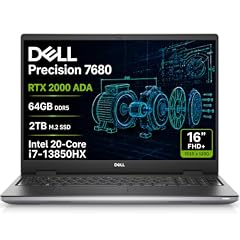
Dell Precision 7680 Laptop
- CPU
- Intel Core i7-13850HX
- GPU
- RTX 2000 Ada
- GPU memory
- 8 GB
- RAM
- 64 GB
- Storage
- 2000 GB
- Screen
- 16 in
- Weight
- 2.68 kg
- OS
- Windows 11 Pro
$3,199.99 (as of 10/20/2026 15:21 PDT - Details)
The Precision 7680 states an Intel Core i7-13850HX, an RTX 2000 Ada with 8GB, 64GB of memory and 2TB of storage with Windows 11 Pro. It is the Dell counterpart to the ZBook Fury 16 for companies on Dell hardware.
Pros
- Intel Core i7-13850HX, an HX class processor
- RTX 2000 Ada with 8GB
- 64GB of memory, 2TB of storage and Windows 11 Pro
Cons
- Stated weight of 2.68kg, the heaviest stated weight in this list
- Battery capacity not stated by the seller
Good fit if
- Data teams in Dell-standard workplaces
- Anyone who works mostly at a desk
Skip if
- You carry your laptop often
- You need a stated battery capacity
Verdict: A solid Dell workstation for desk-based analysis.
8 Most GPU memory in this list

Dell Precision 7780 Mobile Workstation 17.3" FHD Laptop
- CPU
- Intel Core i9-13950HX
- GPU
- RTX 3500 Ada
- GPU memory
- 12 GB
- RAM
- 128 GB
- Storage
- 1000 GB
- Screen
- 17.3 in
- OS
- Windows 11 Pro
$4,899.21 (as of 10/20/2026 15:21 PDT - Details)
The Precision 7780 has the most GPU memory of these picks, an RTX 3500 Ada with 12GB, plus 128GB of memory and an Intel Core i9-13950HX on a 17.3-inch screen. It fits people who do both heavy data wrangling and some GPU model training.
Pros
- RTX 3500 Ada with 12GB, the most GPU memory in this list
- 128GB of memory
- 17.3-inch screen, the largest in this list
- Intel Core i9-13950HX and Windows 11 Pro
Cons
- 1TB of storage, the least among picks that state it
- Weight not stated by the seller
Good fit if
- Data scientists who also train gradient boosting or neural models on GPU
- Anyone who wants a big screen for dashboards
Skip if
- You keep several terabytes of raw data locally
- You need to know the weight before you buy
Verdict: The pick for mixed data and GPU work, if 1TB of storage is enough.
9 16-inch ZBook at 2.09kg
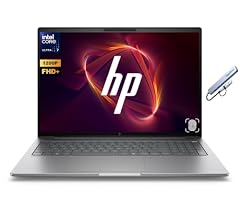
HP ZBook 8 G1i 16" WUXGA AI Mobile Workstation
- CPU
- Intel Core Ultra 7 255H
- RAM
- 64 GB
- Storage
- 2000 GB
- Screen
- 16 in
- Weight
- 2.09 kg
- OS
- Windows 11 Pro
$2,999.99 (as of 10/20/2026 15:21 PDT - Details)
The ZBook 8 G1i states an Intel Core Ultra 7 255H, 64GB of memory, 2TB of storage and Windows 11 Pro at 2.09kg. The listing title mentions an NVIDIA RTX 500 Ada, but the seller does not state its GPU memory, so treat it as a memory-and-CPU machine.
Pros
- 64GB of memory and 2TB of storage
- Windows 11 Pro
- Stated weight of 2.09kg
Cons
- GPU memory not stated by the seller
- Battery capacity not stated by the seller
- Core Ultra 7 255H, an H class chip rather than HX
Good fit if
- Analysts whose work is pandas, SQL and notebooks
- Companies that buy HP workstations
Skip if
- You need a confirmed NVIDIA GPU for RAPIDS
- You want a stated battery capacity
Verdict: A straightforward 16-inch workstation for CPU-bound analysis.
10 Best 14-inch ThinkPad
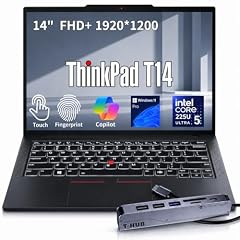
Lenovo ThinkPad T14 Business AI Laptop
- CPU
- Intel Core Ultra 5 225U
- RAM
- 64 GB
- Storage
- 2000 GB
- Screen
- 14 in
- Touchscreen
- Yes
- Weight
- 1.46 kg
- OS
- Windows 11 Pro
$2,149.00 (as of 10/20/2026 15:22 PDT - Details)
The ThinkPad T14 states 64GB of memory, 2TB of storage, Windows 11 Pro and a touchscreen at 1.46kg. It is a mainstream business laptop rather than a workstation, and its Core Ultra 5 225U is a low-power U chip, so it suits memory-heavy but not compute-heavy work.
Pros
- Stated weight of 1.46kg
- 64GB of memory and 2TB of storage
- Windows 11 Pro
- 14-inch touchscreen, per the listing
Cons
- Intel Core Ultra 5 225U, a low-power U class chip
- No dedicated GPU
- Battery capacity not stated by the seller
Good fit if
- Analysts who travel and work in notebooks and SQL
- Consultants who present results at client sites
Skip if
- You run long multi-core jobs locally
- You need CUDA
Verdict: A light ThinkPad with enough memory for serious DataFrames.
11 Lightest in the pool

Lenovo New Gen V-Series Business Laptop
- CPU
- Intel Core 7 240H
- RAM
- 64 GB
- Storage
- 4000 GB
- Screen
- 14 in
- Weight
- 1.37 kg
- Battery
- 47 Wh
- OS
- Windows 11 Pro
$1,899.99 (as of 10/20/2026 15:22 PDT - Details)
This Lenovo V-series laptop is the lightest in the pool with a stated weight, 1.37kg, and still states 64GB of memory, 4TB of storage and a 47Wh battery. Its Intel Core 7 240H is an H class chip, a step above the U chips in most light business laptops.
Pros
- Stated weight of 1.37kg, the lightest in the pool
- 4TB of storage, tied for the most in this list
- 64GB of memory and Windows 11 Pro
- Intel Core 7 240H, an H class chip
Cons
- Stated 47Wh battery, the smallest stated in this list
- No dedicated GPU
- The listing does not give an exact model name
Good fit if
- Students and analysts who carry their laptop all day
- Anyone who keeps large files locally on a light machine
Skip if
- You need CUDA
- You want a known model line with published specifications
Verdict: The lightest way to carry 64GB and 4TB.
12 Lightest 16-inch pick

PCONLINE Customized Laptop
- CPU
- Intel Core Ultra 7 255H
- RAM
- 64 GB
- Storage
- 2000 GB
- Screen
- 16 in
- Weight
- 1.63 kg
$1,399.00 (as of 10/20/2026 15:22 PDT - Details)
This is a reseller-customized ThinkPad E16 Gen 3 with 64GB of memory and 2TB of storage. We include it because, at a stated 1.63kg, it is the lightest 16-inch laptop in this list, with an Intel Core Ultra 7 255H.
Pros
- Stated weight of 1.63kg, the lightest 16-inch pick
- 64GB of memory and 2TB of storage
- Intel Core Ultra 7 255H, an H class chip
Cons
- A reseller customization, not a maker-configured unit
- Windows edition not stated by the seller
- No dedicated GPU
Good fit if
- Analysts who want a large screen at low weight
- Students who need 64GB for coursework datasets
Skip if
- You prefer a laptop configured by the maker
- You need CUDA
Verdict: A light 16-inch ThinkPad build with plenty of memory.
Side by side
| # | Laptop | CPU | GPU | GPU memory | Rentable GPU model | RAM | Storage |
|---|---|---|---|---|---|---|---|
| 1 | Lenovo ThinkPad P16 Gen 3 Intel | Intel Core Ultra 9 285HX | RTX PRO 2000 | 8 GB | not stated | 128 GB | 4000 GB |
| 2 | Apple MacBook Pro with M5 Max | Apple M5 Max | not stated | not stated | not stated | 128 GB | 2000 GB |
| 3 | (CTO) Apple 16-inch MacBook Pro | Apple M5 Max | not stated | not stated | not stated | 128 GB | 4000 GB |
| 4 | Lenovo 2026 ThinkPad P1 Gen 8 w Core Ultra 9 285H | Intel Core Ultra 9 285H | RTX PRO 2000 | not stated | not stated | 64 GB | not stated |
| 5 | HP ZBook Fury 16 G11 Laptop | Intel Core i9-13950HX | RTX 2000 Ada | 8 GB | not stated | 64 GB | 2000 GB |
| 6 | HP ZBook X G1i Laptop | Intel Core Ultra 7 265H | RTX PRO 1000 | 8 GB | not stated | 64 GB | 2000 GB |
| 7 | Dell Precision 7680 Laptop | Intel Core i7-13850HX | RTX 2000 Ada | 8 GB | not stated | 64 GB | 2000 GB |
| 8 | Dell Precision 7780 Mobile Workstation 17.3" FHD Laptop | Intel Core i9-13950HX | RTX 3500 Ada | 12 GB | not stated | 128 GB | 1000 GB |
| 9 | HP ZBook 8 G1i 16" WUXGA AI Mobile Workstation | Intel Core Ultra 7 255H | not stated | not stated | not stated | 64 GB | 2000 GB |
| 10 | Lenovo ThinkPad T14 Business AI Laptop | Intel Core Ultra 5 225U | not stated | not stated | not stated | 64 GB | 2000 GB |
| 11 | Lenovo New Gen V-Series Business Laptop | Intel Core 7 240H | not stated | not stated | not stated | 64 GB | 4000 GB |
| 12 | PCONLINE Customized Laptop | Intel Core Ultra 7 255H | not stated | not stated | not stated | 64 GB | 2000 GB |
How we picked
How we picked: 31 laptops in our catalogue matched this guide's rule, 64GB of memory or more on a machine built without a gaming screen, because a dataset that does not fit in memory is what stops the work and a high refresh rate does nothing for it. Of those 31, 24 state 64GB and 7 state 128GB. We then favored stated storage of 2TB or more, H and HX class processors over low-power U chips, and a stated weight. We dropped near-duplicates (four MacBook Pro M5 Max listings became two, four Dell Precision 7680 listings became one) and preferred established makers in new condition. This guide is about memory and processor for data wrangling; for GPU-heavy model work, see our AI laptop guide. Prices on this page are live and read from the store listing with the time shown. Nobody tested these units.
How to choose
Memory first: pandas works in RAM
The pandas documentation says plainly that it is built for in-memory analytics, and that data even a sizable fraction of memory can become unwieldy because some operations make intermediate copies. That is why every laptop in this guide has 64GB or more: 8 of the 12 picks have 64GB and 4 have 128GB.
Memory is also where good habits pay off. The same pandas page recommends loading only the columns you need, using compact data types such as categoricals and smaller numeric types, and processing data in chunks. Those techniques stretch 64GB a long way; 128GB is for people who routinely hold very large tables at once.
Windows users: WSL 2 gets half your memory by default
Many data tools are Linux-first, and on Windows they run through WSL 2. Microsoft's documentation sets the WSL 2 virtual machine's memory to 50% of Windows memory by default, adjustable in the .wslconfig file. On a 64GB laptop that means 32GB for your Linux environment unless you change it.
8 of the 12 picks state Windows 11 Pro, which you may want for company device management or Hyper-V.
Processor: H and HX over U
Intel and AMD mark their laptop chips with a suffix: U chips are the low-power parts used in thin business laptops, while H and HX chips are the higher-power parts used in workstations. Feature engineering, joins and model fitting on large tables keep the CPU busy for long stretches, so we favored H and HX chips.
In this list, 4 picks use an HX chip (Core Ultra 9 285HX, Core i9-13950HX twice, Core i7-13850HX), 5 use an H chip, and the ThinkPad T14 is the only U chip pick. The two Macs use Apple's M5 Max, which the listings state has an 18-core CPU.
GPU: optional, but it must be NVIDIA for RAPIDS
Most data science does not need a dedicated GPU. It helps when you train neural networks or use GPU DataFrame libraries such as NVIDIA RAPIDS. NVIDIA states that RAPIDS needs a Volta or newer GPU, runs on Linux, and on Windows only through WSL 2 on Windows 11; native Windows is not supported and macOS is not listed.
Six picks state an NVIDIA GPU, all of the newer Ada or Blackwell generations. The Dell Precision 7780 has the most GPU memory here (12GB). If deep learning is your main job, our AI laptop guide ranks machines by GPU memory instead.
Mac or Windows
A MacBook Pro with M5 Max gives you up to 128GB of unified memory, which Apple states only for the 40-core GPU version, and 614GB/s of memory bandwidth. Python, R, Jupyter and most data libraries run natively on macOS, and PyTorch uses Apple GPUs through its MPS backend on macOS 14 or later.
The trade-off is CUDA: none of the Macs has an NVIDIA GPU, so RAPIDS and CUDA-only code will not run. Choose a Mac if your work is CPU and memory bound; choose a Windows workstation with an NVIDIA GPU if your team's code assumes CUDA.
Storage and weight
Raw extracts, Parquet files, conda environments and Docker images fill a drive quickly. In this list, 3 picks have 4TB, 7 have 2TB, one has 1TB and the ThinkPad P1 Gen 8 does not state its storage.
Stated weights run from 1.37kg (the Lenovo V-series pick) to 2.68kg (Dell Precision 7680). The two MacBook Pro listings and the Precision 7780 do not state a weight; for the Macs we use Apple's published figures.
Questions
How much RAM do I need for data science?
It depends on the size of the data you load at once. pandas keeps data in memory and some operations make copies, so a table can need more RAM than its file takes on disk. For coursework and small projects, less than 64GB can work; for professional work with large extracts, 64GB is a comfortable floor, and 128GB suits very large in-memory tables.
Do I need a GPU for data science?
Not for most analysis, SQL, visualization and classic machine learning, which run on the CPU. A GPU helps for deep learning and for GPU DataFrame libraries such as NVIDIA RAPIDS, which requires a Volta or newer NVIDIA GPU and runs on Linux or through WSL 2 on Windows 11. Six picks here have an NVIDIA GPU.
Is a MacBook good for data science?
Yes, for CPU and memory bound work. The MacBook Pro with M5 Max offers up to 128GB of unified memory, and Python, R and Jupyter run natively on macOS. The limit is CUDA: Macs have no NVIDIA GPU, so RAPIDS and CUDA-only code will not run. PyTorch can use the Mac's GPU through its MPS backend.
Why are there no gaming laptops in this list?
This guide's rule excludes machines built around a gaming screen, because a high refresh rate does nothing for data work, while memory, storage and the processor do. If your work is mostly deep learning, where GPU memory matters most, our AI laptop guide covers those machines.
Can I just use cloud notebooks instead?
For large training jobs and shared datasets, cloud notebooks and warehouses are often the better tool, and then a lighter laptop is enough. A local machine with lots of memory still helps for exploration, work with sensitive data you cannot upload, and working offline. Many data scientists use both.
Should a data scientist consider a desktop?
Everything in this guide is a laptop. If your datasets stay on one desk, see desktop and laptop options for data science on one page, where both kinds are listed with their prices and the moment each was read.
Recent updates
- : Added a question on choosing a desktop instead.
- : First published.