
Best Laptops for Office Work in 2026: 13 Picks Compared on Specs
Our top pick for office work is the 14-inch Lenovo V-Series business laptop with an Intel Core 7 240H: 16GB of memory, a 1TB SSD, Windows 11 Pro and a stated 1.37 kg, the lightest laptop in this list. For a bigger screen, the 16-inch HP EliteBook 6 G1a is the business-line alternative. Every pick was chosen from stated specifications and the makers' published information, not from our own testing.
13 picks from 132 laptops that match this guide with a price we can quote today. Every price below is live and carries the moment it was read.
The picks at a glance
Which one should you buy?
- For a hybrid worker who carries the laptop daily: The Lenovo V-Series 14 is the lightest pick at a stated 1.37 kg and still lists a 1TB SSD and Windows 11 Pro. See pick 1
- For a desk-bound spreadsheet user: The HP EliteBook 6 G1a gives a 16-inch screen, Windows 11 Pro and an AMD chip that AMD lists for up to four displays. See pick 2
- For a Mac office: The 14-inch MacBook Pro with M5 lists 16GB of memory and 1TB of storage at 1.55 kg, and Apple lists support for two external displays. See pick 3
- For work done entirely in a browser: The Acer Chromebook Plus 514 runs ChromeOS, where Microsoft 365 works through its web apps. See pick 13
The 13 picks
1 Best overall

Lenovo New Gen V-Series Business Laptop
- CPU
- Intel Core 7 240H
- RAM
- 16 GB
- Storage
- 1000 GB
- Screen
- 14 in
- Weight
- 1.37 kg
- Battery
- 47 Wh
- OS
- Windows 11 Pro
$1,099.99 (as of 10/20/2026 15:22 PDT - Details)
It has the lightest stated weight in this list at 1.37 kg, a 1TB SSD, 16GB of memory and Windows 11 Pro. Intel lists its Core 7 240H with 10 cores and 16 threads, an H-series chip, which Intel labels highest performance, unlike the U-series chips it labels power efficient.
Pros
- 1.37 kg, the lightest stated weight here
- Core 7 240H: 10 cores, 16 threads per Intel
- 1TB SSD and 16GB of memory
- Windows 11 Pro and a stated 47Wh battery
Cons
- 14-inch screen, smaller than the 15.6-inch and 16-inch picks
- 47Wh battery, smaller than the ProBook's stated 56Wh
Good fit if
- Hybrid workers who carry a laptop between home and office
- Small businesses that want Windows 11 Pro on every machine
Skip if
- You work all day on the laptop screen without a monitor
- You want a touchscreen
Verdict: The best all-round office laptop in this list: light, well equipped and business-ready.
2 Best 16-inch business laptop
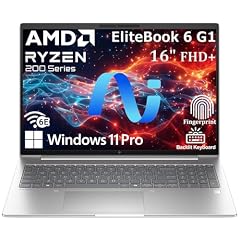
HP EliteBook 6 G1a 16 Laptop
- CPU
- AMD Ryzen 5 220
- RAM
- 16 GB
- Storage
- 512 GB
- Screen
- 16 in
- Weight
- 1.75 kg
- OS
- Windows 11 Pro
$1,099.99 (as of 10/20/2026 15:21 PDT - Details)
It is HP's EliteBook business line on a 16-inch screen with Windows 11 Pro at 1.75 kg. AMD lists its Ryzen 5 220 with 6 cores, 12 threads and support for up to four displays, useful for a desk with external monitors.
Pros
- 16-inch screen for side-by-side documents
- Ryzen 5 220: four displays per AMD
- Windows 11 Pro
- 1.75 kg
Cons
- 512GB of storage
- Battery size not stated by the seller
Good fit if
- Office staff who work at a desk with one or two monitors
- IT buyers who want a business line with Windows 11 Pro
Skip if
- You carry the laptop every day
- You keep large media files locally
Verdict: The business-grade 16-inch choice for a docked office setup.
3 Best Mac for office work

Apple 2025 MacBook Pro Laptop
- CPU
- Apple M5
- RAM
- 16 GB
- Storage
- 1000 GB
- Screen
- 14.2 in
- Weight
- 1.55 kg
- OS
- macOS
$1,837.00 (as of 10/20/2026 15:20 PDT - Details)
It is the only Mac in this list: an M5 with a 10-core CPU, 16GB of memory and 1TB of storage at 1.55 kg. Apple lists support for two external displays and a 72.4Wh battery.
Pros
- 1TB SSD and 16GB of memory
- Two external displays, per Apple
- 1.55 kg with a 14.2-inch screen
- Apple lists a 72.4Wh battery
Cons
- Windows-only office software will not run natively
- 14.2-inch screen, smaller than the 16-inch picks
Good fit if
- Offices already using Macs and iPhones
- Workers who want long unplugged sessions
Skip if
- Your company relies on Windows-only apps
- You want a 16-inch screen
Verdict: The pick for Mac offices, with 1TB of storage and the largest battery stated by any maker or seller here.
4 Largest stated battery among Windows picks
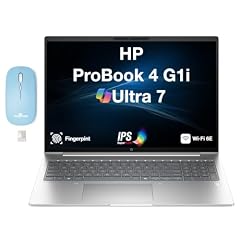
HP ProBook 4 G1i AI Business Laptop 16.0" 60Hz IPS 16GB/512GBSSD/W11P
- CPU
- Intel Core Ultra 7
- RAM
- 16 GB
- Storage
- 512 GB
- Screen
- 16 in
- Refresh
- 60 Hz
- Weight
- 1.72 kg
- Battery
- 56 Wh
- OS
- Windows 11 Pro
$1,267.99 (as of 10/20/2026 15:21 PDT - Details)
Its stated 56Wh battery is the largest among the Windows picks that list one, ahead of the Lenovo V-Series at 47Wh. It is a 16-inch ProBook with Windows 11 Pro at 1.72 kg.
Pros
- 56Wh battery, the largest stated among Windows picks
- 16-inch screen and Windows 11 Pro
- 1.72 kg
Cons
- 512GB of storage
- The listing names an Intel Core Ultra 7 without the exact model
Good fit if
- Workers who move between meeting rooms unplugged
- Businesses standardizing on HP ProBooks
Skip if
- You want to confirm the exact processor before buying
- You need more than 512GB
Verdict: A 16-inch business laptop that states its battery size, which few here do.
5 Best screen for bright offices

Dell Pro 16 PC16250 Business Laptop
- CPU
- Intel Core 5 120U
- RAM
- 16 GB
- Storage
- 512 GB
- Screen
- 16 in
- OS
- Windows 11 Pro
$959.99 (as of 10/20/2026 15:21 PDT - Details)
It is the only pick whose listing names a 2K anti-glare 16-inch screen, which helps under office lighting. Intel lists its Core 5 120U with 10 cores, four displays and Thunderbolt 4 support.
Pros
- 2K anti-glare 16-inch screen named in the listing
- Core 5 120U: 10 cores, four displays per Intel
- Windows 11 Pro
Cons
- Weight not stated by the seller
- 512GB of storage
Good fit if
- Offices with overhead lights or windows behind the desk
- Staff who read long documents all day
Skip if
- You need to know the weight
- You want a touchscreen
Verdict: Dell's business line with a screen suited to office lighting.
6 Lightest 16-inch touchscreen

HP OmniBook 16" 2K Touchscreen Laptop | Intel Core Ultra 7 255U
- CPU
- Intel Core Ultra 7 255U
- RAM
- 32 GB
- Storage
- 2000 GB
- Screen
- 16 in
- Touchscreen
- Yes
- Weight
- 1.64 kg
- OS
- Windows 11
$845.00 (as of 10/20/2026 15:21 PDT - Details)
At a stated 1.64 kg it is lighter than the other 16-inch touchscreen here, the Yoga 7i at 1.91 kg. Intel lists its Core Ultra 7 255U with 12 cores and support for four displays.
Pros
- 1.64 kg with a 16-inch 2K touchscreen
- Core Ultra 7 255U: 12 cores, four displays per Intel
- 16GB of memory
Cons
- 512GB of storage
- Windows 11 edition not specified in the listing
Good fit if
- Workers who sign and mark up documents by touch
- Anyone who wants a big screen that is still easy to carry
Skip if
- You need Windows 11 Pro
- You store large files locally
Verdict: A light 16-inch touchscreen for everyday office work.
7 Best 2-in-1
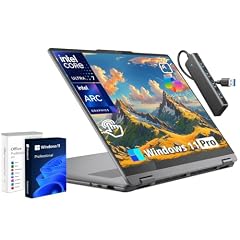
Lenovo Yoga 7i 16" 2-in-1 Touchscreen Laptop Intel Ultra 7 256V
- CPU
- Intel Core Ultra 7 256V
- RAM
- 16 GB
- Storage
- 512 GB
- Screen
- 16 in
- Touchscreen
- Yes
- Weight
- 1.91 kg
- OS
- Windows 11 Pro
- Convertible 2-in-1
- Yes
$1,059.99 (as of 10/20/2026 15:22 PDT - Details)
It is the only convertible in this list, so the 16-inch touchscreen folds back for reading and presenting. It lists 1TB of storage, 16GB of memory and Windows 11 Pro.
Pros
- 2-in-1 design with a 16-inch touchscreen
- 1TB SSD
- Windows 11 Pro
Cons
- 1.91 kg, the heaviest stated weight here
- Battery size not stated by the seller
Good fit if
- Presenters and managers who review documents by hand
- Workers who take handwritten notes in meetings
Skip if
- You carry your laptop all day
- You never use touch or pen input
Verdict: The flexible choice for people who present and annotate.
8 Only Arm-based pick

Microsoft Surface Laptop
- CPU
- Qualcomm Snapdragon X2 Elite
- RAM
- 16 GB
- Storage
- 1000 GB
- Screen
- 15 in
- Touchscreen
- Yes
- Weight
- 1.66 kg
- OS
- Windows 11
$2,049.99 (as of 10/20/2026 15:22 PDT - Details)
It is the only pick with an Arm processor, the Snapdragon X2 Elite, and pairs it with 1TB of storage, 16GB of memory and a 15-inch touchscreen at 1.66 kg. It comes from Microsoft, the maker of Windows and Microsoft 365.
Pros
- 1TB SSD and 16GB of memory
- 15-inch touchscreen at 1.66 kg
- Snapdragon X2 Elite processor
Cons
- Arm processor: confirm that any specialized Windows software you rely on has an Arm version
- Windows 11 edition not specified in the listing
Good fit if
- Microsoft 365 users who want a premium touchscreen laptop
- Workers whose apps are mostly web and Office
Skip if
- You depend on older or niche Windows software
- You need Windows 11 Pro out of the box
Verdict: A premium 15-inch Windows choice for offices that live in Microsoft 365.
9 Lightest 15.6-inch pick

HP 255 G10 15.6" FHD Business Laptop
- CPU
- AMD Ryzen 7 7730U
- RAM
- 16 GB
- Storage
- 512 GB
- Screen
- 15.6 in
- Weight
- 1.5 kg
- OS
- Windows 11 Pro
$675.00 (as of 10/20/2026 15:21 PDT - Details)
At a stated 1.5 kg it is the lightest of the 15.6-inch picks, and its listing names a numeric keypad. AMD lists its Ryzen 7 7730U with 8 cores and 16 threads.
Pros
- 1.5 kg, the lightest 15.6-inch pick
- Ryzen 7 7730U: 8 cores, 16 threads per AMD
- Numeric keypad named in the listing
- Windows 11 Pro
Cons
- 512GB of storage
- Full HD screen, lower resolution than the 2K picks
Good fit if
- Bookkeepers and data entry staff
- Offices that want a light 15.6-inch Windows 11 Pro laptop
Skip if
- You want a touchscreen
- You need more storage
Verdict: A light, practical 15.6-inch laptop for number-heavy work.
10 Most storage in a 15.6-inch pick

Samsung Galaxy Book4 Business Laptop
- RAM
- 16 GB
- Storage
- 1000 GB
- Screen
- 15.6 in
- Weight
- 1.55 kg
- OS
- Windows 11 Pro
It lists 1TB of storage, twice the 512GB of the other 15.6-inch picks, with 16GB of memory at 1.55 kg. The listing names an Intel Core 7 150U, which Intel lists with 10 cores and four displays.
Pros
- 1TB SSD, the most among 15.6-inch picks
- 1.55 kg
- Windows 11 Pro
Cons
- Processor stated only in the listing name, not in the spec fields
- Battery size not stated by the seller
Good fit if
- Workers who keep large file archives offline
- Offices that buy Samsung phones and tablets
Skip if
- You want a touchscreen
- You want a 16-inch screen
Verdict: A light 15.6-inch business laptop with room for files.
11 Best 15.6-inch with an H-series chip
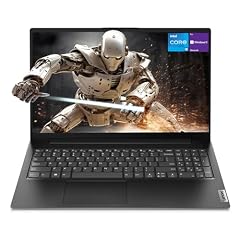
Lenovo V15 Gen 4 Business Laptop
- CPU
- Intel Core i5-13420H
- RAM
- 16 GB
- Storage
- 512 GB
- Screen
- 15.6 in
- Weight
- 1.65 kg
- OS
- Windows 11 Pro
$709.00 (as of 10/20/2026 15:22 PDT - Details)
Its Core i5-13420H is the only H-series chip among the 15.6-inch picks; Intel describes the H suffix as highest performance and U as power efficient. The listing also names HDMI, an RJ45 Ethernet port and a numeric keypad.
Pros
- H-series Intel Core i5-13420H
- HDMI, RJ45 Ethernet and numeric keypad named in the listing
- Windows 11 Pro
- 1.65 kg
Cons
- 512GB of storage
- Full HD screen
Good fit if
- Offices with wired networks
- Users with heavy spreadsheets who want a bit more speed
Skip if
- You want a touchscreen
- You want the lightest laptop
Verdict: A no-frills 15.6-inch office laptop with wired networking.
12 Only 15.6-inch touchscreen
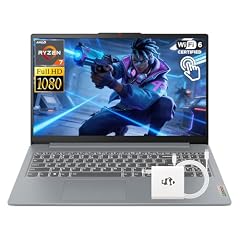
Lenovo IdeaPad Slim 3 Touchscreen Laptop
- CPU
- AMD Ryzen 7 5825U
- RAM
- 16 GB
- Storage
- 512 GB
- Screen
- 15.6 in
- Touchscreen
- Yes
- Weight
- 1.61 kg
- OS
- Windows 11
$709.00 (as of 10/20/2026 15:21 PDT - Details)
It is the one 15.6-inch pick with a touchscreen, with 16GB of memory and a 512GB SSD at 1.61 kg. It uses an AMD Ryzen 7 5825U processor.
Pros
- 15.6-inch touchscreen
- 16GB of memory
- 1.61 kg
Cons
- 512GB of storage
- Windows 11 edition not specified in the listing
Good fit if
- Home office users who like touch input
- Workers who want a larger touchscreen without going to 16 inches
Skip if
- Your employer requires Windows 11 Pro
- You need more storage
Verdict: A simple touchscreen laptop for home office work.
13 Best for browser-based office work

Acer Chromebook Plus 514 Laptop with Google AI
- CPU
- Intel Core i3-1315U
- RAM
- 8 GB
- Storage
- 256 GB
- Screen
- 14 in
- Weight
- 1.41 kg
- OS
- ChromeOS
$599.99 (as of 10/20/2026 15:20 PDT - Details)
It is the only ChromeOS laptop here, with an Intel Core i3-1315U, 8GB of memory and a 14-inch touch matte screen named in the listing at 1.41 kg. Microsoft says the desktop versions of Microsoft 365 cannot be installed on a Chromebook, but Word, Excel, PowerPoint and Outlook work on the web.
Pros
- 1.41 kg, the second lightest stated weight here
- Touch matte 14-inch screen named in the listing
- ChromeOS
Cons
- 8GB of memory, the least in this list
- 256GB of storage, the least in this list
- No desktop Microsoft 365 apps, per Microsoft
Good fit if
- Workers who live in Google Workspace or Microsoft 365 on the web
- Offices that want simple, easily managed laptops
Skip if
- You need desktop Excel features or Windows software
- You work offline often
Verdict: The right pick only if your office work already happens in a browser.
Side by side
| # | Laptop | CPU | GPU | GPU memory | Rentable GPU model | RAM | Storage |
|---|---|---|---|---|---|---|---|
| 1 | Lenovo New Gen V-Series Business Laptop | Intel Core 7 240H | not stated | not stated | not stated | 16 GB | 1000 GB |
| 2 | HP EliteBook 6 G1a 16 Laptop | AMD Ryzen 5 220 | not stated | not stated | not stated | 16 GB | 512 GB |
| 3 | Apple 2025 MacBook Pro Laptop | Apple M5 | not stated | not stated | not stated | 16 GB | 1000 GB |
| 4 | HP ProBook 4 G1i AI Business Laptop 16.0" 60Hz IPS 16GB/512GBSSD/W11P | Intel Core Ultra 7 | not stated | not stated | not stated | 16 GB | 512 GB |
| 5 | Dell Pro 16 PC16250 Business Laptop | Intel Core 5 120U | not stated | not stated | not stated | 16 GB | 512 GB |
| 6 | HP OmniBook 16" 2K Touchscreen Laptop | Intel Core Ultra 7 255U | Intel Core Ultra 7 255U | not stated | not stated | not stated | 32 GB | 2000 GB |
| 7 | Lenovo Yoga 7i 16" 2-in-1 Touchscreen Laptop Intel Ultra 7 256V | Intel Core Ultra 7 256V | not stated | not stated | not stated | 16 GB | 512 GB |
| 8 | Microsoft Surface Laptop | Qualcomm Snapdragon X2 Elite | not stated | not stated | not stated | 16 GB | 1000 GB |
| 9 | HP 255 G10 15.6" FHD Business Laptop | AMD Ryzen 7 7730U | not stated | not stated | not stated | 16 GB | 512 GB |
| 10 | Samsung Galaxy Book4 Business Laptop | not stated | not stated | not stated | not stated | 16 GB | 1000 GB |
| 11 | Lenovo V15 Gen 4 Business Laptop | Intel Core i5-13420H | not stated | not stated | not stated | 16 GB | 512 GB |
| 12 | Lenovo IdeaPad Slim 3 Touchscreen Laptop | AMD Ryzen 7 5825U | not stated | not stated | not stated | 16 GB | 512 GB |
| 13 | Acer Chromebook Plus 514 Laptop with Google AI | Intel Core i3-1315U | not stated | not stated | not stated | 8 GB | 256 GB |
How we picked
How we picked: the catalogue held 88 laptops that match our office group, which covers listings with 8GB to 16GB of memory, at least 256GB of storage, a 14-inch to 16-inch screen and no separate graphics card. That is enough for documents, mail, video calls and a browser full of tabs without paying for gaming hardware. We removed entry chips such as Intel N-series, Celeron and Pentium, favored established makers in new condition, skipped renewed units and kept one configuration per model. Prices on this page are live and read from the store listing, with the time shown next to each one. Nobody at wikilaptop.org has tested these units.
How to choose
Processor: skip the entry chips
Windows 11 runs on very modest hardware: Microsoft's minimum is a 1 GHz processor with 2 or more cores and 4GB of memory. Meeting the minimum is not the same as staying quick with a video call, a browser full of tabs and a large spreadsheet open together. That is why we left out Intel N-series, Celeron and Pentium laptops.
Intel's suffix tells you the chip's class: U for power efficient, H for highest performance. In this list, the Lenovo V-Series 14 and the Lenovo V15 Gen 4 use H-series chips; the other Windows picks use U-series or V-series Intel chips, AMD Ryzen chips or, in the Surface, a Snapdragon chip.
Memory and storage
Our office group covers 8GB to 16GB of memory. In this list, 12 picks have 16GB and one, the Chromebook, has 8GB. For storage, 7 picks list 512GB, 5 list 1TB and the Chromebook lists 256GB. If you keep files in OneDrive, Google Drive or a company server, 512GB is usually enough; choose 1TB if you work offline with large files.
Screen size, weight and the desk setup
Five picks have 16-inch screens, four have 15.6-inch screens, and the rest are 14-inch to 15-inch models. A 16-inch screen fits two documents side by side; a 14-inch model is easier to carry. Stated weights run from 1.37 kg (Lenovo V-Series 14) to 1.91 kg (Lenovo Yoga 7i). If you work at a desk, an external monitor matters more than the laptop screen: Intel and AMD list four-display support for several chips here, and Apple lists two external displays for the M5 MacBook Pro.
Windows 11 Pro, Home or another system
Eight picks list Windows 11 Pro. Microsoft reserves features such as BitLocker to Go and Client Hyper-V for Pro and higher editions, and many company IT departments expect Pro. The Chromebook runs ChromeOS, where Microsoft 365 is available only as web apps, and the MacBook Pro runs macOS. Pick the system your employer or your main apps require.
Questions
How much RAM do I need for office work?
16GB is the comfortable target for documents, email, video calls and many browser tabs at once, and 12 of the 13 picks here have it. 8GB works for lighter, browser-based work, which is why the Chromebook with 8GB is included. Microsoft's minimum for Windows 11 is only 4GB, but that leaves little room for modern office apps running together.
Is a Chromebook good for office work?
It can be, if your work happens in a browser. Microsoft says the desktop versions of Microsoft 365 cannot be installed on a Chromebook, but Word, Excel, PowerPoint, OneNote and Outlook are available as web apps. If you rely on advanced desktop Excel features, macros or Windows-only software, choose a Windows laptop or a Mac instead.
Do I need Windows 11 Pro for work?
Not always. Home covers documents, email and calls. Microsoft lists features such as BitLocker to Go and Client Hyper-V as requiring Pro or higher, and many employers need Pro to manage company laptops. Eight of the 13 picks here list Windows 11 Pro. If your company will manage the laptop, ask IT which edition it needs before you buy.
Which screen size is best for office work?
For desk work, a 16-inch screen fits two documents side by side and five picks here offer one. For commuting, a 14-inch model is easier to carry: the Lenovo V-Series 14 is the lightest pick at 1.37 kg. Many office workers use a smaller laptop with an external monitor at the desk, so check how many displays the laptop's chip supports.
Do office laptops need a graphics card?
No. Office apps, browsers and video calls run on the graphics built into the processor. Our office group excludes laptops with a separate graphics card, so you are not paying for hardware you will not use. Spend the difference on memory, storage or a lighter machine instead.
Recent updates
- : First published.
Sources
- Microsoft: Windows 11 specifications and system requirements
- Microsoft Support: How to install and run Microsoft 365 on a Chromebook
- Apple: MacBook Pro technical specifications
- Intel: comparison chart for Intel Core (Series 1 and Series 2) laptop processors
- Intel: processor names and numbers
- Intel: Core 5 processor 120U specifications
- Intel: Core 7 processor 150U specifications
- Intel: Core Ultra 7 processor 255U specifications
- AMD: Ryzen 5 220 specifications
- AMD: Ryzen 7 7730U specifications