
Best ASUS Laptops for Programming in 2026: 13 Picks on Specs
The ROG Zephyrus G14 with the Ryzen AI 9 HX 370 is our top ASUS pick for programming: its listing states an RTX 5070 Ti with 12GB of GPU memory, 32GB of memory and 1TB of storage at 1.57kg, the lightest weight stated in this pool. If you never run code on a GPU, the Vivobook S16 is the simpler choice. Every pick was chosen from stated specifications and makers' published information; nobody at wikilaptop has used these units.
13 picks from 29 laptops that match this guide with a price we can quote today. Every price below is live and carries the moment it was read.
The picks at a glance
Which one should you buy?
- For coding on the move: The Zephyrus G14 is the lightest laptop in this list at a stated 1.57kg and still has an NVIDIA GPU with 12GB of memory for CUDA work. See pick 1
- For web and backend work without a gaming GPU: The Vivobook S16 has a 16-inch OLED screen, 32GB of memory and a stated 70Wh battery, with no dedicated GPU to carry around. See pick 2
- For containers and virtual machines: The Vivobook 15 with 48GB and 2TB runs Windows 11 Pro, so Hyper-V is available, in a 1.7kg body without a gaming GPU. See pick 3
- For local AI models: The ROG Strix SCAR 18 has an RTX 5090, which NVIDIA lists with 24GB of GPU memory, the most of any GPU in this list. See pick 4
The 13 picks
1 Best overall

ASUS ROG Zephyrus G14 14" 3K OLED 120Hz Copilot+ PC Gaming Laptop
- CPU
- AMD Ryzen AI 9 HX 370
- GPU
- GeForce RTX 5070 Ti
- GPU memory
- 12 GB
- RAM
- 32 GB
- Storage
- 1000 GB
- Screen
- 14 in
- Refresh
- 120 Hz
- Weight
- 1.57 kg
It is the only pick under 1.6kg that also has a dedicated NVIDIA GPU, so it covers both everyday coding on the road and CUDA work. The listing states an RTX 5070 Ti with 12GB of GPU memory, an AMD Ryzen AI 9 HX 370 and a 14-inch 3K OLED screen at 120Hz. Every other pick with a dedicated GPU that states a weight is at least 2.18kg.
Pros
- Stated weight of 1.57kg, the lightest in this list
- RTX 5070 Ti with 12GB of GPU memory, per the listing
- 14-inch 3K OLED at 120Hz, per the listing
- AMD Ryzen AI 9 HX 370
Cons
- 32GB and 1TB, the pool minimum
- Windows edition not stated by the seller
- Battery capacity not stated by the seller
Good fit if
- Machine learning and data science developers who travel
- Anyone who wants one laptop for coding and occasional GPU work
Skip if
- You need 64GB for many containers or virtual machines
- You need Windows 11 Pro confirmed before you buy
Verdict: The most portable way to get an NVIDIA GPU in an ASUS programming laptop.
2 Best without a gaming GPU
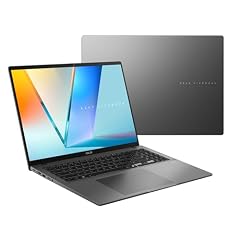
ASUS Vivobook S16 Laptop
- CPU
- AMD Ryzen AI 9 465
- RAM
- 32 GB
- Storage
- 1000 GB
- Screen
- 16 in
- Weight
- 1.7 kg
- Battery
- 70 Wh
- OS
- Windows 11 Home
$1,664.19 (as of 10/20/2026 15:20 PDT - Details)
Most ASUS laptops with 32GB and 1TB are gaming machines; the Vivobook S16 is one of the exceptions. It pairs an AMD Ryzen AI 9 465 with a 16-inch WUXGA OLED screen at a stated 1.7kg, and it is one of only two picks that state a battery capacity (70Wh).
Pros
- Stated 70Wh battery
- Stated weight of 1.7kg for a 16-inch laptop
- 16-inch 16:10 WUXGA OLED screen, per the listing
- No gaming GPU to add weight
Cons
- Windows 11 Home: no Hyper-V and no Windows containers
- 32GB and 1TB, the pool minimum
- No dedicated GPU, so no local CUDA work
Good fit if
- Web, mobile and backend developers whose containers are all Linux
- Anyone who wants a large screen without a gaming laptop
Skip if
- You need Hyper-V or Windows containers
- You train models locally on an NVIDIA GPU
Verdict: The everyday ASUS for developers who want a big OLED screen and a stated battery rather than a GPU.
3 Most memory without a gaming GPU
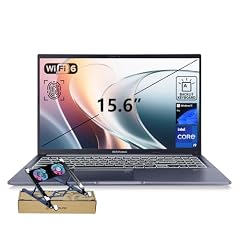
ASUS Vivobook 15 Laptop
- CPU
- Intel Core i9-13900H
- RAM
- 48 GB
- Storage
- 2000 GB
- Screen
- 15.6 in
- Touchscreen
- No
- Weight
- 1.7 kg
- OS
- Windows 11 Pro
This Vivobook 15 states 48GB of memory and 2TB of storage, more than any other pick without a dedicated GPU. It runs an Intel Core i9-13900H with Windows 11 Pro at a stated 1.7kg, and the listing mentions a physical webcam shield.
Pros
- 48GB of memory and 2TB of storage
- Windows 11 Pro, so Hyper-V can be enabled
- Stated weight of 1.7kg
- Physical webcam shield, per the listing
Cons
- 15.6-inch FHD screen, per the listing, not a higher-resolution panel
- Intel Core i9-13900H is a 13th-generation Core chip; most Intel picks are 14th generation or Core Ultra
- Battery capacity not stated by the seller
Good fit if
- Backend developers running several services and a virtual machine
- Developers who need Windows Pro without a gaming chassis
Skip if
- You need an NVIDIA GPU
- You want a higher-resolution screen for long reading sessions
Verdict: The memory-first choice for developers who do not need a GPU.
4 Best for local AI models

ASUS ROG Strix SCAR 18
- CPU
- Intel Core Ultra 9 275HX
- GPU
- GeForce RTX 5090
- RAM
- 32 GB
- Storage
- 2000 GB
- Screen
- 18 in
- Refresh
- 240 Hz
- Weight
- 2.85 kg
- OS
- Windows 11 Pro
$4,499.99 (as of 10/20/2026 15:20 PDT - Details)
The SCAR 18 carries an RTX 5090, which NVIDIA lists with 24GB of GPU memory, double the 12GB of the RTX 5070 Ti picks. That is what decides how large a model you can load locally. It pairs the GPU with an Intel Core Ultra 9 275HX, 2TB of storage and Windows 11 Pro.
Pros
- RTX 5090, listed by NVIDIA with 24GB of GPU memory
- Intel Core Ultra 9 275HX
- 2TB of storage and Windows 11 Pro
- 18-inch 2.5K screen at 240Hz, per the listing
Cons
- 32GB of system memory, half of the 64GB picks
- Stated weight of 2.85kg
- Battery capacity not stated by the seller
Good fit if
- AI engineers who run language models locally
- Developers working on GPU-heavy code or game engines
Skip if
- You carry your laptop every day
- Your work never touches the GPU
Verdict: The ASUS pick with the most GPU memory, for local AI work at a desk.
5 Most storage

ASUS ROG Strix G16 Gaming Laptop 2025
- CPU
- Intel Core i7
- GPU
- GeForce RTX 5060
- RAM
- 64 GB
- Storage
- 4000 GB
- Screen
- 16 in
- Refresh
- 165 Hz
- Weight
- 2.65 kg
- OS
- Windows 11 Pro
This ROG Strix G16 states 64GB of memory and 4TB of storage, the most storage in this list, with an RTX 5060 and Windows 11 Pro. The listing title names an Intel Core i7-14650HX. It suits developers who keep many repositories, SDKs, container images and data sets locally.
Pros
- 4TB of storage, the most in this list
- 64GB of memory
- Windows 11 Pro
- RTX 5060 for CUDA work
Cons
- Stated weight of 2.65kg
- 16-inch FHD+ screen, per the listing
- Battery capacity not stated by the seller
Good fit if
- Developers with large local data sets or many simulators
- Anyone who runs several virtual machines at once
Skip if
- You want a laptop under 2kg
- Your models need more than 8GB of GPU memory
Verdict: The storage-heavy ASUS for developers who keep everything local.
6 Best 18-inch with 64GB

ASUS ROG Strix G18 G815 Gaming AI Laptop | 18" WUXGA 144Hz
- CPU
- Intel Core i9-14900HX
- GPU
- GeForce RTX 5070
- GPU memory
- 8 GB
- RAM
- 64 GB
- Storage
- 2000 GB
- Screen
- 18 in
- Refresh
- 144 Hz
- Weight
- 3.2 kg
The Strix G18 G815 states 64GB of memory, 2TB of storage and an Intel Core i9-14900HX (24 cores, per the listing) with an RTX 5070 and 8GB of GPU memory. The 18-inch WUXGA screen gives room for an editor, terminal and browser side by side.
Pros
- 64GB of memory and 2TB of storage
- Intel Core i9-14900HX, the listing states 24 cores
- 18-inch WUXGA screen, per the listing
- Windows 11 Pro
Cons
- Stated weight of 3.2kg, the heaviest in this list
- 8GB of GPU memory
- Battery capacity not stated by the seller
Good fit if
- Developers who work at one desk and want a large built-in screen
- Anyone compiling large C++ or Rust projects with many cores
Skip if
- You move your laptop often
- You need more than 8GB of GPU memory
Verdict: A desk-bound 18-inch machine with plenty of memory and cores.
7 Best 16-inch ROG

ASUS ROG Strix G16
- CPU
- Intel Core Ultra 9 275HX
- GPU
- GeForce RTX 5070 Ti
- RAM
- 32 GB
- Storage
- 1000 GB
- Screen
- 16 in
- Refresh
- 240 Hz
- Weight
- 2.65 kg
- OS
- Windows 11 Home
The 2025 Strix G16 pairs an Intel Core Ultra 9 275HX with an RTX 5070 Ti and a 16-inch 2.5K screen at 240Hz. It is the 16-inch alternative to the SCAR 18 for developers who want strong CPU and GPU in a smaller body.
Pros
- Intel Core Ultra 9 275HX
- RTX 5070 Ti
- 16-inch 16:10 2.5K screen, per the listing
Cons
- Windows 11 Home: no Hyper-V and no Windows containers
- Stated weight of 2.65kg
- 32GB and 1TB, the pool minimum
Good fit if
- Developers who want a powerful 16-inch laptop
- Game and graphics programmers
Skip if
- You need Hyper-V or Windows containers
- You want 64GB of memory
Verdict: A strong 16-inch all-rounder if Windows Home is fine for your stack.
8 Best AMD 18-inch

ASUS ROG Strix G18 Gaming Laptop
- CPU
- AMD Ryzen 9 9955HX
- GPU
- RTX 5070
- RAM
- 32 GB
- Storage
- 2000 GB
- Screen
- 18 in
- Refresh
- 240 Hz
- Weight
- 3 kg
- OS
- Windows 11 Pro
$2,625.00 (as of 10/20/2026 15:20 PDT - Details)
This Strix G18 uses an AMD Ryzen 9 9955HX with an RTX 5070, 32GB of memory and 2TB of storage, and states Windows 11 Pro. It is the AMD counterpart to the Intel-based G18 picks, with a 2.5K 240Hz screen.
Pros
- AMD Ryzen 9 9955HX
- 2TB of storage and Windows 11 Pro
- 18-inch 2.5K screen at 240Hz, per the listing
Cons
- Stated weight of 3kg
- 32GB of memory, half of the 64GB picks
- GPU memory not stated by the seller
Good fit if
- Developers who prefer an AMD processor
- Desk users who want a large high-resolution screen
Skip if
- You need a portable machine
- You need 64GB for virtual machines
Verdict: The AMD choice for an 18-inch ASUS desk machine.
9 18-inch with 12GB of GPU memory

ASUS ROG Strix G18 18” Gaming Laptop
- CPU
- Intel Core Ultra 9 275HX
- GPU
- RTX 5070 Ti
- GPU memory
- 12 GB
- RAM
- 32 GB
- Storage
- 2000 GB
- Screen
- 18 in
- Refresh
- 240 Hz
- Weight
- 3 kg
$3,199.99 (as of 10/20/2026 15:20 PDT - Details)
This Strix G18 states an RTX 5070 Ti with 12GB of GPU memory, an Intel Core Ultra 9 275HX and 2TB of storage. It gives the same GPU memory as the Zephyrus G14 with a much larger screen and more storage.
Pros
- RTX 5070 Ti with 12GB of GPU memory, per the listing
- Intel Core Ultra 9 275HX
- 2TB of storage
- 18-inch screen at 240Hz, per the listing
Cons
- Windows edition not stated by the seller
- Stated weight of 3kg
- 32GB of memory
Good fit if
- Machine learning developers who work at a desk
- Developers who want 12GB of GPU memory and a big screen
Skip if
- You need Windows 11 Pro confirmed
- You want a laptop you can carry daily
Verdict: A large-screen CUDA machine with 12GB of GPU memory.
10 Best TUF with 64GB

ASUS TUF 18 AI Gaming Laptop
- CPU
- AMD Ryzen 7 260
- GPU
- GeForce RTX 5060
- GPU memory
- 8 GB
- RAM
- 64 GB
- Storage
- 2000 GB
- Screen
- 18 in
- Refresh
- 144 Hz
- Weight
- 2.6 kg
$2,679.00 (as of 10/20/2026 15:20 PDT - Details)
The TUF 18 appears in eight configurations in this pool; this is the one with 64GB of memory, 2TB of storage and Windows 11 Pro. It uses an AMD Ryzen 7 260 with an RTX 5060 and 8GB of GPU memory, on an 18-inch WUXGA screen at 144Hz.
Pros
- 64GB of memory and 2TB of storage
- Windows 11 Pro
- RTX 5060 with 8GB of GPU memory
- 18-inch WUXGA screen, per the listing
Cons
- Stated weight of 2.6kg
- Ryzen 7 260 is an 8-core chip, per the listing; the i9-14900HX pick lists 24
- Battery capacity not stated by the seller
Good fit if
- Developers who want 64GB and Windows Pro on a large screen
- Container-heavy work with light CUDA use
Skip if
- You compile very large projects and want more CPU cores
- You carry your laptop daily
Verdict: The TUF configuration that suits programming best: 64GB, 2TB and Windows Pro.
11 Best 16-inch with 64GB
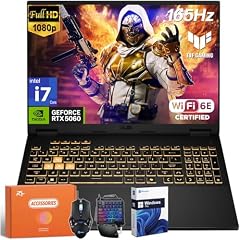
ASUS TUF Gaming F16 Laptop
- CPU
- Intel Core i7-14650HX
- GPU
- GeForce RTX 5060
- RAM
- 64 GB
- Storage
- 2000 GB
- Screen
- 16 in
- Refresh
- 165 Hz
- OS
- Windows 11 Pro
This TUF Gaming F16 states 64GB of memory and 2TB of storage with an Intel Core i7-14650HX, an RTX 5060 and Windows 11 Pro. It is the 16-inch pick with the most memory, sharing that 64GB with the Strix G16 above but without its 4TB.
Pros
- 64GB of memory and 2TB of storage
- Intel Core i7-14650HX, the listing states 16 cores
- Windows 11 Pro
Cons
- Weight not stated by the seller
- 16-inch FHD+ screen, per the listing
- Battery capacity not stated by the seller
Good fit if
- Developers who run many services locally
- Anyone who wants Hyper-V and CUDA in a 16-inch laptop
Skip if
- You need to know the weight before buying
- You want a high-resolution screen
Verdict: A 64GB, Windows Pro, 16-inch option for heavy local stacks.
12 Largest stated battery

ASUS TUF F16 Gaming Laptop RTX 5050 115W
- CPU
- Intel Core i5-13450HX
- GPU
- RTX 5050
- RAM
- 32 GB
- Storage
- 2000 GB
- Screen
- 16 in
- Refresh
- 165 Hz
- Weight
- 2.18 kg
- Battery
- 90 Wh
$1,699.99 (as of 10/20/2026 15:20 PDT - Details)
This TUF F16 states a 90Wh battery, the largest capacity stated in this list, and 2TB of storage at 2.18kg. It uses an Intel Core i5-13450HX and an RTX 5050, the most modest CPU and GPU among the gaming picks.
Pros
- Stated 90Wh battery, the largest in this list
- 2TB of storage
- Stated weight of 2.18kg, the lightest 16-inch pick with a GPU that states a weight
- RTX 5050 for entry-level CUDA work
Cons
- Intel Core i5-13450HX, the only Core i5 in this list
- Windows edition not stated by the seller
- 32GB of memory
Good fit if
- Students learning machine learning basics
- Developers who work away from outlets
Skip if
- You compile large projects all day
- You need more GPU memory for larger models
Verdict: The pick for battery capacity and storage over raw speed.
13 Only AMD Radeon GPU

ASUS TUF Gaming A16 Laptop 16" WUXGA 165Hz 100% sRGB AMD 8-core Ryzen 7
- CPU
- AMD Ryzen 7 7735HS
- GPU
- Radeon RX 7700S
- GPU memory
- 8 GB
- RAM
- 32 GB
- Storage
- 1000 GB
- Screen
- 16 in
- Refresh
- 165 Hz
- Weight
- 2.2 kg
$1,659.00 (as of 10/20/2026 15:20 PDT - Details)
The TUF Gaming A16 is the only pick with an AMD dedicated GPU, a Radeon RX 7700S with 8GB of memory, paired with a Ryzen 7 7735HS. It suits graphics and game developers who target AMD hardware, but it cannot run NVIDIA CUDA.
Pros
- Radeon RX 7700S with 8GB of GPU memory
- Stated weight of 2.2kg
- 16-inch WUXGA screen at 165Hz, per the listing
Cons
- No NVIDIA GPU, so no CUDA
- 32GB and 1TB, the pool minimum
- Windows edition not stated by the seller
Good fit if
- Game developers who test on AMD graphics
- Developers who need a dedicated GPU but not CUDA
Skip if
- Your machine learning tools need CUDA
- You need Windows 11 Pro confirmed
Verdict: A niche pick for developers who specifically want AMD graphics.
Side by side
| # | Laptop | CPU | GPU | GPU memory | Rentable GPU model | RAM | Storage |
|---|---|---|---|---|---|---|---|
| 1 | ASUS ROG Zephyrus G14 14" 3K OLED 120Hz Copilot+ PC Gaming Laptop | AMD Ryzen AI 9 HX 370 | GeForce RTX 5070 Ti | 12 GB | not stated | 32 GB | 1000 GB |
| 2 | ASUS Vivobook S16 Laptop | AMD Ryzen AI 9 465 | not stated | not stated | not stated | 32 GB | 1000 GB |
| 3 | ASUS Vivobook 15 Laptop | Intel Core i9-13900H | not stated | not stated | not stated | 48 GB | 2000 GB |
| 4 | ASUS ROG Strix SCAR 18 | Intel Core Ultra 9 275HX | GeForce RTX 5090 | not stated | not stated | 32 GB | 2000 GB |
| 5 | ASUS ROG Strix G16 Gaming Laptop 2025 | Intel Core i7 | GeForce RTX 5060 | not stated | not stated | 64 GB | 4000 GB |
| 6 | ASUS ROG Strix G18 G815 Gaming AI Laptop | 18" WUXGA 144Hz | Intel Core i9-14900HX | GeForce RTX 5070 | 8 GB | not stated | 64 GB | 2000 GB |
| 7 | ASUS ROG Strix G16 | Intel Core Ultra 9 275HX | GeForce RTX 5070 Ti | not stated | not stated | 32 GB | 1000 GB |
| 8 | ASUS ROG Strix G18 Gaming Laptop | AMD Ryzen 9 9955HX | RTX 5070 | not stated | not stated | 32 GB | 2000 GB |
| 9 | ASUS ROG Strix G18 18” Gaming Laptop | Intel Core Ultra 9 275HX | RTX 5070 Ti | 12 GB | not stated | 32 GB | 2000 GB |
| 10 | ASUS TUF 18 AI Gaming Laptop | AMD Ryzen 7 260 | GeForce RTX 5060 | 8 GB | not stated | 64 GB | 2000 GB |
| 11 | ASUS TUF Gaming F16 Laptop | Intel Core i7-14650HX | GeForce RTX 5060 | not stated | not stated | 64 GB | 2000 GB |
| 12 | ASUS TUF F16 Gaming Laptop RTX 5050 115W | Intel Core i5-13450HX | RTX 5050 | not stated | not stated | 32 GB | 2000 GB |
| 13 | ASUS TUF Gaming A16 Laptop 16" WUXGA 165Hz 100% sRGB AMD 8-core Ryzen 7 | AMD Ryzen 7 7735HS | Radeon RX 7700S | 8 GB | not stated | 32 GB | 1000 GB |
How we picked
How we picked: we started from the 30 ASUS laptops in our catalogue whose listing states at least 32GB of memory and a terabyte of storage, which is what an IDE, a browser, a container stack and a few checkouts ask for. Most of them are ROG and TUF gaming models, because that is where ASUS pairs 32GB with 1TB most often. We dropped near-duplicate listings of the same model (the TUF 18 appears in eight configurations), preferred listings that state weight, Windows edition and GPU memory, and then chose one laptop per common developer situation: portable, no dedicated GPU, big memory, local GPU work, and desk use. Where a listing leaves a value out, we say it is not stated by the seller. Prices on this page are live and read from the store listing with the time shown. Nobody tested these units.
How to choose
Memory: why this list starts at 32GB
Every laptop in this pool states at least 32GB. Tool vendors publish lower minimums for one tool at a time: JetBrains lists 8GB of total memory for IntelliJ IDEA, and Docker lists 8GB of system memory for Docker Desktop on Windows. A real session stacks an IDE, a browser, containers and often WSL 2, which Microsoft describes as a Linux kernel running in a lightweight utility virtual machine.
In this list, 8 of the 13 picks have 32GB, one has 48GB and 4 have 64GB. Choose 64GB if you run many services or virtual machines; 32GB covers a typical web or mobile stack.
Why most ASUS picks are gaming laptops
In our catalogue, ASUS pairs 32GB of memory with a terabyte of storage mostly in its ROG and TUF gaming lines. That brings a dedicated GPU, a high-refresh screen and more weight. If you do not need the GPU, the Vivobook S16 and Vivobook 15 are the two picks without one, and both state 1.7kg.
Stated weights in this list range from 1.57kg (Zephyrus G14) to 3.2kg (Strix G18 G815). Only three picks state a weight under 2kg.
Do you need a dedicated GPU?
For web, mobile and backend work, no. A dedicated NVIDIA GPU matters when your code runs on it, for example machine learning with CUDA, and NVIDIA supports CUDA inside WSL 2 on Windows. Ten picks here have an NVIDIA GPU. The TUF Gaming A16 has an AMD Radeon GPU instead, which does not run CUDA.
GPU memory limits the size of models you can load. NVIDIA lists the RTX 5090 laptop GPU with 24GB, and the RTX 5060 and 5050 with 8GB each. Compare that number before core counts.
Windows edition: Pro, Home or not stated
Microsoft states that Hyper-V cannot be installed on Windows 11 Home, and Docker states that Windows containers need a Pro or Enterprise edition, while Home runs Linux containers only. Seven of the 13 picks state Windows 11 Pro, two state Home, three say only Windows 11, and one listing does not state an operating system. If you need Hyper-V, choose a pick that states Pro.
Storage and battery: read what the listing states
Container images, package caches and SDKs fill a drive fast. Nine of the 13 picks state 2TB or more, and the Strix G16 with 64GB states 4TB.
Battery capacity is rarely stated here: only the TUF F16 with the RTX 5050 (90Wh) and the Vivobook S16 (70Wh) list it. Watt-hours measure capacity, not runtime, so use them to compare machines rather than as a promise of hours.
Questions
Are ASUS gaming laptops good for programming?
They can be, because the ROG and TUF models in this list pair 32GB or more of memory with fast processors and large drives. The trade-off is weight: every gaming pick except the Zephyrus G14 states at least 2.18kg or leaves the weight out. If your work never uses the GPU, a Vivobook without one is lighter and simpler, while the Zephyrus G14 keeps a GPU at 1.57kg.
Is 16GB of memory enough for programming?
For learning and small projects, often yes: JetBrains and Docker each list 8GB as a minimum for their own tool. Those figures cover one tool at a time. Once an IDE, a browser, several containers and WSL 2 run together, memory fills quickly, which is why every laptop in this list has at least 32GB.
Do I need Windows 11 Pro to code?
Only for some tools. Microsoft states Hyper-V cannot be installed on Windows 11 Home, and Docker Desktop on Home runs Linux containers only. Most web and backend stacks use Linux containers, so Home is often fine. If you use Hyper-V virtual machines or Windows containers, choose one of the seven picks that state Windows 11 Pro.
Which ASUS laptop is best for machine learning?
It depends on model size. GPU memory decides what fits: the ROG Strix SCAR 18 has an RTX 5090, which NVIDIA lists with 24GB, the most here. For a portable option, the Zephyrus G14 states 12GB on its RTX 5070 Ti at 1.57kg. Avoid the TUF Gaming A16 for CUDA work, since its GPU is an AMD Radeon.
Why don't you list battery life in hours?
Because we did not measure it, and runtime depends on your workload and screen settings. Where a listing states battery capacity in watt-hours, we show it, since it is a fixed number you can compare. Only two of the 13 picks state a capacity, and we say so on every pick that does not.
Recent updates
- : First published.
Sources
- JetBrains: IntelliJ IDEA system requirements
- Docker: Install Docker Desktop on Windows (system requirements)
- Microsoft Learn: What is Windows Subsystem for Linux
- Microsoft Learn: Install Hyper-V (Windows edition requirements)
- NVIDIA: CUDA on WSL user guide
- NVIDIA: GeForce RTX 50 Series laptops (GPU memory specifications)