
Best Laptops for Students in 2026: 14 Picks Compared on Specs
For most students, the Microsoft Surface Laptop 7 with a Snapdragon X Plus is the pick to start with: 1.34 kg, a 13.8-inch 120Hz touchscreen, 16GB of memory and 1TB of storage, which covers four years of notes, papers and video calls without carrying a heavy bag. If your course needs specific Windows software or a graphics card, other picks below fit better. Every choice here comes from the listing's stated specifications and the chip makers' published data; nobody at this site has used these units.
14 picks from 278 laptops that match this guide with a price we can quote today. Every price below is live and carries the moment it was read.
The picks at a glance
Which one should you buy?
- For carrying it to every class: The ASUS Zenbook 14 is the lightest laptop in the whole student pool at 1.09 kg, with an OLED screen per its listing title. See pick 2
- For majors that need Windows desktop software: The Acer Aspire with an Intel Core Ultra 7 258V runs standard x86 Windows apps natively and pairs that with 32GB of memory at 1.4 kg. See pick 3
- For school work plus evening gaming: The Acer Predator Helios Neo 14 is the only pick here with a GeForce RTX 5060, while staying at the 1.9 kg the listing states. See pick 12
- For a school that runs on Google tools: The Acer Chromebook Plus 514 is the only ChromeOS laptop in the student pool, with 8GB of memory and 512GB of storage. See pick 5
The 14 picks
1 Best overall

Microsoft Surface Laptop 7 AI Copilot+ PC for Business
- CPU
- Qualcomm Snapdragon X Plus
- RAM
- 16 GB
- Storage
- 1000 GB
- Screen
- 13.8 in
- Refresh
- 120 Hz
- Touchscreen
- Yes
- Weight
- 1.34 kg
- OS
- Windows 11 Home
$1,049.99 (as of 10/20/2026 15:22 PDT - Details)
It combines the things students ask for most in one listing: 1.34 kg, a 13.8-inch touchscreen at 120Hz, 16GB of memory and 1TB of storage. Its Snapdragon X Plus belongs to a processor family on Microsoft's Copilot+ PC list, and the memory and storage both meet those published requirements. The trade-off is the Arm processor, which runs most x86 apps through emulation but not every driver.
Pros
- 1.34 kg, the third lightest of the 14 picks
- 1TB of storage, enough for years of coursework files
- 120Hz touchscreen, one of four picks with a stated refresh rate of 120Hz or more
- Processor family and memory meet Microsoft's Copilot+ PC requirements
Cons
- Arm processor: Microsoft states emulation does not support drivers, so some class software may not install
- Battery capacity not stated by the seller
- 16GB of memory, half of what six other picks offer
Good fit if
- Students in writing-heavy, business or humanities programs
- Anyone who wants a light touchscreen laptop with lots of storage
Skip if
- Your course requires a specific Windows program that needs its own driver
- You want to play PC games on it
Verdict: The most balanced student laptop in this list, as long as your required software runs on Windows on Arm.
2 Lightest in this list

ASUS Zenbook 14 AI Business Laptop
- CPU
- Qualcomm Snapdragon X Plus
- Storage
- 512 GB
- Screen
- 14 in
- Weight
- 1.09 kg
- OS
- Windows 11 Home
At 1.09 kg it is the lightest of all 70 laptops in the student pool, which matters when a laptop rides in a backpack all day. The listing title describes a 14-inch FHD+ OLED screen, a Snapdragon X Plus and 16GB of memory. It carries half the storage of the Surface Laptop 7 above.
Pros
- 1.09 kg, the lightest laptop in the entire student pool
- OLED screen per the listing title
- Snapdragon X Plus, a processor family on Microsoft's Copilot+ PC list
Cons
- 512GB of storage, half of the 1TB listed on nine other picks
- Memory is not in the structured specs; only the listing title gives 16GB
- Battery capacity not stated by the seller
Good fit if
- Students who walk between buildings all day
- Note-takers who mainly use a browser and office apps
Skip if
- You keep large video or photo libraries on the laptop itself
- Your program depends on Windows software with its own drivers
Verdict: The pick for students who value low weight above everything else.
3 Best Intel pick for heavy multitasking
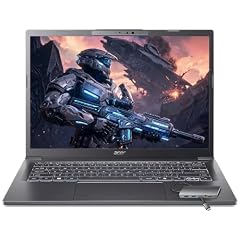
Acer Aspire Laptop 2026
- CPU
- Intel Core Ultra 7 258V
- RAM
- 32 GB
- Storage
- 1000 GB
- Screen
- 14 in
- Touchscreen
- Yes
- Weight
- 1.4 kg
- OS
- Windows 11 Home
$1,149.99 (as of 10/20/2026 15:20 PDT - Details)
Its Intel Core Ultra 7 258V is an x86 chip, so standard Windows programs run without emulation, and Intel lists its NPU at 47 peak TOPS, above Microsoft's 40 TOPS Copilot+ threshold. The listing adds 32GB of memory, 1TB of storage and a 14-inch touchscreen at 1.4 kg.
Pros
- 32GB of memory, tied for the most in this list
- Intel Core Ultra 7 258V: 8 cores, up to 4.8 GHz, Arc 140V graphics per Intel
- x86 chip, so class software and drivers install as on any Windows PC
- 1TB of storage and a touchscreen
Cons
- Battery capacity not stated by the seller
- The listing does not name the exact Aspire model line
- 1.4 kg, heavier than six other picks
Good fit if
- Engineering, science and business students with Windows-only tools
- Students who keep many apps and browser tabs open at once
Skip if
- You want the lightest possible laptop
- You need a dedicated graphics card for 3D or games
Verdict: The safest Windows choice when course software compatibility is the main worry.
4 Newest Snapdragon chip in this list

Microsoft Surface Laptop
- CPU
- Qualcomm Snapdragon X2 Elite
- RAM
- 16 GB
- Storage
- 1000 GB
- Screen
- 13.8 in
- Refresh
- 120 Hz
- Touchscreen
- Yes
- Weight
- 1.36 kg
- OS
- Windows 11
$1,689.00 (as of 10/20/2026 15:22 PDT - Details)
This is the 2026 Surface Laptop with a Snapdragon X2 Elite, the only X2 chip among the picks. Size, memory and storage match the Surface Laptop 7 pick: 13.8-inch 120Hz touchscreen, 16GB, 1TB, at 1.36 kg. Choose it if you want the newer chip generation in the same format.
Pros
- Snapdragon X2 Elite, the only second-generation Snapdragon X chip in the picks
- 1.36 kg with a 13.8-inch 120Hz touchscreen
- 1TB of storage and 16GB of memory, meeting Microsoft's Copilot+ minimums
Cons
- Same Arm emulation limits for drivers as the Surface Laptop 7
- Battery capacity not stated by the seller
Good fit if
- Students who want the newest Snapdragon generation
- Anyone planning to keep one laptop through a full degree
Skip if
- The Surface Laptop 7 pick already covers your needs
- Your required software lists Arm as unsupported
Verdict: The newer-chip version of the best overall pick, in the same light 13.8-inch body.
5 Only Chromebook in the student pool

Acer Chromebook Plus 514 Laptop
- CPU
- Intel Core i3-N355
- RAM
- 8 GB
- Storage
- 512 GB
- Screen
- 14 in
- Touchscreen
- Yes
- Weight
- 1.4 kg
- OS
- ChromeOS
$499.98 (as of 10/20/2026 15:20 PDT - Details)
If your school works through Google Docs and web apps, ChromeOS keeps things simple, and this is the only ChromeOS laptop among the 70 in the pool. The listing states an Intel Core i3-N355, 8GB of memory, 512GB of storage and a 14-inch touchscreen at 1.4 kg. The seller's brand field names a reseller, so it is sold through a third-party store.
Pros
- ChromeOS, the only Chromebook in the student pool
- 512GB of storage, well above the 128GB Chromebook Plus minimum reported at launch
- 8GB of memory, matching the Chromebook Plus minimum
- 14-inch touchscreen at 1.4 kg
Cons
- Runs ChromeOS, so Windows desktop programs will not install
- 8GB of memory, less than most picks in this list
- Listed by a third-party seller rather than under Acer's own brand field
Good fit if
- Students whose classes run on Google Workspace or other web apps
- Families who want a simple, low-maintenance laptop
Skip if
- Your course requires Windows or macOS software
- You want to play PC games
Verdict: A tidy choice for web-first coursework, and the wrong one if any class needs desktop software.
6 Best 16-inch screen

Acer Swift Go 16 Business Laptop
- CPU
- AMD Ryzen AI 9 465
- GPU
- Radeon 880M
- RAM
- 32 GB
- Storage
- 1000 GB
- Screen
- 16 in
- Refresh
- 120 Hz
- Touchscreen
- Yes
- Weight
- 1.6 kg
$1,269.00 (as of 10/20/2026 15:20 PDT - Details)
A 16-inch 1920x1200 touchscreen at 120Hz leaves more room for two documents side by side, and this listing keeps the weight to 1.6 kg. It states an AMD Ryzen AI 9 465, 32GB of memory, 1TB of storage and a 65Wh battery, one of only four picks with a stated battery size. It is the most completely specified of the several Swift Go 16 listings in the pool.
Pros
- 16-inch 120Hz touchscreen at 1.6 kg
- 32GB of memory and 1TB of storage
- 65Wh battery, the second largest stated in the pool
- Ryzen AI 400 series chip, on Microsoft's Copilot+ PC list
Cons
- 1.6 kg, about half a kilogram more than the Zenbook 14
- A 16-inch body takes more bag space than the 14-inch picks
Good fit if
- Students who read and write long documents side by side
- Anyone who wants a big screen without a gaming laptop's weight
Skip if
- You want a laptop small enough for a crowded lecture desk
- You need a dedicated graphics card
Verdict: The best-specified big-screen pick for students who mostly read, write and research.
7 Largest stated battery
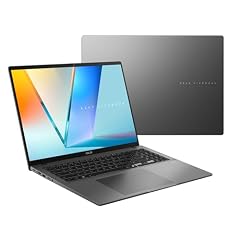
ASUS Vivobook S16 Laptop
- CPU
- AMD Ryzen AI 9 465
- RAM
- 32 GB
- Storage
- 1000 GB
- Screen
- 16 in
- Weight
- 1.7 kg
- Battery
- 70 Wh
- OS
- Windows 11 Home
$1,664.19 (as of 10/20/2026 15:20 PDT - Details)
Its 70Wh battery is the largest capacity stated by any listing in the student pool. The listing also describes a 16-inch 16:10 WUXGA OLED screen, an AMD Ryzen AI 9 465, 32GB of memory and 1TB of storage at 1.7 kg. Battery hours depend on use, but a bigger battery is the one spec that reliably points toward longer runtime.
Pros
- 70Wh battery, the largest stated in the whole student pool
- 16-inch OLED screen per the listing title
- 32GB of memory and 1TB of storage
- Ryzen AI 400 series chip, on Microsoft's Copilot+ PC list
Cons
- 1.7 kg, heavier than every 14-inch pick
- No touchscreen stated by the seller
Good fit if
- Students who spend long days away from outlets
- Readers who want a large OLED screen
Skip if
- Weight is your first concern
- You want to write on the screen with a pen
Verdict: The pick for students who want the biggest battery the pool can prove, in a large-screen body.
8 Best business-grade 14-inch

Lenovo 2024 Laptop
- CPU
- Intel Core Ultra 7 155U
- RAM
- 32 GB
- Storage
- 1000 GB
- Screen
- 14 in
- Touchscreen
- Yes
- Weight
- 1.38 kg
- Battery
- 52.5 Wh
- OS
- Windows 11 Pro
$1,639.00 (as of 10/20/2026 15:21 PDT - Details)
ThinkPad T is Lenovo's business line, and this T14 Gen 5 listing states an Intel Core Ultra 7 155U, 32GB of memory, 1TB of storage, a 14-inch 1920x1200 touchscreen and a 52.5Wh battery at 1.38 kg. It ships with Windows 11 Pro. It is listed by a third-party seller (Rocket Computer), which usually means the memory and storage were configured by that seller.
Pros
- 1.38 kg with 32GB of memory and 1TB of storage
- 52.5Wh battery stated, one of four picks with a stated capacity
- Windows 11 Pro, useful when a school network expects Pro features
Cons
- A 2024 model per the listing title, older than most picks here
- Sold by a third-party seller with its own configuration
Good fit if
- Business and law students who want a conservative work laptop
- Students who want 32GB of memory under 1.4 kg
Skip if
- You want the newest chip generation
- You prefer buying a factory configuration from the maker
Verdict: A light, well-equipped ThinkPad for students who prefer a business laptop.
9 Lightest 32GB pick in this list

Lenovo V14 G5 14" FHD Anti-Glare Laptop for Home & Work
- CPU
- Intel Core 7 240H
- RAM
- 32 GB
- Storage
- 1000 GB
- Screen
- 14 in
- Weight
- 1.37 kg
- Battery
- 47 Wh
- OS
- Windows 11 Home
$969.99 (as of 10/20/2026 15:22 PDT - Details)
At 1.37 kg it edges out the ThinkPad T14 as the lightest pick with 32GB of memory. The listing states an Intel Core 7 240H, 1TB of storage, a 47Wh battery and a 14-inch FHD anti-glare screen. The H-series chip targets sustained performance over maximum battery life.
Pros
- 32GB of memory at 1.37 kg
- Intel Core 7 240H, an H-series chip, with 1TB of storage
- Anti-glare 14-inch screen per the listing title
- 47Wh battery stated
Cons
- 47Wh is the smallest battery among the four picks that state one
- Sold by a third-party seller (Oydisen WOWPC) that lists its own configurations
Good fit if
- STEM students who run heavier programs on a light laptop
- Students who work under bright classroom lights
Skip if
- Battery capacity is your top priority
- You want a touchscreen
Verdict: A light 14-inch with plenty of memory for demanding coursework.
10 Best 15.6-inch touchscreen

HP 15.6 Touchscreen Laptop
- CPU
- AMD Ryzen 7 7730U
- RAM
- 16 GB
- Storage
- 512 GB
- Screen
- 15.6 in
- Touchscreen
- Yes
- Weight
- 1.6 kg
- OS
- Windows 11 Pro
$767.90 (as of 10/20/2026 15:21 PDT - Details)
Some students want a full-size 15.6-inch screen without a 16-inch footprint. This HP states an AMD Ryzen 7 7730U with 8 cores, 16GB of memory, 512GB of storage, a touchscreen and Windows 11 Pro at 1.6 kg.
Pros
- 15.6-inch touchscreen at 1.6 kg
- 8-core Ryzen 7 7730U per the listing
- 16GB of memory and Windows 11 Pro
Cons
- 512GB of storage, half of the 1TB listed on nine other picks
- Ryzen 7 7730U is outside the processor families Microsoft lists for Copilot+ PCs
- Battery capacity not stated by the seller
Good fit if
- Students who prefer a larger screen for spreadsheets
- Anyone who wants a touchscreen on a mid-size laptop
Skip if
- You want Copilot+ PC features
- You store large media files locally
Verdict: A straightforward 15.6-inch touchscreen laptop for everyday coursework.
11 Workstation-line 14-inch

Dell Precision 3490 Mobile Workstation Laptop
- CPU
- Intel Core Ultra 5 135H
- RAM
- 32 GB
- Storage
- 1000 GB
- Screen
- 14 in
- Weight
- 1.4 kg
- OS
- Windows 11 Pro
Precision is Dell's workstation line, and this 14-inch listing states an Intel Core Ultra 5 135H, 32GB of memory and 1TB of storage at 1.4 kg. For students running larger datasets or engineering tools on the CPU, the memory headroom counts more than a thin design.
Pros
- 32GB of memory and 1TB of storage at 1.4 kg
- Intel Core Ultra 5 135H, an H-series chip
- Windows 11 Pro
Cons
- No dedicated graphics card stated, so GPU-heavy CAD will be limited
- 14-inch FHD screen with no touch or refresh rate stated
- Battery capacity not stated by the seller
Good fit if
- Engineering and data students who need memory more than graphics
- Students who want a business-class Dell
Skip if
- Your CAD or 3D software requires a dedicated GPU
- You want a touchscreen
Verdict: A light workstation-branded option when memory and x86 compatibility matter most.
12 Best for students who game

Acer Predator Helios Neo 14 AI Gaming Laptop
- CPU
- Intel Core Ultra 7 255H
- GPU
- GeForce RTX 5060
- RAM
- 16 GB
- Storage
- 1000 GB
- Screen
- 14.5 in
- Refresh
- 165 Hz
- Weight
- 1.9 kg
$1,599.99 (as of 10/20/2026 15:20 PDT - Details)
It is the only pick with a GeForce RTX 5060, which matters for games and GPU-accelerated creative apps. The listing states an Intel Core Ultra 7 255H, 16GB of memory, 1TB of storage and a 14.5-inch 165Hz screen at 1.9 kg, which keeps it inside the pool's 2 kg limit.
Pros
- GeForce RTX 5060, the only dedicated GPU among the picks
- 165Hz screen, the highest refresh rate in this list
- 1TB of storage with an Intel Core Ultra 7 255H
Cons
- 1.9 kg, the heaviest pick in this list
- Operating system and battery capacity not stated by the seller
- 16GB of memory, less than the six 32GB picks
Good fit if
- Students who game after class
- Design and media students whose apps use a GPU
Skip if
- You carry your laptop all day
- You only need office apps and a browser
Verdict: The one pick with real graphics power, at the cost of weight.
13 Basic 15.6-inch for notes and browsing

Lenovo IdeaPad Slim 3 Laptop
- CPU
- Intel N150
- RAM
- 8 GB
- Storage
- 1120 GB
- Screen
- 15.6 in
- Weight
- 1.55 kg
- OS
- Windows 11
$469.00 (as of 10/20/2026 15:21 PDT - Details)
For note-taking, web research and papers, an Intel N150 laptop can be enough. This IdeaPad Slim 3 listing states 8GB of memory, a 15.6-inch FHD screen and 1.55 kg. Its 1.12TB storage figure is a combination; the title lists 128GB of UFS storage plus additional storage.
Pros
- Intel N150: 4 cores, up to 3.6 GHz, 6 W base power per Intel
- 15.6-inch FHD screen at 1.55 kg
- Established maker, new unit
Cons
- Built-in storage is 128GB UFS per the title; the rest of the 1.12TB is added storage
- 8GB of memory; Intel lists 16GB as the N150's maximum supported memory
- Battery capacity not stated by the seller
Good fit if
- Students whose work is mostly documents and browser tabs
- A backup or first laptop for a younger student
Skip if
- You run programming, design or data tools
- You want room to grow over a four-year degree
Verdict: Enough for basic coursework, with little headroom beyond it.
14 Light and basic

ASUS Vivobook 14" FHD Laptop
- CPU
- Intel Celeron N5030
- RAM
- 4 GB
- Storage
- 256 GB
- Screen
- 14 in
- Weight
- 1.3 kg
$309.99 (as of 10/20/2026 15:20 PDT - Details)
At 1.3 kg it is the second lightest pick, from a major maker, with a 14-inch FHD screen and 256GB of storage. The trade-off is severe: 4GB of memory, the least in this list, with an Intel Celeron N4500.
Pros
- 1.3 kg, second lightest of the 14 picks
- 256GB of storage, the minimum this guide allows
- Established maker, 2026 edition per the listing
Cons
- 4GB of memory, the same as Microsoft's Windows 11 minimum
- Battery capacity not stated by the seller
Good fit if
- Students who only need a browser, email and documents
- A light spare laptop for the library
Skip if
- You keep many tabs or apps open at once
- You want the laptop to last through a full degree
Verdict: Light and simple, but only for the lightest workloads.
Side by side
| # | Laptop | CPU | GPU | GPU memory | Rentable GPU model | RAM | Storage |
|---|---|---|---|---|---|---|---|
| 1 | Microsoft Surface Laptop 7 AI Copilot+ PC for Business | Qualcomm Snapdragon X Plus | not stated | not stated | not stated | 16 GB | 1000 GB |
| 2 | ASUS Zenbook 14 AI Business Laptop | Qualcomm Snapdragon X Plus | not stated | not stated | not stated | not stated | 512 GB |
| 3 | Acer Aspire Laptop 2026 | Intel Core Ultra 7 258V | not stated | not stated | not stated | 32 GB | 1000 GB |
| 4 | Microsoft Surface Laptop | Qualcomm Snapdragon X2 Elite | not stated | not stated | not stated | 16 GB | 1000 GB |
| 5 | Acer Chromebook Plus 514 Laptop | Intel Core i3-N355 | not stated | not stated | not stated | 8 GB | 512 GB |
| 6 | Acer Swift Go 16 Business Laptop | AMD Ryzen AI 9 465 | Radeon 880M | not stated | not stated | 32 GB | 1000 GB |
| 7 | ASUS Vivobook S16 Laptop | AMD Ryzen AI 9 465 | not stated | not stated | not stated | 32 GB | 1000 GB |
| 8 | Lenovo 2024 Laptop | Intel Core Ultra 7 155U | not stated | not stated | not stated | 32 GB | 1000 GB |
| 9 | Lenovo V14 G5 14" FHD Anti-Glare Laptop for Home & Work | Intel Core 7 240H | not stated | not stated | not stated | 32 GB | 1000 GB |
| 10 | HP 15.6 Touchscreen Laptop | AMD Ryzen 7 7730U | not stated | not stated | not stated | 16 GB | 512 GB |
| 11 | Dell Precision 3490 Mobile Workstation Laptop | Intel Core Ultra 5 135H | not stated | not stated | not stated | 32 GB | 1000 GB |
| 12 | Acer Predator Helios Neo 14 AI Gaming Laptop | Intel Core Ultra 7 255H | GeForce RTX 5060 | not stated | not stated | 16 GB | 1000 GB |
| 13 | Lenovo IdeaPad Slim 3 Laptop | Intel N150 | not stated | not stated | not stated | 8 GB | 1120 GB |
| 14 | ASUS Vivobook 14" FHD Laptop | Intel Celeron N5030 | not stated | not stated | not stated | 4 GB | 256 GB |
How we picked
How we picked: we started from the 70 laptops in our catalogue that match the student group rule, which keeps listings that state a weight under 2 kg and at least 256GB of storage. From those we favored established makers and new units, dropped near-duplicate listings of the same model, and looked for a spread of needs: very light machines for carrying all day, 16-inch screens for long reading sessions, one Chromebook, one machine with a dedicated graphics card and a few basic options. We compared stated memory, storage, weight, screen and battery capacity against each other and against Microsoft's published Copilot+ PC requirements. Prices on this page are live and read from the store listing, with the time shown next to each one. Nobody tested these units; where a spec is missing from the listing, we say so.
How to choose
Weight: what you will actually carry
Students carry a laptop more than almost anyone else, so weight is the first filter here. Every laptop in this pool states a weight under 2 kg (about 4.4 lb). Among the picks, six weigh under 1.4 kg (about 3.1 lb): the Zenbook 14, the Vivobook 14, both Surface Laptops, the Lenovo V14 G5 and the ThinkPad T14.
A 16-inch screen adds weight: the two 16-inch picks list 1.6 kg and 1.7 kg. The only pick with a dedicated graphics card lists 1.9 kg.
Memory and storage: plan for four years
Microsoft's minimum for Windows 11 is 4GB of memory and 64GB of storage, and its Copilot+ PC requirements call for 16GB of memory and 256GB of storage. Treat 16GB as the practical floor for a laptop meant to last a degree; six picks go to 32GB.
Check how storage is counted. Some listings add an SD card, external drive or cloud plan to the storage figure. The IdeaPad Slim 3 pick, for example, lists 1.12TB in total while its title names 128GB of built-in UFS storage.
Windows on Arm, x86 Windows or ChromeOS
Snapdragon laptops (both Surface picks and the Zenbook 14) run Windows on Arm. Microsoft's documentation says x86 and x64 apps run through emulation, but emulation covers user-mode code only and does not support drivers. If a class needs software that installs its own driver, check that vendor's Arm support first, or pick an Intel or AMD laptop.
ChromeOS runs web apps and Android apps but not Windows desktop programs. It fits schools that work in Google tools.
Battery: compare watt-hours, not claims
Only 18 of the 70 laptops in the student pool state a battery capacity, and four of our 14 picks do. When a listing gives watt-hours, a bigger number means more stored energy; actual hours depend on the chip, the screen and what you run. We do not quote runtime hours because we did not measure them.
Where a listing leaves capacity out, we say so in the cons rather than guessing.
Match the laptop to the major
Writing, business and humanities work runs well on any pick with 16GB of memory. Engineering, data and computer science students benefit from 32GB and an x86 chip for maximum software compatibility. Design, 3D and game development students may need a dedicated GPU, which only the Helios Neo 14 has in this list.
Before buying, check your department's published software list; many programs publish system requirements that name a minimum memory size and supported processors.
Questions
How much memory does a student laptop need in 2026?
Plan on 16GB. Microsoft sets 16GB as the memory requirement for Copilot+ PCs, and modern browsers and office apps use memory quickly. 8GB still works for basic notes and web research, as on the IdeaPad Slim 3 pick. Students in engineering, data science or programming benefit from 32GB, which six of the 14 picks offer.
Is a Snapdragon laptop a good idea for college?
For most coursework, yes: Microsoft documents that Windows on Arm runs x86 and x64 apps through emulation. The limit is drivers, which emulation does not support. If a required program installs a driver, confirm the vendor supports Arm before choosing a Snapdragon model, or choose an Intel or AMD pick.
Should a student buy a Chromebook?
A Chromebook works well when classes run in a browser and on Google tools. It will not install Windows desktop programs, so check course requirements first. The Acer Chromebook Plus 514 in this list states 8GB of memory and 512GB of storage, above the Chromebook Plus minimums of 8GB and 128GB reported when Google launched the category.
How light should a student laptop be?
Every laptop in this pool states a weight under 2 kg. For a laptop you carry all day, aim for about 1.4 kg or less; six of the 14 picks meet that, led by the ASUS Zenbook 14 at 1.09 kg. A 16-inch screen or a dedicated GPU adds weight, so decide whether you need either before you give up portability.
Did you test these laptops?
No. Nobody at this site has used these units. Picks are chosen from each listing's stated specifications, compared against each other and against published requirements from Microsoft, Intel and Google. Where a listing does not state a spec, such as battery capacity, we say it is not stated by the seller instead of estimating it.
Recent updates
- : First published.