
Best 120Hz Laptops in 2026: 14 Picks Compared on Specs
Our top pick for a 120Hz laptop is the ASUS ROG Zephyrus G14 with an RTX 5070 Ti: it pairs a 14-inch 3K OLED screen at 120Hz with 12GB of graphics memory and 32GB of system memory at 1.57 kg, the lightest 120Hz laptop in our catalogue with a separate graphics chip. The other 13 picks cover thin office laptops, creator machines and mobile workstations. We chose all 14 from stated specifications and makers' published data, not from tests.
14 picks from 53 laptops that match this guide with a price we can quote today. Every price below is live and carries the moment it was read.
The picks at a glance
Which one should you buy?
- For gaming and creative work on the move: The Zephyrus G14 carries an RTX 5070 Ti with 12GB of graphics memory in a 1.57 kg body with a 120Hz OLED screen. See pick 1
- For the lightest everyday laptop: The Dell XPS 13 weighs 1.19 kg, the lightest in this list, with 32GB of memory and a stated 55Wh battery. See pick 2
- For office work on a large screen: The Acer Swift Go 16 AI brings a 16-inch 120Hz touchscreen, 32GB of memory and 1TB of storage at 1.6 kg. See pick 5
- For engineering and 3D workstations: The ThinkPad P16 Gen 3 pairs an RTX PRO 4000 with 16GB of graphics memory and 128GB of system memory. See pick 12
The 14 picks
1 Best overall

ASUS ROG Zephyrus G14 14" 3K OLED 120Hz Copilot+ PC Gaming Laptop
- CPU
- AMD Ryzen AI 9 HX 370
- GPU
- GeForce RTX 5070 Ti
- GPU memory
- 12 GB
- RAM
- 32 GB
- Storage
- 1000 GB
- Screen
- 14 in
- Refresh
- 120 Hz
- Weight
- 1.57 kg
It combines an RTX 5070 Ti with 12GB of graphics memory, 32GB of system memory and a 14-inch 3K OLED screen at 120Hz, per the listing, at 1.57 kg. No laptop in the 120Hz pool with a separate graphics chip weighs less.
Pros
- RTX 5070 Ti: 12GB of GDDR7 per NVIDIA
- 1.57 kg, the lightest pick with a separate GPU
- 32GB of memory and 1TB of storage
- 14-inch 3K OLED screen per the listing
Cons
- AMD Ryzen AI 9 HX 370: an HX chip, not a battery-life choice
- 14-inch screen, smaller than the 16-inch creator picks
Good fit if
- Players and creators who carry their laptop daily
- Buyers who want a smooth OLED screen with real GPU power
Skip if
- You play fast shooters and want 165Hz or more
- You want a 16-inch screen
Verdict: The best balance of GPU, screen and weight among the 120Hz laptops.
2 Lightest 120Hz laptop

Dell XPS 13.4" Laptop
- CPU
- Qualcomm Snapdragon X Elite
- RAM
- 32 GB
- Storage
- 512 GB
- Screen
- 13.4 in
- Refresh
- 120 Hz
- Weight
- 1.19 kg
- Battery
- 55 Wh
- OS
- Windows 11 Pro
At 1.19 kg it is the lightest laptop in this list; in the 120Hz pool only another configuration of the same XPS 13 matches it. It pairs a Qualcomm Snapdragon X Elite with 32GB of memory, Windows 11 Pro and a stated 55Wh battery.
Pros
- 1.19 kg, the lightest pick
- 32GB of memory
- 55Wh battery stated by the seller
- Windows 11 Pro
Cons
- 512GB of storage, less than most picks
- Arm-based Windows: Microsoft notes some drivers and apps need Arm versions
Good fit if
- Travelers and students who carry a laptop all day
- Office users who want a smooth screen in a small body
Skip if
- You rely on older peripherals or software without Arm support
- You need more than 512GB of local storage
Verdict: The ultraportable pick for a 120Hz screen.
3 Newest Snapdragon pick

Microsoft Surface Laptop
- CPU
- Qualcomm Snapdragon X2 Elite
- RAM
- 16 GB
- Storage
- 1000 GB
- Screen
- 13.8 in
- Refresh
- 120 Hz
- Touchscreen
- Yes
- Weight
- 1.36 kg
- OS
- Windows 11
$1,689.00 (as of 10/20/2026 15:22 PDT - Details)
It carries a Qualcomm Snapdragon X2 Elite, the newer generation of Qualcomm's laptop chips, with a 13.8-inch 120Hz touchscreen, 16GB of memory and 1TB of storage at 1.36 kg. It trades the XPS 13's 32GB for twice the storage and touch input.
Pros
- Snapdragon X2 Elite processor
- 13.8-inch 120Hz touchscreen
- 1TB of storage
- 1.36 kg
Cons
- 16GB of memory, half of the XPS 13
- Arm-based Windows: check your apps and drivers against Microsoft's guidance
Good fit if
- Students and writers who want a light touchscreen laptop
- Buyers who want the newest Qualcomm chip
Skip if
- You need 32GB of memory
- You depend on x64-only drivers or games
Verdict: A light touchscreen laptop with the newest Snapdragon generation.
4 Previous-generation Surface

Microsoft Surface Laptop 7 AI Copilot+ PC for Business
- CPU
- Qualcomm Snapdragon X Plus
- RAM
- 16 GB
- Storage
- 1000 GB
- Screen
- 13.8 in
- Refresh
- 120 Hz
- Touchscreen
- Yes
- Weight
- 1.34 kg
- OS
- Windows 11 Home
$1,049.99 (as of 10/20/2026 15:22 PDT - Details)
It is the earlier Surface Laptop 7 with a Snapdragon X Plus, a 13.8-inch 120Hz touchscreen, 16GB of memory and 1TB of storage at 1.34 kg. It keeps the same screen size as the 2026 Surface with an older chip.
Pros
- 13.8-inch 120Hz touchscreen
- 1TB of storage
- 1.34 kg, second lightest in this list after the XPS 13
Cons
- Snapdragon X Plus, below the X2 Elite of the 2026 Surface
- 16GB of memory
- Windows 11 Home, although the listing name mentions business use
Good fit if
- Buyers who want a Surface touchscreen with a previous-generation chip
- Students who work mostly in the browser and Microsoft 365
Skip if
- You want the newest Snapdragon generation
- Your employer requires Windows 11 Pro
Verdict: The older Surface, for buyers who do not need the newest chip.
5 Best 16-inch office laptop

Acer Swift Go 16 AI Copilot+PC Laptop
- CPU
- AMD Ryzen AI 9 465
- RAM
- 32 GB
- Storage
- 1000 GB
- Screen
- 16 in
- Refresh
- 120 Hz
- Touchscreen
- Yes
- Weight
- 1.6 kg
- OS
- Windows 11
$1,234.99 (as of 10/20/2026 15:20 PDT - Details)
It brings a 16-inch 120Hz touchscreen, an AMD Ryzen AI 9 465, 32GB of memory and 1TB of storage at 1.6 kg. It is the lightest 16-inch pick in this list.
Pros
- 1.6 kg, the lightest 16-inch pick
- 16-inch 120Hz touchscreen
- 32GB of memory and 1TB of storage
- x86 processor, so no Arm compatibility questions
Cons
- No separate graphics chip stated
- Windows 11 edition not stated by the seller
Good fit if
- Office workers and coders who want a large smooth screen
- Students who carry a 16-inch laptop daily
Skip if
- You want to play current games
- You want a compact 13-inch or 14-inch body
Verdict: The large-screen everyday laptop to beat among the 120Hz picks.
6 Best business laptop

Samsung Galaxy Book6 Business Ai Laptop 2026
- CPU
- Intel Core Ultra 7 355
- RAM
- 16 GB
- Storage
- 512 GB
- Screen
- 16 in
- Refresh
- 120 Hz
- Touchscreen
- Yes
- Weight
- 1.84 kg
- OS
- Windows 11 Pro
$1,299.99 (as of 10/20/2026 15:22 PDT - Details)
It combines a 16-inch FHD+ 120Hz touchscreen with an Intel Core Ultra 7 355 and Windows 11 Pro at 1.84 kg. It is the Windows 11 Pro alternative to the Swift Go 16 AI for managed business fleets.
Pros
- Windows 11 Pro
- 16-inch 120Hz touchscreen
- Intel Core Ultra 7 355 processor
Cons
- 16GB of memory and 512GB of storage, below the Swift Go 16 AI
- 1.84 kg, heavier than the Swift Go 16 AI
Good fit if
- Employees whose IT department requires Windows 11 Pro
- Business users who want a 16-inch touchscreen
Skip if
- You want 32GB of memory
- You keep large files locally
Verdict: A 16-inch 120Hz laptop set up for business use.
7 Most memory without a separate GPU

HP OmniBook 7 16" 2K OLED Touchscreen Laptop
- CPU
- Intel Core 9 270H
- RAM
- 64 GB
- Storage
- 1000 GB
- Screen
- 16 in
- Refresh
- 120 Hz
- Touchscreen
- Yes
- Weight
- 1.92 kg
- OS
- Windows 11 Pro
It pairs an Intel Core 9 270H with 64GB of memory, 1TB of storage and a 16-inch 2K OLED touchscreen at 120Hz, per the listing, at 1.92 kg. No other pick without a separate graphics chip has as much memory.
Pros
- 64GB of memory
- 16-inch 2K OLED touchscreen per the listing
- Intel Core 9 270H processor
- Windows 11 Pro
Cons
- No separate graphics chip stated
- 1.92 kg, heavier than the Swift Go 16 AI
Good fit if
- Coders and analysts who run many virtual machines or large datasets
- Business users who want an OLED touchscreen
Skip if
- You need GPU acceleration for games or 3D
- You want the lightest 16-inch laptop
Verdict: The memory-heavy 16-inch OLED laptop for work.
8 Lightest 16-inch with a separate GPU

Lenovo IdeaPad Pro 5-2025
- CPU
- AMD Ryzen AI 7 350
- GPU
- GeForce RTX 5050
- RAM
- 16 GB
- Storage
- 1000 GB
- Screen
- 16 in
- Refresh
- 120 Hz
- Weight
- 1.78 kg
- OS
- Windows 11 Home
It combines a 16-inch 2880 x 1800 OLED screen at 120Hz, per the listing, with an RTX 5050 and an AMD Ryzen AI 7 350 at 1.78 kg. No other 16-inch pick with a separate graphics chip weighs less.
Pros
- RTX 5050: 8GB of GDDR7 per NVIDIA
- 1.78 kg, the lightest 16-inch pick with a separate GPU
- 16-inch 2880 x 1800 OLED per the listing
- 1TB of storage
Cons
- 16GB of memory
- RTX 5050 is the entry tier of NVIDIA's RTX 50 laptop range
Good fit if
- Students who edit photos or video and game lightly
- Buyers who want an OLED 16-inch screen with a GPU
Skip if
- You want to play new releases at high settings
- You need 32GB of memory
Verdict: An OLED creator laptop with entry RTX 50 graphics.
9 Best creator laptop

Lenovo Yoga Pro 9i
- CPU
- Intel Core Ultra 9 285H
- GPU
- GeForce RTX 5060
- GPU memory
- 8 GB
- RAM
- 32 GB
- Storage
- 1000 GB
- Screen
- 16 in
- Refresh
- 120 Hz
- Weight
- 1.93 kg
$3,449.99 (as of 10/20/2026 15:22 PDT - Details)
It pairs an RTX 5060 with 8GB of graphics memory, an Intel Core Ultra 9 processor and 32GB of memory with a 16-inch 3.2K Tandem OLED screen at 120Hz, per the listing, at 1.93 kg. It is one GPU tier above the IdeaPad Pro 5 with twice the memory.
Pros
- RTX 5060 with 8GB of graphics memory
- 32GB of memory and 1TB of storage
- 16-inch 3.2K Tandem OLED per the listing
- Windows 11 Pro
Cons
- Exact Core Ultra 9 model not stated in the specifications
- 1.93 kg, heavier than the IdeaPad Pro 5
Good fit if
- Photo and video editors who want a sharp OLED screen
- Creators who need 32GB of memory
Skip if
- You mainly game and want a faster GPU
- You want a laptop under 1.8 kg
Verdict: The screen-first creator pick among the 120Hz laptops.
10 Entry gaming pick

Alienware 16 Aurora Gaming Laptop
- CPU
- Intel Core 7 240H
- GPU
- RTX 5050
- RAM
- 16 GB
- Storage
- 1000 GB
- Screen
- 16 in
- Refresh
- 120 Hz
- Weight
- 2.49 kg
- OS
- Windows 11 Home
$1,349.99 (as of 10/20/2026 15:20 PDT - Details)
It pairs an RTX 5050, which NVIDIA lists with 8GB of GDDR7, with an Intel Core 7 240H on a 16-inch 120Hz screen. It is the gaming-branded entry point in this list, but the seller does not state memory, storage or operating system.
Pros
- RTX 5050: 8GB of GDDR7 per NVIDIA
- Intel Core 7 240H processor
- 16-inch 120Hz screen
Cons
- Memory, storage and operating system not stated by the seller
- 2.49 kg, heavier than the RTX 5050 IdeaPad Pro 5
Good fit if
- First-time gaming laptop buyers who play esports titles
- Players who want a 16-inch screen
Skip if
- You want to know the full configuration before buying
- You carry your laptop every day
Verdict: An entry RTX 50 gaming laptop; confirm memory and storage first.
11 Best 14-inch workstation
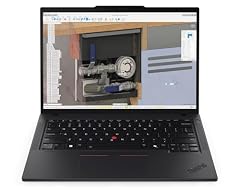
Lenovo ThinkPad P14s Gen 6 with 64GB DDR5 Memory
- CPU
- AMD Ryzen AI 7 PRO 350
- RAM
- 64 GB
- Screen
- 14 in
- Refresh
- 120 Hz
- Touchscreen
- Yes
It pairs an AMD Ryzen AI 7 PRO 350 with 64GB of memory and a 14-inch 2.8K OLED touchscreen at 120Hz, per the listing. It is the compact workstation option next to the 16-inch ThinkPad P16.
Pros
- 64GB of memory
- 14-inch 2.8K OLED touchscreen per the listing
- AMD Ryzen AI 7 PRO 350, a business-class processor
Cons
- Weight, storage and operating system not stated by the seller
- No separate graphics chip stated
Good fit if
- Engineers and analysts who want a compact workstation
- Business users who need lots of memory in a 14-inch size
Skip if
- You need a professional GPU for 3D or simulation
- You want every spec confirmed on the listing
Verdict: A compact, memory-rich workstation; confirm the missing specs.
12 Best mobile workstation

Lenovo ThinkPad P16 Gen 3
- CPU
- Intel Core Ultra 9 285HX
- GPU
- RTX PRO 4000
- GPU memory
- 16 GB
- RAM
- 128 GB
- Storage
- 4000 GB
- Screen
- 16 in
- Refresh
- 120 Hz
- Touchscreen
- Yes
$7,899.00 (as of 10/20/2026 15:22 PDT - Details)
It combines an NVIDIA RTX PRO 4000 with 16GB of graphics memory, an Intel Core Ultra 9 285HX with 24 cores per Intel, 128GB of memory and 4TB of storage. We kept this one of the many ThinkPad P16 Gen 3 configurations in the pool because the Lenovo listing states every key spec, including graphics memory, touch and operating system.
Pros
- RTX PRO 4000 with 16GB of graphics memory
- Intel Core Ultra 9 285HX: 24 cores per Intel
- 128GB of memory, the most in this list
- 4TB of storage and Windows 11 Pro
Cons
- 2.54 kg, heavy for daily carrying
- HX processor: built for plugged-in performance, not battery life
Good fit if
- Engineers running CAD, simulation or large 3D scenes
- Data scientists who need 128GB of memory
Skip if
- You mainly game: GeForce laptops are the usual choice
- You carry your laptop all day
Verdict: The complete workstation among the 120Hz laptops.
13 Lightest RTX 5090 laptop
![HIDevolution [2025] ASUS ProArt P16 H7606WX Black 16" 4K 120Hz OLED](https://m.media-amazon.com/images/I/41BUZNaAIUL._SL240_.jpg)
HIDevolution [2025] ASUS ProArt P16 H7606WX Black 16" 4K 120Hz OLED
- CPU
- AMD Ryzen AI 9 HX 370
- GPU
- RTX 5090
- GPU memory
- 24 GB
- RAM
- 64 GB
- Storage
- 4000 GB
- Screen
- 16 in
- Refresh
- 120 Hz
- Touchscreen
- Yes
$6,199.00 (as of 10/20/2026 15:21 PDT - Details)
It is an ASUS ProArt P16 configured by a reseller, with an RTX 5090 and 24GB of graphics memory, 64GB of memory and 4TB of storage at 1.85 kg. It is the only RTX 5090 laptop under 2 kg in the pool, with a 16-inch 4K OLED touchscreen at 120Hz per the listing.
Pros
- RTX 5090: 24GB of GDDR7 per NVIDIA
- 1.85 kg, far lighter than the 3.6 kg MSI Titan 18
- 64GB of memory and 4TB of storage
- 16-inch 4K OLED touchscreen per the listing
Cons
- A reseller configuration: confirm whether ASUS or the reseller covers the warranty
- AMD Ryzen AI 9 HX 370: an HX chip, not a battery-life choice
Good fit if
- Video editors and 3D artists who travel
- Local AI users who want 24GB of graphics memory in a portable body
Skip if
- You want a laptop sold and warrantied by the maker
- You do not need top-tier graphics
Verdict: The most portable RTX 5090 option, as a reseller build.
14 Most powerful desktop replacement

msi Titan 18" Gaming Laptop
- CPU
- Intel Core Ultra 9 290HX
- GPU
- GeForce RTX 5090
- GPU memory
- 24 GB
- RAM
- 64 GB
- Storage
- 2000 GB
- Screen
- 18 in
- Refresh
- 120 Hz
- Weight
- 3.6 kg
$7,699.00 (as of 10/20/2026 15:22 PDT - Details)
It pairs an RTX 5090 with 24GB of graphics memory, an Intel Core Ultra 9 290HX, 64GB of memory and 2TB of storage on an 18-inch 120Hz screen, the largest in this list. It is sold under MSI's own brand.
Pros
- RTX 5090: 24GB of GDDR7 per NVIDIA
- 18-inch screen, the largest in this list
- 64GB of memory and 2TB of storage
- Windows 11 Pro
Cons
- 3.6 kg, the heaviest pick
- 120Hz, where other gaming laptops in our catalogue offer 240Hz screens
Good fit if
- Players and creators who want top graphics on a big screen at a desk
- Users who replace a desktop with one machine
Skip if
- You carry your laptop often
- You want a 240Hz screen for competitive games
Verdict: The big-screen RTX 5090 machine for a desk that rarely moves.
Side by side
| # | Laptop | CPU | GPU | GPU memory | Rentable GPU model | RAM | Storage |
|---|---|---|---|---|---|---|---|
| 1 | ASUS ROG Zephyrus G14 14" 3K OLED 120Hz Copilot+ PC Gaming Laptop | AMD Ryzen AI 9 HX 370 | GeForce RTX 5070 Ti | 12 GB | not stated | 32 GB | 1000 GB |
| 2 | Dell XPS 13.4" Laptop | Qualcomm Snapdragon X Elite | not stated | not stated | not stated | 32 GB | 512 GB |
| 3 | Microsoft Surface Laptop | Qualcomm Snapdragon X2 Elite | not stated | not stated | not stated | 16 GB | 1000 GB |
| 4 | Microsoft Surface Laptop 7 AI Copilot+ PC for Business | Qualcomm Snapdragon X Plus | not stated | not stated | not stated | 16 GB | 1000 GB |
| 5 | Acer Swift Go 16 AI Copilot+PC Laptop | AMD Ryzen AI 9 465 | not stated | not stated | not stated | 32 GB | 1000 GB |
| 6 | Samsung Galaxy Book6 Business Ai Laptop 2026 | Intel Core Ultra 7 355 | not stated | not stated | not stated | 16 GB | 512 GB |
| 7 | HP OmniBook 7 16" 2K OLED Touchscreen Laptop | Intel Core 9 270H | not stated | not stated | not stated | 64 GB | 1000 GB |
| 8 | Lenovo IdeaPad Pro 5-2025 | AMD Ryzen AI 7 350 | GeForce RTX 5050 | not stated | not stated | 16 GB | 1000 GB |
| 9 | Lenovo Yoga Pro 9i | Intel Core Ultra 9 285H | GeForce RTX 5060 | 8 GB | not stated | 32 GB | 1000 GB |
| 10 | Alienware 16 Aurora Gaming Laptop | Intel Core 7 240H | RTX 5050 | not stated | not stated | 16 GB | 1000 GB |
| 11 | Lenovo ThinkPad P14s Gen 6 with 64GB DDR5 Memory | AMD Ryzen AI 7 PRO 350 | not stated | not stated | not stated | 64 GB | not stated |
| 12 | Lenovo ThinkPad P16 Gen 3 | Intel Core Ultra 9 285HX | RTX PRO 4000 | 16 GB | not stated | 128 GB | 4000 GB |
| 13 | HIDevolution [2025] ASUS ProArt P16 H7606WX Black 16" 4K 120Hz OLED | AMD Ryzen AI 9 HX 370 | RTX 5090 | 24 GB | not stated | 64 GB | 4000 GB |
| 14 | msi Titan 18" Gaming Laptop | Intel Core Ultra 9 290HX | GeForce RTX 5090 | 24 GB | not stated | 64 GB | 2000 GB |
How we picked
How we picked: our catalogue holds 42 laptops whose listing states a 120Hz screen. We kept one configuration per model (the pool holds many ThinkPad P16 Gen 3, Zephyrus G14, Swift and XPS 13 variants), preferred maker-branded listings over reseller builds, and skipped listings that state neither memory nor graphics (the ThinkPad P1 Gen 8 entries) and an older IdeaPad Gaming 3 that states neither screen size nor weight. One reseller build stays: the ASUS ProArt P16 configured by a reseller, the only RTX 5090 laptop under 2 kg in the pool. GPU facts come from NVIDIA, processor facts from Intel, and refresh rate facts from Microsoft. Prices on this page are live: each one is read from the store listing and shown with the time it was read. Nobody at wikilaptop.org has tested these units.
How to choose
What 120Hz does for you
Refresh rate is how many times per second the screen redraws the image; a standard panel does it 60 times. Microsoft notes that higher refresh rates reduce motion blur and tearing in games and make scrolling and inking smoother, while lower rates save battery on laptops.
120Hz is a sweet spot for everyday use: it smooths scrolling, cursor movement and window animations without the power cost of 240Hz panels. Competitive players usually look for 144Hz or faster.
Dynamic refresh rate and battery
Windows 11 can lower the refresh rate automatically when the image is still and raise it when you scroll or play. Microsoft calls this Dynamic Refresh Rate and lists a display that supports variable refresh rate at 120Hz or more as a requirement. You can also switch a 120Hz screen to 60Hz manually in Settings when you need longer runtime.
Match the rest of the laptop to your use
120Hz screens appear on every class of laptop here: thin office machines, creator laptops with OLED panels, gaming laptops and mobile workstations. Seven picks carry a separate graphics chip, from the RTX 5050 to the RTX 5090 and the RTX PRO 4000; the other seven state no separate graphics chip.
For games, the GPU must produce frame rates near 120 for the screen to show its full smoothness. NVIDIA lists 8GB of GDDR7 for the RTX 5050 and RTX 5060, 12GB for the RTX 5070 Ti and 24GB for the RTX 5090.
Arm or x86 Windows
Three picks, the Dell XPS 13 and both Surface Laptops, use Qualcomm Snapdragon chips and run Windows on Arm. Microsoft says most Windows apps install and run on these PCs, with an emulator for apps that lack Arm versions, but drivers for hardware and games only work if they are built for Arm. Check your printers, VPN, games and specialist software before choosing one.
Weight and screen size
Stated weights here run from 1.19 kg (Dell XPS 13) to 3.6 kg (MSI Titan 18); the ThinkPad P14s does not state one. Among 16-inch laptops, the Swift Go 16 AI (1.6 kg) and IdeaPad Pro 5 (1.78 kg) are the lightest, while the ThinkPad P16 (2.54 kg) trades weight for workstation parts. Add the charger to your carry weight, especially for laptops with a separate GPU.
Questions
Is 120Hz noticeably better than 60Hz?
For most people, yes. A 120Hz screen redraws the image twice as often as a 60Hz one, so scrolling, dragging windows and moving the cursor look smoother. Microsoft notes that higher refresh rates also reduce motion blur in games. The difference shows in everyday work, not only in games.
Is a 120Hz screen good enough for gaming?
It suits casual and story-driven games well, and it also appears on gaming laptops such as the Zephyrus G14 and MSI Titan 18 in this list. Fast competitive shooters benefit from 144Hz or faster panels, provided the graphics card can produce those frame rates.
Does a 120Hz screen drain the battery faster?
A higher refresh rate uses more power than 60Hz. Microsoft notes that lower refresh rates conserve battery, and Windows 11's Dynamic Refresh Rate lowers the rate automatically when the image is still on supported displays. You can also switch to 60Hz manually in display settings when you need longer runtime.
Which 120Hz laptop is lightest?
The Dell XPS 13 in this list, at 1.19 kg, followed by the two Surface Laptops at 1.34 kg and 1.36 kg. All three use Qualcomm Snapdragon chips. The lightest 120Hz laptop with a separate graphics chip is the Zephyrus G14 at 1.57 kg.
Did you test these laptops?
No. Nobody at wikilaptop.org has used these units. We chose them from the specifications stated on each listing, cross-checked with NVIDIA, Intel and Microsoft published data. We do not describe screen quality, heat, fan noise or battery life, because those claims need testing we have not done.
Recent updates
- : First published.