
Best 32GB RAM Laptops: 14 Picks for Work, Creating and Gaming
Our top pick is the ASUS ROG Zephyrus G14: it pairs 32GB of memory with an RTX 5070 Ti, 12GB of graphics memory per NVIDIA, and an AMD Ryzen AI 9 HX 370 in a 14-inch body that weighs 1.57 kg, so it handles gaming, creative work and development without a desktop-replacement weight. The other 13 picks run from a 1.4 kg Acer Aspire to an RTX 5090 gaming laptop. We compared all 14 on stated specifications and maker data, not lab tests.
14 picks from 165 laptops that match this guide with a price we can quote today. Every price below is live and carries the moment it was read.
The picks at a glance
Which one should you buy?
- For one laptop that does everything: The Zephyrus G14 pairs 32GB with an RTX 5070 Ti at 1.57 kg. See pick 1
- For light, all-day office work: The Acer Aspire with an Intel Core Ultra 7 258V weighs 1.4 kg, the lightest pick, with a touch screen and 1TB. See pick 2
- For maximum gaming power: The ROG Strix SCAR 18 is the only pick with an RTX 5090, which NVIDIA lists with 24GB of GDDR7. See pick 13
- For professional 3D and engineering tools: The Dell Precision 7680 carries an RTX 2000 Ada professional GPU with an Intel Core i7-13850HX. See pick 14
The 14 picks
1 Best overall

ASUS ROG Zephyrus G14 14" 3K OLED 120Hz Copilot+ PC Gaming Laptop
- CPU
- AMD Ryzen AI 9 HX 370
- GPU
- GeForce RTX 5070 Ti
- GPU memory
- 12 GB
- RAM
- 32 GB
- Storage
- 1000 GB
- Screen
- 14 in
- Refresh
- 120 Hz
- Weight
- 1.57 kg
It covers the most uses in the lightest package with a strong GPU: an RTX 5070 Ti with 12GB of graphics memory, an AMD Ryzen AI 9 HX 370 and 32GB of memory at 1.57 kg. The listing describes the 14-inch screen as 3K OLED at 120Hz.
Pros
- RTX 5070 Ti with 12GB of graphics memory
- 1.57 kg, the lightest pick with a dedicated GPU
- 14-inch 3K OLED screen per the listing title
- 1TB of storage
Cons
- 120Hz refresh, the lowest among the gaming picks that state one
- Operating system stated as Windows 11 without the edition
Good fit if
- Students and travelers who game and create on one machine
- Developers who want a GPU for local AI tools in a small body
Skip if
- You play competitive shooters and want 240Hz
- You want a large screen
Verdict: The most complete 32GB laptop you can still carry every day.
2 Lightest pick
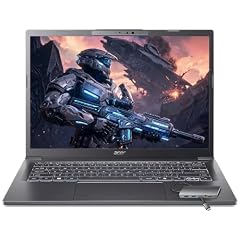
Acer Aspire Laptop 2026
- CPU
- Intel Core Ultra 7 258V
- RAM
- 32 GB
- Storage
- 1000 GB
- Screen
- 14 in
- Touchscreen
- Yes
- Weight
- 1.4 kg
- OS
- Windows 11 Home
$1,149.99 (as of 10/20/2026 15:20 PDT - Details)
At 1.4 kg it is the lightest laptop in this list. It uses an Intel Core Ultra 7 258V, for which Intel lists 32GB as the maximum memory, so this configuration has all the memory the chip supports, plus a 14-inch touch screen and 1TB of storage.
Pros
- 1.4 kg, the lightest in this list
- Intel Core Ultra 7 258V: 8 cores per Intel
- 14-inch touch screen
- 1TB of storage
Cons
- Memory cannot go beyond 32GB, per Intel's maximum for the chip
- No dedicated GPU
Good fit if
- Office workers who keep many apps and tabs open
- Students who carry their laptop all day
Skip if
- You game or render 3D
- You may need more than 32GB later
Verdict: The portable way to get 32GB for everyday multitasking.
3 Best business laptop
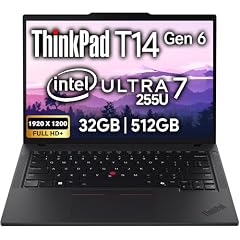
Lenovo ThinkPad T14 Gen 6 Business Laptop 14" FHD+ IPS
- CPU
- Intel Core Ultra 7 255U
- RAM
- 32 GB
- Storage
- 512 GB
- Screen
- 14 in
- Touchscreen
- No
- OS
- Windows 11 Pro
$1,639.95 (as of 10/20/2026 15:22 PDT - Details)
It pairs 32GB with an Intel Core Ultra 7 255U, Windows 11 Pro and a 14-inch FHD+ screen in Lenovo's ThinkPad business line. Its 512GB drive is the smallest among the picks, which suits users whose files live on company servers.
Pros
- Intel Core Ultra 7 255U
- Windows 11 Pro
- 14-inch FHD+ screen
- 5MP webcam per the listing title
Cons
- 512GB of storage, the least in this list
- Weight not stated by the seller
Good fit if
- Business users who run many office and meeting apps at once
- IT buyers standardizing on ThinkPads
Skip if
- You keep large files locally
- You need a dedicated GPU
Verdict: A business laptop with generous memory and modest storage.
4 Best 16-inch work laptop

Dell 16 Plus Laptop DB16250 Intel Core Ultra 7 258V 32GB LPDDR5X 2TB SSD
- CPU
- Intel Core Ultra 7 258V
- RAM
- 32 GB
- Storage
- 2000 GB
- Screen
- 16 in
- Weight
- 1.87 kg
- OS
- Windows 11 Pro
$1,599.99 (as of 10/20/2026 15:20 PDT - Details)
It pairs 32GB with the Intel Core Ultra 7 258V, a 16-inch touch screen and 2TB of storage at 1.87 kg. Like the Acer Aspire, its memory is already at the 32GB maximum Intel lists for the chip, but it adds a larger screen and twice the storage.
Pros
- 2TB of storage, tied for the most in this list
- 16-inch touch screen
- Windows 11 Pro
- 1.87 kg
Cons
- Memory cannot go beyond 32GB, per Intel's maximum for the chip
- No dedicated GPU
Good fit if
- Home offices that want a large screen and plenty of local space
- Users who keep photo libraries on the laptop
Skip if
- You game
- You carry your laptop daily and want under 1.5 kg
Verdict: The large-screen, large-storage version of a 32GB work laptop.
5 Best 15.6-inch everyday pick
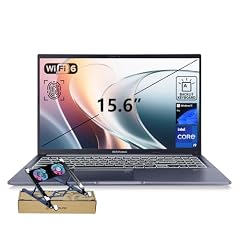
ASUS Vivobook 15 Laptop
- CPU
- Intel Core i9-13900H
- RAM
- 32 GB
- Storage
- 1000 GB
- Screen
- 15.6 in
- Touchscreen
- No
- Weight
- 1.7 kg
- OS
- Windows 11 Pro
$1,199.00 (as of 10/20/2026 15:20 PDT - Details)
It pairs 32GB with an Intel Core i9-13900H, 1TB of storage and Windows 11 Pro on a 15.6-inch FHD screen at 1.7 kg. It uses an H-series processor rather than the U-series chips of the thin work picks.
Pros
- Intel Core i9-13900H
- Windows 11 Pro
- 1TB of storage
- 1.7 kg
Cons
- Previous-generation Intel 13th Gen processor
- No dedicated GPU
Good fit if
- Developers who compile code and run containers
- Users who want Windows 11 Pro on a mainstream laptop
Skip if
- You need a dedicated GPU
- You want a current-generation processor
Verdict: A plain 15.6-inch laptop with a strong processor and plenty of memory.
6 Best touch-screen 15.6-inch pick

Inspiron 15 3530 Laptop
- CPU
- Intel Core i7-1355U
- RAM
- 32 GB
- Storage
- 1000 GB
- Screen
- 15.6 in
- Touchscreen
- Yes
- Weight
- 1.65 kg
- OS
- Windows 11 Home
$894.95 (as of 10/20/2026 15:21 PDT - Details)
The Dell Inspiron 15 3530 pairs 32GB with an Intel Core i7-1355U, a 15.6-inch FHD touch screen and 1TB of storage at 1.65 kg, lighter than the Vivobook 15.
Pros
- 15.6-inch FHD touch screen
- Intel Core i7-1355U
- 1TB of storage
- 1.65 kg
Cons
- Previous-generation Intel 13th Gen processor
- Windows 11 Home rather than Pro
Good fit if
- Home users who multitask heavily in office apps and browsers
- Students who want a touch screen and lots of memory
Skip if
- You need a dedicated GPU
- You need Windows 11 Pro features
Verdict: A touch-screen everyday laptop with room to multitask.
7 Largest screen for work

HP 17" Copilot AI Business Laptop
- CPU
- Intel Core Ultra 5 255U
- RAM
- 32 GB
- Storage
- 1000 GB
- Screen
- 17 in
- Weight
- 2.08 kg
- OS
- Windows 11 Home
$999.00 (as of 10/20/2026 15:21 PDT - Details)
It is the only 17-inch pick, pairing 32GB with an Intel Core Ultra 5 255U and 1TB of storage at 2.08 kg. It suits a desk where a big screen matters more than portability.
Pros
- 17-inch screen, the largest among the work picks
- Intel Core Ultra 5 255U
- 1TB of storage
Cons
- 2.08 kg, the heaviest pick without a dedicated GPU
- Windows 11 Home rather than Pro
Good fit if
- Home offices that want a big screen without a monitor
- Users who work on wide spreadsheets
Skip if
- You carry your laptop often
- You need a dedicated GPU
Verdict: The big-screen desk option among the 32GB work laptops.
8 Best Surface pick

Microsoft Surface Laptop 5 15" Touchscreen Notebook
- CPU
- Intel Core i7-1265U
- RAM
- 32 GB
- Storage
- 1000 GB
- Screen
- 15 in
- Touchscreen
- Yes
- Weight
- 1.56 kg
$1,999.99 (as of 10/20/2026 15:22 PDT - Details)
The Microsoft Surface Laptop 5 15-inch pairs 32GB with an Intel Core i7-1265U, a 2496 by 1664 touch screen per the listing title and 1TB of storage at 1.56 kg. It is an older model, so weigh that against the current-generation picks.
Pros
- 1.56 kg, the second lightest pick
- 15-inch 2496 by 1664 touch screen per the listing title
- 1TB of storage
Cons
- Intel 12th Gen processor, the oldest generation among the picks
- Operating system not stated in the specifications
Good fit if
- Buyers who want Microsoft's own hardware
- Writers and office users who like a tall 3:2 screen
Skip if
- You want a current-generation processor
- You need a dedicated GPU
Verdict: A light 15-inch touch laptop from Microsoft, one generation behind.
9 Best creator laptop

GIGABYTE AERO X16
- CPU
- AMD Ryzen AI 9 HX 370
- GPU
- GeForce RTX 5070
- RAM
- 32 GB
- Storage
- 1000 GB
- Screen
- 16 in
- Weight
- 1.9 kg
- OS
- Windows 11 Home
It pairs 32GB with an RTX 5070 and an AMD Ryzen AI 9 HX 370 at 1.9 kg, the lightest 16-inch pick with a dedicated GPU among those that state a weight. It suits photo and video work that benefits from a GPU without a heavy chassis.
Pros
- RTX 5070 with an AMD Ryzen AI 9 HX 370
- 1.9 kg, the lightest 16-inch pick with a dedicated GPU
- 1TB of storage
- Windows 11 Home
Cons
- Screen refresh and graphics memory not stated by the seller
- RTX 5070, below the RTX 5070 Ti in the Zephyrus G14
Good fit if
- Photo and video editors who travel
- Developers who want a GPU for local AI work
Skip if
- You want a high-refresh gaming screen confirmed in the listing
- You need the most graphics memory
Verdict: A light 16-inch creator machine with a mid-tier GPU.
10 Best RTX 5060 pick
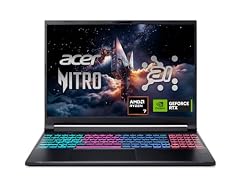
Acer Nitro V 16S AI Gaming Laptop
- CPU
- AMD Ryzen 7 260
- GPU
- GeForce RTX 5060 Laptop
- RAM
- 32 GB
- Storage
- 1000 GB
- Screen
- 16 in
- Refresh
- 180 Hz
- Weight
- 2.1 kg
$1,505.94 (as of 10/20/2026 15:20 PDT - Details)
It pairs 32GB with an RTX 5060, which NVIDIA lists with 8GB of GDDR7, an AMD Ryzen 7 260 and a 16-inch 180Hz screen at 2.1 kg. It is the entry to current-generation gaming in this list.
Pros
- RTX 5060: 8GB of GDDR7 per NVIDIA
- 16-inch 180Hz screen
- 1TB of storage
- 2.1 kg
Cons
- Operating system not stated by the seller
- RTX 5060, the entry GPU tier among the gaming picks
Good fit if
- Players who mainly run esports and 1080p-class settings
- Students who want 32GB and a gaming GPU
Skip if
- You play new releases at high settings
- You want an OLED screen: the Legion 5a has one
Verdict: A current RTX 50 gaming laptop with 32GB at the entry tier.
11 Best OLED gaming screen

Lenovo Legion 5a Gaming Laptop
- CPU
- AMD Ryzen 7 250
- GPU
- GeForce RTX 5060
- GPU memory
- 8 GB
- RAM
- 32 GB
- Storage
- 1000 GB
- Screen
- 15.3 in
- Refresh
- 165 Hz
- Weight
- 2.27 kg
$1,999.99 (as of 10/20/2026 15:21 PDT - Details)
Its 15.3-inch 2560 by 1600 OLED runs at 165Hz, and it pairs 32GB with an RTX 5060 and an AMD Ryzen 7 250 at 2.27 kg. It is also the only pick whose listing states a battery size, 80Wh.
Pros
- 15.3-inch 2560 by 1600 OLED at 165Hz
- RTX 5060 with 8GB of graphics memory
- 80Wh battery, the only battery size stated among the picks
- 1TB of storage
Cons
- RTX 5060, below the RTX 5070 picks
- 2.27 kg
Good fit if
- Players who value contrast for story-driven games
- Creators who want an OLED screen on a gaming laptop
Skip if
- You want 240Hz for competitive games
- You need an RTX 5070 or higher
Verdict: The screen-first gaming pick among the 32GB laptops.
12 Best RTX 5080 pick
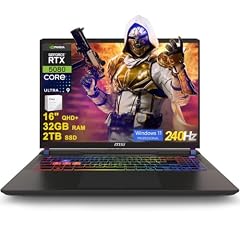
msi Vector 16 HX AI Gaming Laptop 16" QHD+ IPS 240Hz Intel 24-core Ultra
- CPU
- Intel Core Ultra 9 275HX
- GPU
- GeForce RTX 5080
- GPU memory
- 16 GB
- RAM
- 32 GB
- Storage
- 2000 GB
- Screen
- 16 in
- Refresh
- 240 Hz
- OS
- Windows 11 Pro
$2,889.48 (as of 10/20/2026 15:22 PDT - Details)
It pairs 32GB with an RTX 5080, which NVIDIA lists with 16GB of GDDR7, an Intel Core Ultra 9 275HX and a 16-inch QHD+ 240Hz screen, plus 2TB of storage.
Pros
- RTX 5080 with 16GB of graphics memory
- Core Ultra 9 275HX: 24 cores per Intel
- 16-inch QHD+ 240Hz screen
- 2TB of storage, tied for the most in this list
Cons
- Weight not stated by the seller
- HX processor built for plugged-in use, not battery life
Good fit if
- Players who want high frame rates at 1440p-class resolutions
- Creators who need 16GB of graphics memory
Skip if
- You carry your laptop daily
- An RTX 5070 Ti covers your games
Verdict: A 16-inch RTX 5080 machine with a fast screen and a large drive.
13 Most powerful GPU

ASUS ROG Strix SCAR 18
- CPU
- Intel Core Ultra 9 275HX
- GPU
- GeForce RTX 5090
- RAM
- 32 GB
- Storage
- 2000 GB
- Screen
- 18 in
- Refresh
- 240 Hz
- Weight
- 2.85 kg
- OS
- Windows 11 Pro
$4,499.99 (as of 10/20/2026 15:20 PDT - Details)
It is the only pick with an RTX 5090, which NVIDIA lists with 24GB of GDDR7, and pairs it with 32GB of memory, 2TB of storage and an 18-inch 2.5K 240Hz screen at 2.85 kg.
Pros
- RTX 5090: 24GB of GDDR7 per NVIDIA
- 18-inch 240Hz screen
- 2TB of storage, tied for the most
- Core Ultra 9 275HX: 24 cores per Intel
Cons
- 2.85 kg, the heaviest pick
- 18-inch footprint is hard to fit in many bags
Good fit if
- Players who want the top laptop GPU tier
- 3D artists who need 24GB of graphics memory
Skip if
- You carry your laptop often
- You need more than 32GB of memory for large scenes
Verdict: The top GPU in this list, with 32GB to support it.
14 Best mobile workstation

Dell Precision 7680 Laptop
- CPU
- Intel Core i7-13850HX
- GPU
- RTX 2000 Ada
- GPU memory
- 8 GB
- RAM
- 32 GB
- Storage
- 1000 GB
- Screen
- 16 in
- Weight
- 2.68 kg
- OS
- Windows 11 Pro
$2,599.99 (as of 10/20/2026 15:21 PDT - Details)
The Dell Precision 7680 is the workstation pick: an RTX 2000 Ada professional GPU with 8GB of graphics memory, an Intel Core i7-13850HX, 32GB of memory and Windows 11 Pro on a 16-inch screen at 2.68 kg.
Pros
- RTX 2000 Ada professional GPU with 8GB
- Intel Core i7-13850HX
- Windows 11 Pro
Cons
- 2.68 kg, one of the heavier picks
- Previous-generation Ada GPU and 13th Gen processor
Good fit if
- Engineers and architects who use professional 3D and CAD tools
- IT buyers standardizing on Dell's workstation line
Skip if
- You mainly game: the GeForce picks suit that better
- You want a light laptop
Verdict: The professional-GPU option for 32GB workstation tasks.
Side by side
| # | Laptop | CPU | GPU | GPU memory | Rentable GPU model | RAM | Storage |
|---|---|---|---|---|---|---|---|
| 1 | ASUS ROG Zephyrus G14 14" 3K OLED 120Hz Copilot+ PC Gaming Laptop | AMD Ryzen AI 9 HX 370 | GeForce RTX 5070 Ti | 12 GB | not stated | 32 GB | 1000 GB |
| 2 | Acer Aspire Laptop 2026 | Intel Core Ultra 7 258V | not stated | not stated | not stated | 32 GB | 1000 GB |
| 3 | Lenovo ThinkPad T14 Gen 6 Business Laptop 14" FHD+ IPS | Intel Core Ultra 7 255U | not stated | not stated | not stated | 32 GB | 512 GB |
| 4 | Dell 16 Plus Laptop DB16250 Intel Core Ultra 7 258V 32GB LPDDR5X 2TB SSD | Intel Core Ultra 7 258V | not stated | not stated | not stated | 32 GB | 2000 GB |
| 5 | ASUS Vivobook 15 Laptop | Intel Core i9-13900H | not stated | not stated | not stated | 32 GB | 1000 GB |
| 6 | Inspiron 15 3530 Laptop | Intel Core i7-1355U | not stated | not stated | not stated | 32 GB | 1000 GB |
| 7 | HP 17" Copilot AI Business Laptop | Intel Core Ultra 5 255U | not stated | not stated | not stated | 32 GB | 1000 GB |
| 8 | Microsoft Surface Laptop 5 15" Touchscreen Notebook | Intel Core i7-1265U | not stated | not stated | not stated | 32 GB | 1000 GB |
| 9 | GIGABYTE AERO X16 | AMD Ryzen AI 9 HX 370 | GeForce RTX 5070 | not stated | not stated | 32 GB | 1000 GB |
| 10 | Acer Nitro V 16S AI Gaming Laptop | AMD Ryzen 7 260 | GeForce RTX 5060 Laptop | not stated | not stated | 32 GB | 1000 GB |
| 11 | Lenovo Legion 5a Gaming Laptop | AMD Ryzen 7 250 | GeForce RTX 5060 | 8 GB | not stated | 32 GB | 1000 GB |
| 12 | msi Vector 16 HX AI Gaming Laptop 16" QHD+ IPS 240Hz Intel 24-core Ultra | Intel Core Ultra 9 275HX | GeForce RTX 5080 | 16 GB | not stated | 32 GB | 2000 GB |
| 13 | ASUS ROG Strix SCAR 18 | Intel Core Ultra 9 275HX | GeForce RTX 5090 | not stated | not stated | 32 GB | 2000 GB |
| 14 | Dell Precision 7680 Laptop | Intel Core i7-13850HX | RTX 2000 Ada | 8 GB | not stated | 32 GB | 1000 GB |
How we picked
How we picked: our catalogue lists 160 laptops that state 32GB of memory, and we reviewed 60 current listings among them. We dropped listings whose title and specifications disagree, low-end machines that pair 32GB with entry Pentium processors, and reseller rebuilds where a maker-sold option exists. We then chose picks across uses: light work laptops, business and creator machines, gaming laptops from RTX 5060 to RTX 5090, and one mobile workstation. GPU facts come from NVIDIA, CPU facts from Intel. Prices on this page are live: each one is read from the store listing and shown with the time it was read. Nobody at wikilaptop.org has tested these units; every comparison below is drawn from the stated specifications.
How to choose
Who needs 32GB
32GB is a comfortable amount for demanding work. It leaves room for a modern game next to a browser and voice chat, for photo and video editing with large files, and for software development with containers or virtual machines. For light browsing, documents and streaming it is more than you need; Microsoft's minimum for Windows 11 is 4GB, and 16GB already covers most everyday use.
Match the processor and GPU to the memory
32GB helps only if the rest of the system can use it. In this list, the thin work laptops use Intel U-series or V-series chips, the Vivobook uses an H-series chip, and the gaming and workstation picks use HX-class or high-power AMD chips with a dedicated GPU. Seven of the 14 picks carry a dedicated GPU, from the RTX 5060 to the RTX 5090 plus the RTX 2000 Ada workstation chip. NVIDIA lists 8GB of GDDR7 for the RTX 5060, 8GB or 12GB for the RTX 5070, 12GB for the RTX 5070 Ti, 16GB for the RTX 5080 and 24GB for the RTX 5090.
Can you upgrade later?
Check whether the memory is soldered or in slots before you buy. Some chips cap memory outright: Intel lists 32GB as the maximum for the Core Ultra 7 258V in the Acer Aspire and Dell 16 Plus, so those will stay at 32GB. If you may need 64GB within a few years, choose a model whose maker's spec page shows memory slots and a higher maximum.
Storage: do not starve a 32GB laptop
Storage in this list runs from 512GB to 2TB: ten picks have 1TB, three have 2TB and one has 512GB. Workloads that need 32GB, such as games, video projects and virtual machines, also tend to fill drives quickly, so 1TB is a sensible floor unless your files live on a server or in the cloud.
Weight and battery
Stated weights run from 1.4 kg (Acer Aspire) to 2.85 kg (ROG Strix SCAR 18). Memory itself is not the main battery drain; the processor, GPU and screen matter more. HX processors and high-tier GPUs are built for plugged-in use, so if you work unplugged, look at the U-series and V-series work laptops. Only one pick states a battery size, the Legion 5a at 80Wh, so check the maker's page for the others.
Questions
Is 32GB of RAM worth it for gaming?
Many games run with 16GB, but 32GB gives headroom for streaming, voice chat, a browser and mods at the same time, and it keeps the laptop comfortable as games grow. The GPU still decides frame rates more than memory does, so pick the GPU tier first: in this list that runs from the RTX 5060 to the RTX 5090.
Is 32GB enough for programming and virtual machines?
For typical development work, including containers and a small virtual machine, it is a comfortable amount. Very large builds, several virtual machines running together or large local AI models may call for 64GB. If that is likely, check whether the laptop's memory can be upgraded before you buy, since some chips cap memory at 32GB.
Do 32GB laptops have poor battery life?
Memory is not the main drain. Battery life depends more on the processor, graphics chip, screen and battery capacity. Laptops with HX processors and powerful RTX GPUs are built for plugged-in use and drain faster, while the thin work picks with U-series or V-series chips are designed for longer unplugged sessions.
Is 32GB of RAM overkill for a student?
For essays, browsing and video calls, yes: 16GB covers that comfortably. It makes sense for students in engineering, design, media or computer science who run heavy software, and for students who also game. The Acer Aspire and Zephyrus G14 in this list keep 32GB in a body light enough to carry to class.
Did you test these laptops?
No. Nobody at wikilaptop.org has used these units. We chose them from the specifications stated on each listing, cross-checked with NVIDIA, Intel and Microsoft published data. We do not describe speed, heat or noise from our own use, because those claims need testing we have not done.
Recent updates
- : First published.