
Best Laptops Under $1500 in 2026: 12 Picks Compared on Specs
Our top pick under $1500 is the 13-inch MacBook Air with the M5 chip, 16GB of memory and 512GB of storage: it weighs 1.23 kg, and Apple states up to 18 hours of video streaming. For Windows, the Acer Swift 16 AI brings 32GB of memory and a 16-inch touchscreen at 1.6 kg. The other 10 picks cover gaming, Chromebook and budget options. We chose every pick from stated specifications and makers' published data, not from lab tests.
12 picks from 390 laptops that match this guide with a price we can quote today. Every price below is live and carries the moment it was read.
The picks at a glance
Which one should you buy?
- For most people: The MacBook Air M5 gives you 16GB of memory in a 1.23 kg body, if your software runs on macOS. See pick 1
- For a Windows all-rounder: The Acer Swift 16 AI pairs a Ryzen AI 9 465 with 32GB of memory and a 16-inch 120Hz touchscreen at 1.6 kg. See pick 2
- For gaming on this budget: The Acer Nitro V 16S AI carries an RTX 5060 with 8GB of graphics memory, 32GB of system memory and a 180Hz screen. See pick 7
- For the lightest bag: The ASUS Zenbook 14 with a Snapdragon X Plus weighs 1.09 kg, the lightest in this list. See pick 4
The 12 picks
1 Best under $1500
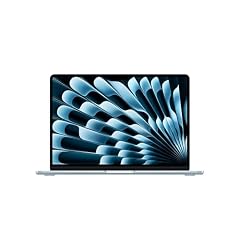
Apple 2026 MacBook Air 13-inch Laptop with M5 chip
- CPU
- Apple M5
- RAM
- 16 GB
- Storage
- 512 GB
- Screen
- 13 in
- Weight
- 1.23 kg
- OS
- macOS
$1,149.00 (as of 10/20/2026 15:20 PDT - Details)
It combines Apple's M5 chip with 16GB of memory and 512GB of storage in a 13.6-inch laptop at 1.23 kg. Apple states a 53.8 Wh battery and up to 18 hours of video streaming, and support for up to two external displays.
Pros
- Apple M5 with a 10-core CPU, per Apple
- 1.23 kg, among the lightest picks
- Up to 18 hours of video streaming, per Apple
- 16GB of memory
Cons
- 512GB of storage, and it cannot be upgraded later
- macOS does not run some Windows-only software and many PC games
Good fit if
- Students and professionals who want long runtime in a light laptop
- iPhone users who want everything in one ecosystem
Skip if
- You rely on Windows-only business software
- You want to play PC games
Verdict: The strongest all-round laptop under this budget for anyone who can work on macOS.
2 Best Windows all-rounder

Acer Swift 16 AI Laptop 16" WUXGA 120Hz Touchscreen
- CPU
- AMD Ryzen AI 9 465
- GPU
- Radeon 880M
- RAM
- 32 GB
- Storage
- 1000 GB
- Screen
- 16 in
- Refresh
- 120 Hz
- Touchscreen
- Yes
- Weight
- 1.6 kg
$1,241.49 (as of 10/20/2026 15:20 PDT - Details)
It pairs an AMD Ryzen AI 9 465 with Radeon 880M graphics, 32GB of memory and 1TB of storage with a 16-inch 120Hz touchscreen. At 1.6 kg it is the lightest 16-inch pick, and it ships with Windows 11 Pro.
Pros
- 32GB of memory, tied for the most in this list
- 1.6 kg, the lightest 16-inch pick
- 16-inch 120Hz touchscreen
- 1TB of storage and Windows 11 Pro
Cons
- Integrated graphics only
- 0.37 kg heavier than the MacBook Air
Good fit if
- Students and office workers who want a big screen they can carry
- Multitaskers who keep many apps open
Skip if
- You want to play demanding games
- You want the smallest possible laptop
Verdict: The most complete Windows package in this list for everyday work.
3 Best 14-inch Windows laptop

ASUS Zenbook 14 OLED Laptop
- CPU
- AMD Ryzen AI 9 465
- Storage
- 1000 GB
- Screen
- 14 in
- Touchscreen
- Yes
- Weight
- 1.28 kg
- OS
- Windows 11 Pro
$1,278.99 (as of 10/20/2026 15:20 PDT - Details)
It fits the same AMD Ryzen AI 9 465 as the Swift 16 AI into a 14-inch touchscreen laptop at 1.28 kg, with 1TB of storage and Windows 11 Pro. The listing title describes a 2K OLED touchscreen and a stylus.
Pros
- 1.28 kg with a 14-inch screen
- AMD Ryzen AI 9 465
- 1TB of storage and Windows 11 Pro
Cons
- Memory not stated by the seller
- Integrated graphics only
Good fit if
- Travelers who want a Windows alternative to the MacBook Air
- Note-takers who want a touchscreen
Skip if
- You need to confirm the memory size before buying
- You want a 16-inch screen
Verdict: A light, current-chip 14-inch Windows laptop, once you confirm its memory.
4 Lightest pick

ASUS Zenbook 14 AI Business Laptop
- CPU
- Qualcomm Snapdragon X Plus
- Storage
- 512 GB
- Screen
- 14 in
- Weight
- 1.09 kg
- OS
- Windows 11 Home
At 1.09 kg it is the lightest laptop in this list, with a Qualcomm Snapdragon X Plus and 512GB of storage on a 14-inch screen. It is an Arm-based Windows PC: Microsoft says x64 apps run under emulation on Arm, while Arm-native apps give the best performance and battery life.
Pros
- 1.09 kg, the lightest in this list
- Arm processor, which Microsoft describes as power-frugal
- 14-inch screen and 512GB of storage
Cons
- Memory not stated in the listing specifications
- Some older apps, games and drivers do not support Arm
Good fit if
- Frequent travelers whose apps are web-based or Arm-native
- Students who want the lightest possible bag
Skip if
- You depend on older Windows software or specialized peripherals
- You want to play PC games
Verdict: The lightest option here, best suited to modern and web-based apps.
5 Best Intel efficiency pick
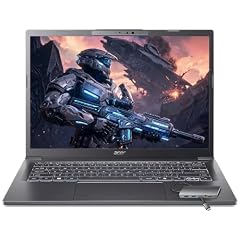
Acer Aspire Laptop 2026
- CPU
- Intel Core Ultra 7 258V
- RAM
- 32 GB
- Storage
- 1000 GB
- Screen
- 14 in
- Touchscreen
- Yes
- Weight
- 1.4 kg
- OS
- Windows 11 Home
$1,149.99 (as of 10/20/2026 15:20 PDT - Details)
It uses the Intel Core Ultra 7 258V, which Intel lists with a 17 W processor base power, and pairs it with 32GB of memory and 1TB of storage on a 14-inch touchscreen at 1.4 kg.
Pros
- Core Ultra 7 258V: 17 W base power per Intel
- 32GB of memory, tied for the most in this list
- 1TB of storage
- 1.4 kg
Cons
- Windows 11 Home, not Pro
- Integrated graphics only
Good fit if
- Buyers who want an efficient Intel chip for long days
- Students who want plenty of memory in a small laptop
Skip if
- You need Windows 11 Pro for work management
- You want a 16-inch screen
Verdict: A light, well-equipped Intel laptop built around an efficiency-first chip.
6 Most CPU power for office work
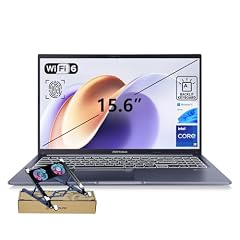
ASUS Vivobook 15 Laptop
- CPU
- Intel Core i9-13900H
- RAM
- 32 GB
- Storage
- 1000 GB
- Screen
- 15.6 in
- Touchscreen
- No
- Weight
- 1.7 kg
- OS
- Windows 11 Home
$1,169.00 (as of 10/20/2026 15:20 PDT - Details)
It puts an Intel Core i9-13900H, which Intel lists with 14 cores and 20 threads, into a 15.6-inch laptop at 1.7 kg with 32GB of memory and 1TB of storage. It suits heavy spreadsheets and local builds without a gaming chassis.
Pros
- Core i9-13900H: 14 cores and 20 threads per Intel
- 32GB of memory and 1TB of storage
- 1.7 kg for a 15.6-inch laptop
Cons
- Core i9-13900H: 45 W base power per Intel, much more than the 258V's 17 W
- Windows 11 Home, not Pro
Good fit if
- Analysts and developers who want CPU speed
- Buyers who want a 15.6-inch screen at a moderate weight
Skip if
- Battery life is your top priority
- You need a dedicated GPU
Verdict: The CPU-first choice for heavy office and coding work.
7 Best for gaming
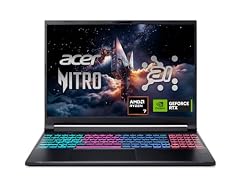
Acer Nitro V 16S AI Gaming Laptop
- CPU
- AMD Ryzen 7 260
- GPU
- GeForce RTX 5060 Laptop
- RAM
- 32 GB
- Storage
- 1000 GB
- Screen
- 16 in
- Refresh
- 180 Hz
- Weight
- 2.1 kg
$1,505.94 (as of 10/20/2026 15:20 PDT - Details)
Outside this guide's budget at today's price.
It carries an NVIDIA GeForce RTX 5060, a Blackwell laptop GPU that NVIDIA lists with 8GB of GDDR7, with an AMD Ryzen 7 260, 32GB of memory and 1TB of storage. The 16-inch screen runs at 180Hz, the fastest refresh stated in this list.
Pros
- RTX 5060 with 8GB of GDDR7, per NVIDIA
- 32GB of memory, tied for the most here
- 180Hz 16-inch screen, the fastest stated refresh here
- 2.1 kg, lighter than the ROG Strix G16
Cons
- Operating system not stated by the seller
- 2.1 kg, heavier than any non-gaming pick
Good fit if
- Players who want current-generation graphics on this budget
- Students who game and also need 32GB for coursework
Skip if
- You do not play games: a lighter ultrabook suits you better
- You need a laptop under 1.5 kg
Verdict: The strongest gaming specification in this list.
8 Best RTX 5050 gaming pick

ASUS ROG Strix G16 Gaming Laptop
- CPU
- Intel Core i5
- GPU
- GeForce RTX 5050 Laptop
- RAM
- 16 GB
- Storage
- 512 GB
- Screen
- 16 in
- Refresh
- 165 Hz
- Weight
- 2.65 kg
- OS
- Windows 11 Home
$1,259.23 (as of 10/20/2026 15:20 PDT - Details)
It pairs an NVIDIA GeForce RTX 5050, which NVIDIA lists with 8GB of GDDR7, with 16GB of memory, 512GB of storage and a 16-inch 165Hz screen. It is a way into ASUS's ROG line on this budget.
Pros
- RTX 5050 with 8GB of GDDR7, per NVIDIA
- 16-inch 165Hz screen
- 16GB of memory
Cons
- 2.65 kg, the heaviest stated weight in this list
- 512GB of storage fills quickly with games
- Exact Intel Core i5 model not stated by the seller
Good fit if
- Players who mostly run esports titles at high refresh
- Buyers who stay at a desk
Skip if
- You want the RTX 5060: see the Nitro V 16S AI
- You carry your laptop daily
Verdict: An entry into current NVIDIA graphics, heavier than the Nitro V 16S AI.
9 Best previous-generation gaming pick
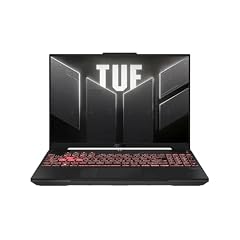
ASUS TUF Gaming A16 Laptop
- CPU
- AMD Ryzen 7 7445HS
- GPU
- GeForce RTX 4050
- RAM
- 16 GB
- Storage
- 512 GB
- Screen
- 16 in
- Refresh
- 145 Hz
- OS
- Windows 11
$1,199.99 (as of 10/20/2026 15:20 PDT - Details)
It carries an NVIDIA GeForce RTX 4050, an Ada Lovelace generation GPU one generation behind the RTX 50 series, with an AMD Ryzen 7 7445HS, 16GB of memory and a 16-inch 145Hz screen.
Pros
- Dedicated RTX 4050 GPU
- 16-inch 145Hz screen
- 16GB of memory
Cons
- Previous GPU generation compared with the RTX 5050 and 5060 picks
- Weight not stated by the seller
- 512GB of storage
Good fit if
- Casual players and students who want a dedicated GPU
- Buyers who want an AMD processor with NVIDIA graphics
Skip if
- You want the current RTX 50 generation
- You need a stated weight
Verdict: A dedicated-GPU option for lighter gaming, one generation back.
10 Best screen for creative work

Acer Swift 16 AI Laptop 16" WQXGA+ 3200x2000 OLED 120Hz Intel 14-core
- CPU
- Intel Core Ultra 5 125H
- RAM
- 8 GB
- Storage
- 1000 GB
- Screen
- 16 in
- Refresh
- 120 Hz
- OS
- Windows 11 Pro
$909.00 (as of 10/20/2026 15:20 PDT - Details)
The listing title describes a 16-inch 3200 x 2000 OLED panel at 120Hz, the highest resolution named in any Windows listing here, with an Intel Core Ultra 5 125H, 1TB of storage and Windows 11 Pro. Intel lists 14 cores and Intel Arc graphics for the 125H.
Pros
- 16-inch OLED, 3200 x 2000 at 120Hz per the listing title
- Core Ultra 5 125H: 14 cores per Intel
- 1TB of storage and Windows 11 Pro
Cons
- 8GB of memory, tied for the least in this list
- Weight not stated by the seller
Good fit if
- Photo editors and designers who value screen sharpness
- Buyers who want a large OLED for video
Skip if
- You multitask heavily: 8GB is tight
- You want a stated weight before buying
Verdict: The sharpest Windows screen here, held back by 8GB of memory.
11 Best Chromebook

Acer Chromebook Plus 514 Laptop with Google AI
- CPU
- Intel Core i3-1315U
- RAM
- 8 GB
- Storage
- 256 GB
- Screen
- 14 in
- Weight
- 1.41 kg
- OS
- ChromeOS
$599.99 (as of 10/20/2026 15:20 PDT - Details)
It runs ChromeOS on an Intel Core i3-1315U with 8GB of memory and 256GB of storage on a 14-inch touchscreen at 1.41 kg. It is the only ChromeOS pick, for buyers who live in a browser and Google apps.
Pros
- ChromeOS: simple updates and management
- 1.41 kg with a 14-inch screen
- Intel Core i3-1315U
Cons
- 256GB of storage, the smallest in this list
- 8GB of memory
- Does not run Windows or macOS apps
Good fit if
- Students whose school uses Google Workspace
- Households that want a simple shared laptop
Skip if
- You need desktop Windows or Mac software
- You edit photos or video locally
Verdict: The browser-first pick for users who do not need a full desktop OS.
12 Best basic 16-inch laptop

ASUS Vivobook 16 Laptop
- CPU
- AMD Ryzen 5 150
- RAM
- 8 GB
- Storage
- 512 GB
- Screen
- 16 in
- Weight
- 1.88 kg
- OS
- Windows 11 Home
$571.81 (as of 10/20/2026 15:20 PDT - Details)
It pairs an AMD Ryzen 5 150 with 8GB of memory and 512GB of storage on a 16-inch WUXGA (1920 x 1200) screen at 1.88 kg. It covers browsing, documents and streaming for buyers who do not need more.
Pros
- 16-inch 1920 x 1200 screen
- 512GB of storage
- 1.88 kg
Cons
- 8GB of memory, tied for the least in this list
- Windows 11 Home, not Pro
Good fit if
- Home users who browse, write and stream
- Buyers who want a large screen for simple tasks
Skip if
- You multitask heavily or edit media
- You want the lightest 16-inch: the Swift 16 AI weighs 1.6 kg
Verdict: A simple large-screen laptop for light everyday use.
Side by side
| # | Laptop | CPU | GPU | GPU memory | Rentable GPU model | RAM | Storage |
|---|---|---|---|---|---|---|---|
| 1 | Apple 2026 MacBook Air 13-inch Laptop with M5 chip | Apple M5 | not stated | not stated | not stated | 16 GB | 512 GB |
| 2 | Acer Swift 16 AI Laptop 16" WUXGA 120Hz Touchscreen | AMD Ryzen AI 9 465 | Radeon 880M | not stated | not stated | 32 GB | 1000 GB |
| 3 | ASUS Zenbook 14 OLED Laptop | AMD Ryzen AI 9 465 | not stated | not stated | not stated | not stated | 1000 GB |
| 4 | ASUS Zenbook 14 AI Business Laptop | Qualcomm Snapdragon X Plus | not stated | not stated | not stated | not stated | 512 GB |
| 5 | Acer Aspire Laptop 2026 | Intel Core Ultra 7 258V | not stated | not stated | not stated | 32 GB | 1000 GB |
| 6 | ASUS Vivobook 15 Laptop | Intel Core i9-13900H | not stated | not stated | not stated | 32 GB | 1000 GB |
| 7 | Acer Nitro V 16S AI Gaming Laptop | AMD Ryzen 7 260 | GeForce RTX 5060 Laptop | not stated | not stated | 32 GB | 1000 GB |
| 8 | ASUS ROG Strix G16 Gaming Laptop | Intel Core i5 | GeForce RTX 5050 Laptop | not stated | not stated | 16 GB | 512 GB |
| 9 | ASUS TUF Gaming A16 Laptop | AMD Ryzen 7 7445HS | GeForce RTX 4050 | not stated | not stated | 16 GB | 512 GB |
| 10 | Acer Swift 16 AI Laptop 16" WQXGA+ 3200x2000 OLED 120Hz Intel 14-core | Intel Core Ultra 5 125H | not stated | not stated | not stated | 8 GB | 1000 GB |
| 11 | Acer Chromebook Plus 514 Laptop with Google AI | Intel Core i3-1315U | not stated | not stated | not stated | 8 GB | 256 GB |
| 12 | ASUS Vivobook 16 Laptop | AMD Ryzen 5 150 | not stated | not stated | not stated | 8 GB | 512 GB |
How we picked
How we picked: our catalogue holds 318 laptops whose current price reads under $1500, and we worked from the 60 current listings among them. We removed machines with 4GB of memory or older Celeron-class chips, since this budget buys far more, listings from unknown makers with missing core specs, and near-duplicate configurations of the same model. We then kept strong options for everyday work, light travel, gaming, and ChromeOS, preferring established makers sold new. Chip facts come from Apple, Intel and NVIDIA. Prices on this page are live: each one is read from the store listing and shown with the time it was read, and a laptop can drop out of this price tier if its price changes. Nobody at wikilaptop.org has tested these units.
How to choose
Decide between a light laptop and a gaming laptop
This budget covers two very different machines. Light laptops such as the MacBook Air, Zenbook 14 and Swift 16 AI weigh 1.09 kg to 1.6 kg and rely on integrated graphics. Gaming laptops such as the Nitro V 16S AI and ROG Strix G16 add an NVIDIA GPU and fast screens but weigh 2.1 kg to 2.65 kg.
Three of the 12 picks have a dedicated GPU. If you do not game, render 3D or edit heavy video, the light laptops are the better fit.
Memory: 16GB is the floor, 32GB is the comfortable target
In this list four picks have 32GB of memory, three have 16GB, three have 8GB and two do not state it. 16GB handles everyday work; 32GB gives room for virtual machines, big photo projects and many open apps.
On a MacBook, memory cannot be upgraded after purchase. On Windows laptops, check the maker's spec page for slots before planning an upgrade, since many thin laptops solder memory to the board.
Processor: efficiency or raw speed
Intel lists a 17 W processor base power for the Core Ultra 7 258V in the Acer Aspire, against 45 W for the Core i9-13900H in the Vivobook 15. The lower figure favors battery life and quiet operation; the higher one favors sustained CPU speed.
The Snapdragon X Plus in the Zenbook 14 is an Arm chip. Microsoft notes that x64 apps run under emulation on Arm, so check your essential apps first.
Graphics for gaming: what the GPU name tells you
NVIDIA lists 8GB of GDDR7 for both the RTX 5050 and RTX 5060 laptop GPUs, which use the Blackwell architecture. The RTX 4050 in the TUF A16 belongs to the previous Ada Lovelace generation.
The same GPU name can perform differently between laptops, because each maker sets its own power limit. Check the maker's spec page when two options look equal.
Operating system and storage
One pick runs macOS, one runs ChromeOS, nine list Windows 11 (three of them Pro) and the Nitro V 16S AI does not state its operating system. Choose the system your software needs first. Storage runs from 256GB on the Chromebook to 1TB on six picks; 512GB is fine for documents, while 1TB suits games and media libraries.
Questions
Can I get a good gaming laptop under $1500?
Yes. Three picks here have a dedicated NVIDIA GPU, and two of them use the current RTX 50 series: the Nitro V 16S AI with an RTX 5060 and the ROG Strix G16 with an RTX 5050, both with 8GB of GDDR7 per NVIDIA. Check the refresh rate and the GPU power limit on the maker's page before buying.
Is 16GB of memory enough at this budget?
For office work, study and browsing, yes. For virtual machines, large photo or video projects and heavy multitasking, 32GB gives more room, and four picks in this list have it. Avoid 8GB if you plan to keep the laptop for several years, since memory is often soldered in thin laptops.
MacBook Air or Windows laptop under $1500?
The MacBook Air M5 is the lighter, simpler choice if your software runs on macOS; Apple states up to 18 hours of video streaming. A Windows laptop such as the Swift 16 AI gives you 32GB of memory, a 16-inch touchscreen and full Windows software support. Pick the operating system your work depends on first.
Why might a laptop disappear from this list?
The list is built from laptops whose live price reads under $1500. Each price is read from the store listing and shown with the time it was read, so a price change can push a pick above the threshold. We update the guide when that happens, and we never write price comparisons into the text.
Did you test these laptops?
No. Nobody at wikilaptop.org has used these units. We chose them from the specifications stated on each listing, cross-checked with Apple, Intel and NVIDIA published data, and we say so wherever it matters. We do not describe heat, noise or keyboard feel, because those claims need testing we have not done.
Recent updates
- : First published.