
Best Intel Core i9-13900H Laptops in 2026: 5 Picks Compared
Our top pick is the Acer Nitro V with an RTX 5060: it pairs the Core i9-13900H, which Intel lists with 14 cores and 20 threads, with a current Blackwell-generation GPU, a 165Hz screen and a 1TB drive. For work without a dedicated GPU, the ASUS Vivobook 15 with 32GB of memory weighs 1.7 kg and states Windows 11 Pro. All five picks have 15.6-inch screens. We compared them on published specifications only, not lab tests.
5 picks from 5 laptops that match this guide with a price we can quote today. Every price below is live and carries the moment it was read.
The picks at a glance
| # | Pick | Laptop | Price |
|---|---|---|---|
| 1 | Best overall | Acer Nitro V Gaming Laptop | |
| 2 | Best for work without a dedicated GPU | ASUS Vivobook 15 Laptop | $1,199.00 (as of 10/20/2026 16:20 PDT - Details) |
| 3 | Most memory and storage | ASUS Vivobook 15 Laptop | |
| 4 | Previous-generation RTX 4060 option | Acer Nitro V Gaming Laptop | $1,699.99 (as of 10/20/2026 16:20 PDT - Details) |
| 5 | Only Windows 11 Home configuration | ASUS Vivobook 15 Laptop | $1,099.00 (as of 10/20/2026 16:20 PDT - Details) |
Which one should you buy?
- For gaming on a current GPU: The Nitro V with an RTX 5060 is the only pick with an RTX 50 series GPU, plus a 165Hz screen and 1TB of storage. See pick 1
- For office, coding and photo work: The Vivobook 15 with 32GB of memory and 1TB of storage weighs 1.7 kg and ships with Windows 11 Pro per the listing. See pick 2
- For heavy multitasking and large files: The Vivobook 15 with 48GB of memory and a 2TB drive has the most memory and storage in this list. See pick 3
The 5 picks
1 Best overall

Acer Nitro V Gaming Laptop
- CPU
- Intel Core i9-13900H
- GPU
- GeForce RTX 5060 Laptop
- RAM
- 16 GB
- Storage
- 1000 GB
- Screen
- 15.6 in
- Refresh
- 165 Hz
- Weight
- 2.11 kg
It is the only pick with a current RTX 50 series GPU, an RTX 5060 built on NVIDIA's Blackwell architecture, which lets the i9-13900H's 14 cores show in games. Compared with the other Nitro V, it has a faster 165Hz screen and twice the storage.
Pros
- RTX 5060, the only RTX 50 series GPU in this list
- 15.6-inch screen at 165Hz, the fastest refresh here
- 1TB of storage
Cons
- 16GB of memory, less than any Vivobook 15 pick
- 2.11 kg, heavier than the 1.7 kg Vivobook 15 picks
- Operating system not stated by the seller
Good fit if
- Players who want current NVIDIA graphics with a strong H-series processor
- Students who game and also run coding or editing tools
Skip if
- You do not play games and want the lightest laptop here
- You want 32GB of memory out of the box
Verdict: The most capable all-round use of the i9-13900H in this list.
2 Best for work without a dedicated GPU
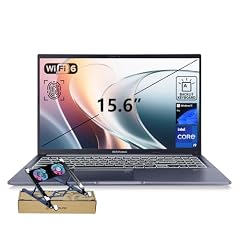
ASUS Vivobook 15 Laptop
- CPU
- Intel Core i9-13900H
- RAM
- 32 GB
- Storage
- 1000 GB
- Screen
- 15.6 in
- Touchscreen
- No
- Weight
- 1.7 kg
- OS
- Windows 11 Pro
$1,199.00 (as of 10/20/2026 16:20 PDT - Details)
Of the three Vivobook 15 configurations it sits in the middle, with 32GB of memory and a 1TB drive, which covers heavy multitasking for most people. At 1.7 kg it is tied for the lightest pick, and the listing states Windows 11 Pro.
Pros
- 32GB of memory, double either Nitro V
- 1.7 kg, tied for the lightest here
- 1TB of storage
- Windows 11 Pro stated
Cons
- No dedicated GPU stated by the seller
- No touchscreen, per the listing
Good fit if
- Developers, analysts and office users who keep many apps open
- Business users who need Windows 11 Pro
Skip if
- You play current games
- You need more than 32GB for large datasets or virtual machines
Verdict: The balanced work configuration of the Vivobook 15 trio.
3 Most memory and storage
ASUS Vivobook 15 Laptop
- CPU
- Intel Core i9-13900H
- RAM
- 48 GB
- Storage
- 2000 GB
- Screen
- 15.6 in
- Touchscreen
- No
- Weight
- 1.7 kg
- OS
- Windows 11 Pro
With 48GB of memory and a 2TB drive it has the most of both in this list. It shares the 1.7 kg weight and 15.6-inch FHD screen of the other Vivobook 15 picks.
Pros
- 48GB of memory, the most in this list
- 2TB of storage, the most in this list
- 1.7 kg, tied for the lightest here
- Windows 11 Pro stated
Cons
- No dedicated GPU stated by the seller
- Near-duplicate of the 32GB Vivobook 15 with more memory and storage
Good fit if
- Users who run virtual machines or large spreadsheets and datasets
- Photographers who keep large libraries on the laptop
Skip if
- 32GB and 1TB already cover your work
- You want to play current games
Verdict: The Vivobook 15 for people who need room above 32GB.
4 Previous-generation RTX 4060 option

Acer Nitro V Gaming Laptop
- CPU
- Intel Core i9-13900H
- GPU
- GeForce RTX 4060 Laptop
- RAM
- 16 GB
- Storage
- 512 GB
- Screen
- 15.6 in
- Refresh
- 144 Hz
- Weight
- 2.11 kg
- OS
- Windows 11
$1,699.99 (as of 10/20/2026 16:20 PDT - Details)
It carries an RTX 4060, which NVIDIA lists with 8GB of GDDR6 on the Ada Lovelace architecture, one generation older than the RTX 5060 in the other Nitro V. Its screen runs at 144Hz and its drive is 512GB, both below the RTX 5060 model.
Pros
- RTX 4060 with 8GB of GDDR6 per NVIDIA
- 15.6-inch screen at 144Hz
- Windows 11 stated
Cons
- 512GB of storage, the least in this list
- 16GB of memory, less than any Vivobook 15 pick
- Previous-generation RTX 40 series GPU
Good fit if
- Players who mainly run esports and older titles
- Buyers comfortable adding storage later
Skip if
- You want the current RTX 50 series: the other Nitro V has an RTX 5060
- You install many large games
Verdict: A workable gaming option that trails the RTX 5060 Nitro V on paper.
5 Only Windows 11 Home configuration
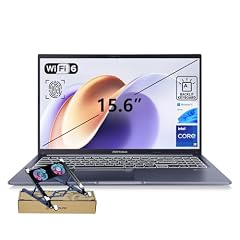
ASUS Vivobook 15 Laptop
- CPU
- Intel Core i9-13900H
- RAM
- 24 GB
- Storage
- 1000 GB
- Screen
- 15.6 in
- Touchscreen
- No
- Weight
- 1.7 kg
- OS
- Windows 11 Home
$1,099.00 (as of 10/20/2026 16:20 PDT - Details)
It is the entry configuration of the Vivobook 15 trio, with 24GB of memory and a 1TB drive, and the only pick whose listing states Windows 11 Home. It keeps the 1.7 kg weight of the other two.
Pros
- 24GB of memory, more than either Nitro V
- 1TB of storage
- 1.7 kg, tied for the lightest here
Cons
- Windows 11 Home, without the Pro features some workplaces require
- No dedicated GPU stated by the seller
Good fit if
- Home users and students who want a fast processor for everyday work
- Buyers who do not need Windows 11 Pro
Skip if
- Your employer manages devices and requires Windows 11 Pro
- You want 32GB or more for heavy multitasking
Verdict: The Vivobook 15 for home use, with less memory than its siblings.
Side by side
| # | Laptop | CPU | GPU | GPU memory | Rentable GPU model | RAM | Storage |
|---|---|---|---|---|---|---|---|
| 1 | Acer Nitro V Gaming Laptop | Intel Core i9-13900H | GeForce RTX 5060 Laptop | not stated | not stated | 16 GB | 1000 GB |
| 2 | ASUS Vivobook 15 Laptop | Intel Core i9-13900H | not stated | not stated | not stated | 32 GB | 1000 GB |
| 3 | ASUS Vivobook 15 Laptop | Intel Core i9-13900H | not stated | not stated | not stated | 48 GB | 2000 GB |
| 4 | Acer Nitro V Gaming Laptop | Intel Core i9-13900H | GeForce RTX 4060 Laptop | not stated | not stated | 16 GB | 512 GB |
| 5 | ASUS Vivobook 15 Laptop | Intel Core i9-13900H | not stated | not stated | not stated | 24 GB | 1000 GB |
How we picked
How we picked: our catalogue holds five laptops whose listing states an Intel Core i9-13900H, and all five are here because the pool is smaller than a full list. They come from two model families: three ASUS Vivobook 15 configurations that differ in memory and storage, and two Acer Nitro V configurations that differ in GPU, screen refresh and storage. We kept these near-duplicates because the pool holds nothing else, and each pick says what sets it apart. Processor facts come from Intel's specification page and GPU facts from NVIDIA. Prices on this page are live: each is read from the store listing and shown with the time it was read. Nobody at wikilaptop.org has tested these units; every comparison is drawn from stated specifications.
How to choose
What the Core i9-13900H is
Intel lists the Core i9-13900H with 14 cores (6 performance cores and 8 efficient cores), 20 threads, a 5.40 GHz maximum turbo frequency, 45W base power and 115W maximum turbo power. The H suffix marks a high-performance chip that fits thinner laptops than the HX chips, which Intel lists at 55W base power.
It suits programming, photo work, data analysis and gaming when a dedicated GPU is present. It draws more power under load than low-power U-series chips, so it is not the first choice for the longest battery life.
Dedicated GPU or integrated graphics
The two Acer Nitro V picks have a dedicated NVIDIA GPU: an RTX 5060 (Blackwell) or an RTX 4060 (Ada Lovelace). The three Vivobook 15 listings do not state a dedicated GPU, so plan on the processor's integrated graphics, which Intel lists as Iris Xe eligible.
Integrated graphics handle office work, video playback and light photo editing. For current games or GPU-heavy creative tools, choose a Nitro V.
Memory: 16GB to 48GB
Memory in this list runs from 16GB in both Nitro V picks to 24GB, 32GB and 48GB in the three Vivobook 15 configurations. Intel lists a maximum of 96GB for this processor, but the laptop sets the real limit, so check the maker's specifications for slots before planning an upgrade.
16GB runs most games; 32GB leaves more room for many browser tabs, development tools and virtual machines.
Storage, screen and weight
Storage runs from 512GB (the RTX 4060 Nitro V) to 2TB (the 48GB Vivobook 15); the other three have 1TB. All five have 15.6-inch screens. The Nitro V models state 165Hz and 144Hz; the Vivobook 15 listings describe an FHD screen without a refresh rate.
The Vivobook 15 picks state 1.7 kg and the Nitro V picks 2.11 kg, so the work machines are the easier ones to carry daily.
Windows 11 Home or Pro
Two Vivobook 15 listings state Windows 11 Pro, one states Windows 11 Home and the RTX 4060 Nitro V states Windows 11; the RTX 5060 Nitro V does not state its operating system. If your workplace manages devices or you need features such as BitLocker management, confirm the Pro edition on the listing before you buy.
Questions
Is the Intel Core i9-13900H good for gaming?
Yes, when the laptop has a dedicated GPU. Intel lists 14 cores and 20 threads, which is plenty for current games. In this list only the two Acer Nitro V models have one, an RTX 5060 or RTX 4060. The Vivobook 15 picks rely on integrated graphics, which suit light and older games only.
Does the i9-13900H run hot?
Any high-end laptop chip gets warm under long heavy loads. Intel lists 45W base power and up to 115W turbo power, and how much of that a laptop sustains depends on its cooling. We have not tested these units, so we do not describe heat or fan noise for any of them.
How is the i9-13900H different from HX chips?
Intel lists HX chips such as the Core i9-13950HX at 55W base power with more cores, for large gaming and workstation laptops. The i9-13900H has a 45W base power and fits slimmer designs, like the 1.7 kg Vivobook 15 picks here. Neither is a battery-life chip.
Did you test these laptops?
No. Nobody at wikilaptop.org has used these units. We chose and compared them from the specifications stated on each listing, cross-checked with Intel's and NVIDIA's published data. We do not describe heat, noise or keyboard feel, because those claims need testing we have not done.
Why do prices on this page change?
Each price is read live from the store listing and shown with the time it was read. Prices move often, so we never write price comparisons into the text. Check the time next to each price and open the listing to confirm the configuration before you buy.
Recent updates
- : First published.