
Best Gaming Laptops in 2026: 14 Picks Compared on Specs
Our top pick is the Acer Predator Helios Neo 16S AI with an RTX 5070 Ti: it pairs a 12GB graphics chip and a 240Hz screen with 32GB of memory, and at 2.3 kg it is lighter than every other 16-inch pick in this list with an RTX 5070 Ti or faster. The other 13 picks cover every GPU tier from an entry RTX 4050 to an RTX 5090. We chose all 14 from published specifications and the makers' own data, not from lab tests.
14 picks from 211 laptops that match this guide with a price we can quote today. Every price below is live and carries the moment it was read.
The picks at a glance
Which one should you buy?
- For most players: The Helios Neo 16S AI gives you an RTX 5070 Ti with 12GB of graphics memory and a 240Hz screen without going past 2.3 kg. See pick 1
- For maximum frame rates at high resolution: The ROG Strix SCAR 18 is the only pick with an RTX 5090, the laptop chip NVIDIA equips with 24GB of GDDR7. See pick 2
- For playing on the move: The Zephyrus G14 weighs 1.57 kg, the lightest in this list, and still carries an RTX 5070 Ti. See pick 4
- For a first gaming laptop: The MSI Cyborg A15 AI brings a current RTX 5050, 16GB of memory and 1TB of storage in a 1.95 kg chassis. See pick 13
The 14 picks
1 Best overall

acer Predator Helios Neo 16S AI Gaming Laptop
- CPU
- Intel Core Ultra 9 275HX
- GPU
- GeForce RTX 5070 Ti
- GPU memory
- 12 GB
- RAM
- 32 GB
- Storage
- 1000 GB
- Screen
- 16 in
- Refresh
- 240 Hz
- Weight
- 2.3 kg
It sits in the middle of the GPU ladder where most buyers land: an RTX 5070 Ti with 12GB of graphics memory, one step below the RTX 5080 picks. It keeps the 240Hz refresh and Core Ultra 9 275HX of the pricier machines while weighing less than the Legion Pro 7i (2.57 kg) and the Vector A16 HX (2.7 kg).
Pros
- RTX 5070 Ti with 12GB of graphics memory
- 240Hz 16-inch screen, tied for the fastest refresh in this list
- 2.3 kg, the lightest 16-inch pick with an RTX 5070 Ti or faster
- Intel Core Ultra 9 275HX: 24 cores per Intel
Cons
- 1TB of storage, a quarter of the Legion Pro 7i's
- 32GB of memory, half the Vector A16 HX's 64GB
Good fit if
- Players who want high frame rates on a 16-inch screen without a desktop-replacement weight
- Buyers who want 12GB of graphics memory for newer games at high texture settings
Skip if
- You want the fastest possible GPU: the RTX 5080 and RTX 5090 picks sit above it
- You carry your laptop daily and want something under 2 kg
Verdict: The most balanced mix of GPU tier, screen speed and weight among these 14.
2 Most powerful GPU

ASUS ROG Strix SCAR 18
- CPU
- Intel Core Ultra 9 275HX
- GPU
- GeForce RTX 5090
- RAM
- 32 GB
- Storage
- 2000 GB
- Screen
- 18 in
- Refresh
- 240 Hz
- Weight
- 2.85 kg
- OS
- Windows 11 Pro
$4,499.99 (as of 10/20/2026 15:20 PDT - Details)
It is the only laptop here with an RTX 5090, NVIDIA's top laptop GPU, which NVIDIA lists with 24GB of GDDR7 and 10,496 CUDA cores. The 18-inch 2.5K screen refreshes at 240Hz, and the machine weighs 2.85 kg, less than the 18-inch Helios Neo 18 AI at 3.3 kg.
Pros
- RTX 5090: 24GB of GDDR7 per NVIDIA, the most graphics memory of any pick
- 18-inch 2.5K screen at 240Hz
- 2TB of storage and 32GB of memory
- 2.85 kg, lighter than the other 18-inch pick
Cons
- 18-inch footprint is hard to fit in many backpacks
- 32GB of memory, half of the Vector A16 HX's 64GB
Good fit if
- Players who want the highest GPU tier for 1440p and above
- Buyers who also run local AI models that benefit from 24GB of graphics memory
Skip if
- You play mostly esports titles, where an RTX 5060 or 5070 already feeds a fast screen
- You need a laptop you will carry every day
Verdict: The pick for buyers who want the top of NVIDIA's laptop range and accept an 18-inch chassis.
3 Best RTX 5080 pick
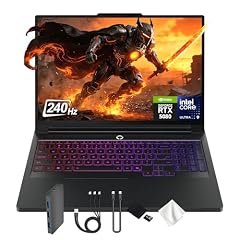
Lenovo Legion Pro 7i 16" WQXGA 240Hz Gaming Laptop
- CPU
- Intel Core Ultra 9 275HX
- GPU
- GeForce RTX 5080
- GPU memory
- 16 GB
- RAM
- 32 GB
- Storage
- 4000 GB
- Screen
- 16 in
- Refresh
- 240 Hz
- Weight
- 2.57 kg
$4,949.00 (as of 10/20/2026 15:21 PDT - Details)
It carries an RTX 5080 with 16GB of graphics memory in a 16-inch body at 2.57 kg, lighter than the other RTX 5080 pick, the MSI Vector A16 HX at 2.7 kg. Its storage is the largest in this list.
Pros
- RTX 5080 with 16GB of graphics memory
- 16-inch WQXGA screen at 240Hz
- At least 4TB of storage, the most among the picks
- 2.57 kg, lighter of the two RTX 5080 picks
Cons
- 32GB of memory, where the Vector A16 HX offers 64GB
- No battery size stated by the seller
Good fit if
- Players with a large game library who do not want to juggle installs
- Buyers who want RTX 5080 performance in a 16-inch chassis
Skip if
- You want the absolute top tier: the SCAR 18 has an RTX 5090
- Your budget stops at the mid tier, where the RTX 5070 picks sit
Verdict: A 16-inch RTX 5080 machine with more storage than anything else here.
4 Lightest with a dedicated GPU

ASUS ROG Zephyrus G14 14" 3K OLED 120Hz Copilot+ PC Gaming Laptop
- CPU
- AMD Ryzen AI 9 HX 370
- GPU
- GeForce RTX 5070 Ti
- GPU memory
- 12 GB
- RAM
- 32 GB
- Storage
- 1000 GB
- Screen
- 14 in
- Refresh
- 120 Hz
- Weight
- 1.57 kg
At 1.57 kg it is the lightest pick in this list, and no laptop with a dedicated GPU in the whole pool is lighter. It still carries an RTX 5070 Ti with 12GB of graphics memory, the same GPU tier as our top pick.
Pros
- 1.57 kg, the lightest laptop in this list
- RTX 5070 Ti with 12GB of graphics memory
- 14-inch 3K OLED screen per the listing
- 32GB of memory and 1TB of storage
Cons
- 120Hz refresh, the lowest among the picks
- 14-inch screen is the smallest in this list
Good fit if
- Students and travelers who carry their laptop every day
- Players who want a sharp OLED screen for story-driven games
Skip if
- You play competitive shooters and want 165Hz or faster
- You prefer a large screen for long sessions at a desk
Verdict: The portable choice: a 5070 Ti in the lightest body here.
5 Most memory

msi Vector A16 HX 16" QHD+ 240Hz Gaming Laptop
- CPU
- AMD Ryzen 9 8940HX
- GPU
- GeForce RTX 5080
- GPU memory
- 16 GB
- RAM
- 64 GB
- Storage
- 2000 GB
- Screen
- 16 in
- Refresh
- 240 Hz
- Weight
- 2.7 kg
$3,338.99 (as of 10/20/2026 15:22 PDT - Details)
It pairs an RTX 5080 with 64GB of system memory, the most in this list, and an AMD Ryzen 9 8940HX. It suits players who stream, record or keep many applications open next to a game.
Pros
- 64GB of memory, double every other pick with 32GB
- RTX 5080 with 16GB of graphics memory
- 16-inch QHD+ screen at 240Hz
- At least 2TB of storage
Cons
- 2.7 kg, heavier than the Legion Pro 7i with the same GPU
- The listing title mentions 3TB while the specifications list 2TB; confirm before buying
Good fit if
- Streamers who run capture and chat software while gaming
- Players who also edit video or run heavy creative tools
Skip if
- You only game, where 32GB is already plenty
- You want the lightest RTX 5080 option in this list
Verdict: The RTX 5080 pick for people whose laptop does more than games.
6 Best 18-inch without an RTX 5090
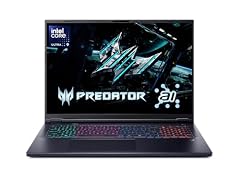
Acer Predator Helios Neo 18 AI Gaming Laptop
- CPU
- Intel Core Ultra 9 275HX
- GPU
- GeForce RTX 5070 Ti
- RAM
- 32 GB
- Storage
- 2000 GB
- Screen
- 18 in
- Refresh
- 240 Hz
- Weight
- 3.3 kg
It gives you an 18-inch 240Hz screen with an RTX 5070 Ti, which NVIDIA lists with 12GB of GDDR7, plus 2TB of storage. It is the big-screen alternative to the SCAR 18 for buyers who do not need an RTX 5090.
Pros
- 18-inch screen at 240Hz
- RTX 5070 Ti: 12GB of GDDR7 per NVIDIA
- 2TB of storage and 32GB of memory
- Core Ultra 9 275HX: 24 cores per Intel
Cons
- 3.3 kg, the heaviest pick in this list
- Operating system not stated by the seller
Good fit if
- Players who use their laptop as a desktop replacement
- Buyers who want the largest screen without paying for the top GPU tier
Skip if
- You carry your laptop often
- You want an OLED screen: the Legion 5a and Zephyrus G14 list one
Verdict: The 18-inch screen and a 5070 Ti, for a desk that rarely moves.
7 Best 240Hz RTX 5070 pick
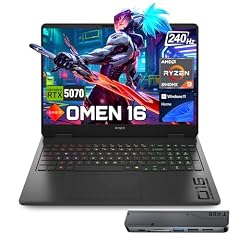
HP OMEN 16 RTX 5070 AMD Ryzen 9 8940HX 240Hz Gaming Laptop
- CPU
- AMD Ryzen 9 8940HX
- GPU
- RTX 5070
- GPU memory
- 8 GB
- RAM
- 32 GB
- Storage
- 1000 GB
- Screen
- 16 in
- Refresh
- 240 Hz
- Weight
- 2.45 kg
$2,199.00 (as of 10/20/2026 15:21 PDT - Details)
Among the three RTX 5070 picks it is the only one with a 240Hz screen; the MSI Katana 15 HX and Helios Neo 14 AI top out at 165Hz. It also has 32GB of memory and an AMD Ryzen 9 8940HX.
Pros
- 240Hz 16-inch screen, the fastest among the RTX 5070 picks
- RTX 5070 with 8GB of graphics memory
- 32GB of memory and 1TB of storage
- 2.45 kg
Cons
- 8GB of graphics memory, below the 12GB of the RTX 5070 Ti picks
- No battery size stated by the seller
Good fit if
- Competitive players who want a very high refresh rate
- Buyers who want a mid-tier GPU with 32GB of memory
Skip if
- You play demanding single-player games at high settings, where 12GB of graphics memory helps
- You want the lightest possible 16-inch laptop
Verdict: The mid-tier pick for players who care most about screen speed.
8 Best 15.6-inch RTX 5070 pick

msi Katana 15 HX 15.6” 165Hz QHD+ Gaming Laptop
- CPU
- Intel Core i9-14900HX
- GPU
- GeForce RTX 5070
- RAM
- 32 GB
- Storage
- 1000 GB
- Screen
- 15.6 in
- Refresh
- 165 Hz
- Weight
- 2.25 kg
- OS
- Windows 11 Home
$2,129.00 (as of 10/20/2026 15:22 PDT - Details)
It pairs an RTX 5070 with an Intel Core i9-14900HX, which Intel lists with 24 cores and 32 threads. The 15.6-inch QHD+ screen runs at 165Hz and the machine weighs 2.25 kg.
Pros
- Core i9-14900HX: 24 cores and 32 threads per Intel
- 15.6-inch QHD+ screen at 165Hz
- 32GB of memory and 1TB of storage
- 2.25 kg, lighter than the 16-inch RTX 5070 pick
Cons
- Graphics memory not stated by the seller
- 165Hz refresh, below the 240Hz of the HP OMEN 16
Good fit if
- Players who also compile code, render or run CPU-heavy tools
- Buyers who want a 15.6-inch footprint with a mid-tier GPU
Skip if
- You want a 240Hz screen
- You want 12GB of graphics memory
Verdict: A compact RTX 5070 machine with the strongest thread count here.
9 Best compact RTX 5070 pick

Acer Predator Helios Neo 14 AI Gaming Laptop
- CPU
- Intel Core Ultra 9 285H
- GPU
- GeForce RTX 5070
- RAM
- 32 GB
- Storage
- 1000 GB
- Screen
- 14.5 in
- Refresh
- 165 Hz
- Weight
- 1.9 kg
$1,897.49 (as of 10/20/2026 15:20 PDT - Details)
It fits an RTX 5070 into a 14.5-inch, 1.9 kg chassis, second lightest in this list after the Zephyrus G14. It also brings 32GB of memory and a 165Hz screen.
Pros
- 1.9 kg, second lightest pick
- RTX 5070 with a 14.5-inch 165Hz screen
- 32GB of memory and 1TB of storage
- Intel Core Ultra 9 285H
Cons
- RTX 5070, one tier below the Zephyrus G14's RTX 5070 Ti
- Graphics memory and operating system not stated by the seller
Good fit if
- Players who want a small laptop with a faster screen than the G14's 120Hz
- Students who game between classes
Skip if
- You want the strongest GPU in a small body: the G14 has an RTX 5070 Ti
- You want a large screen
Verdict: A small, fast-screen alternative to the Zephyrus G14.
10 Best RTX 5060 pick
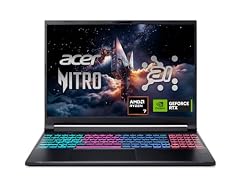
Acer Nitro V 16S AI Gaming Laptop
- CPU
- AMD Ryzen 7 260
- GPU
- GeForce RTX 5060 Laptop
- RAM
- 32 GB
- Storage
- 1000 GB
- Screen
- 16 in
- Refresh
- 180 Hz
- Weight
- 2.1 kg
$1,505.94 (as of 10/20/2026 15:20 PDT - Details)
Of the two RTX 5060 picks it has the faster screen, 180Hz against the Legion 5a's 165Hz, and a larger 16-inch panel. It also comes with 32GB of memory and 1TB of storage at 2.1 kg.
Pros
- RTX 5060: 8GB of GDDR7 per NVIDIA
- 16-inch screen at 180Hz
- 32GB of memory and 1TB of storage
- 2.1 kg
Cons
- Operating system not stated by the seller
- 8GB of graphics memory limits the highest texture settings in some newer games
Good fit if
- Players who mainly run 1080p-class settings and esports titles
- Buyers who want 32GB of memory at the RTX 5060 tier
Skip if
- You want an OLED screen: the Legion 5a has one
- You plan to play at 1440p with high settings
Verdict: The most complete RTX 5060 configuration in this list.
11 Highest-refresh OLED in this list

Lenovo Legion 5a Gaming Laptop
- CPU
- AMD Ryzen 7 250
- GPU
- GeForce RTX 5060
- GPU memory
- 8 GB
- RAM
- 32 GB
- Storage
- 1000 GB
- Screen
- 15.3 in
- Refresh
- 165 Hz
- Weight
- 2.27 kg
$1,999.99 (as of 10/20/2026 15:21 PDT - Details)
Its 15.3-inch WQXGA OLED runs at 165Hz, faster than the only other OLED pick, the 120Hz Zephyrus G14. It is also the only pick whose listing states a battery size, 80Wh.
Pros
- 15.3-inch 2560 x 1600 OLED at 165Hz
- RTX 5060 with 8GB of graphics memory
- 80Wh battery, the only battery size stated among the picks
- 32GB of memory at 2.27 kg
Cons
- RTX 5060 is a lower tier than the RTX 5070 picks
- Uses a Ryzen 7 250 rather than the HX-class processors of the faster picks
Good fit if
- Players who value contrast and color for story-driven games
- Buyers who want a known battery capacity
Skip if
- You want the fastest refresh for esports: several picks run at 240Hz
- You need RTX 5070 or higher performance
Verdict: The screen-first pick for players who want OLED at a mid GPU tier.
12 Only AMD Radeon GPU pick

ASUS TUF Gaming A16 Laptop 16" WUXGA 165Hz 100% sRGB AMD 8-core Ryzen 7
- CPU
- AMD Ryzen 7 7735HS
- GPU
- Radeon RX 7700S
- GPU memory
- 8 GB
- RAM
- 32 GB
- Storage
- 1000 GB
- Screen
- 16 in
- Refresh
- 165 Hz
- Weight
- 2.2 kg
$1,659.00 (as of 10/20/2026 15:20 PDT - Details)
It is the only pick with an AMD graphics chip, a Radeon RX 7700S with 8GB, for buyers who prefer AMD's driver and software stack. It pairs that with 32GB of memory and a 16-inch 165Hz screen at 2.2 kg.
Pros
- Radeon RX 7700S with 8GB of graphics memory
- 32GB of memory and 1TB of storage
- 16-inch WUXGA screen at 165Hz with 100% sRGB per the listing
- 2.2 kg
Cons
- No NVIDIA DLSS support, since that is an NVIDIA feature
- Ryzen 7 7735HS, the only Ryzen 7000-series CPU among the picks
Good fit if
- Buyers who want an AMD GPU
- Players who value an accurate 100% sRGB screen
Skip if
- You rely on DLSS frame generation in supported games
- You want a current-generation CPU
Verdict: The AMD graphics alternative in a mid-weight 16-inch body.
13 Lightest 15.6-inch pick

msi Cyborg A15 AI 15.6” FHD 144Hz Thin & Light Gaming Laptop
- CPU
- AMD Ryzen 7 260
- GPU
- GeForce RTX 5050
- RAM
- 16 GB
- Storage
- 1000 GB
- Screen
- 15.6 in
- Refresh
- 144 Hz
- Weight
- 1.95 kg
- OS
- Windows 11
$1,209.99 (as of 10/20/2026 15:22 PDT - Details)
At 1.95 kg it is the lightest 15.6-inch laptop here, lighter than the Nitro V (2.11 kg) and Katana 15 HX (2.25 kg). It uses a current RTX 5050 and comes with 1TB of storage.
Pros
- 1.95 kg, lightest among the 15.6-inch picks
- RTX 5050: 8GB of GDDR7 per NVIDIA
- 1TB of storage
- AMD Ryzen 7 260
Cons
- 16GB of memory, less than most picks
- 144Hz refresh, among the lowest here
Good fit if
- First-time buyers who play esports and older titles
- Students who want a light gaming laptop
Skip if
- You want to play new releases at high settings
- You want 32GB of memory out of the box
Verdict: A light entry into current RTX 50-series graphics.
14 Entry-level esports pick

Acer Nitro V Gaming Laptop
- CPU
- Intel Core i5-13420H
- GPU
- GeForce RTX 4050 Laptop
- RAM
- 8 GB
- Storage
- 512 GB
- Screen
- 15.6 in
- Refresh
- 165 Hz
- Weight
- 2.11 kg
$969.99 (as of 10/20/2026 15:20 PDT - Details)
It is the entry point of this list: an RTX 4050 with a 165Hz 15.6-inch screen, enough for esports titles at 1080p. It is also the pick with the least memory and storage, so plan on upgrades.
Pros
- 15.6-inch FHD screen at 165Hz
- RTX 4050 dedicated graphics
- 2.11 kg
Cons
- 8GB of memory, the least in this list
- 512GB of storage, the least in this list
- Previous-generation RTX 40-series GPU
Good fit if
- Players who mostly run esports titles like shooters and MOBAs
- Buyers comfortable adding memory or storage later
Skip if
- You play new AAA releases
- You do not want to upgrade parts yourself
Verdict: A basic starting point that needs more memory to age well.
Side by side
| # | Laptop | CPU | GPU | GPU memory | Rentable GPU model | RAM | Storage |
|---|---|---|---|---|---|---|---|
| 1 | acer Predator Helios Neo 16S AI Gaming Laptop | Intel Core Ultra 9 275HX | GeForce RTX 5070 Ti | 12 GB | not stated | 32 GB | 1000 GB |
| 2 | ASUS ROG Strix SCAR 18 | Intel Core Ultra 9 275HX | GeForce RTX 5090 | not stated | not stated | 32 GB | 2000 GB |
| 3 | Lenovo Legion Pro 7i 16" WQXGA 240Hz Gaming Laptop | Intel Core Ultra 9 275HX | GeForce RTX 5080 | 16 GB | not stated | 32 GB | 4000 GB |
| 4 | ASUS ROG Zephyrus G14 14" 3K OLED 120Hz Copilot+ PC Gaming Laptop | AMD Ryzen AI 9 HX 370 | GeForce RTX 5070 Ti | 12 GB | not stated | 32 GB | 1000 GB |
| 5 | msi Vector A16 HX 16" QHD+ 240Hz Gaming Laptop | AMD Ryzen 9 8940HX | GeForce RTX 5080 | 16 GB | not stated | 64 GB | 2000 GB |
| 6 | Acer Predator Helios Neo 18 AI Gaming Laptop | Intel Core Ultra 9 275HX | GeForce RTX 5070 Ti | not stated | not stated | 32 GB | 2000 GB |
| 7 | HP OMEN 16 RTX 5070 AMD Ryzen 9 8940HX 240Hz Gaming Laptop | AMD Ryzen 9 8940HX | RTX 5070 | 8 GB | not stated | 32 GB | 1000 GB |
| 8 | msi Katana 15 HX 15.6” 165Hz QHD+ Gaming Laptop | Intel Core i9-14900HX | GeForce RTX 5070 | not stated | not stated | 32 GB | 1000 GB |
| 9 | Acer Predator Helios Neo 14 AI Gaming Laptop | Intel Core Ultra 9 285H | GeForce RTX 5070 | not stated | not stated | 32 GB | 1000 GB |
| 10 | Acer Nitro V 16S AI Gaming Laptop | AMD Ryzen 7 260 | GeForce RTX 5060 Laptop | not stated | not stated | 32 GB | 1000 GB |
| 11 | Lenovo Legion 5a Gaming Laptop | AMD Ryzen 7 250 | GeForce RTX 5060 | 8 GB | not stated | 32 GB | 1000 GB |
| 12 | ASUS TUF Gaming A16 Laptop 16" WUXGA 165Hz 100% sRGB AMD 8-core Ryzen 7 | AMD Ryzen 7 7735HS | Radeon RX 7700S | 8 GB | not stated | 32 GB | 1000 GB |
| 13 | msi Cyborg A15 AI 15.6” FHD 144Hz Thin & Light Gaming Laptop | AMD Ryzen 7 260 | GeForce RTX 5050 | not stated | not stated | 16 GB | 1000 GB |
| 14 | Acer Nitro V Gaming Laptop | Intel Core i5-13420H | GeForce RTX 4050 Laptop | not stated | not stated | 8 GB | 512 GB |
How we picked
How we picked: we started from the 207 laptops in our catalogue that match the gaming group, meaning the listing states a separate graphics card and a screen that refreshes at 120Hz or faster. Twelve of those listings actually state only integrated Radeon 880M or 890M graphics, so we dropped them. We then preferred machines from established makers sold new, skipped reseller rebuilds and duplicate configurations of the same model, and kept one strong option per GPU tier, screen size and weight class. GPU facts come from NVIDIA's published laptop GPU specifications and CPU facts from Intel. Prices on this page are live: each one is read from the store listing and shown with the time it was read. Nobody at wikilaptop.org has tested these units; every comparison below is drawn from the stated specifications.
How to choose
Graphics: what the GPU name tells you
The GPU decides most of your frame rate. NVIDIA's laptop RTX 50 series runs from the RTX 5050 at the bottom to the RTX 5090 at the top, and graphics memory grows with the tier: NVIDIA lists 8GB for the RTX 5050 and 5060, 8GB or 12GB for the RTX 5070, 12GB for the RTX 5070 Ti, 16GB for the RTX 5080 and 24GB for the RTX 5090.
The name is not the whole story. NVIDIA publishes a boost clock range for each laptop GPU (for example 1,455 to 2,497 MHz for the RTX 5060), and each laptop maker chooses where in that range its design runs. Two laptops with the same GPU name can therefore perform differently. Makers do not always state the GPU power on the listing, so check the maker's spec page when two options look equal.
Screen: refresh rate first, then resolution
A higher refresh rate shows more frames per second and helps in fast games, but only if the GPU can produce them. In this list, six picks run at 240Hz, and the rest sit between 120Hz and 180Hz. A 240Hz screen makes most sense with an RTX 5070 or faster.
Resolution matters next. Higher resolutions such as QHD+ or 2.5K look sharper but ask more of the GPU. OLED panels (the Legion 5a and Zephyrus G14 in this list) offer deep blacks; the listing tells you the panel type, so read it before comparing.
Memory and storage
Twelve of the 14 picks come with 32GB of memory or more, which leaves room for a game, a browser and voice chat at once. The two exceptions are the Cyborg A15 AI (16GB) and the Nitro V (8GB). If you buy a lower-memory model, check the maker's page for how many memory slots it has before planning an upgrade.
Modern games often take a large share of a 1TB drive each. Storage in this list runs from 512GB to at least 4TB.
Processor: HX chips versus thinner designs
Most of the fastest picks use Intel's HX processors. Intel lists the Core Ultra 9 275HX with 24 cores and 55W base power, and the Core i9-14900HX with 24 cores, 32 threads and 55W base power. These chips help in CPU-bound games and in streaming or recording while you play.
Non-HX chips such as the Ryzen 7 250 and Core Ultra 9 285H appear in some of the lighter picks here, such as the Legion 5a and Helios Neo 14 AI. For pure gaming, the GPU tier usually matters more than the CPU.
Size and weight
Weight in this list runs from 1.57 kg (Zephyrus G14) to 3.3 kg (Helios Neo 18 AI). The 14-inch picks suit daily carrying; 16-inch models are the middle ground; the 18-inch models work best as desktop replacements. Remember that a gaming laptop's power adapter adds weight on top of the stated figure.
Questions
Which GPU do I need for 1440p gaming?
In this list, the RTX 5070 Ti picks are the practical starting point for 1440p at high settings, since NVIDIA gives that chip 12GB of graphics memory. An RTX 5070 or RTX 5060 can run many games at 1440p with lower settings or upscaling. For demanding releases at high settings, the RTX 5080 and RTX 5090 picks give the most headroom.
Is 16GB of memory enough for a gaming laptop?
It runs most games today, and the MSI Cyborg A15 AI in this list ships with 16GB. But 12 of our 14 picks come with 32GB or more, which leaves space for a browser, voice chat and recording software alongside the game. If you buy a 16GB model, check the maker's specifications for memory slots so you can upgrade later.
Did you test these laptops?
No. Nobody at wikilaptop.org has used these units. We chose them from the specifications stated on each listing, cross-checked with NVIDIA and Intel published data, and we say so wherever it matters. We do not describe heat, noise or keyboard feel, because those claims need testing we have not done.
Why do prices on this page change?
Each price is read live from the store listing and shown with the time it was read. Gaming laptop prices move often, so we never write price comparisons into the text. Check the time next to each price, and open the listing to confirm the configuration before you buy.
Are 18-inch gaming laptops worth it?
They make sense if the laptop mostly stays on a desk. The two 18-inch picks here weigh 2.85 kg and 3.3 kg, compared with 1.57 kg for the lightest pick. In return you get the largest screens in this list at 240Hz. If you carry your laptop daily, a 14-inch or 16-inch model is easier to live with.
Recent updates
- : First published.