
Best Laptops for Photo Editing in 2026: 13 Picks Compared on Specs
Our top pick for photo editing is the Lenovo ThinkPad P16 Gen 3: its listing pairs a 16-inch 3200x2000 OLED touch screen with 128GB of RAM, 4TB of storage and an NVIDIA RTX PRO 2000 with 8GB of GPU memory, which meets the RAM and GPU memory figures Adobe and Capture One publish. Lighter picks follow for editors who travel, plus two integrated-graphics options. Every pick was chosen from stated specifications and the software makers' published requirements, not from our own testing.
13 picks from 44 laptops that match this guide with a price we can quote today. Every price below is live and carries the moment it was read.
The picks at a glance
Which one should you buy?
- For large RAW catalogs: The ThinkPad P16 Gen 3 lists 128GB of RAM and 4TB of storage, the most of both in this list, behind a 3200x2000 OLED touch screen. See pick 1
- For travel and location shoots: The ThinkPad P1 Gen 8 weighs 1.84 kg and still lists 64GB of RAM, a professional NVIDIA GPU and a 16-inch OLED touch screen. See pick 2
- For AI Denoise and heavy GPU filters: The Legion Pro 7i Gen 10 carries an RTX 5090, which NVIDIA lists with 24GB of GPU memory, plus 64GB of RAM and a 16-inch OLED screen. See pick 5
- For a first editing laptop: The Lenovo LOQ 15.6 is the lightest pick at 1.36 kg and has a GeForce RTX 4050, enough to start with Lightroom and Photoshop. See pick 11
The 13 picks
1 Best overall
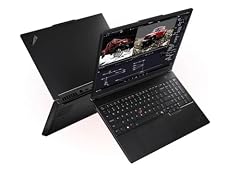
Lenovo ThinkPad P16 Gen 3 Intel
- CPU
- Intel Core Ultra 9 285HX
- GPU
- RTX PRO 2000
- GPU memory
- 8 GB
- RAM
- 128 GB
- Storage
- 4000 GB
- Screen
- 16 in
- Weight
- 2.54 kg
- OS
- Windows 11 Pro
It is the only pick with 128GB of RAM and 4TB of storage, and its listing describes a 16-inch 3200x2000 OLED touch screen. The NVIDIA RTX PRO 2000 with 8GB of GPU memory matches the 8GB of dedicated GPU memory Adobe asks for to run Lightroom Classic's AI tools with full GPU acceleration.
Pros
- 128GB of RAM and 4TB of storage, the most in this list
- 16-inch 3200x2000 OLED touch screen per the listing
- 8GB of GPU memory, in line with Adobe's figure for full GPU acceleration
- Intel Core Ultra 9 285HX and Windows 11 Pro
Cons
- 2.54 kg, the second heaviest pick with a stated weight
- Battery capacity not stated by the seller
- Color gamut coverage not stated by the seller
Good fit if
- Photographers with very large Lightroom catalogs kept on the internal drive
- Retouchers who stack many high-resolution layers in Photoshop
Skip if
- You carry your laptop on every shoot
- Your library already lives on a NAS or external drives
Verdict: The most complete photo editing spec sheet in this list, if you can live with the weight.
2 Best OLED laptop for travel

Lenovo 2026 ThinkPad P1 Gen 8 w Core Ultra 9 285H
- CPU
- Intel Core Ultra 9 285H
- GPU
- RTX PRO 2000
- RAM
- 64 GB
- Screen
- 16 in
- Refresh
- 120 Hz
- Touchscreen
- Yes
- Weight
- 1.84 kg
$4,548.80 (as of 10/20/2026 15:21 PDT - Details)
At 1.84 kg it is the lightest pick with both a professional NVIDIA GPU and 64GB of RAM, and the listing states a 16-inch OLED touch screen. The seller does not state storage or GPU memory, so the P16 Gen 3 is the safer choice if you need those figures confirmed.
Pros
- 1.84 kg with 64GB of RAM
- 16-inch OLED touch screen per the listing
- NVIDIA RTX PRO 2000 graphics
- Intel Core Ultra 9 285H
Cons
- Storage size not stated by the seller
- GPU memory not stated by the seller
- Operating system not stated by the seller
Good fit if
- Travel and event photographers who edit on the road
- Editors who want OLED contrast in a light 16-inch body
Skip if
- You need confirmed storage and GPU memory before buying
- You want the largest internal drive
Verdict: The lightest way in this list to get OLED, 64GB and a pro GPU together.
3 Highest stated screen resolution

Lenovo ThinkPad P16v Mobile Workstation
- CPU
- Intel Core Ultra 7 165H
- GPU
- RTX 2000 Ada
- GPU memory
- 8 GB
- RAM
- 32 GB
- Storage
- 1000 GB
- Screen
- 16 in
- Weight
- 1.68 kg
- OS
- Windows 11 Pro
$2,599.99 (as of 10/20/2026 15:22 PDT - Details)
Its listing states a 16-inch 3840x2400 screen, the highest resolution named in this list, which shows more of a full-size image at 100% view. It pairs that with an NVIDIA RTX 2000 Ada with 8GB of GPU memory at 1.68 kg.
Pros
- 3840x2400 screen per the listing
- 8GB of GPU memory
- 1.68 kg, the lightest pick with a professional NVIDIA GPU and a stated weight
- Windows 11 Pro
Cons
- 32GB of RAM, half of the 64GB picks
- 1TB of storage
- Intel Core Ultra 7 165H, an older generation than the Core Ultra 200 chips here
Good fit if
- Retouchers who zoom into detail all day
- Photographers who want a sharp screen without a heavy workstation
Skip if
- You keep a large catalog on the internal drive
- You need an OLED panel
Verdict: The sharpest stated screen here in a light workstation body.
4 Best previous-generation workstation

Lenovo ThinkPad P1 Gen 7
- CPU
- Intel Core Ultra 7 165H
- GPU
- RTX 3000 Ada
- GPU memory
- 8 GB
- RAM
- 32 GB
- Storage
- 1000 GB
- Screen
- 16 in
- Touchscreen
- No
- Weight
- 1.86 kg
$2,998.07 (as of 10/20/2026 15:22 PDT - Details)
It lists a 16-inch 2.8K screen, an NVIDIA RTX 3000 Ada with 8GB of GPU memory and 32GB of RAM at 1.86 kg. It is the Gen 8's predecessor, so choose it if you want a professional GPU with stated memory in a light body.
Pros
- RTX 3000 Ada with 8GB of GPU memory
- 16-inch 2.8K screen per the listing
- 1.86 kg
Cons
- Storage size not stated by the seller
- Processor stated only as Intel Core Ultra 7
- 32GB of RAM
Good fit if
- Editors who want a stated 8GB professional GPU under 2 kg
- Studios that standardize on ThinkPad P models
Skip if
- You want to confirm storage and exact processor from the listing
- You need 64GB or more of RAM
Verdict: A light, capable workstation with a few blanks on the spec sheet.
5 Most GPU power for AI tools

Lenovo Legion Pro 7i Gen 10 w/Ultra 9
- CPU
- Intel Core Ultra 9 275HX
- GPU
- GeForce RTX 5090
- GPU memory
- 24 GB
- RAM
- 64 GB
- Storage
- 2000 GB
- Screen
- 16 in
- Refresh
- 240 Hz
- OS
- Windows 11 Home
$6,989.99 (as of 10/20/2026 15:21 PDT - Details)
It is the only pick with a GeForce RTX 5090, which NVIDIA lists with 24GB of GPU memory, three times the 8GB of the workstation picks. That headroom matters most for GPU-heavy steps such as AI Denoise and batch exports, less for everyday slider work.
Pros
- RTX 5090, listed by NVIDIA with 24GB of GPU memory
- 64GB of RAM and 2TB of storage
- 16-inch OLED screen per the listing
Cons
- Weight not stated by the seller
- Processor stated only as Intel Core Ultra 9
- Gaming-class machine: more GPU than most photo work needs
Good fit if
- Photographers who run AI Denoise on large batches
- Editors who also do video or 3D work
Skip if
- You mostly edit single images in Lightroom
- You need to know the weight before buying
Verdict: The most GPU in this list, for editors whose bottleneck is AI processing.
6 Best compact OLED pick

Lenovo Legion 5 15IRX10 15.1" WQXGA OLED
- CPU
- Intel Core i9
- GPU
- GeForce RTX 5070
- GPU memory
- 8 GB
- RAM
- 32 GB
- Storage
- 1000 GB
- Screen
- 15.1 in
- Weight
- 1.9 kg
- OS
- Windows 11 Home
$2,459.00 (as of 10/20/2026 15:21 PDT - Details)
It lists a 15.1-inch WQXGA OLED screen with a GeForce RTX 5070 and 8GB of GPU memory at 1.9 kg. It is the smallest OLED option here.
Pros
- 15.1-inch WQXGA OLED screen per the listing
- RTX 5070 with 8GB of GPU memory
- 1.9 kg
Cons
- 32GB of RAM and 1TB of storage
- Processor stated only as Intel Core i9 (the listing name says 14900HX)
Good fit if
- Photographers who want OLED contrast in a smaller body
- Hobbyists who also game
Skip if
- You want a 16-inch or larger workspace
- You keep large catalogs internally
Verdict: A compact OLED laptop with a current GeForce GPU.
7 Best AMD-based GeForce pick

GIGABYTE AERO X16
- CPU
- AMD Ryzen AI 9 HX 370
- GPU
- GeForce RTX 5070
- RAM
- 32 GB
- Storage
- 1000 GB
- Screen
- 16 in
- Weight
- 1.9 kg
- OS
- Windows 11 Home
It combines an AMD Ryzen AI 9 HX 370 with a GeForce RTX 5070 in a 16-inch body at 1.9 kg, tied with the Legion 5 for the lightest RTX 5070 here. It lists 32GB of RAM and 1TB of storage.
Pros
- RTX 5070 at 1.9 kg
- AMD Ryzen AI 9 HX 370
- 16-inch screen
Cons
- GPU memory, screen type and battery not stated by the seller
- 1TB of storage and 32GB of RAM
Good fit if
- Creators who shoot and edit on the move
- Editors who store their archive on external SSDs
Skip if
- You want a confirmed OLED or wide-gamut screen
- You need more than 32GB of RAM
Verdict: A light GeForce laptop; check the screen details before buying for color work.
8 Largest stated battery

HP ZBook Fury 16 G11 Laptop
- CPU
- Intel Core i9-13950HX
- GPU
- RTX 2000 Ada
- GPU memory
- 8 GB
- RAM
- 64 GB
- Storage
- 2000 GB
- Screen
- 16 in
- Weight
- 2.35 kg
- Battery
- 95 Wh
$4,999.99 (as of 10/20/2026 15:21 PDT - Details)
Its 95Wh battery is the largest stated in this list, and it pairs an Intel Core i9-13950HX with an NVIDIA RTX 2000 Ada (8GB), 64GB of RAM and 2TB of storage. It is a 16-inch HP workstation at 2.35 kg.
Pros
- 95Wh battery, the largest stated here
- 64GB of RAM and 2TB of storage
- 8GB of GPU memory
- Windows 11 Pro
Cons
- 2.35 kg
- 13th-generation Intel processor, older than the Core Ultra chips here
- Screen resolution and panel type not stated by the seller
Good fit if
- Editors who work away from a power outlet
- Offices that run HP ZBook fleets
Skip if
- You want an OLED or high-resolution screen confirmed
- You want the newest processor
Verdict: A long-running HP workstation with plenty of memory.
9 Lightest 64GB workstation with a stated battery

HP ZBook X G1i Laptop
- CPU
- Intel Core Ultra 7 265H
- GPU
- RTX PRO 1000
- GPU memory
- 8 GB
- RAM
- 64 GB
- Storage
- 2000 GB
- Screen
- 16 in
- Weight
- 2.04 kg
- Battery
- 83 Wh
$5,099.00 (as of 10/20/2026 15:21 PDT - Details)
It lists 64GB of RAM, 2TB of storage and an 83Wh battery at 2.04 kg, with an NVIDIA RTX PRO 1000 carrying 8GB of GPU memory. The ZBook Fury has a bigger battery but weighs more.
Pros
- 64GB of RAM and 2TB of storage
- 83Wh battery
- 8GB of GPU memory
- 2.04 kg
Cons
- Screen resolution and panel type not stated by the seller
- Intel Core Ultra 7 265H, a lower-power H-series chip
Good fit if
- Photographers who want workstation memory they can carry
- Batch editors who want a large drive
Skip if
- You want a confirmed high-resolution or OLED screen
- You need more than 8GB of GPU memory
Verdict: Balanced memory, storage and battery in a mid-weight body.
10 Best Dell workstation
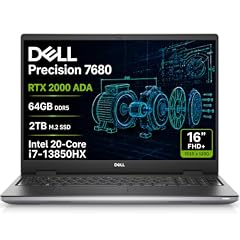
Dell Precision 7680 Laptop
- CPU
- Intel Core i7-13850HX
- GPU
- RTX 2000 Ada
- GPU memory
- 8 GB
- RAM
- 64 GB
- Storage
- 2000 GB
- Screen
- 16 in
- Weight
- 2.68 kg
- OS
- Windows 11 Pro
$3,199.99 (as of 10/20/2026 15:21 PDT - Details)
It is the Dell Precision 7680 configuration with an NVIDIA RTX 2000 Ada (8GB), an Intel Core i7-13850HX, 64GB of RAM and 2TB of storage. At 2.68 kg it is the heaviest pick with a stated weight.
Pros
- 64GB of RAM and 2TB of storage
- 8GB of GPU memory
- Windows 11 Pro
Cons
- 2.68 kg, the heaviest pick with a stated weight
- Screen resolution and battery not stated by the seller
- 13th-generation Intel processor
Good fit if
- Studios already running Dell Precision machines
- Editors who work mostly at a desk
Skip if
- You travel with your laptop often
- You want a confirmed high-resolution screen
Verdict: A desk-based Dell workstation with solid memory and storage.
11 Lightest pick with a dedicated GPU

Lenovo LOQ 15.6" Full HD Gaming Laptop
- CPU
- AMD Ryzen 5 7235HS
- GPU
- GeForce RTX 4050
- RAM
- 16 GB
- Storage
- 512 GB
- Screen
- 15.6 in
- Weight
- 1.36 kg
$1,055.00 (as of 10/20/2026 15:21 PDT - Details)
At 1.36 kg it is the lightest laptop in this list, and it has a GeForce RTX 4050, which NVIDIA lists with 6GB of GPU memory. It is an entry machine: 16GB of RAM, a 512GB drive and a 15.6-inch Full HD screen.
Pros
- 1.36 kg, the lightest pick
- GeForce RTX 4050 (6GB per NVIDIA)
- 16GB of RAM, Adobe's recommended amount for Lightroom Classic and Photoshop
Cons
- 512GB of storage, the least in this list
- 15.6-inch Full HD screen, the lowest resolution stated here
- Operating system not stated by the seller
Good fit if
- Beginners learning Lightroom and Photoshop
- Hobbyists who keep photos on an external drive
Skip if
- You shoot high-megapixel RAW files in volume
- You want a color-focused screen
Verdict: A light, entry-level start that you will want to pair with an external drive.
12 Best integrated-graphics 16-inch pick

Acer Swift Go 16 16" WUXGA Touchscreen Laptop
- CPU
- AMD Ryzen AI 9 465
- GPU
- Radeon 880M
- RAM
- 32 GB
- Storage
- 2000 GB
- Screen
- 16 in
- Touchscreen
- Yes
- Weight
- 1.6 kg
- OS
- Windows 11 Pro
$1,489.00 (as of 10/20/2026 15:20 PDT - Details)
It has no separate graphics card, using the Radeon 880M built into its AMD Ryzen AI 9 465, but it lists 32GB of RAM that the integrated GPU shares. Adobe states that 16GB of shared memory can stand in for 8GB of dedicated GPU memory for full acceleration. At 1.6 kg with a 16-inch WUXGA touch screen it is light for its size.
Pros
- 32GB of RAM
- 1.6 kg
- 16-inch WUXGA touch screen per the listing
- Windows 11 Pro
Cons
- Integrated graphics only
- The stated 2TB is a 1TB SSD plus a 1TB dock, per the listing
- WUXGA (1920x1200) is lower resolution than the workstation screens here
Good fit if
- Casual editors who value a light 16-inch laptop
- Students who edit photos alongside coursework
Skip if
- You rely on GPU-heavy AI tools every day
- You want 2TB of internal storage
Verdict: A light, capable option if you edit single images more than big batches.
13 Best 14-inch pick
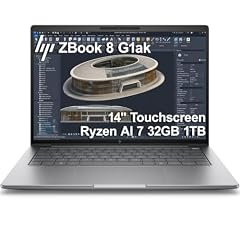
HP ZBook 8 G1ak Laptop
- CPU
- AMD Ryzen AI 7 PRO 350
- GPU
- Radeon 860M
- RAM
- 32 GB
- Storage
- 1000 GB
- Screen
- 14 in
- Touchscreen
- Yes
- Weight
- 1.44 kg
- OS
- Windows 11 Pro
$1,699.99 (as of 10/20/2026 15:21 PDT - Details)
It is the only 14-inch laptop in this list and the second lightest at 1.44 kg. It uses the integrated Radeon 860M with 32GB of shared system memory and a 1TB drive, which suits editing on the go more than heavy batch work.
Pros
- 1.44 kg, second lightest here
- 32GB of RAM and 1TB of storage
- 14-inch touch screen per the listing
- Windows 11 Pro
Cons
- Integrated graphics only
- 14-inch screen, the smallest here
- Screen resolution not stated by the seller
Good fit if
- Photographers who cull and edit while traveling
- Editors who plug into an external monitor at home
Skip if
- You want a large built-in screen
- You run GPU-heavy AI filters in bulk
Verdict: The most portable pick, best paired with a desk monitor.
Side by side
| # | Laptop | CPU | GPU | GPU memory | Rentable GPU model | RAM | Storage |
|---|---|---|---|---|---|---|---|
| 1 | Lenovo ThinkPad P16 Gen 3 Intel | Intel Core Ultra 9 285HX | RTX PRO 2000 | 8 GB | not stated | 128 GB | 4000 GB |
| 2 | Lenovo 2026 ThinkPad P1 Gen 8 w Core Ultra 9 285H | Intel Core Ultra 9 285H | RTX PRO 2000 | not stated | not stated | 64 GB | not stated |
| 3 | Lenovo ThinkPad P16v Mobile Workstation | Intel Core Ultra 7 165H | RTX 2000 Ada | 8 GB | not stated | 32 GB | 1000 GB |
| 4 | Lenovo ThinkPad P1 Gen 7 | Intel Core Ultra 7 165H | RTX 3000 Ada | 8 GB | not stated | 32 GB | 1000 GB |
| 5 | Lenovo Legion Pro 7i Gen 10 w/Ultra 9 | Intel Core Ultra 9 275HX | GeForce RTX 5090 | 24 GB | not stated | 64 GB | 2000 GB |
| 6 | Lenovo Legion 5 15IRX10 15.1" WQXGA OLED | Intel Core i9 | GeForce RTX 5070 | 8 GB | not stated | 32 GB | 1000 GB |
| 7 | GIGABYTE AERO X16 | AMD Ryzen AI 9 HX 370 | GeForce RTX 5070 | not stated | not stated | 32 GB | 1000 GB |
| 8 | HP ZBook Fury 16 G11 Laptop | Intel Core i9-13950HX | RTX 2000 Ada | 8 GB | not stated | 64 GB | 2000 GB |
| 9 | HP ZBook X G1i Laptop | Intel Core Ultra 7 265H | RTX PRO 1000 | 8 GB | not stated | 64 GB | 2000 GB |
| 10 | Dell Precision 7680 Laptop | Intel Core i7-13850HX | RTX 2000 Ada | 8 GB | not stated | 64 GB | 2000 GB |
| 11 | Lenovo LOQ 15.6" Full HD Gaming Laptop | AMD Ryzen 5 7235HS | GeForce RTX 4050 | not stated | not stated | 16 GB | 512 GB |
| 12 | Acer Swift Go 16 16" WUXGA Touchscreen Laptop | AMD Ryzen AI 9 465 | Radeon 880M | not stated | not stated | 32 GB | 2000 GB |
| 13 | HP ZBook 8 G1ak Laptop | AMD Ryzen AI 7 PRO 350 | Radeon 860M | not stated | not stated | 32 GB | 1000 GB |
How we picked
How we picked: the catalogue held 43 laptops that match our photo editing group, which covers listings with at least 16GB of memory, a screen of 16 inches or less and no gaming refresh rate. We read Adobe's Lightroom Classic and Photoshop requirements and Capture One's recommended specs, then favored screen quality stated in the listing (OLED, high resolution), GPU memory, system memory, storage and weight. We kept one configuration of each model, left out listings whose name and spec sheet disagree, and set aside most smaller-brand machines. Prices on this page are live and read from the store listing, with the time shown next to each one. Nobody at wikilaptop.org has tested these units, and no screen here comes with a published calibration report in its listing.
How to choose
Screen: resolution, panel type and what the listing does not say
The screen is where you judge every edit, so start there. Four picks state an OLED panel in their listing (ThinkPad P16 Gen 3, ThinkPad P1 Gen 8, Legion Pro 7i, Legion 5), and the ThinkPad P16v states the highest resolution at 3840x2400. None of the listings for these picks states a color gamut figure such as sRGB or DCI-P3 coverage, and none comes with a calibration report in its listing.
Capture One lists a calibrated display as part of its minimum requirements. Whatever you buy, a hardware calibrator is worth budgeting for, and serious print work still benefits from a calibrated external monitor.
GPU memory: what Adobe and Capture One ask for
Adobe's Lightroom Classic requirements list 2GB of GPU memory as the minimum, 4GB for 4K displays and larger, and 8GB of dedicated GPU memory (or 16GB of shared memory) for full GPU acceleration and AI features such as Denoise and Lens Blur. Photoshop lists 1.5GB minimum and 4GB for 4K displays. Capture One recommends a dedicated GPU with 8GB or more on Windows.
Seven picks state 8GB of GPU memory. The Legion Pro 7i's RTX 5090 is listed by NVIDIA with 24GB, and the LOQ's RTX 4050 with 6GB. Two picks use integrated Radeon graphics that share system memory.
RAM: 16GB is Adobe's recommendation, 32GB is comfortable
Adobe recommends 16GB or more of RAM for both Lightroom Classic and Photoshop, and Capture One recommends 16GB or more, suggesting you double the base specs for 4K monitors. In this list, one pick has 16GB, six have 32GB, five have 64GB and one has 128GB. Large panoramas, focus stacks and many Photoshop layers are where 64GB pays off.
Storage: RAW files add up fast
Photoshop's recommended spec calls for 100GB of free disk space and a fast internal SSD. RAW libraries grow much faster than that. One pick lists 4TB, five list 2TB (the Acer Swift Go's 2TB includes a 1TB dock), four list 1TB, one lists 512GB and two do not state storage. If you choose a 1TB model, plan on an external SSD for your archive.
Weight and battery: most editing happens plugged in
Stated weights in this list run from 1.36 kg (Lenovo LOQ) to 2.68 kg (Dell Precision 7680); the Legion Pro 7i does not state its weight. Only two picks state battery capacity: the ZBook Fury 16 G11 at 95Wh and the ZBook X G1i at 83Wh. If you edit in the field, weigh the laptop and battery figures against how much GPU you really need.
Questions
How much RAM do I need for Lightroom and Photoshop?
Adobe lists 8GB as the minimum and 16GB or more as recommended for both Lightroom Classic and Photoshop. That is a floor for comfortable work. If you edit high-megapixel RAW files, build panoramas or work with many Photoshop layers, 32GB is a comfortable target, and 64GB leaves headroom for other apps. Twelve of the thirteen picks here have 32GB or more.
Do I need a dedicated graphics card for photo editing?
Not for basic edits. Adobe's Lightroom Classic minimum is a GPU with DirectX 12 support and 2GB of GPU memory, and Adobe states that 16GB of shared memory can give full GPU acceleration in Lightroom Classic. A dedicated GPU with 8GB of memory is the simpler route to fast AI Denoise, Lens Blur and exports, and Capture One recommends one with 8GB or more on Windows. Eleven picks here have a dedicated NVIDIA GPU.
Is OLED good for photo editing?
OLED screens show deep blacks and high contrast, which helps when judging shadows. Four picks here state an OLED panel. Contrast is not the same as accuracy, though: none of the listings states a color gamut figure or a factory calibration report. Calibrate any laptop screen with a hardware calibrator before trusting it for print or client work.
Why is there no MacBook in this list?
This guide covers Windows laptops in our catalogue that match the photo editing group. Apple silicon Macs run Lightroom Classic, Photoshop and Capture One natively, and Adobe lists 16GB of unified memory on Apple silicon for full GPU acceleration. If you prefer macOS, compare MacBook models against those same requirements.
Is a gaming laptop good for photo editing?
It can be. Gaming laptops carry GeForce GPUs with plenty of memory, which helps AI tools and exports. Their weak points for photo work are often screen details that the listing leaves out, such as color gamut, and extra weight. The Legion Pro 7i and Legion 5 here state OLED screens, which is why they made the list.
Recent updates
- : First published.
Sources
- Adobe: Lightroom Classic technical requirements (version 15.0 and later)
- Adobe: Photoshop on desktop technical requirements (version 27.x)
- Capture One: System requirements and OS compatibility
- NVIDIA: GeForce RTX 50 Series laptops (GPU memory by model)
- NVIDIA: GeForce RTX 40 Series laptops (GPU memory by model)