
Best Laptops for Programming Under $1000 in 2026: 12 Picks
The Lenovo V14 G5 is our top pick for programming under $1000: its listing states an Intel Core 7 240H with 10 cores and 16 threads, 32GB of memory and 1TB of storage at 1.37kg, the lightest laptop in this price pool, plus a stated 47Wh battery. If you need Windows 11 Pro for Hyper-V or Windows containers, look at the HP 255 G10 instead. Every pick was chosen from stated specifications and makers' published information; nobody at wikilaptop has used these units.
12 picks from 26 laptops that match this guide with a price we can quote today. Every price below is live and carries the moment it was read.
The picks at a glance
Which one should you buy?
- For students who carry their laptop all day: The Lenovo V14 G5 is the lightest listing in this price pool at 1.37kg, with an H class Intel chip and 32GB of memory. See pick 1
- For Windows containers or Hyper-V: The HP 255 G10 states Windows 11 Pro, a Ryzen 7 7730U and 32GB at 1.52kg, the lightest Windows 11 Pro listing in the pool. See pick 6
- For learning CUDA and machine learning: The MECHREVO Dragon 15K pairs an NVIDIA RTX 4050 with 64GB of memory and 4TB of storage. See pick 11
- For a big screen at a desk: The HP 17 Laptop gives you a 17.3-inch anti-glare screen with Windows 11 Pro and 32GB of memory. See pick 9
The 12 picks
1 Best overall

Lenovo V14 G5 14" FHD Anti-Glare Laptop for Home & Work
- CPU
- Intel Core 7 240H
- RAM
- 32 GB
- Storage
- 1000 GB
- Screen
- 14 in
- Weight
- 1.37 kg
- Battery
- 47 Wh
- OS
- Windows 11 Home
$969.99 (as of 10/20/2026 15:22 PDT - Details)
The V14 G5 is the lightest laptop in this price pool at a stated 1.37kg, and its Intel Core 7 240H is an H class chip, a step above the low-power U chips in most picks here. It is also one of the few listings that state a battery, 47Wh.
Pros
- Stated weight of 1.37kg, the lightest in the pool
- Intel Core 7 240H, stated as 10 cores and 16 threads
- 32GB of DDR5 memory and 1TB of storage
- Stated 47Wh battery, the only stated capacity among the picks
Cons
- Windows 11 Home: Hyper-V cannot be installed
- 14-inch 1920 x 1080 screen, per the listing, small for side-by-side windows
Good fit if
- Computer science students who carry their laptop between classes
- Web and Python developers whose containers are all Linux
Skip if
- You need Windows containers or Hyper-V
- You want a 15-inch or larger screen
Verdict: The easiest machine in this list to carry, with a stronger chip than most.
2 Best 15-inch for carrying

Lenovo IdeaPad Slim 3 Laptop 2026
- CPU
- AMD Ryzen 7 170
- GPU
- Radeon 680M
- RAM
- 32 GB
- Storage
- 1000 GB
- Screen
- 15.3 in
- Touchscreen
- Yes
- Weight
- 1.59 kg
- OS
- Windows 11 Home
$999.99 (as of 10/20/2026 15:21 PDT - Details)
The IdeaPad Slim 3 states an AMD Ryzen 7 170 with Radeon 680M graphics, 32GB of DDR5 and 1TB on a 15.3-inch touchscreen at 1.59kg. The listing's brand field names a reseller rather than Lenovo, so treat it as a reseller configuration of Lenovo's laptop.
Pros
- Stated weight of 1.59kg for a 15.3-inch screen
- AMD Ryzen 7 170 with Radeon 680M graphics
- 32GB of DDR5 memory and 1TB of storage
- Touchscreen, per the listing
Cons
- Windows 11 Home
- Battery capacity not stated by the seller
- Sold as a reseller configuration
Good fit if
- Students who want a larger screen without much extra weight
- Front-end developers who test touch input
Skip if
- You need Windows 11 Pro
- You prefer a maker-configured unit
Verdict: A light 15-inch coding laptop with a touchscreen and 32GB.
3 Best Dell

Inspiron 15 3530 Laptop
- CPU
- Intel Core i7-1355U
- RAM
- 32 GB
- Storage
- 1000 GB
- Screen
- 15.6 in
- Touchscreen
- Yes
- Weight
- 1.65 kg
- OS
- Windows 11 Home
$894.95 (as of 10/20/2026 15:21 PDT - Details)
The Inspiron 15 3530 states a 13th-generation Intel Core i7-1355U, 32GB of memory, 1TB of storage and a 15.6-inch touchscreen at 1.65kg. It is the newer of the two Dell Inspiron 15 models here.
Pros
- Intel Core i7-1355U
- Stated weight of 1.65kg
- 15.6-inch FHD touchscreen, per the listing
- 32GB of memory and 1TB of storage
Cons
- Windows 11 Home
- U class chip, lower power than the H chips in this list
- Battery capacity not stated by the seller
Good fit if
- Students who want a mainstream Dell
- Web developers who like a touchscreen
Skip if
- You compile large projects often and want an H class chip
- You need Hyper-V
Verdict: A familiar Dell with enough memory for an IDE, a browser and a few containers.
4 Dell without a touchscreen

Dell Inspiron 3520 15.6" FHD Laptop
- CPU
- Intel Core i7-1255U
- RAM
- 32 GB
- Storage
- 1000 GB
- Screen
- 15.6 in
- Weight
- 1.66 kg
- OS
- Windows 11 Home
$899.98 (as of 10/20/2026 15:20 PDT - Details)
The Inspiron 3520 is the older sibling of the 3530, with a 12th-generation Intel Core i7-1255U, 32GB of memory and 1TB at 1.66kg. The listing mentions an SD card slot and HDMI, useful for embedded work and presenting.
Pros
- Intel Core i7-1255U
- 32GB of memory and 1TB of storage
- SD card slot and HDMI, per the listing
Cons
- Previous-generation chip compared with the Inspiron 15 3530
- Windows 11 Home
- Battery capacity not stated by the seller
Good fit if
- Students who do not need a touchscreen
- Hobbyists who flash SD cards for single-board computers
Skip if
- You want the newer Inspiron 15 3530
- You need Windows 11 Pro
Verdict: A plain Dell for coding, a generation behind the 3530.
5 Dell with Windows 11 Pro
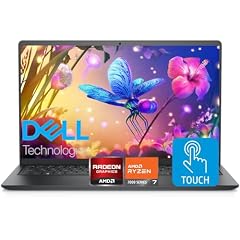
Dell Inspiron 15.6" FHD Touchscreen Laptop
- CPU
- AMD Ryzen 7 7730U
- RAM
- 32 GB
- Storage
- 1000 GB
- Screen
- 15.6 in
- Touchscreen
- Yes
- OS
- Windows 11 Pro
This Dell Inspiron 15.6-inch listing states an AMD Ryzen 7 7730U, 32GB of memory, 1TB of storage, a touchscreen and Windows 11 Pro. It is the only Dell here with the Pro edition.
Pros
- Windows 11 Pro, so Hyper-V can be enabled
- AMD Ryzen 7 7730U, stated as 8 cores
- 32GB of memory and 1TB of storage
- Touchscreen, per the listing
Cons
- Weight not stated by the seller
- Battery capacity not stated by the seller
- The listing does not give an exact Inspiron model number
Good fit if
- .NET developers who want Hyper-V
- Students who need Windows Pro for a course or employer
Skip if
- You need to know the weight before you buy
- You want a specific, documented model
Verdict: The Dell to pick if Windows 11 Pro is a requirement.
6 Lightest with Windows 11 Pro

HP 255 G10 15.6" FHD Business Laptop
- CPU
- AMD Ryzen 7 7730U
- RAM
- 32 GB
- Storage
- 1000 GB
- Screen
- 15.6 in
- Weight
- 1.52 kg
- OS
- Windows 11 Pro
$999.99 (as of 10/20/2026 15:21 PDT - Details)
The HP 255 G10 is the lightest Windows 11 Pro listing in the pool at a stated 1.52kg, with an AMD Ryzen 7 7730U, 32GB of memory and 1TB of storage. The listing mentions a numeric keypad, useful for data entry and some IDE shortcuts.
Pros
- Windows 11 Pro
- Stated weight of 1.52kg, the lightest Pro listing in the pool
- AMD Ryzen 7 7730U with 32GB and 1TB
- Numeric keypad, per the listing
Cons
- Battery capacity not stated by the seller
- U class chip
Good fit if
- Developers who need Hyper-V or Windows containers on a budget
- Students who want a light 15.6-inch machine
Skip if
- You want a touchscreen
- You want an H class processor
Verdict: The best-balanced Windows 11 Pro machine in this price pool.
7 Intel with Windows 11 Pro

HP 15.6" Business Laptop Computer
- CPU
- Intel Core i5-1334U
- RAM
- 32 GB
- Storage
- 1000 GB
- Screen
- 15.6 in
- Weight
- 2.09 kg
- OS
- Windows 11 Pro
$959.95 (as of 10/20/2026 15:21 PDT - Details)
This HP 15.6-inch business laptop states an Intel Core i5-1334U (10 cores, per the listing), 32GB of memory, 1TB of storage and Windows 11 Pro. It is the Intel alternative to the HP 255 G10, but heavier at a stated 2.09kg.
Pros
- Windows 11 Pro
- Intel Core i5-1334U, stated as 10 cores
- 32GB of memory and 1TB of storage
Cons
- Stated weight of 2.09kg, heavy for a 15.6-inch laptop
- Battery capacity not stated by the seller
Good fit if
- Developers who prefer Intel and need Windows 11 Pro
- Anyone who mostly works at a desk
Skip if
- You carry your laptop daily
- You want the lightest Pro option (the HP 255 G10)
Verdict: A desk-friendly Intel machine with the Pro edition.
8 Best 17-inch with Intel Core Ultra

HP 17" Copilot AI Business Laptop
- CPU
- Intel Core Ultra 5 255U
- RAM
- 32 GB
- Storage
- 1000 GB
- Screen
- 17 in
- Weight
- 2.08 kg
- OS
- Windows 11 Home
$999.00 (as of 10/20/2026 15:21 PDT - Details)
The HP 17 Copilot AI laptop states an Intel Core Ultra 5 255U, 32GB of DDR5 and 1TB on a 17-inch screen at 2.08kg. It is the only Core Ultra processor among the picks.
Pros
- Intel Core Ultra 5 255U, the only Core Ultra among the picks
- 17-inch screen
- 32GB of DDR5 and 1TB of storage
Cons
- Windows 11 Home
- Stated weight of 2.08kg
- Battery capacity not stated by the seller
Good fit if
- Developers who want a large screen at a desk
- Anyone who wants a current Intel platform
Skip if
- You need Hyper-V
- You travel with your laptop
Verdict: A big-screen Intel option for home or office coding.
9 17-inch with Windows 11 Pro
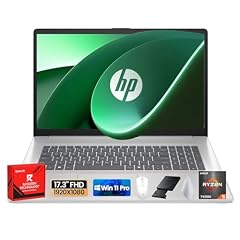
HP 17 Laptop
- CPU
- AMD Ryzen 5 7430U
- RAM
- 32 GB
- Storage
- 1000 GB
- Screen
- 17.3 in
- OS
- Windows 11 Pro
$909.99 (as of 10/20/2026 15:21 PDT - Details)
The HP 17 Laptop states a 17.3-inch anti-glare screen, an AMD Ryzen 5 7430U, 32GB of memory, 1TB of storage and Windows 11 Pro. It is the large-screen pick for people who need the Pro edition.
Pros
- 17.3-inch anti-glare screen, per the listing
- Windows 11 Pro
- 32GB of memory and 1TB of storage
Cons
- Weight not stated by the seller
- AMD Ryzen 5 7430U, a U class chip
- Battery capacity not stated by the seller
Good fit if
- Developers who want the largest screen with Windows 11 Pro
- Anyone replacing a desktop
Skip if
- You need to know the weight
- You want a stronger processor
Verdict: The big-screen Pro option in this price pool.
10 Only Ryzen 9 in this list

NIMO 17.3" AI-Gaming-Laptop
- CPU
- AMD Ryzen 9 8945HS
- GPU
- Radeon 780M
- RAM
- 32 GB
- Storage
- 1000 GB
- Screen
- 17.3 in
- Weight
- 2.09 kg
The NIMO 17.3-inch laptop states an AMD Ryzen 9 8945HS with Radeon 780M graphics, 32GB of DDR5 and 1TB at 2.09kg. It is the only Ryzen 9 among the picks, but NIMO is a smaller brand than Lenovo, Dell or HP and the listing leaves out the Windows edition.
Pros
- AMD Ryzen 9 8945HS, the only Ryzen 9 in this list
- Radeon 780M integrated graphics
- 17.3-inch screen
- 32GB of DDR5 and 1TB of storage
Cons
- Windows edition not stated by the seller
- Battery capacity not stated by the seller
- A smaller brand than the Lenovo, Dell and HP picks
Good fit if
- Developers who compile often and want a large screen
- Anyone who wants an HS class chip on a 17-inch screen
Skip if
- You prefer an established maker
- You need Windows 11 Pro confirmed
Verdict: The processor pick, from a less established brand.
11 Best for learning CUDA

MECHREVO Dragon 15K 165HZ Gaming Laptop
- CPU
- AMD Ryzen 7 7445HS
- GPU
- RTX 4050
- RAM
- 64 GB
- Storage
- 4000 GB
- Screen
- 15.6 in
- Refresh
- 165 Hz
- Weight
- 2.1 kg
$899.99 (as of 10/20/2026 15:22 PDT - Details)
The MECHREVO Dragon 15K states an NVIDIA RTX 4050, an AMD Ryzen 7 7445HS, 64GB of memory and 4TB of storage. An NVIDIA GPU lets you run CUDA code, including inside WSL 2, which none of the non-gaming picks can do.
Pros
- NVIDIA RTX 4050 for CUDA work
- 64GB of memory, tied for the most in this list
- 4TB of storage, tied for the most in this list
- AMD Ryzen 7 7445HS
Cons
- GPU memory and Windows edition not stated by the seller
- Stated weight of 2.1kg
- 165Hz gaming screen that coding does not need
Good fit if
- Students taking machine learning or GPU programming courses
- Developers who also game
Skip if
- You never run GPU code
- You want a light laptop
Verdict: The route to CUDA within this budget, with lots of memory and storage.
12 Reseller-built Alienware

iCarp Customized Laptop Made
- CPU
- AMD Ryzen 5 220
- GPU
- GeForce RTX 4050
- GPU memory
- 6 GB
- RAM
- 64 GB
- Storage
- 4000 GB
- Screen
- 15.3 in
- Refresh
- 165 Hz
- Weight
- 2.25 kg
$1,049.00 (as of 10/20/2026 15:21 PDT - Details)
Outside this guide's budget at today's price.
This is a reseller listing: a customized Dell Alienware 15 with 64GB of memory and 4TB of storage. It states an AMD Ryzen 5 220, an RTX 4050 with 6GB of GPU memory and a 15.3-inch 165Hz screen at 2.25kg. It is the only RTX 4050 listing in the pool that states its GPU memory.
Pros
- RTX 4050 with a stated 6GB of GPU memory
- 64GB of memory and 4TB of storage
- Dell Alienware chassis, per the listing
Cons
- A reseller customization, not a maker-configured unit
- Stated weight of 2.25kg, the heaviest pick
- AMD Ryzen 5 220, a 6-core chip per the listing
Good fit if
- Students who want CUDA with plenty of memory
- Developers who also play games
Skip if
- You prefer a laptop configured by the maker
- You carry your laptop every day
Verdict: A CUDA-capable alternative to the MECHREVO, built up by a reseller.
Side by side
| # | Laptop | CPU | GPU | GPU memory | Rentable GPU model | RAM | Storage |
|---|---|---|---|---|---|---|---|
| 1 | Lenovo V14 G5 14" FHD Anti-Glare Laptop for Home & Work | Intel Core 7 240H | not stated | not stated | not stated | 32 GB | 1000 GB |
| 2 | Lenovo IdeaPad Slim 3 Laptop 2026 | AMD Ryzen 7 170 | Radeon 680M | not stated | not stated | 32 GB | 1000 GB |
| 3 | Inspiron 15 3530 Laptop | Intel Core i7-1355U | not stated | not stated | not stated | 32 GB | 1000 GB |
| 4 | Dell Inspiron 3520 15.6" FHD Laptop | Intel Core i7-1255U | not stated | not stated | not stated | 32 GB | 1000 GB |
| 5 | Dell Inspiron 15.6" FHD Touchscreen Laptop | AMD Ryzen 7 7730U | not stated | not stated | not stated | 32 GB | 1000 GB |
| 6 | HP 255 G10 15.6" FHD Business Laptop | AMD Ryzen 7 7730U | not stated | not stated | not stated | 32 GB | 1000 GB |
| 7 | HP 15.6" Business Laptop Computer | Intel Core i5-1334U | not stated | not stated | not stated | 32 GB | 1000 GB |
| 8 | HP 17" Copilot AI Business Laptop | Intel Core Ultra 5 255U | not stated | not stated | not stated | 32 GB | 1000 GB |
| 9 | HP 17 Laptop | AMD Ryzen 5 7430U | not stated | not stated | not stated | 32 GB | 1000 GB |
| 10 | NIMO 17.3" AI-Gaming-Laptop | AMD Ryzen 9 8945HS | Radeon 780M | not stated | not stated | 32 GB | 1000 GB |
| 11 | MECHREVO Dragon 15K 165HZ Gaming Laptop | AMD Ryzen 7 7445HS | RTX 4050 | not stated | not stated | 64 GB | 4000 GB |
| 12 | iCarp Customized Laptop Made | AMD Ryzen 5 220 | GeForce RTX 4050 | 6 GB | not stated | 64 GB | 4000 GB |
How we picked
How we picked: 25 listings in our catalogue matched this guide: laptops for programming whose listing price was under $1000 when we read it and which state at least 32GB of memory, with 1TB of storage in all but one. It is a small pool with several repeats: two identical MECHREVO Dragon 15K listings, two NIMO Core i3 listings that differ only in storage, and two reseller builds of the same HP Victus 15. We kept at most one of each and left out machines that are weak for development or unclear: an Intel N150 model, a listing that does not name its processor, a Ryzen 3 model, a Core i5 listing without a model number, and an HP listing whose title and stated specifications disagree. We also skipped close variants of machines already picked. That left 12 distinct picks; we did not pad the list. Prices are live and read from the store listing with the time shown, so a pick can rise over budget. Nobody tested these units.
How to choose
Memory: why 32GB is the floor here
Tool makers publish modest minimums: JetBrains lists 8GB of total memory for IntelliJ IDEA, and Microsoft lists a 4GB minimum for Visual Studio 2022 while recommending 16GB for typical professional solutions. Docker Desktop on Windows asks for 8GB. A real session runs several of these at once, plus a browser, so every pick here states at least 32GB: 10 of the 12 have 32GB and 2 have 64GB.
Under $1000, 32GB often comes from a reseller that upgrades a maker's base model. That is common and not a problem in itself, but we say so where a listing is a reseller build.
Windows Home or Pro
The edition decides what you can run. Microsoft states that Hyper-V cannot be installed on Windows 11 Home, and Docker states that Home runs Linux containers only; Windows containers need Pro or Enterprise. Linux containers through WSL 2 work on Home, which covers most web and backend stacks.
In this list, 4 picks state Windows 11 Pro, 5 state Home, one states only Windows 11, and 2 do not state the operating system.
Processor: U, H and HS chips
Seven picks use chips with a U suffix, the low-power parts common in thin laptops, which handle editors, browsers and small builds. Three picks use higher-power H or HS chips: the Lenovo V14 G5 (Intel Core 7 240H), the NIMO 17.3-inch (AMD Ryzen 9 8945HS) and the MECHREVO Dragon 15K (AMD Ryzen 7 7445HS). The IdeaPad Slim 3 (Ryzen 7 170) and the reseller Alienware 15 build (Ryzen 5 220) use AMD's newer names, which carry no suffix. Choose an H or HS pick if you compile large projects or run many containers.
Do you need an NVIDIA GPU?
For web, mobile and backend development, no. For machine learning courses and GPU programming, an NVIDIA GPU lets you use CUDA, and NVIDIA supports CUDA inside WSL 2 with only the Windows driver installed. Two picks have an RTX 4050: the MECHREVO Dragon 15K and the reseller Alienware 15 build. Both are heavier gaming machines, at 2.1kg and 2.25kg.
Screen size and weight
One pick is 14-inch, 2 are 15.3-inch, 6 are 15.6-inch and 3 are 17-inch class. Stated weights run from 1.37kg (Lenovo V14 G5) to 2.25kg (reseller Alienware 15 build), and 2 picks do not state a weight. Only the V14 G5 states a battery capacity among the picks, so if battery life matters, ask the seller before you buy.
Questions
Is 32GB of RAM necessary for programming under $1000?
Not strictly. JetBrains lists 8GB for IntelliJ IDEA and Microsoft recommends 16GB for Visual Studio in typical professional use. But those figures cover one tool; with a browser, containers and WSL 2 running together, 32GB leaves headroom and keeps the laptop useful longer. That is why every pick here has at least 32GB.
Can I run Docker on a budget Windows laptop?
Yes. Docker Desktop asks for 8GB of memory and runs Linux containers through WSL 2, including on Windows 11 Home. Windows containers need Windows 11 Pro or Enterprise, and Hyper-V cannot be installed on Home. Four picks here state Windows 11 Pro if you need either.
Should I buy a gaming laptop for coding?
Only if you need an NVIDIA GPU for CUDA, machine learning or game development, or if you also play games. Gaming laptops in this list are heavier (2.1kg and 2.25kg) and their high refresh screens do nothing for code. For most programming, a lighter laptop with a stronger CPU and 32GB is the better tool.
Why are there only 12 picks?
Our catalogue had 25 listings that matched this budget and our memory floor, but several were repeats of the same machine, and a few were too weak or too unclear to recommend (an Intel N150 model, a listing with no named processor, and one whose title contradicts its specs). We would rather list 12 distinct machines than pad the page.
Is a MacBook an option under $1000?
Not in this pool: the only Macs in our catalogue under $1000 when we read it were MacBook Neo listings with 8GB of memory, well below our 32GB floor. If you build apps for iPhone or Mac you still need a Mac, because Xcode is a Mac app; our wider programming guide covers MacBook Pro options.
Recent updates
- : First published.