
Best 128GB RAM Laptops in 2026: 12 Workstations Compared on Specs
Our top pick is the Lenovo ThinkPad P16 Gen 3 with an NVIDIA RTX PRO 4000: it pairs 128GB of memory with a 16GB professional graphics chip, 4TB of storage and Windows 11 Pro in a 2.54 kg, 16-inch body. The other 11 picks cover Apple's MacBook Pro with M5 Max, a 17.3-inch Dell Precision and GeForce machines up to an RTX 5090. We chose all 12 from stated specifications and the makers' published data, not from lab tests.
12 picks from 40 laptops that match this guide with a price we can quote today. Every price below is live and carries the moment it was read.
The picks at a glance
Which one should you buy?
- For engineering and design software: The ThinkPad P16 Gen 3 with an RTX PRO 4000 gives certified-workstation graphics with 16GB of memory, 4TB of storage and Windows 11 Pro. See pick 1
- For local AI models on a Mac: The 16-inch MacBook Pro with M5 Max shares its 128GB of unified memory with a 40-core GPU, which Apple lists with 614GB/s of memory bandwidth. See pick 3
- For carrying a big-memory machine: The 14-inch MacBook Pro with M5 Max weighs 1.62 kg per Apple, far below any Windows pick here. See pick 4
- For the largest GPU memory on Windows: The ThinkPad P16 Gen 3 with an RTX PRO 5000 carries 24GB of graphics memory next to its 128GB of system memory. See pick 2
The 12 picks
1 Best overall

Lenovo ThinkPad P16 Gen 3
- CPU
- Intel Core Ultra 9 285HX
- GPU
- RTX PRO 4000
- GPU memory
- 16 GB
- RAM
- 128 GB
- Storage
- 4000 GB
- Screen
- 16 in
- Refresh
- 120 Hz
- Touchscreen
- Yes
$7,899.00 (as of 10/20/2026 15:22 PDT - Details)
It is the most complete workstation configuration here: an Intel Core Ultra 9 285HX, an RTX PRO 4000 that NVIDIA lists with 16GB of ECC GDDR7, 4TB of storage and Windows 11 Pro stated on the listing. It sits one GPU tier below the RTX PRO 5000 version and one above the RTX PRO 3000 version, the middle ground for most CAD, simulation and 3D work.
Pros
- RTX PRO 4000 with 16GB of ECC GDDR7 per NVIDIA
- 4TB of storage, tied for the most among the ThinkPad picks
- Windows 11 Pro and a touchscreen stated by the seller
- 2.54 kg, lighter than every GeForce pick except the TUF Gaming A16
Cons
- 120Hz screen, below the 240Hz of the gaming-class picks
- 16GB of graphics memory, where the RTX PRO 5000 version has 24GB
Good fit if
- Engineers and designers who run certified professional applications
- Buyers who want 128GB and a professional GPU in a 16-inch body
Skip if
- You work in macOS
- Your GPU work needs more than 16GB of graphics memory
Verdict: The balanced 128GB workstation: professional graphics, large storage and a manageable 16-inch size.
2 Most graphics memory in a workstation

Lenovo ThinkPad P16 Gen 3 Intel Core Ultra 9 275HX
- CPU
- Intel Core Ultra 9 275HX
- GPU
- RTX PRO 5000
- GPU memory
- 24 GB
- RAM
- 128 GB
- Storage
- 4000 GB
- Screen
- 16 in
- Refresh
- 120 Hz
- Weight
- 2.54 kg
$8,299.00 (as of 10/20/2026 15:22 PDT - Details)
It carries the RTX PRO 5000, the top of NVIDIA's Blackwell professional laptop line, which NVIDIA lists with 24GB of ECC GDDR7. That ties the RTX 5090 in the Titan 18 HX for the most graphics memory in this list, in a 2.54 kg chassis instead of 3.6 kg.
Pros
- RTX PRO 5000 with 24GB of ECC GDDR7 per NVIDIA
- Intel Core Ultra 9 275HX: 24 cores and up to 256GB of memory supported per Intel
- 4TB of storage
- 2.54 kg, nearly 1 kg lighter than the other 24GB GPU pick
Cons
- Operating system not stated by the seller
- 120Hz screen
Good fit if
- Buyers who run large GPU renders or AI models that need 24GB of graphics memory
- Simulation and visualization users who want ECC graphics memory
Skip if
- Your applications do not fill 16GB of graphics memory, where the RTX PRO 4000 pick is enough
- You want a gaming-class GeForce card
Verdict: The pick for the heaviest GPU workloads without moving to an 18-inch gaming chassis.
3 Best for macOS

Apple MacBook Pro Laptop with M5 Max
- CPU
- Apple M5 Max
- RAM
- 128 GB
- Storage
- 2000 GB
- Screen
- 16.2 in
- OS
- macOS
$6,999.00 (as of 10/20/2026 15:20 PDT - Details)
Apple offers 128GB only on the M5 Max with the 40-core GPU, and this 16-inch model carries that chip with an 18-core CPU and 2TB of storage. Its memory is unified, so the GPU can draw on the same 128GB, which matters for large local AI models and big video projects.
Pros
- M5 Max with 18-core CPU and 40-core GPU
- 128GB of unified memory at 614GB/s per Apple
- 2.15 kg per Apple, lighter than every Windows pick with a stated weight
- 16.2-inch display
Cons
- 2TB of storage, half of the 4TB ThinkPad picks
- Runs macOS only, so Windows-only engineering software is out
Good fit if
- Video editors and developers already working in macOS
- People who run local language models that need a large shared memory pool
Skip if
- You depend on Windows-only CAD or simulation software
- You need CUDA, which requires an NVIDIA GPU
Verdict: The 128GB machine for Mac workflows and for large models that fit in shared memory.
4 Most portable 128GB pick
Apple MacBook Pro with M5 Max
- CPU
- Apple M5 Max
- RAM
- 128 GB
- Storage
- 2000 GB
- Screen
- 14.2 in
- OS
- macOS
$6,699.00 (as of 10/20/2026 15:20 PDT - Details)
It fits the same M5 Max with an 18-core CPU, 40-core GPU and 128GB of unified memory into the 14-inch MacBook Pro, which Apple lists at 1.62 kg. No Windows pick in this list with a stated weight comes under 2.2 kg.
Pros
- 1.62 kg per Apple, the lightest pick here
- Same M5 Max and 128GB as the 16-inch model
- 14.2-inch display for travel
- 2TB of storage
Cons
- Smallest screen in this list for timeline or CAD work
- 2TB of storage, half of the 4TB picks
Good fit if
- Consultants and researchers who carry large datasets between sites
- Mac users who want 128GB without a 16-inch footprint
Skip if
- You work for hours on a big canvas without an external monitor
- You need Windows or an NVIDIA GPU
Verdict: The way to carry 128GB every day.
5 Best RTX PRO 3000 pick

Lenovo ThinkPad P16 Gen 3 with Ultra 9 285HX vPro 24-Core
- CPU
- Intel Core Ultra 9 285HX
- GPU
- RTX PRO 3000
- GPU memory
- 12 GB
- RAM
- 128 GB
- Storage
- 4000 GB
- Screen
- 16 in
- Refresh
- 120 Hz
- Weight
- 2.54 kg
$6,499.00 (as of 10/20/2026 15:22 PDT - Details)
It keeps the Core Ultra 9 285HX, 4TB of storage and Windows 11 Pro of our top pick but steps down to the RTX PRO 3000, which NVIDIA lists with 12GB of ECC GDDR7. It suits work where memory capacity matters more than GPU size.
Pros
- RTX PRO 3000 with 12GB of ECC GDDR7 per NVIDIA
- 4TB of storage
- Windows 11 Pro stated by the seller
- 2.54 kg
Cons
- 12GB of graphics memory, below the 16GB and 24GB ThinkPad versions
- 120Hz screen
Good fit if
- Data and analysis work that leans on system memory more than the GPU
- CAD users with moderate model sizes
Skip if
- You render large GPU scenes
- You train or run AI models on the GPU
Verdict: The ThinkPad P16 for memory-heavy work with a mid-tier professional GPU.
6 Best OLED workstation pick
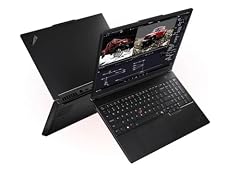
Lenovo ThinkPad P16 Gen 3 Intel
- CPU
- Intel Core Ultra 9 285HX
- GPU
- RTX PRO 2000
- GPU memory
- 8 GB
- RAM
- 128 GB
- Storage
- 4000 GB
- Screen
- 16 in
- Weight
- 2.54 kg
- OS
- Windows 11 Pro
It is the entry GPU tier of the ThinkPad P16 Gen 3: an RTX PRO 2000 with 8GB of GDDR7 per NVIDIA, alongside a Core Ultra 9 285HX, 4TB of storage and a 3.2K OLED touchscreen named on the listing. It fits memory-bound work such as virtual machines and large datasets, where the GPU is secondary.
Pros
- 3.2K (3200 x 2000) OLED touchscreen per the listing
- Core Ultra 9 285HX and 4TB of storage
- Windows 11 Pro stated by the seller
- 2.54 kg
Cons
- RTX PRO 2000 with 8GB, the smallest professional GPU here
- Refresh rate not stated by the seller
Good fit if
- Developers running several virtual machines or containers
- Data analysts who keep large tables in memory
Skip if
- You do GPU rendering or GPU-based AI
- You want a stated high refresh rate
Verdict: The ThinkPad P16 for workloads that need memory more than graphics.
7 Only 17.3-inch pick

Dell Precision 7780 Laptop
- CPU
- Intel Core i9-13950HX
- GPU
- RTX 3500 Ada
- GPU memory
- 12 GB
- RAM
- 128 GB
- Storage
- 4000 GB
- Screen
- 17.3 in
- Weight
- 3.05 kg
- OS
- Windows 11 Pro
$6,299.99 (as of 10/20/2026 15:21 PDT - Details)
It is the only 17.3-inch laptop here, with an Intel Core i9-13950HX, an RTX 3500 Ada that NVIDIA lists with 12GB of ECC GDDR6, and 4TB of storage. It is a previous-generation workstation next to the Blackwell-based ThinkPads, but the larger screen suits long sessions at a desk.
Pros
- 17.3-inch screen, the largest among the workstation picks
- RTX 3500 Ada with 12GB of ECC GDDR6 per NVIDIA
- 4TB of storage and Windows 11 Pro
- Sold under Dell's own name, not a reseller
Cons
- 3.05 kg, heavier than every ThinkPad P16 pick
- Ada-generation GPU, one generation behind the RTX PRO Blackwell picks
Good fit if
- Engineers who want a large built-in screen
- Offices already standardized on Dell Precision
Skip if
- You travel with your laptop
- You want the current Blackwell professional GPUs
Verdict: The big-screen workstation, one GPU generation behind the ThinkPads.
8 Most powerful GeForce GPU
![HIDevolution [2026] MSI Titan 18 HX A2WJ 18" UHD+ 240Hz Mini LED](https://m.media-amazon.com/images/I/31JvMntVKQL._SL240_.jpg)
HIDevolution [2026] MSI Titan 18 HX A2WJ 18" UHD+ 240Hz Mini LED
- CPU
- Intel Core Ultra 9
- GPU
- RTX 5090
- GPU memory
- 24 GB
- RAM
- 128 GB
- Screen
- 18 in
- Refresh
- 240 Hz
- Weight
- 3.6 kg
- OS
- Windows 11 Pro
$16,899.00 (as of 10/20/2026 15:21 PDT - Details)
This is a reseller configuration of the MSI Titan 18 HX, and the only pick with an RTX 5090, which NVIDIA lists with 24GB of GDDR7. The 18-inch UHD+ Mini LED screen runs at 240Hz, per the listing.
Pros
- RTX 5090 with 24GB of GDDR7 per NVIDIA
- 18-inch UHD+ Mini LED screen at 240Hz per the listing
- Intel Core Ultra 9 HX-class processor
- Windows 11 Pro stated by the seller
Cons
- 3.6 kg, the heaviest pick with a stated weight
- Storage not stated by the seller in the specifications
- Reseller configuration: warranty terms come from the seller, so check them
Good fit if
- Creators who game and render on one machine
- Local AI users who want 24GB of CUDA-capable graphics memory
Skip if
- You carry your laptop often
- You need ECC graphics memory or certified professional drivers
Verdict: The top GeForce tier with 128GB, for a machine that stays on the desk.
9 Best 16-inch RTX 5080 pick
![HIDevolution [2025] MSI Vector 16 HX AI A2XWIG 16" QHD+ 240Hz](https://m.media-amazon.com/images/I/41iadEztMlL._SL240_.jpg)
HIDevolution [2025] MSI Vector 16 HX AI A2XWIG 16" QHD+ 240Hz
- CPU
- Intel Core Ultra 9
- GPU
- RTX 5080
- RAM
- 128 GB
- Storage
- 16000 GB
- Screen
- 16 in
- Refresh
- 240 Hz
- Weight
- 2.7 kg
- OS
- Windows 11 Pro
$9,129.00 (as of 10/20/2026 15:21 PDT - Details)
This reseller configuration of the MSI Vector 16 HX brings an RTX 5080, which NVIDIA lists with 16GB of GDDR7, into a 16-inch 240Hz body at 2.7 kg. It also lists 16TB of storage.
Pros
- RTX 5080: 16GB of GDDR7 per NVIDIA
- 16-inch QHD+ screen at 240Hz
- 16TB of storage, tied for the most among the picks
- 2.7 kg, lighter than the 18-inch GeForce picks
Cons
- Graphics memory not stated by the seller
- Reseller configuration: confirm warranty terms with the seller
Good fit if
- Video editors who want fast GeForce encoding and huge storage
- Players who also run memory-heavy tools
Skip if
- You need certified professional drivers
- You want a machine sold under the maker's own name
Verdict: A 16-inch RTX 5080 machine with more storage than most desktops.
10 Lightest 18-inch pick
![EXCaliberPC [2025] MSI Stealth A18 AI+ A3HWIG-028US](https://m.media-amazon.com/images/I/31qXTThEtyL._SL240_.jpg)
EXCaliberPC [2025] MSI Stealth A18 AI+ A3HWIG-028US
- CPU
- AMD Ryzen AI 9 365
- GPU
- GeForce RTX 5080
- GPU memory
- 16 GB
- RAM
- 128 GB
- Storage
- 8000 GB
- Screen
- 18 in
- Refresh
- 120 Hz
- Weight
- 2.9 kg
$7,495.00 (as of 10/20/2026 15:21 PDT - Details)
This reseller configuration of the MSI Stealth A18 AI+ pairs an AMD Ryzen AI 9 365 with an RTX 5080 (16GB) and 8TB of storage. At 2.9 kg it is the lightest of the three 18-inch picks.
Pros
- 2.9 kg, lightest 18-inch pick
- RTX 5080 with 16GB of graphics memory
- 8TB of storage
- Windows 11 Pro stated by the seller
Cons
- 120Hz screen, half the refresh of the other 18-inch picks
- Reseller configuration: confirm warranty terms with the seller
Good fit if
- Creators who want an 18-inch canvas that is still movable
- Buyers who pair an RTX 5080 with an AMD processor
Skip if
- You want a 240Hz screen
- You prefer a professional RTX PRO GPU
Verdict: The most portable way to get an 18-inch screen and an RTX 5080 with 128GB.
11 Best 18-inch RTX 5070 pick
![HIDevolution [2025] ASUS ROG Strix G18 G814FP 18" WQXGA 240Hz IPS-Level](https://m.media-amazon.com/images/I/31uqGdoygwL._SL240_.jpg)
HIDevolution [2025] ASUS ROG Strix G18 G814FP 18" WQXGA 240Hz IPS-Level
- CPU
- AMD Ryzen 9 9955HX
- GPU
- RTX 5070
- GPU memory
- 8 GB
- RAM
- 128 GB
- Storage
- 16000 GB
- Screen
- 18 in
- Refresh
- 240 Hz
- Weight
- 3 kg
$8,759.00 (as of 10/20/2026 15:21 PDT - Details)
This reseller configuration of the ASUS ROG Strix G18 combines an AMD Ryzen 9 9955HX with an RTX 5070 (8GB), an 18-inch WQXGA 240Hz screen and 16TB of storage. It suits users who want a large, fast screen and huge storage more than a top-tier GPU.
Pros
- 18-inch WQXGA screen at 240Hz
- 16TB of storage, tied for the most among the picks
- AMD Ryzen 9 9955HX, an HX-class chip
Cons
- RTX 5070 with 8GB, a mid-tier GPU for a 128GB machine
- 3 kg
- Reseller configuration: confirm warranty terms with the seller
Good fit if
- Buyers who keep large media libraries on the laptop
- Players who also run heavy multitasking
Skip if
- You need more than 8GB of graphics memory
- You travel with your laptop
Verdict: Big screen and big storage, with a mid-tier GPU.
12 Lightest Windows pick
![HIDevolution [2026] ASUS TUF Gaming A16 FA608UMI 16" FHD+ 144Hz IPS](https://m.media-amazon.com/images/I/41hskj6EGAL._SL240_.jpg)
HIDevolution [2026] ASUS TUF Gaming A16 FA608UMI 16" FHD+ 144Hz IPS
- CPU
- AMD Ryzen 7 260
- GPU
- RTX 5060
- GPU memory
- 8 GB
- RAM
- 128 GB
- Storage
- 16000 GB
- Screen
- 16 in
- Refresh
- 144 Hz
- Weight
- 2.2 kg
$8,179.00 (as of 10/20/2026 15:21 PDT - Details)
This reseller configuration of the ASUS TUF Gaming A16 weighs 2.2 kg, the lightest Windows laptop in this list. It pairs 128GB with an AMD Ryzen 7 260, an RTX 5060 with 8GB of GDDR7 per NVIDIA and 16TB of storage.
Pros
- 2.2 kg, lightest Windows pick
- 16TB of storage
- RTX 5060: 8GB of GDDR7 per NVIDIA
- 16-inch FHD+ screen at 144Hz
Cons
- RTX 5060 is the lowest GeForce tier in this list
- Ryzen 7 260 is not an HX-class chip, unlike most picks
- Reseller configuration: confirm warranty terms with the seller
Good fit if
- Developers who need memory for virtual machines more than GPU power
- Buyers who want 128GB on Windows in the lightest body available here
Skip if
- You render or train models on the GPU
- You want a professional GPU
Verdict: The lightest Windows route to 128GB, with modest graphics.
Side by side
| # | Laptop | CPU | GPU | GPU memory | Rentable GPU model | RAM | Storage |
|---|---|---|---|---|---|---|---|
| 1 | Lenovo ThinkPad P16 Gen 3 | Intel Core Ultra 9 285HX | RTX PRO 4000 | 16 GB | not stated | 128 GB | 4000 GB |
| 2 | Lenovo ThinkPad P16 Gen 3 Intel Core Ultra 9 275HX | Intel Core Ultra 9 275HX | RTX PRO 5000 | 24 GB | not stated | 128 GB | 4000 GB |
| 3 | Apple MacBook Pro Laptop with M5 Max | Apple M5 Max | not stated | not stated | not stated | 128 GB | 2000 GB |
| 4 | Apple MacBook Pro with M5 Max | Apple M5 Max | not stated | not stated | not stated | 128 GB | 2000 GB |
| 5 | Lenovo ThinkPad P16 Gen 3 with Ultra 9 285HX vPro 24-Core | Intel Core Ultra 9 285HX | RTX PRO 3000 | 12 GB | not stated | 128 GB | 4000 GB |
| 6 | Lenovo ThinkPad P16 Gen 3 Intel | Intel Core Ultra 9 285HX | RTX PRO 2000 | 8 GB | not stated | 128 GB | 4000 GB |
| 7 | Dell Precision 7780 Laptop | Intel Core i9-13950HX | RTX 3500 Ada | 12 GB | not stated | 128 GB | 4000 GB |
| 8 | HIDevolution [2026] MSI Titan 18 HX A2WJ 18" UHD+ 240Hz Mini LED | Intel Core Ultra 9 | RTX 5090 | 24 GB | not stated | 128 GB | not stated |
| 9 | HIDevolution [2025] MSI Vector 16 HX AI A2XWIG 16" QHD+ 240Hz | Intel Core Ultra 9 | RTX 5080 | not stated | not stated | 128 GB | 16000 GB |
| 10 | EXCaliberPC [2025] MSI Stealth A18 AI+ A3HWIG-028US | AMD Ryzen AI 9 365 | GeForce RTX 5080 | 16 GB | not stated | 128 GB | 8000 GB |
| 11 | HIDevolution [2025] ASUS ROG Strix G18 G814FP 18" WQXGA 240Hz IPS-Level | AMD Ryzen 9 9955HX | RTX 5070 | 8 GB | not stated | 128 GB | 16000 GB |
| 12 | HIDevolution [2026] ASUS TUF Gaming A16 FA608UMI 16" FHD+ 144Hz IPS | AMD Ryzen 7 260 | RTX 5060 | 8 GB | not stated | 128 GB | 16000 GB |
How we picked
How we picked: we started from the 34 current listings in our catalogue that state 128GB of memory. We kept one configuration per GPU tier of the ThinkPad P16 Gen 3, one 14-inch and one 16-inch MacBook Pro, and one Dell Precision 7780, and skipped duplicates that differ only in color or a small storage step. Every GeForce configuration with 128GB in the pool is sold by a reseller that builds or upgrades the machine, so the five gaming-class picks here are reseller configurations, and we say so on each. GPU facts come from NVIDIA, CPU facts from Intel and Mac facts from Apple's specification page. Prices are live: each one is read from the store listing and shown with the time it was read. Nobody at wikilaptop.org has tested these units.
How to choose
Do you actually need 128GB?
128GB suits work that keeps very large data in memory at once: many virtual machines, big simulation or CAD assemblies, long high-resolution video timelines, large datasets for analysis and local AI models. Before buying, open your heaviest project and watch memory use in Task Manager or Activity Monitor. If you stay well below 64GB today, a 64GB laptop leaves room to grow.
Games and office work do not use this much memory. Frame rates depend on the graphics chip and processor, not on the step from 64GB to 128GB.
Unified memory versus system memory plus graphics memory
On the MacBook Pro with M5 Max, the CPU and GPU share one pool of unified memory. Apple lists 614GB/s of bandwidth for the 40-core GPU version, and 128GB is available only with that chip. A large language model that needs more than a discrete GPU holds can still run from this shared pool.
On the Windows picks, 128GB is system memory and the graphics chip has its own memory: from 8GB (RTX 5060, RTX 5070, RTX PRO 2000) up to 24GB (RTX 5090, RTX PRO 5000). For GPU work, that graphics memory figure often limits you before system memory does.
Professional RTX PRO versus GeForce graphics
NVIDIA's RTX PRO Blackwell laptop GPUs use GDDR7, and NVIDIA lists ECC memory on the RTX PRO 5000 (24GB), 4000 (16GB) and 3000 (12GB). The Ada-generation RTX 3500 in the Dell Precision 7780 has 12GB of ECC GDDR6. These cards target certified design, engineering and simulation software.
GeForce RTX 50 laptop GPUs are NVIDIA Blackwell too, and target games and creative apps. If your software vendor certifies specific GPUs, check that list before choosing between the two families.
Processor: HX chips for plugged-in work
Most Windows picks here use HX-class processors built for performance while plugged in. Intel lists the Core Ultra 9 275HX with 24 cores, 55W base power and support for up to 256GB of memory, so 128GB is within its range. HX laptops are not the choice for long battery life.
The MacBook Pro's M5 Max has an 18-core CPU per Apple. If you work away from a desk often, compare stated weights and battery sizes rather than assuming.
Reseller configurations
Five picks come from resellers that sell maker laptops with upgraded memory and storage. The laptop is the maker's model, but the configuration and often the warranty terms come from the reseller. Read the listing's warranty details and check whether the maker's own warranty still applies after the upgrade.
The ThinkPad, MacBook Pro and Dell picks are sold under the maker's own name.
Questions
Who needs 128GB of RAM in a laptop?
People who keep very large working sets in memory: engineers with big assemblies or simulations, data scientists with large tables, developers running many virtual machines, 3D artists and editors with long high-resolution timelines, and anyone running large local AI models. For school, office work and gaming, 16GB to 32GB is enough, and 64GB covers most heavy creative work.
Does 128GB of RAM make games run faster?
No. Games do not use anywhere near 128GB, and frame rates depend on the graphics chip and processor. The GeForce picks here are fast because of their RTX 5070 to RTX 5090 graphics, not because of their memory. If you only game, a 32GB laptop with the same GPU is the better buy.
Is 128GB useful for running local AI models?
It helps when a model is too large for graphics memory. On the MacBook Pro with M5 Max, the GPU draws on the full 128GB of unified memory. On Windows, a model that fits in graphics memory runs faster there, so the 24GB RTX PRO 5000 and RTX 5090 picks matter more than the system memory for that work.
Can I add more memory to a MacBook Pro later?
Apple sells MacBook Pro memory as a configuration you choose when you order, and its specification page lists 128GB as the top option for the M5 Max with the 40-core GPU. Plan for the memory you will need over the life of the machine, since you choose it at purchase.
Did you test these laptops?
No. Nobody at wikilaptop.org has tested these units. We chose them from the specifications on each listing, cross-checked with NVIDIA, Intel and Apple published data. We do not describe heat, noise or build quality, because those claims need testing we have not done.
Recent updates
- : First published.