

Apple 2026 MacBook Air 13-inch Laptop with M5 chip
- Apple M5
- 16 GB
- 512 GB
$1,099.99 (as of 11/03/2026 08:20 PST - Details)
View on AmazonWhen you buy through our links, we may earn a commission. Learn more ›
1768 products tracked, 1310 with a price we can quote today, and 73 marked down right now.
Ordered by the store's own sales rank, read within the last day, among the laptops with a price we can quote today.
$1,099.99 (as of 11/03/2026 08:20 PST - Details)
View on Amazon
$319.96 (as of 11/03/2026 08:24 PST - Details)
View on Amazon
$238.95 (as of 11/03/2026 08:26 PST - Details)
View on Amazon
$259.99 (as of 11/03/2026 08:22 PST - Details)
View on Amazon
$2,079.95 (as of 11/03/2026 08:20 PST - Details)
View on Amazon
$269.99 (as of 11/03/2026 08:25 PST - Details)
View on AmazonThe discount and the earlier price are the store's own. All 73 deals.

$2,459.00 (as of 11/03/2026 08:24 PST - Details) Typical price: $4,699.00, 48% off

$479.99 (as of 11/03/2026 08:25 PST - Details) Typical price: $849.00, 46% off

$299.99 (as of 11/03/2026 08:25 PST - Details) Typical price: $539.99, 44% off

$479.99 (as of 11/03/2026 08:28 PST - Details) Typical price: $749.98, 36% off

$1,298.99 (as of 11/03/2026 08:21 PST - Details) Typical price: $1,899.99, 32% off

$2,199.99 (as of 11/03/2026 08:25 PST - Details) Typical price: $2,999.99, 27% off
Sort: best sellers · price high to low · price low to high
$1,599.99 (as of 11/03/2026 08:20 PST - Details)
View on Amazon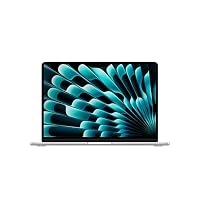
$1,439.00 (as of 11/03/2026 08:21 PST - Details)
View on Amazon$1,099.99 (as of 11/03/2026 08:20 PST - Details)
View on Amazon
$789.99 (as of 11/03/2026 08:21 PST - Details)
View on Amazon
$686.00 (as of 11/03/2026 08:21 PST - Details)
View on Amazon
$1,953.98 (as of 11/03/2026 08:21 PST - Details)
View on Amazon
$1,599.99 (as of 11/03/2026 08:21 PST - Details)
View on Amazon$1,299.99 (as of 11/03/2026 08:21 PST - Details)
View on Amazon
$3,799.00 (as of 11/03/2026 08:21 PST - Details)
View on Amazon
$2,742.92 (as of 11/03/2026 08:21 PST - Details)
View on Amazon$2,354.00 (as of 11/03/2026 08:21 PST - Details)
View on Amazon
$319.96 (as of 11/03/2026 08:24 PST - Details)
View on Amazon
$238.95 (as of 11/03/2026 08:26 PST - Details)
View on Amazon$259.99 (as of 11/03/2026 08:22 PST - Details)
View on Amazon
$499.00 (as of 11/03/2026 08:22 PST - Details)
View on Amazon
$309.00 (as of 11/03/2026 08:24 PST - Details)
View on Amazon
$4,499.00 (as of 11/03/2026 08:21 PST - Details)
View on Amazon
$2,749.99 (as of 11/03/2026 08:21 PST - Details)
View on Amazon$2,079.95 (as of 11/03/2026 08:20 PST - Details)
View on Amazon
$1,399.99 (as of 11/03/2026 08:20 PST - Details)
View on Amazon
$685.00 (as of 11/03/2026 08:22 PST - Details)
View on Amazon
$519.00 (as of 11/03/2026 08:22 PST - Details)
View on Amazon
$319.98 (as of 11/03/2026 08:24 PST - Details)
View on Amazon$269.99 (as of 11/03/2026 08:25 PST - Details)
View on Amazon

$429.99 (as of 11/03/2026 08:26 PST - Details)
View on Amazon
$1,649.99 (as of 11/03/2026 08:27 PST - Details)
View on Amazon
$1,649.99 (as of 11/03/2026 08:27 PST - Details)
View on Amazon$1,299.99 (as of 11/03/2026 08:27 PST - Details)
View on Amazon$1,299.99 (as of 11/03/2026 08:27 PST - Details)
View on Amazon
$1,249.99 (as of 11/03/2026 08:27 PST - Details)
View on Amazon$1,199.99 (as of 11/03/2026 08:27 PST - Details)
View on Amazon
$259.98 (as of 11/03/2026 08:24 PST - Details)
View on Amazon
$1,629.99 (as of 11/03/2026 08:21 PST - Details)
View on Amazon
$329.99 (as of 11/03/2026 08:23 PST - Details)
View on Amazon
$479.99 (as of 11/03/2026 08:25 PST - Details) Typical price: $849.00, 46% off
$695.43 (as of 11/03/2026 08:20 PST - Details)
View on Amazon$479.99 (as of 11/03/2026 08:28 PST - Details) Typical price: $749.98, 36% off

$399.89 (as of 11/03/2026 08:28 PST - Details) Typical price: $429.99, 7% off


$217.55 (as of 11/03/2026 08:20 PST - Details) Typical price: $229.49, 5% off

$349.99 (as of 11/03/2026 08:23 PST - Details)
View on Amazon
$349.99 (as of 11/03/2026 08:23 PST - Details)
View on AmazonThe 1310 laptops here that carry a price run from $167.77 to $16,999.00, and the middle one costs $1,245.00. That spread is wider than most people expect, and the middle sits higher than most people expect too.
The cheap end is not a smaller version of the dear end. Down there you are looking at 8GB RAM laptops with a small drive, which is fine for a browser and a document and slow at anything past that. Most people land around laptops under $1500. Above three thousand you are paying for a mobile workstation, and you already know if you need one. Every price here carries the moment we read it, and today's deals sit on their own page.
Of the 1646 that state a size, 16 inch laptops are the most common at 491, with 418 at 15.6 inches. Those two sizes are the market. Under them, 14 inch laptops number 304 and are the ones that fit a small bag and a train table. Above them sit 145 at 17.3 inches or larger, including 18 inch laptops, which are desktops that fold.
Pick the size before anything else. It decides the weight, the keyboard, the price and whether the thing leaves the house, and it is the one specification you cannot change later.
609 of the 1551 that state memory carry 32GB or more, and 32GB RAM laptops are now the single most common configuration. That is a real shift: 32GB used to be a workstation number.
The other end has not gone away. 342 still ship with 8GB or less, and they are usually the ones with the headline price. Storage tells the same story from the other side: 924 of 1689 offer 1TB storage laptops or more, while the cheap tier is still built on 128GB and 256GB drives that fill up in a year. If you buy one thing more than the shop suggests, buy memory: the drive can be replaced on many models and the memory usually cannot.
533 of 1768 listings name a separate graphics chip. That single line does more to the price than anything else on the page, and it is the line that separates gaming laptops and video editing laptops from everything else. You can browse the whole set by laptops by GPU.
Refresh rate travels with it. 452 of the 550 that state one run at 120Hz or more, and 144Hz laptops are the usual step. If you do not play games or cut video, a dedicated chip mostly buys you a shorter battery life and a louder fan.
Read enough listings and the pattern in what is missing becomes obvious. Of the 1768 here, 1646 state a screen size and 1689 a storage figure. Only 1362 say what the laptop weighs. Only 235 give the battery capacity. A processor is named on 1565.
That is not a gap in our reading, it is what the sellers wrote. A screen size sells a laptop so it goes in the title. A 2.4 kilogram weight does not, so it quietly does not. The ones that do state it are collected under laptops by weight, and the battery figures under laptops by battery.
So before you buy, if the listing does not say, ask. A seller who answers is telling you something. So is one who does not.
A laptop battery is rated in watt hours, and airlines care about that number rather than the size of the laptop. Under 100Wh it travels in your carry-on, which covers almost every laptop sold. Above it you need the airline's approval, which is why the big workstations quote the figure carefully. The rule comes from the FAA battery rules.
Here is the problem: only 235 of 1768 listings print the figure at all. If you fly often, treat a missing watt hour rating as a question to ask rather than a detail to skip, and start from laptops by battery.
671 of the 1390 that name an operating system ship Windows 11 Pro and 253 ship Home. Pro is the one most buyers over-pay for without needing: it adds domain joining, group policy and BitLocker, which matter in a company and almost nowhere else. The full list is under Windows 11 Pro laptops, and the three features above are the ones Microsoft itself separates in its Home and Pro comparison.
The alternatives are smaller than the noise suggests: 62 run macOS and 59 run ChromeOS out of 1768. Both are good at what they do and neither is a drop-in replacement if you depend on one Windows program.
Today's deals number 73, the deepest at 48% off. Every one of those percentages is the store's own: it states what the thing normally costs, and we print that beside what it costs now.
We never work a discount out by comparing two of our own readings. A saving calculated that way is a price claim with our fingerprints on it, and it is the one number a comparison site has no business inventing. Which is also why every price on this site carries the hour it was read, for every brand we list.
Before you click through to a store, open Details and compare the full specification, not the headline name. Many laptops share a model name across several configurations, so the processor, memory, storage and screen can differ between listings. Check the time each price was read, since a price shown here can change before you reach the store. If you know the job the laptop must do, start from a buying guide or a filter page instead of scrolling the whole catalogue: it narrows laptops to the ones whose specification fits that job.
Each price is read from the store and shown with the moment it was read. Prices change often, so the price at the store can differ by the time you open it. Always confirm the final price on the store page before you buy.
Makers sell the same model line in several configurations with different processors, memory, storage and screens. Open Details on each listing and compare the specification line by line.
Start with a buying guide that matches your work, such as gaming, business or travel. Each guide lists laptops chosen for that kind of buyer, and the filter pages then let you narrow further by a specific specification.
This page is a catalogue of laptops with live store prices. Each price carries the moment it was read, because store prices move through the day. From here you can sort by price low to high or price high to low, open the Details of any model, jump to the list of laptops marked down against the store's own Typical price, or go to the buying guides that group machines for a particular kind of work. The filter pages let you narrow laptops by CPU, GPU, RAM, screen, weight, battery and more.