
Best 144Hz Laptops in 2026: 12 Picks Compared on Specs
Our top pick is the HP OMEN 16 with an RTX 5060: it pairs a 144Hz 16-inch screen with a GPU that suits that refresh rate at 1080p-class resolutions, plus 32GB of memory and an AMD Ryzen 9 8940HX, at 2.46 kg. The other 11 picks run from RTX 4050 machines to two RTX 5070 laptops and span 15.6 to 18 inches. We chose all 12 from stated specifications and NVIDIA and Intel published data, not from lab tests.
12 picks from 66 laptops that match this guide with a price we can quote today. Every price below is live and carries the moment it was read.
The picks at a glance
Which one should you buy?
- For most players: The HP OMEN 16 with an RTX 5060 and 32GB of memory is a balanced match for a 144Hz screen. See pick 1
- For the fastest GPU at 144Hz: The ROG Strix G18 G815 pairs an RTX 5070 with a Core i9-14900HX and 64GB of memory, the most in this list. See pick 2
- For carrying a gaming laptop: The ASUS V16 keeps an RTX 5070 at 1.95 kg, tied for the lightest pick. See pick 3
- For a first gaming laptop: The MSI Cyborg A15 AI brings a current RTX 5050 and 1TB of storage at 1.95 kg. See pick 7
The 12 picks
1 Best overall
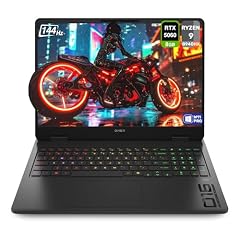
HP OMEN Gaming Laptop
- CPU
- AMD Ryzen 9 8940HX
- GPU
- RTX 5060
- RAM
- 32 GB
- Storage
- 1000 GB
- Screen
- 16 in
- Refresh
- 144 Hz
- Weight
- 2.46 kg
- OS
- Windows 11 Pro
It pairs an RTX 5060, which NVIDIA lists with 8GB of GDDR7 on its Blackwell architecture, with a 16-inch 144Hz screen, 32GB of memory and an AMD Ryzen 9 8940HX. That GPU tier fits a 144Hz panel at 1080p-class resolutions, and the memory leaves room for chat and streaming apps next to a game.
Pros
- RTX 5060 with 8GB of GDDR7 per NVIDIA
- 32GB of memory, more than most picks
- AMD Ryzen 9 8940HX, an HX-class processor
- Windows 11 Pro and 1TB of storage
Cons
- 2.46 kg, heavier than the 16-inch ASUS V16
- RTX 5060, one tier below the two RTX 5070 picks
Good fit if
- Players who want a GPU matched to a 144Hz screen
- Buyers who stream or keep many apps open while gaming
Skip if
- You want the fastest GPU in this list
- You carry your laptop every day
Verdict: The most balanced combination of GPU, memory and screen in this list.
2 Most powerful pick

ASUS ROG Strix G18 G815 Gaming AI Laptop | 18" WUXGA 144Hz
- CPU
- Intel Core i9-14900HX
- GPU
- GeForce RTX 5070
- GPU memory
- 8 GB
- RAM
- 64 GB
- Storage
- 2000 GB
- Screen
- 18 in
- Refresh
- 144 Hz
- Weight
- 3.2 kg
It combines an RTX 5070 with an Intel Core i9-14900HX, which Intel lists with 24 cores and 32 threads, and 64GB of memory, the most in this list. The 18-inch WUXGA screen covers 100% sRGB per the listing.
Pros
- RTX 5070 with 8GB of graphics memory
- Core i9-14900HX: 24 cores and 32 threads per Intel
- 64GB of memory and 2TB of storage, the most among the picks
- 18-inch screen with 100% sRGB per the listing
Cons
- 3.2 kg, the heaviest pick
- 8GB of graphics memory; NVIDIA also offers the RTX 5070 with 12GB
Good fit if
- Players who also stream, record or edit video
- Buyers who want a desktop replacement with a big screen
Skip if
- You carry your laptop often
- You only play esports titles, where an RTX 5050 or 5060 already reaches high frame rates
Verdict: The top pick for power and memory, for a laptop that stays on the desk.
3 Lightest RTX 5070 pick

ASUS V16 16" WUXGA 144Hz Gaming Laptop
- CPU
- Intel Core 7 240H
- GPU
- RTX 5070
- RAM
- 16 GB
- Storage
- 1000 GB
- Screen
- 16 in
- Refresh
- 144 Hz
- Weight
- 1.95 kg
- OS
- Windows 11
$1,549.49 (as of 10/20/2026 15:20 PDT - Details)
At 1.95 kg it ties for the lightest laptop in this list while carrying an RTX 5070, the highest GPU tier here. It pairs that with an Intel Core 7 240H, 1TB of storage and a 16-inch WUXGA 144Hz screen.
Pros
- RTX 5070, tied for the highest GPU tier in this list
- 1.95 kg, tied for the lightest pick
- 16-inch WUXGA screen at 144Hz
- 1TB of storage
Cons
- 16GB of memory, a quarter of the ROG Strix G18 G815's 64GB
- Core 7 240H is not an HX-class chip
Good fit if
- Students who want real gaming power in a bag-friendly laptop
- Players who value GPU tier over memory
Skip if
- You stream or run heavy apps next to games
- You want a CPU-heavy HX processor
Verdict: The most GPU per kilogram in this list.
4 Best 18-inch RTX 5060 pick

ASUS TUF 18 AI Gaming Laptop
- CPU
- AMD Ryzen 7 260
- GPU
- GeForce RTX 5060
- GPU memory
- 8 GB
- RAM
- 32 GB
- Storage
- 1000 GB
- Screen
- 18 in
- Refresh
- 144 Hz
- Weight
- 2.6 kg
$1,929.00 (as of 10/20/2026 15:20 PDT - Details)
It gives an 18-inch WUXGA 144Hz screen with 100% sRGB, per the listing, an RTX 5060 with 8GB of GDDR7 and 32GB of memory, at 2.6 kg. That is 0.6 kg less than the RTX 5070 ROG Strix G18 G815.
Pros
- 18-inch screen with 100% sRGB per the listing
- RTX 5060 with 8GB of GDDR7 per NVIDIA
- 32GB of memory and 1TB of storage
- 2.6 kg, lighter than the G815
Cons
- AMD Ryzen 7 260 is not an HX-class chip
- RTX 5060, below the RTX 5070 picks
Good fit if
- Players who want a big screen for single-player games
- Buyers who also do color-sensitive photo work
Skip if
- You travel often
- You want the strongest GPU here
Verdict: A big-screen 144Hz laptop without the weight of the G815.
5 Lightest 18-inch pick

ASUS ROG Strix G18
- CPU
- AMD Ryzen 9 8940HX
- GPU
- GeForce RTX 5050
- RAM
- 16 GB
- Storage
- 1000 GB
- Screen
- 18 in
- Refresh
- 144 Hz
- Weight
- 2.5 kg
- OS
- Windows 11
At 2.5 kg it is the lightest of the three 18-inch picks. It pairs an AMD Ryzen 9 8940HX with an RTX 5050 (8GB of GDDR7 per NVIDIA) and 1TB of storage.
Pros
- 2.5 kg, lightest 18-inch pick
- AMD Ryzen 9 8940HX, an HX-class processor
- 18-inch FHD+ 16:10 screen at 144Hz per the listing
Cons
- RTX 5050, the entry tier of the RTX 50 laptop range
- 16GB of memory
Good fit if
- Players who want a big screen for older and esports titles
- Buyers who want a strong CPU for productivity alongside light gaming
Skip if
- You play new games at high settings
- You want 32GB of memory out of the box
Verdict: The large-screen entry point with a strong processor.
6 Only 17.3-inch pick
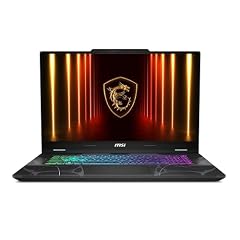
msi Cyborg 17 17.3" FHD 144Hz Gaming Laptop
- GPU
- GeForce RTX 5060
- RAM
- 16 GB
- Storage
- 1000 GB
- Screen
- 17.3 in
- Refresh
- 144 Hz
- Weight
- 2.49 kg
- OS
- Windows 11 Home
It is the only 17.3-inch laptop here, a size between the 16-inch and 18-inch picks, with an RTX 5060, 16GB of memory and 1TB of storage at 2.49 kg. The listing title names an Intel Core 7 240H processor.
Pros
- 17.3-inch FHD screen at 144Hz
- RTX 5060 with 8GB of GDDR7 per NVIDIA
- 1TB of storage
- 2.49 kg, lighter than every 18-inch pick
Cons
- Processor not listed in the seller's specifications, only in the title
- 16GB of memory
Good fit if
- Players who want a large screen but less weight than an 18-inch model
- Home users who game and watch video on one screen
Skip if
- You want 32GB of memory
- You need a bag-friendly size
Verdict: A middle size for players who find 16 inches small and 18 inches heavy.
7 Best first gaming laptop

msi Cyborg A15 AI 15.6” FHD 144Hz Thin & Light Gaming Laptop
- CPU
- AMD Ryzen 7 260
- GPU
- GeForce RTX 5050
- RAM
- 16 GB
- Storage
- 1000 GB
- Screen
- 15.6 in
- Refresh
- 144 Hz
- Weight
- 1.95 kg
- OS
- Windows 11
$1,209.99 (as of 10/20/2026 15:22 PDT - Details)
It ties the ASUS V16 as the lightest pick at 1.95 kg, with a current RTX 5050, an AMD Ryzen 7 260, 16GB of memory and 1TB of storage. The RTX 5050 suits esports and older titles at 1080p on a 144Hz screen.
Pros
- 1.95 kg, tied for the lightest pick
- RTX 5050: 8GB of GDDR7 per NVIDIA
- 1TB of storage
- 15.6-inch FHD 144Hz screen
Cons
- RTX 5050, the entry tier of the RTX 50 laptop range
- 16GB of memory
Good fit if
- First-time buyers who mostly play esports titles
- Students who want a light gaming laptop
Skip if
- You want high settings in new releases
- You want 32GB of memory
Verdict: A light, current entry into 144Hz gaming.
8 Best RTX 5050 pick with 32GB

Lenovo LOQ 15 AI Gaming Laptop
- CPU
- AMD Ryzen 7 170
- GPU
- GeForce RTX 5050
- GPU memory
- 8 GB
- RAM
- 32 GB
- Storage
- 1000 GB
- Screen
- 15.6 in
- Refresh
- 144 Hz
- Weight
- 2.3 kg
$1,689.00 (as of 10/20/2026 15:22 PDT - Details)
Among the three RTX 5050 picks it is the only one with 32GB of memory. It adds an AMD Ryzen 7 170, 1TB of storage and a 15.6-inch 144Hz screen that covers 100% sRGB, per the listing, at 2.3 kg.
Pros
- 32GB of memory, the most among the RTX 5050 picks
- RTX 5050 with 8GB of GDDR7 per NVIDIA
- 15.6-inch screen with 100% sRGB per the listing
- Windows 11 Pro and 1TB of storage
Cons
- 2.3 kg, heavier than the Cyborg A15 AI with the same GPU
- RTX 5050, the entry tier of the RTX 50 range
Good fit if
- Students who game and also run heavy apps for school
- Players who want accurate color for photo work
Skip if
- You want a faster GPU for new releases
- You want the lightest possible 15.6-inch laptop
Verdict: The entry GPU tier with memory to grow into.
9 Best 15.6-inch RTX 5060 pick

Lenovo LOQ 15.6" IPS FHD 144Hz AMD Ryzen 7 250 NVIDIA GeForce RTX 5060
- CPU
- AMD Ryzen 7 250
- GPU
- GeForce RTX 5060
- GPU memory
- 8 GB
- RAM
- 16 GB
- Screen
- 15.6 in
- Refresh
- 144 Hz
- Weight
- 2.39 kg
- OS
- Windows 11 Home
$1,299.99 (as of 10/20/2026 15:21 PDT - Details)
It is the only 15.6-inch pick with an RTX 5060, one tier above the RTX 5050 machines of the same size. It pairs that with an AMD Ryzen 7 250 and 16GB of memory at 2.39 kg.
Pros
- RTX 5060 with 8GB of GDDR7 per NVIDIA
- 15.6-inch IPS FHD 144Hz screen
- 2.39 kg
Cons
- Storage not stated by the seller in the specifications
- 16GB of memory
Good fit if
- Players who want an RTX 5060 in a 15.6-inch size
- Buyers who plan to add memory later
Skip if
- You need to know the storage size before buying
- You want 32GB of memory out of the box
Verdict: The step up from RTX 5050 at the 15.6-inch size.
10 Only RTX 4060 pick

Acer Nitro V Gaming Laptop
- CPU
- Intel Core i9-13900H
- GPU
- GeForce RTX 4060 Laptop
- RAM
- 16 GB
- Storage
- 512 GB
- Screen
- 15.6 in
- Refresh
- 144 Hz
- Weight
- 2.11 kg
- OS
- Windows 11
$1,699.99 (as of 10/20/2026 15:20 PDT - Details)
It is the only pick with an RTX 4060, an Ada Lovelace GPU that NVIDIA lists with 8GB of GDDR6, paired with an Intel Core i9-13900H and 16GB of memory at 2.11 kg.
Pros
- RTX 4060 with 8GB of GDDR6 per NVIDIA
- Intel Core i9-13900H
- 2.11 kg, among the lighter picks
Cons
- 512GB of storage, the least among picks with stated storage
- Previous-generation RTX 40 GPU
Good fit if
- Players happy with a previous-generation GPU
- Buyers who want a light 15.6-inch machine
Skip if
- You want a current RTX 50 GPU
- You keep many large games installed
Verdict: A previous-generation option that stays relatively light.
11 Best RTX 4050 pick with 32GB

HP Victus 15.6" Gaming Laptop
- CPU
- AMD Ryzen 7 7445HS
- GPU
- GeForce RTX 4050
- GPU memory
- 6 GB
- RAM
- 32 GB
- Storage
- 1000 GB
- Screen
- 15.6 in
- Refresh
- 144 Hz
- OS
- Windows 11
$1,369.00 (as of 10/20/2026 15:21 PDT - Details)
It pairs an RTX 4050, which NVIDIA lists with 6GB of GDDR6, with 32GB of memory and 1TB of storage. It is the RTX 4050 pick for buyers who want memory and storage headroom from the start.
Pros
- 32GB of memory and 1TB of storage
- RTX 4050 with 6GB of GDDR6 per NVIDIA
- AMD Ryzen 7 7445HS
Cons
- Weight not stated by the seller
- 6GB of graphics memory, tied with the TUF Gaming F16's RTX 4050 for the least here
Good fit if
- Players of esports and older titles who multitask
- Buyers who want a large drive for a game library
Skip if
- You play new releases at high settings
- You need a known weight for travel
Verdict: An entry GPU with generous memory and storage.
12 Best 16-inch RTX 4050 pick

ASUS TUF Gaming F16 Gaming Laptop
- CPU
- Intel Core 5 210H
- GPU
- GeForce RTX 4050
- RAM
- 16 GB
- Screen
- 16 in
- Refresh
- 144 Hz
- Weight
- 2.2 kg
- OS
- Windows 11 Home
It puts an RTX 4050 behind a 16-inch FHD+ 16:10 144Hz screen, a taller panel than the 15.6-inch RTX 4050 pick, with an Intel Core 5 210H and 16GB of memory at 2.2 kg.
Pros
- 16-inch FHD+ 16:10 screen at 144Hz
- 2.2 kg
- 16GB of memory
Cons
- Storage not stated by the seller in the specifications
- RTX 4050, a previous-generation entry GPU
Good fit if
- Players who want a 16-inch screen at the entry GPU tier
- Students who mix study and esports
Skip if
- You want a current RTX 50 GPU
- You need to confirm storage before buying
Verdict: A 16-inch entry option; check the storage on the listing.
Side by side
| # | Laptop | CPU | GPU | GPU memory | Rentable GPU model | RAM | Storage |
|---|---|---|---|---|---|---|---|
| 1 | HP OMEN Gaming Laptop | AMD Ryzen 9 8940HX | RTX 5060 | not stated | not stated | 32 GB | 1000 GB |
| 2 | ASUS ROG Strix G18 G815 Gaming AI Laptop | 18" WUXGA 144Hz | Intel Core i9-14900HX | GeForce RTX 5070 | 8 GB | not stated | 64 GB | 2000 GB |
| 3 | ASUS V16 16" WUXGA 144Hz Gaming Laptop | Intel Core 7 240H | RTX 5070 | not stated | not stated | 16 GB | 1000 GB |
| 4 | ASUS TUF 18 AI Gaming Laptop | AMD Ryzen 7 260 | GeForce RTX 5060 | 8 GB | not stated | 32 GB | 1000 GB |
| 5 | ASUS ROG Strix G18 | AMD Ryzen 9 8940HX | GeForce RTX 5050 | not stated | not stated | 16 GB | 1000 GB |
| 6 | msi Cyborg 17 17.3" FHD 144Hz Gaming Laptop | not stated | GeForce RTX 5060 | not stated | not stated | 16 GB | 1000 GB |
| 7 | msi Cyborg A15 AI 15.6” FHD 144Hz Thin & Light Gaming Laptop | AMD Ryzen 7 260 | GeForce RTX 5050 | not stated | not stated | 16 GB | 1000 GB |
| 8 | Lenovo LOQ 15 AI Gaming Laptop | AMD Ryzen 7 170 | GeForce RTX 5050 | 8 GB | not stated | 32 GB | 1000 GB |
| 9 | Lenovo LOQ 15.6" IPS FHD 144Hz AMD Ryzen 7 250 NVIDIA GeForce RTX 5060 | AMD Ryzen 7 250 | GeForce RTX 5060 | 8 GB | not stated | 16 GB | not stated |
| 10 | Acer Nitro V Gaming Laptop | Intel Core i9-13900H | GeForce RTX 4060 Laptop | not stated | not stated | 16 GB | 512 GB |
| 11 | HP Victus 15.6" Gaming Laptop | AMD Ryzen 7 7445HS | GeForce RTX 4050 | 6 GB | not stated | 32 GB | 1000 GB |
| 12 | ASUS TUF Gaming F16 Gaming Laptop | Intel Core 5 210H | GeForce RTX 4050 | not stated | not stated | 16 GB | not stated |
How we picked
How we picked: we started from the 54 current listings in our catalogue with a 144Hz screen. We dropped reseller rebuilds and custom-upgraded units, very old GPUs (RTX 2050 and RTX 3050), a machine with an outdated Windows 10 install and four listings with integrated Radeon 890M graphics only, since a 144Hz screen is mainly a gaming feature, and kept one configuration per model and GPU where the same laptop appears in several memory and storage variants. The final 12 cover every current GPU tier that ships with a 144Hz panel in our catalogue, from RTX 4050 to RTX 5070, and every size from 15.6 to 18 inches. GPU facts come from NVIDIA and CPU facts from Intel. Prices are live: each one is read from the store listing and shown with the time it was read. Nobody at wikilaptop.org has tested these units.
How to choose
Match the GPU to 144Hz
A 144Hz screen can show up to 144 frames per second, but only if the GPU produces them. In this list, the GPUs run from the RTX 4050 to the RTX 5070. NVIDIA lists 6GB of GDDR6 for the RTX 4050 and 8GB for the RTX 4060 (both Ada Lovelace), and 8GB of GDDR7 for the RTX 5050 and RTX 5060 (both Blackwell).
For esports titles at 1080p-class resolutions, an RTX 5050 or 5060 is a sensible match. For newer demanding games, the RTX 5070 picks give the most headroom here.
144Hz versus 165Hz and 240Hz
144Hz is a large step up from 60Hz for motion clarity and scrolling. Faster panels such as 165Hz and 240Hz help mainly in competitive shooters, and only when the GPU can push frame rates that high.
If you mostly play single-player games or mix gaming with study and work, 144Hz covers you. If you play competitive shooters seriously, look at 240Hz models with an RTX 5070 or faster.
Processor: HX chips and the rest
Several picks use HX-class processors: Intel lists the Core i9-14900HX with 24 cores, 32 threads and 55W base power, and AMD's Ryzen 9 8940HX sits in the same class. They help in CPU-heavy games and when streaming or recording while you play. They are built for performance, not battery life.
Non-HX chips such as the Ryzen 7 260 and Core 7 240H appear in lighter picks. For pure gaming, the GPU tier usually matters more.
Memory and storage
Seven of the 12 picks come with 16GB of memory, four with 32GB and one with 64GB. 16GB runs most games; 32GB leaves room for a browser, voice chat and recording. Check the maker's page for memory slots if you plan to upgrade.
Storage runs from 512GB to 2TB where stated. Modern games are large, so 1TB is a practical minimum for a library.
Size and weight
Stated weights run from 1.95 kg (ASUS V16 and MSI Cyborg A15 AI) to 3.2 kg (ROG Strix G18 G815). The 15.6-inch and 16-inch picks suit carrying; 17.3-inch and 18-inch models work best on a desk. A gaming laptop's power adapter adds weight on top of the stated figure.
Questions
Is 144Hz enough for gaming?
For most players, yes. It is a clear step up from 60Hz for action, racing and adventure games, and for most esports titles. Competitive shooter players who want every edge may prefer 240Hz, but only with a GPU that can reach those frame rates, such as the RTX 5070 tier or above.
What GPU do I need for a 144Hz laptop screen?
One that reaches frame rates near 144 in your games at the screen's resolution. The picks here use 1080p-class screens, where an RTX 5050 or RTX 5060 handles many esports titles and the RTX 5070 picks handle more demanding games. NVIDIA lists 8GB of graphics memory for the RTX 5050 and 5060.
Is 144Hz worth it if I do not play games?
It makes scrolling and cursor movement smoother, but in this catalogue 144Hz screens appear almost only on gaming laptops, which are heavier: the lightest pick here weighs 1.95 kg. Non-gamers usually get a better deal on a thin laptop with a 120Hz screen.
Should I buy an RTX 40 or RTX 50 laptop?
The RTX 50 laptop GPUs use NVIDIA's newer Blackwell architecture with GDDR7 memory, while the RTX 40 series uses Ada Lovelace with GDDR6, per NVIDIA. The RTX 4050 has 6GB of graphics memory against 8GB on the RTX 5050. Choose an RTX 40 pick only if its configuration fits your needs better.
Did you test these laptops?
No. Nobody at wikilaptop.org has tested these units. We chose them from the specifications on each listing, cross-checked with NVIDIA and Intel published data. We do not describe heat, fan noise or screen response, because those claims need testing we have not done.
Recent updates
- : First published.