
Best 14-Inch Laptops in 2026: 13 Picks Compared on Specs
Our top pick is the Acer Aspire with an Intel Core Ultra 7 258V: it brings 32GB of memory, a 1TB drive and a touchscreen at 1.4 kg, a complete spec sheet for everyday work. The other 12 picks range from a 1.09 kg Zenbook and a 1.12 kg ThinkPad X1 Carbon to a MacBook Pro with M5 Max, an RTX 5070 Ti Zephyrus G14 and a basic Chromebook. We chose all 13 from stated specifications and the makers' published data, not from lab tests.
13 picks from 88 laptops that match this guide with a price we can quote today. Every price below is live and carries the moment it was read.
The picks at a glance
Which one should you buy?
- For everyday work and school: The Acer Aspire with a Core Ultra 7 258V has 32GB of memory, 1TB of storage and a touchscreen at 1.4 kg. See pick 1
- For frequent business travel: The ThinkPad X1 Carbon Gen 11 weighs 1.12 kg and states a 57Wh battery, the largest stated battery among the picks. See pick 5
- For gaming in a small bag: The ROG Zephyrus G14 is the only pick with a dedicated GPU, an RTX 5070 Ti with 12GB, at 1.57 kg. See pick 3
- For video and photo work on a Mac: The 14-inch MacBook Pro with M5 Max carries an 18-core CPU, 36GB of memory and 8TB of storage. See pick 2
The 13 picks
1 Best overall
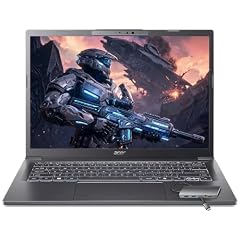
Acer Aspire Laptop 2026
- CPU
- Intel Core Ultra 7 258V
- RAM
- 32 GB
- Storage
- 1000 GB
- Screen
- 14 in
- Touchscreen
- Yes
- Weight
- 1.4 kg
- OS
- Windows 11 Home
$1,149.99 (as of 10/20/2026 15:20 PDT - Details)
It combines a current Intel Core Ultra 7 258V with 32GB of memory, which Intel lists as the most that chip supports, plus 1TB of storage and a touchscreen. At 1.4 kg it sits in the middle of this list for weight while matching or beating most picks on memory and storage.
Pros
- 32GB of memory, the maximum Intel lists for the Core Ultra 7 258V
- Intel lists a 47 TOPS NPU for on-device AI features
- 1TB of storage and a touchscreen
- 1.4 kg
Cons
- Battery size not stated by the seller
- Memory cannot go past 32GB on this chip, per Intel
Good fit if
- Students and office workers who want one capable laptop
- Buyers who want a touchscreen and room for many open apps
Skip if
- You need a dedicated GPU for games or 3D
- You want the lightest possible 14-inch laptop
Verdict: The most complete everyday 14-inch configuration in this list.
2 Best for creative professionals

(CTO) Apple 14-inch MacBook Pro
- CPU
- Apple M5 Max
- RAM
- 36 GB
- Storage
- 8000 GB
- Screen
- 14 in
$7,009.00 (as of 10/20/2026 15:20 PDT - Details)
It is the most powerful pick for video, photo and development work: Apple's M5 Max with an 18-core CPU and a 32-core GPU, 36GB of unified memory and 8TB of storage, the most in this list. Apple lists 460GB/s of memory bandwidth for this GPU version and 1.62 kg for the 14-inch M5 Max model.
Pros
- M5 Max with 18-core CPU and 32-core GPU per Apple
- 8TB of storage, the most among the picks
- 36GB of unified memory
- 460GB/s memory bandwidth per Apple
Cons
- 1.62 kg per Apple, the heaviest pick
- 36GB of memory, below the 64GB ThinkPad picks
Good fit if
- Video editors who keep large projects on the internal drive
- Mac developers who build large projects
Skip if
- You need Windows software
- Your work is documents and browsing, where far less machine is enough
Verdict: A 14-inch Mac workstation with more storage than anything else here.
3 Best 14-inch for gaming

ASUS ROG Zephyrus G14 14" 3K OLED 120Hz Copilot+ PC Gaming Laptop
- CPU
- AMD Ryzen AI 9 HX 370
- GPU
- GeForce RTX 5070 Ti
- GPU memory
- 12 GB
- RAM
- 32 GB
- Storage
- 1000 GB
- Screen
- 14 in
- Refresh
- 120 Hz
- Weight
- 1.57 kg
It is the only pick with a dedicated graphics card: an RTX 5070 Ti, which NVIDIA lists with 12GB of GDDR7 on its Blackwell architecture. It also brings 32GB of memory, 1TB of storage and a 3K OLED screen at 120Hz, per the listing, at 1.57 kg.
Pros
- RTX 5070 Ti with 12GB of GDDR7 per NVIDIA
- 14-inch 3K OLED screen at 120Hz per the listing
- 32GB of memory and 1TB of storage
- AMD Ryzen AI 9 HX 370
Cons
- 1.57 kg, heavier than every Windows pick here
- HX-class chip and dedicated GPU: not the pick for maximum battery life
Good fit if
- Players who want a laptop that fits a small backpack
- Creators who use GPU-accelerated editing apps
Skip if
- You do not game or use GPU-heavy apps
- You want the longest time away from a charger
Verdict: The only real gaming machine in this list, in a compact body.
4 Lightest 14-inch pick

ASUS Zenbook 14 AI Business Laptop
- CPU
- Qualcomm Snapdragon X Plus
- Storage
- 512 GB
- Screen
- 14 in
- Weight
- 1.09 kg
- OS
- Windows 11 Home
At 1.09 kg it is the lightest laptop in this list and in the whole 14-inch pool we compared. It uses a Qualcomm Snapdragon X Plus with an FHD+ OLED screen and 512GB of storage, per the listing.
Pros
- 1.09 kg, the lightest pick
- FHD+ OLED screen per the listing
- 512GB of storage
Cons
- Memory not stated by the seller in the specifications
- Windows on Arm: check that your apps and drivers support it
- Battery size not stated by the seller
Good fit if
- People who carry their laptop all day
- Office users who work in the browser and Microsoft 365
Skip if
- You rely on older x86-only Windows software
- You need more than 512GB of storage
Verdict: The featherweight choice for browser and office work.
5 Best business ultralight

Lenovo Gen 11 ThinkPad X1 Carbon Laptop
- CPU
- Intel Core i7-1365U
- RAM
- 32 GB
- Screen
- 14 in
- Touchscreen
- No
- Weight
- 1.12 kg
- Battery
- 57 Wh
- OS
- Windows 11 Pro
$2,699.00 (as of 10/20/2026 15:21 PDT - Details)
It weighs 1.12 kg, second only to the Zenbook 14 AI, and states a 57Wh battery, the largest stated battery among the picks. It adds 32GB of memory, an Intel Core i7-1365U vPro and a WUXGA non-touch screen with 100% sRGB coverage per the listing.
Pros
- 1.12 kg, second lightest pick
- 57Wh battery, the largest stated among the picks
- 32GB of memory and Windows 11 Pro
- WUXGA screen with 100% sRGB per the listing
Cons
- Storage not stated by the seller
- Gen 11 uses a 13th Gen Intel chip, older than the Core Ultra picks
Good fit if
- Business travelers who want low weight and a large battery
- IT departments that manage vPro fleets
Skip if
- You want a touchscreen
- You want the newest processor generation
Verdict: The traveler's business laptop: light, with the biggest stated battery here.
6 Best mobile workstation

Lenovo ThinkPad P14s Gen 7 AMD Ryzen AI 9 PRO 470
- CPU
- AMD Ryzen AI 9 PRO 470
- GPU
- Radeon 890M
- RAM
- 64 GB
- Storage
- 2000 GB
- Screen
- 14 in
- Refresh
- 60 Hz
- Weight
- 1.29 kg
- OS
- Windows 11 Pro
$3,199.00 (as of 10/20/2026 15:22 PDT - Details)
It has 64GB of memory and 2TB of storage, tied for the most memory in this list, with an AMD Ryzen AI 9 PRO 470 and Radeon 890M graphics. At 1.29 kg it is far lighter than a typical 16-inch workstation.
Pros
- 64GB of memory, tied for the most among the picks
- 2TB of storage
- 1.29 kg
- Windows 11 Pro
Cons
- 60Hz screen
- Integrated Radeon 890M only, no dedicated GPU
Good fit if
- Engineers and analysts who need memory for large files on the move
- Developers running virtual machines
Skip if
- You need a dedicated GPU for rendering
- You want a high-refresh screen
Verdict: Workstation memory at ultraportable weight.
7 Best 64GB business touchscreen
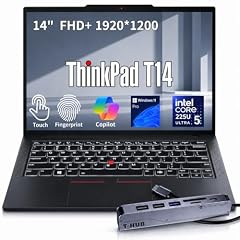
Lenovo ThinkPad T14 Business AI Laptop
- CPU
- Intel Core Ultra 5 225U
- RAM
- 64 GB
- Storage
- 2000 GB
- Screen
- 14 in
- Touchscreen
- Yes
- Weight
- 1.46 kg
- OS
- Windows 11 Pro
$2,149.00 (as of 10/20/2026 15:22 PDT - Details)
It pairs 64GB of memory and 2TB of storage with an Intel Core Ultra 5 225U and a FHD+ touchscreen. It matches the P14s Gen 7 on memory and storage with a lower-power U-series chip, at 1.46 kg.
Pros
- 64GB of memory, tied for the most among the picks
- 2TB of storage
- Touchscreen and Windows 11 Pro
Cons
- 1.46 kg, heavier than the P14s Gen 7
- Core Ultra 5 is the entry tier of Intel's Core Ultra line
Good fit if
- Office users who keep many large documents and browser tabs open
- Buyers who want a touchscreen with lots of memory
Skip if
- You need workstation-class CPU performance
- You want the lightest ThinkPad here
Verdict: A business ThinkPad with memory to spare.
8 Best HP mobile workstation
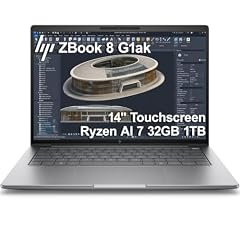
HP ZBook 8 G1ak Laptop
- CPU
- AMD Ryzen AI 7 PRO 350
- GPU
- Radeon 860M
- RAM
- 32 GB
- Storage
- 1000 GB
- Screen
- 14 in
- Touchscreen
- Yes
- Weight
- 1.44 kg
- OS
- Windows 11 Pro
$1,699.99 (as of 10/20/2026 15:21 PDT - Details)
The ZBook 8 G1ak brings an AMD Ryzen AI 7 PRO 350 with Radeon 860M graphics, 32GB of memory, 1TB of storage and a touchscreen at 1.44 kg. It is the HP alternative to the ThinkPad P14s for buyers standardized on HP.
Pros
- 32GB of memory and 1TB of storage
- Touchscreen
- Windows 11 Pro
- 1.44 kg
Cons
- Half the memory of the 64GB ThinkPad picks
- Integrated Radeon 860M, a step below the P14s Gen 7's 890M
Good fit if
- Offices that manage HP fleets
- Professionals who want a PRO-series AMD chip
Skip if
- You need 64GB of memory
- You need a dedicated GPU
Verdict: A solid HP workstation choice at the 32GB tier.
9 Best Dell workstation

Dell Precision 3490 Mobile Workstation Laptop
- CPU
- Intel Core Ultra 5 135H
- RAM
- 32 GB
- Storage
- 1000 GB
- Screen
- 14 in
- Weight
- 1.4 kg
- OS
- Windows 11 Pro
The Precision 3490 pairs an Intel Core Ultra 5 135H, an H-series chip with more headroom than the U-series business picks, with 32GB of memory and 1TB of storage at 1.4 kg. It is the Dell option for offices standardized on Precision.
Pros
- Intel Core Ultra 5 135H, an H-series chip
- 32GB of memory and 1TB of storage
- 1.4 kg and Windows 11 Pro
Cons
- No dedicated GPU stated by the seller
- Battery size not stated by the seller
Good fit if
- Dell-managed business fleets
- Users of CAD viewers and office analytics on the move
Skip if
- You need a touchscreen
- You need 64GB of memory
Verdict: A compact Dell workstation for mid-weight professional work.
10 Best OLED touchscreen

ASUS Zenbook 14 OLED Laptop
- CPU
- AMD Ryzen AI 9 465
- Storage
- 1000 GB
- Screen
- 14 in
- Touchscreen
- Yes
- Weight
- 1.28 kg
- OS
- Windows 11 Pro
$1,278.99 (as of 10/20/2026 15:20 PDT - Details)
It combines an AMD Ryzen AI 9 465 with a 2K OLED touchscreen and stylus, per the listing, and 1TB of storage at 1.28 kg. It is the pick for people who sketch, annotate or watch a lot of video.
Pros
- 2K OLED touchscreen with stylus per the listing
- 1.28 kg
- 1TB of storage and Windows 11 Pro
Cons
- Memory not stated by the seller in the specifications
- Battery size not stated by the seller
Good fit if
- Students who take handwritten notes
- People who value contrast for video and photos
Skip if
- You need a stated memory size before buying
- You want a matte, non-reflective screen
Verdict: The screen-first pick for touch and pen users.
11 Best everyday work laptop

Lenovo V14 G5 14" FHD Anti-Glare Laptop for Home & Work
- CPU
- Intel Core 7 240H
- RAM
- 32 GB
- Storage
- 1000 GB
- Screen
- 14 in
- Weight
- 1.37 kg
- Battery
- 47 Wh
- OS
- Windows 11 Home
$969.99 (as of 10/20/2026 15:22 PDT - Details)
The V14 G5 gives an Intel Core 7 240H with 10 cores per the listing, 32GB of memory, 1TB of storage and an anti-glare FHD screen at 1.37 kg. It covers home and office work without the business extras of the ThinkPads.
Pros
- 32GB of memory and 1TB of storage
- 1.37 kg
- 47Wh battery stated by the seller
- Anti-glare FHD screen
Cons
- Windows 11 Home rather than Pro
- 47Wh battery, smaller than the X1 Carbon's 57Wh
Good fit if
- Home offices and small businesses
- Students who want plenty of memory
Skip if
- You need business management features
- You want a touchscreen
Verdict: A straightforward everyday laptop with generous memory.
12 Best Chromebook

Acer Chromebook Plus 514 Laptop with Google AI
- CPU
- Intel Core i3-1315U
- RAM
- 8 GB
- Storage
- 256 GB
- Screen
- 14 in
- Weight
- 1.41 kg
- OS
- ChromeOS
$599.99 (as of 10/20/2026 15:20 PDT - Details)
It is the only ChromeOS pick, with an Intel Core i3-1315U, 8GB of memory, 256GB of storage and a WUXGA IPS touch matte display per the listing, at 1.41 kg. It suits people who work mostly in the browser and Google apps.
Pros
- ChromeOS with 8GB of memory
- 256GB of storage
- WUXGA matte touch display per the listing
Cons
- Runs ChromeOS, not Windows or macOS desktop software
- Battery size not stated by the seller
Good fit if
- Students in schools that use Google Workspace
- Households that want a simple, browser-first laptop
Skip if
- You need Microsoft Office desktop apps or Adobe software
- You play PC games
Verdict: A capable Chromebook for browser-based work.
13 Basic Windows for light tasks

HP 14-DQ600 2025 Laptop
- CPU
- Intel N150
- RAM
- 4 GB
- Storage
- 128 GB
- Screen
- 14 in
- Weight
- 1.47 kg
- Battery
- 41 Wh
- OS
- Windows 11 Home
$269.00 (as of 10/20/2026 15:21 PDT - Details)
It is the most basic laptop here: an Intel N150, 4GB of memory, 128GB of storage and an HD display, per the listing, with a stated 41Wh battery at 1.47 kg. It suits email, web and documents only.
Pros
- Windows 11 Home
- 41Wh battery stated by the seller
- Intel N150 with 4 cores per the listing
Cons
- 4GB of memory, the least in this list
- 128GB of storage, the least in this list
- HD display per the listing, below the FHD or sharper screens named on most picks
Good fit if
- A spare laptop for email and web
- Children's schoolwork in the browser
Skip if
- You keep many tabs or apps open
- You need to store files locally
Verdict: Only for the lightest tasks; the Chromebook Plus offers twice the memory for light use.
Side by side
| # | Laptop | CPU | GPU | GPU memory | Rentable GPU model | RAM | Storage |
|---|---|---|---|---|---|---|---|
| 1 | Acer Aspire Laptop 2026 | Intel Core Ultra 7 258V | not stated | not stated | not stated | 32 GB | 1000 GB |
| 2 | (CTO) Apple 14-inch MacBook Pro | Apple M5 Max | not stated | not stated | not stated | 36 GB | 8000 GB |
| 3 | ASUS ROG Zephyrus G14 14" 3K OLED 120Hz Copilot+ PC Gaming Laptop | AMD Ryzen AI 9 HX 370 | GeForce RTX 5070 Ti | 12 GB | not stated | 32 GB | 1000 GB |
| 4 | ASUS Zenbook 14 AI Business Laptop | Qualcomm Snapdragon X Plus | not stated | not stated | not stated | not stated | 512 GB |
| 5 | Lenovo Gen 11 ThinkPad X1 Carbon Laptop | Intel Core i7-1365U | not stated | not stated | not stated | 32 GB | not stated |
| 6 | Lenovo ThinkPad P14s Gen 7 AMD Ryzen AI 9 PRO 470 | AMD Ryzen AI 9 PRO 470 | Radeon 890M | not stated | not stated | 64 GB | 2000 GB |
| 7 | Lenovo ThinkPad T14 Business AI Laptop | Intel Core Ultra 5 225U | not stated | not stated | not stated | 64 GB | 2000 GB |
| 8 | HP ZBook 8 G1ak Laptop | AMD Ryzen AI 7 PRO 350 | Radeon 860M | not stated | not stated | 32 GB | 1000 GB |
| 9 | Dell Precision 3490 Mobile Workstation Laptop | Intel Core Ultra 5 135H | not stated | not stated | not stated | 32 GB | 1000 GB |
| 10 | ASUS Zenbook 14 OLED Laptop | AMD Ryzen AI 9 465 | not stated | not stated | not stated | not stated | 1000 GB |
| 11 | Lenovo V14 G5 14" FHD Anti-Glare Laptop for Home & Work | Intel Core 7 240H | not stated | not stated | not stated | 32 GB | 1000 GB |
| 12 | Acer Chromebook Plus 514 Laptop with Google AI | Intel Core i3-1315U | not stated | not stated | not stated | 8 GB | 256 GB |
| 13 | HP 14-DQ600 2025 Laptop | Intel N150 | not stated | not stated | not stated | 4 GB | 128 GB |
How we picked
How we picked: we started from the 55 current listings in our catalogue with a 14-inch screen. We dropped refurbished units, reseller rebuilds and little-known brands with thin spec sheets, and skipped duplicate configurations of the same model. From the rest we kept one strong option for each common need: everyday work, business travel, mobile workstation, creative work on a Mac, gaming, ChromeOS and a basic Windows machine. CPU facts come from Intel, GPU facts from NVIDIA and MacBook Pro facts from Apple. Prices on this page are live: each one is read from the store listing and shown with the time it was read. Nobody at wikilaptop.org has tested these units; every comparison below is drawn from stated specifications.
How to choose
Why 14 inches
Fourteen inches is the middle size: large enough for documents and spreadsheets, small enough for a daily bag. In this list, stated weights run from 1.09 kg (Zenbook 14 AI) to 1.57 kg (Zephyrus G14), and Apple lists the 14-inch MacBook Pro with M5 Max at 1.62 kg.
For long sessions at a desk or very wide spreadsheets, an external monitor still helps.
Processor: match the chip to the job
The 14-inch class spans very different chips. The Intel N150 in the HP 14 suits email and web only. U-series and V-series chips such as the Core Ultra 5 225U and Core Ultra 7 258V target long, light work: Intel lists the 258V at 17W base power. H-series chips such as the Core Ultra 5 135H and Core 7 240H give more headroom for heavier apps.
At the top, the MacBook Pro's M5 Max and the Zephyrus G14's Ryzen AI 9 HX 370 target demanding work. HX-class chips are built for performance, not for maximum battery life.
Memory and storage
For everyday work, 16GB is a comfortable floor and 32GB gives room for many apps. Six of the 13 picks have 32GB, two have 64GB and the MacBook Pro has 36GB. Some chips cap memory: Intel lists 32GB as the maximum for the Core Ultra 7 258V.
Storage here runs from 128GB (HP 14) to 8TB (MacBook Pro). 512GB to 1TB suits most people.
Screen: resolution, OLED and touch
Most business picks here use FHD or WUXGA screens (1920 pixels wide), which are sharp enough at 14 inches. OLED options (the Zenbook 14 AI, Zenbook 14 OLED and Zephyrus G14 per their listings) give deeper blacks. Touchscreens are listed on the Acer Aspire, T14, ZBook 8 G1ak, Zenbook 14 OLED and Chromebook Plus.
An HD screen, as on the HP 14, shows noticeably less detail at this size.
Graphics: integrated unless you game
Only the Zephyrus G14 has a dedicated graphics card, an RTX 5070 Ti that NVIDIA lists with 12GB of GDDR7. Every other pick uses integrated graphics, which is fine for office work, video calls and streaming.
If you edit video, the MacBook Pro's 32-core GPU or the G14's RTX 5070 Ti are the options in this list.
Battery: compare capacity, not hours
Only three picks state a battery size: the X1 Carbon (57Wh), the V14 G5 (47Wh) and the HP 14 (41Wh). Capacity is a better comparison than advertised hours, which depend on the test. When a listing does not state it, check the maker's specification page.
Questions
Is 14 inches a good laptop size?
For most people, yes. It balances screen space and portability, and stated weights in this list run from 1.09 kg to 1.57 kg on Windows. It works for school, office work and travel. For heavy creative work or gaming at a desk, a 16-inch laptop gives more screen and often more cooling room, but costs you weight.
Can a 14-inch laptop be good for gaming?
Yes, with a dedicated GPU. The Zephyrus G14 in this list carries an RTX 5070 Ti with 12GB of graphics memory per NVIDIA, at 1.57 kg. The other picks use integrated graphics, which handle light and older games only. Small gaming laptops pack a lot of power into little space, so check the maker's power figures.
How much memory do I need in a 14-inch laptop?
16GB suits most students and office workers, and 32GB leaves room for heavy multitasking; six picks here have 32GB. 64GB, on the ThinkPad P14s Gen 7 and T14, is for large datasets and virtual machines. 4GB, as on the HP 14, is only for very light use.
Should I choose a Chromebook or a Windows laptop?
A Chromebook like the Acer Chromebook Plus 514 suits people who work in the browser and Google apps. It does not run desktop Windows software such as full Microsoft Office or Adobe apps. If you need those, choose a Windows laptop with at least 16GB of memory.
Did you test these laptops?
No. Nobody at wikilaptop.org has tested these units. We chose them from the specifications on each listing, cross-checked with Intel, NVIDIA and Apple published data. We do not describe keyboards, speakers or build quality, because those claims need testing we have not done.
Recent updates
- : First published.