
Best ASUS Laptops in 2026: 14 Picks From ROG to Chromebook
The ASUS Vivobook S16 (2026) is our top ASUS pick for most people: its listing pairs an AMD Ryzen AI 9 465 with 32GB of memory, 1TB of storage, a 16-inch OLED screen and a 70Wh battery at 1.7 kg. Gamers should jump to the ROG Zephyrus G14, which fits an RTX 5070 Ti into 1.57 kg, and travelers to the 1.09 kg Zenbook 14. Every pick below was chosen from stated specifications and ASUS's own published information, not from time spent with the units.
14 picks from 64 laptops that match this guide with a price we can quote today. Every price below is live and carries the moment it was read.
The picks at a glance
Which one should you buy?
- For one laptop that does a bit of everything: The Vivobook S16 (2026) combines 32GB of memory, 1TB of storage and a 16-inch OLED screen at 1.7 kg, with no gaming GPU to carry. See pick 1
- For gaming that still fits a backpack: The ROG Zephyrus G14 is the lightest ASUS in the pool with a dedicated GPU, and that GPU is an RTX 5070 Ti. See pick 2
- For the most graphics power ASUS sells here: The ROG Strix SCAR 18 is the only listing in the pool with an RTX 5090. See pick 3
- For flights and long commutes: The Zenbook 14 with Snapdragon X Plus weighs 1.09 kg, the lightest of all 58 ASUS listings. See pick 10
The 14 picks
1 Best overall ASUS laptop
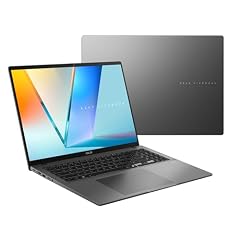
ASUS Vivobook S16 Laptop
- CPU
- AMD Ryzen AI 9 465
- RAM
- 32 GB
- Storage
- 1000 GB
- Screen
- 16 in
- Weight
- 1.7 kg
- Battery
- 70 Wh
- OS
- Windows 11 Home
$1,664.19 (as of 10/20/2026 15:20 PDT - Details)
It is the most complete non-gaming spec sheet in the ASUS pool: a Ryzen AI 9 465, 32GB of memory, 1TB of storage, a 16-inch WUXGA OLED screen per the title and a stated 70Wh battery, at 1.7 kg. The Ryzen AI 400 series is on Microsoft's Copilot+ PC processor list, and the memory and storage clear Microsoft's minimums. Compared with the Zenbook picks it trades some weight for a bigger screen and a stated battery size.
Pros
- 32GB of memory and 1TB of storage
- 70Wh battery, the largest stated on any ASUS pick without a gaming GPU
- 16-inch OLED screen per the listing title
- Ryzen AI 9 465, a Copilot+ PC processor family per Microsoft
Cons
- Integrated graphics only, so modern games and GPU rendering are limited
- 1.7 kg, 0.61 kg more than the Zenbook 14
- Refresh rate not stated by the seller
Good fit if
- Students and home users who want one large-screen laptop for years
- Office workers who keep many tabs and apps open
Skip if
- You play recent 3D games
- You carry your laptop every day and want the lightest option
Verdict: The ASUS most buyers should start with: big OLED screen, plenty of memory and a stated battery size.
2 Best portable ASUS gaming laptop

ASUS ROG Zephyrus G14 14" 3K OLED 120Hz Copilot+ PC Gaming Laptop
- CPU
- AMD Ryzen AI 9 HX 370
- GPU
- GeForce RTX 5070 Ti
- GPU memory
- 12 GB
- RAM
- 32 GB
- Storage
- 1000 GB
- Screen
- 14 in
- Refresh
- 120 Hz
- Weight
- 1.57 kg
At 1.57 kg it ties the other Zephyrus G14 listing as the lightest ASUS in the pool with a dedicated GPU, and that GPU is an RTX 5070 Ti with 12GB of video memory. The listing adds a 14-inch 3K OLED screen at 120Hz, 32GB of memory and 1TB of storage. ASUS describes the Zephyrus line as its thin-and-light ROG family.
Pros
- RTX 5070 Ti with 12GB of video memory at 1.57 kg
- 14-inch 3K OLED at 120Hz per the listing
- 32GB of memory and 1TB of storage
- Ryzen AI 9 HX 370, on Microsoft's Copilot+ PC processor list
Cons
- 120Hz, half the 240Hz of the Strix G16 and SCAR 18 picks
- 14-inch screen is small for long editing sessions
- Battery capacity not stated by the seller
Good fit if
- Students and travelers who game in the evening
- Creators who want a strong GPU in a small bag
Skip if
- You play fast competitive shooters and want 240Hz
- You mostly game at a desk and prefer a big screen
Verdict: The most GPU per kilogram in the ASUS lineup here.
3 Most powerful ASUS laptop

ASUS ROG Strix SCAR 18
- CPU
- Intel Core Ultra 9 275HX
- GPU
- GeForce RTX 5090
- RAM
- 32 GB
- Storage
- 2000 GB
- Screen
- 18 in
- Refresh
- 240 Hz
- Weight
- 2.85 kg
- OS
- Windows 11 Pro
$4,499.99 (as of 10/20/2026 15:20 PDT - Details)
It is the only listing in the ASUS pool with an RTX 5090, which NVIDIA specifies with 24GB of GDDR7, the most video memory of any laptop GPU in its RTX 50 lineup. The listing pairs it with an Intel Core Ultra 9 275HX, 32GB of memory, 2TB of storage and an 18-inch 2.5K 240Hz screen. It is also sold directly by the store rather than a third-party seller.
Pros
- RTX 5090, 24GB of video memory per NVIDIA
- 18-inch 2.5K screen at 240Hz
- 2TB of storage and 32GB of memory
- Windows 11 Pro
Cons
- 2.85 kg, heavy for daily carrying
- Battery capacity not stated by the seller
Good fit if
- Players who want maximum settings on an 18-inch screen
- 3D artists and AI hobbyists who need a lot of GPU memory
Skip if
- You move your laptop between rooms or cities often
- An RTX 5070 Ti already covers your games
Verdict: The top of the ASUS range here, built for a desk more than a bag.
4 Fastest screen in the ASUS lineup

ASUS ROG Strix G16
- CPU
- Intel Core Ultra 9 290HX
- GPU
- GeForce RTX 5080
- RAM
- 32 GB
- Screen
- 16 in
- Refresh
- 300 Hz
- Weight
- 1.76 kg
- OS
- Windows 11 Home
$3,899.99 (as of 10/20/2026 15:20 PDT - Details)
The 2026 Strix G16 is the only ASUS listing with a 300Hz screen and the only one with an RTX 5080, which NVIDIA specifies with 16GB of video memory. The title names an Intel Core Ultra 9 290HX Plus and a 16-inch 2.5K HDR panel, and the specs list 32GB of memory. It sits one GPU tier below the SCAR 18 on a smaller screen.
Pros
- 300Hz, the highest refresh rate in the ASUS pool
- RTX 5080 with 16GB of video memory per NVIDIA
- 32GB of memory
- Intel Core Ultra 9 290HX Plus per the title
Cons
- Storage not stated by the seller
- Battery capacity not stated by the seller
Good fit if
- Competitive players who notice every frame
- Gamers who want near-flagship graphics on a 16-inch screen
Skip if
- You need a confirmed storage size before buying
- Single-player games at 120Hz are all you play
Verdict: The pick for high-frame-rate gaming, once you confirm its storage with the seller.
5 Best 16-inch ROG for most gamers

ASUS ROG Strix G16
- CPU
- Intel Core Ultra 9 275HX
- GPU
- GeForce RTX 5070 Ti
- RAM
- 32 GB
- Storage
- 1000 GB
- Screen
- 16 in
- Refresh
- 240 Hz
- Weight
- 2.65 kg
- OS
- Windows 11 Home
The 2025 Strix G16 lists an RTX 5070 Ti, an Intel Core Ultra 9 275HX, 32GB of memory, 1TB of storage and a 16-inch 2.5K 240Hz screen. That is the same GPU as the Zephyrus G14 with a larger, faster screen, at 2.65 kg. It is sold directly by the store.
Pros
- RTX 5070 Ti with a 2.5K 240Hz screen
- Intel Core Ultra 9 275HX
- 32GB of memory and 1TB of storage
Cons
- 2.65 kg, 1.08 kg more than the Zephyrus G14
- Battery capacity not stated by the seller
Good fit if
- Gamers who want a 240Hz 16-inch screen
- Streamers who run a game and capture software together
Skip if
- You carry the laptop daily
- You want the 300Hz panel of the 2026 model
Verdict: A balanced high-end gaming configuration on a mid-size screen.
6 Lightest 16-inch ASUS with an RTX 5070

ASUS V16 16" WUXGA 144Hz Gaming Laptop
- CPU
- Intel Core 7 240H
- GPU
- RTX 5070
- RAM
- 16 GB
- Storage
- 1000 GB
- Screen
- 16 in
- Refresh
- 144 Hz
- Weight
- 1.95 kg
- OS
- Windows 11
$1,549.49 (as of 10/20/2026 15:20 PDT - Details)
The ASUS V16 lists an RTX 5070 at 1.95 kg, 0.55 kg lighter than the 2.5 kg Strix G16 listing with the same GPU. It pairs an Intel Core 7 240H with 16GB of memory and 1TB of storage on a 16-inch WUXGA 144Hz matte screen. The V16 is a less common ASUS line; the title gives the model code V3607VP-DS74.
Pros
- RTX 5070 at 1.95 kg
- 1TB of storage
- Matte 16-inch WUXGA screen at 144Hz per the title
Cons
- 16GB of memory, half of most gaming picks here
- 144Hz, below the 240Hz and 300Hz Strix picks
- Battery capacity not stated by the seller
Good fit if
- Students who want a mid-range GPU without a heavy chassis
- Casual gamers who also edit photos or video
Skip if
- You run memory-heavy creative apps
- You want a high-refresh screen for shooters
Verdict: A lighter route to RTX 5070 graphics on a 16-inch screen.
7 Best TUF for storage and battery

ASUS TUF F16 Gaming Laptop RTX 5050 115W
- CPU
- Intel Core i5-13450HX
- GPU
- RTX 5050
- RAM
- 32 GB
- Storage
- 2000 GB
- Screen
- 16 in
- Refresh
- 165 Hz
- Weight
- 2.18 kg
- Battery
- 90 Wh
$1,699.99 (as of 10/20/2026 15:20 PDT - Details)
This TUF F16 listing states a 90Wh battery, tied for the largest in the ASUS pool, plus 2TB of storage and 32GB of memory. The GPU is an RTX 5050 (115W per the title) with an Intel Core i5-13450HX and a 16-inch WUXGA 165Hz screen, at 2.18 kg. The memory and storage figures come from a third-party seller configuration.
Pros
- 90Wh battery, tied for the largest stated in the ASUS pool
- 2TB of storage and 32GB of memory
- 165Hz WUXGA screen with a MUX switch per the title
Cons
- RTX 5050, the entry tier of the RTX 50 laptop lineup
- Older 13th-generation Intel processor
- Seller-built configuration rather than a stock ASUS model
Good fit if
- Gamers with large game libraries
- Students who want a TUF with room for projects and games
Skip if
- You want high settings in the newest games
- You prefer a factory configuration
Verdict: Plenty of storage and a large stated battery, with entry-level graphics.
8 Best ASUS with AMD Radeon graphics

ASUS TUF Gaming A16 Laptop 16" WUXGA 165Hz 100% sRGB AMD 8-core Ryzen 7
- CPU
- AMD Ryzen 7 7735HS
- GPU
- Radeon RX 7700S
- GPU memory
- 8 GB
- RAM
- 32 GB
- Storage
- 1000 GB
- Screen
- 16 in
- Refresh
- 165 Hz
- Weight
- 2.2 kg
$1,659.00 (as of 10/20/2026 15:20 PDT - Details)
It is the only ASUS listing in the pool with an AMD Radeon dedicated GPU, the Radeon RX 7700S with 8GB of video memory. The listing adds a Ryzen 7 7735HS, 32GB of memory, 1TB of storage and a 16-inch WUXGA 165Hz screen at 2.2 kg. ASUS positions TUF Gaming as its line for a wide audience of gamers.
Pros
- Radeon RX 7700S with 8GB of video memory
- 32GB of memory and 1TB of storage
- 165Hz WUXGA screen, 100% sRGB per the title
Cons
- Ryzen 7 7735HS, an older generation than the Ryzen AI chips in this list
- No NVIDIA GPU, so CUDA-only software will not run on the GPU
- Battery capacity not stated by the seller
Good fit if
- Gamers who prefer an all-AMD system
- Buyers who want 32GB and 1TB in a TUF chassis
Skip if
- You use CUDA tools for AI or rendering
- You want the newest processor generation
Verdict: The AMD alternative in the ASUS gaming range.
9 Best 18-inch TUF

ASUS TUF 18 AI Gaming Laptop
- CPU
- AMD Ryzen 7 260
- GPU
- GeForce RTX 5060
- GPU memory
- 8 GB
- RAM
- 32 GB
- Storage
- 1000 GB
- Screen
- 18 in
- Refresh
- 144 Hz
- Weight
- 2.6 kg
$1,909.00 (as of 10/20/2026 15:20 PDT - Details)
The TUF 18 AI brings an 18-inch WUXGA 144Hz screen, an RTX 5060 with 8GB of video memory, 32GB of memory and 1TB of storage to the TUF line at 2.6 kg. One seller lists it in 12 memory, storage and Windows variations; we picked the 32GB and 1TB version with Windows 11 Home as the balanced one. For a bigger GPU on 18 inches, see the SCAR 18.
Pros
- 18-inch screen, 100% sRGB per the title
- RTX 5060 with 8GB of video memory
- 32GB of memory and 1TB of storage
Cons
- Ryzen 7 260 is not on Microsoft's Copilot+ PC processor list
- 144Hz, tied with the V16 for the lowest refresh rate among the gaming picks
- 2.6 kg
Good fit if
- Players who want a large screen without a flagship GPU
- Engineers and students who use CAD on a big display
Skip if
- You travel with your laptop
- You want Copilot+ PC features
Verdict: The large-screen TUF, with mid-range graphics and enough memory.
10 Lightest ASUS laptop

ASUS Zenbook 14 AI Business Laptop
- CPU
- Qualcomm Snapdragon X Plus
- Storage
- 512 GB
- Screen
- 14 in
- Weight
- 1.09 kg
- OS
- Windows 11 Home
At 1.09 kg it is the lightest of all 58 ASUS listings in our catalogue. The title describes a 14-inch FHD+ OLED screen, a Snapdragon X Plus and 16GB of memory, with 512GB of storage in the specs. ASUS positions the Zenbook family as its premium thin-and-light line.
Pros
- 1.09 kg, the lightest ASUS in the pool
- OLED screen per the listing title
- Snapdragon X Plus, on Microsoft's Copilot+ PC processor list
Cons
- Arm processor: Microsoft states emulation does not support drivers
- 512GB of storage
- Memory only in the listing title, not in the structured specs
Good fit if
- Frequent flyers who count grams
- Writers and office users who live in a browser
Skip if
- You depend on Windows software that installs its own drivers
- You keep large media files locally
Verdict: The ASUS to carry everywhere, if your apps run on Arm.
11 Best ASUS touchscreen ultraportable

ASUS Zenbook 14 OLED Laptop
- CPU
- AMD Ryzen AI 9 465
- Storage
- 1000 GB
- Screen
- 14 in
- Touchscreen
- Yes
- Weight
- 1.28 kg
- OS
- Windows 11 Pro
$1,278.99 (as of 10/20/2026 15:20 PDT - Details)
This Zenbook 14 OLED lists a 2K touchscreen, a stylus in the title, a Ryzen AI 9 465 and 1TB of storage at 1.28 kg. The x86 AMD chip avoids the Arm driver question of the Snapdragon Zenbook, for 0.19 kg more. It runs Windows 11 Pro.
Pros
- Touchscreen OLED with stylus per the title
- 1.28 kg, second lightest ASUS in the pool
- 1TB of storage, double the Snapdragon Zenbook
- x86 Ryzen AI 9 465, on Microsoft's Copilot+ PC processor list
Cons
- Memory not stated by the seller
- Battery capacity not stated by the seller
Good fit if
- Note takers and sketchers who want pen input
- Travelers who need x86 Windows compatibility
Skip if
- You need a confirmed memory size before buying
- You want a screen larger than 14 inches
Verdict: A light x86 Zenbook with touch and pen, pending the memory figure.
12 Best ASUS for heavy multitasking without a GPU
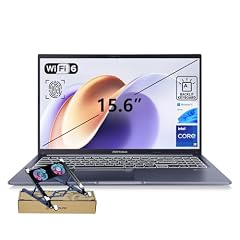
ASUS Vivobook 15 Laptop
- CPU
- Intel Core i9-13900H
- RAM
- 32 GB
- Storage
- 1000 GB
- Screen
- 15.6 in
- Touchscreen
- No
- Weight
- 1.7 kg
- OS
- Windows 11 Home
$1,169.00 (as of 10/20/2026 15:20 PDT - Details)
This Vivobook 15 pairs an Intel Core i9-13900H, an H-series chip, with 32GB of memory and 1TB of storage on a 15.6-inch FHD screen at 1.7 kg. It suits heavy office and development work that needs processor power but no gaming GPU. The same seller offers 24GB and 48GB versions.
Pros
- Intel Core i9-13900H, an H-series processor
- 32GB of memory and 1TB of storage
- Physical webcam shield per the title
Cons
- FHD non-touch screen
- Integrated graphics only
- Not a Copilot+ PC processor
Good fit if
- Developers and analysts on a mid-size screen
- Home offices that run many apps at once
Skip if
- You want an OLED or high-refresh screen
- You need Copilot+ PC features
Verdict: Processor and memory headroom in a plain, practical package.
13 Best basic 16-inch ASUS

ASUS Vivobook 16 Laptop
- CPU
- AMD Ryzen 5 150
- RAM
- 8 GB
- Storage
- 512 GB
- Screen
- 16 in
- Weight
- 1.88 kg
- OS
- Windows 11 Home
$571.81 (as of 10/20/2026 15:20 PDT - Details)
The Vivobook 16 with a Ryzen 5 150 is the simplest large-screen ASUS we would pick: a 16-inch WUXGA 16:10 screen, 8GB of memory and 512GB of storage at 1.88 kg, sold directly by the store. It skips the 4GB Celeron listings that fill the low end of the pool.
Pros
- 16-inch 1920x1200 16:10 screen
- 512GB of storage
- Sold directly by the store
Cons
- 8GB of memory, the least of any Windows pick that states memory
- 1.88 kg
- Battery capacity not stated by the seller
Good fit if
- Home users who browse, stream and write
- Families who want a large screen for shared use
Skip if
- You multitask heavily
- You want a light laptop to carry
Verdict: A plain big-screen Vivobook for everyday tasks.
14 Best ASUS Chromebook

ASUS Chromebook CX14 Laptop
- CPU
- Intel Celeron N4500
- RAM
- 8 GB
- Storage
- 128 GB
- Screen
- 14 in
- Touchscreen
- Yes
- Weight
- 1.39 kg
- OS
- ChromeOS
$389.99 (as of 10/20/2026 15:20 PDT - Details)
Of the two ASUS Chromebooks in the pool, this CX14 has the touchscreen, 8GB of memory and 128GB of storage, against 4GB and 64GB on the other. It weighs 1.39 kg with an Intel Celeron N4500. ASUS describes its Chromebooks as portable machines with access to the Google Play Store.
Pros
- 8GB of memory, double the other ASUS Chromebook
- 14-inch touchscreen
- 1.39 kg
Cons
- Intel Celeron N4500, the entry processor tier
- 128GB of storage
- Runs ChromeOS, not Windows programs
Good fit if
- Students whose school runs on Google tools
- Light users who mostly browse and stream
Skip if
- You need Windows software
- You edit photos or video
Verdict: The ASUS for browser-based work, with more memory than its sibling.
Side by side
| # | Laptop | CPU | GPU | GPU memory | Rentable GPU model | RAM | Storage |
|---|---|---|---|---|---|---|---|
| 1 | ASUS Vivobook S16 Laptop | AMD Ryzen AI 9 465 | not stated | not stated | not stated | 32 GB | 1000 GB |
| 2 | ASUS ROG Zephyrus G14 14" 3K OLED 120Hz Copilot+ PC Gaming Laptop | AMD Ryzen AI 9 HX 370 | GeForce RTX 5070 Ti | 12 GB | not stated | 32 GB | 1000 GB |
| 3 | ASUS ROG Strix SCAR 18 | Intel Core Ultra 9 275HX | GeForce RTX 5090 | not stated | not stated | 32 GB | 2000 GB |
| 4 | ASUS ROG Strix G16 | Intel Core Ultra 9 290HX | GeForce RTX 5080 | not stated | not stated | 32 GB | not stated |
| 5 | ASUS ROG Strix G16 | Intel Core Ultra 9 275HX | GeForce RTX 5070 Ti | not stated | not stated | 32 GB | 1000 GB |
| 6 | ASUS V16 16" WUXGA 144Hz Gaming Laptop | Intel Core 7 240H | RTX 5070 | not stated | not stated | 16 GB | 1000 GB |
| 7 | ASUS TUF F16 Gaming Laptop RTX 5050 115W | Intel Core i5-13450HX | RTX 5050 | not stated | not stated | 32 GB | 2000 GB |
| 8 | ASUS TUF Gaming A16 Laptop 16" WUXGA 165Hz 100% sRGB AMD 8-core Ryzen 7 | AMD Ryzen 7 7735HS | Radeon RX 7700S | 8 GB | not stated | 32 GB | 1000 GB |
| 9 | ASUS TUF 18 AI Gaming Laptop | AMD Ryzen 7 260 | GeForce RTX 5060 | 8 GB | not stated | 32 GB | 1000 GB |
| 10 | ASUS Zenbook 14 AI Business Laptop | Qualcomm Snapdragon X Plus | not stated | not stated | not stated | not stated | 512 GB |
| 11 | ASUS Zenbook 14 OLED Laptop | AMD Ryzen AI 9 465 | not stated | not stated | not stated | not stated | 1000 GB |
| 12 | ASUS Vivobook 15 Laptop | Intel Core i9-13900H | not stated | not stated | not stated | 32 GB | 1000 GB |
| 13 | ASUS Vivobook 16 Laptop | AMD Ryzen 5 150 | not stated | not stated | not stated | 8 GB | 512 GB |
| 14 | ASUS Chromebook CX14 Laptop | Intel Celeron N4500 | not stated | not stated | not stated | 8 GB | 128 GB |
How we picked
How we picked: our catalogue held 58 ASUS laptop listings with a live price. ASUS sells five very different families (Zenbook, Vivobook, ROG, TUF and Chromebook), so we shortlisted the strongest stated configuration in each family and use case rather than ranking all 58 on one scale. We removed near-duplicates: the pool holds 12 listings of the TUF 18 AI from one seller that differ only in memory, storage and Windows edition, and we kept one. We preferred complete spec sheets, new units and current chips, then compared memory, storage, graphics, screen and stated weight. Several picks are seller-built configurations with upgraded memory or storage; we say so where it applies. Prices are live and read from the store listing, with the time shown. Nobody tested these units.
How to choose
Know the ASUS families first
ASUS splits its laptops into families, and the name tells you most of what to expect. Zenbook is ASUS's premium thin-and-light line; Vivobook is its everyday line; Chromebook runs Google's ChromeOS. For gaming, ROG is the higher tier, with Zephyrus (thin and light), Strix (performance) and Flow sub-series, while TUF Gaming aims at a wide audience of gamers.
In our 58-listing pool, 38 laptops have a dedicated graphics card, so ASUS's range here leans toward gaming. If you do not play games or render 3D, start with Zenbook or Vivobook.
Graphics: read the RTX number
NVIDIA's RTX 50 laptop lineup runs from the RTX 5050 up to the RTX 5090. NVIDIA specifies 8GB of video memory for the RTX 5050, 5060 and 5070, 12GB for the 5070 Ti, 16GB for the 5080 and 24GB for the 5090. Video memory matters for high-resolution textures, 3D scenes and local AI models.
The RTX 5060 is the most common GPU in this pool, on 17 of the 58 listings. The same GPU can behave differently in different chassis, because makers set their own power limits; some listings state the wattage, as the TUF F16 does.
Weight: the 14-inch models are the travelers
Stated weights in this list run from 1.09 kg for the Zenbook 14 to 2.85 kg for the SCAR 18. The 14-inch picks (both Zenbooks, the Zephyrus G14 and the Chromebook) all stay under 1.6 kg, while the 16-inch and 18-inch gaming picks with a stated weight list 1.76 kg to 2.85 kg.
Gaming laptops also ship with large power bricks, so the carried weight is higher than the stated figure.
Arm, x86 and Copilot+ PCs
Microsoft lists AMD Ryzen AI 300 and 400 series, Intel Core Ultra 200V and 300V series and Snapdragon X series as Copilot+ PC processors, with at least 16GB of memory and 256GB of storage. Among our picks, the Vivobook S16, both Zenbooks and the Zephyrus G14 use those families.
The Snapdragon Zenbook is an Arm laptop. Microsoft's documentation says Windows on Arm runs most x86 apps through emulation but emulation does not support drivers, so check VPN clients, printer tools and anti-cheat games before you buy it.
Seller-built configurations
Many ASUS listings come from third-party sellers who add memory or storage to a stock model. The TUF 18 AI alone appears 12 times from one seller, in 16GB, 32GB and 64GB versions with 1TB or 2TB. These can be good configurations, but the upgrade is done by the seller, so ask who covers the warranty on the added parts.
Questions
Which ASUS laptop series is best?
It depends on the job. Zenbook is ASUS's premium thin-and-light line and suits travel; Vivobook covers everyday use at more sizes; ROG is its top gaming tier and TUF Gaming its broader gaming line; Chromebooks run ChromeOS. In this list the Vivobook S16 is our all-round pick, the Zephyrus G14 our portable gaming pick and the SCAR 18 the most powerful.
Is ROG better than TUF?
ROG is ASUS's higher gaming tier and, in this pool, holds the strongest GPUs: the only RTX 5090 and RTX 5080 are ROG Strix models. TUF listings here top out at the RTX 5060, apart from the TUF A16 with a Radeon RX 7700S. If an RTX 5060 or 5050 covers your games, a TUF can do the job; for 5070 Ti and above, look at ROG.
What is the lightest ASUS laptop here?
The Zenbook 14 with a Snapdragon X Plus, at a stated 1.09 kg, the lightest of the 58 ASUS listings in our catalogue. The Zenbook 14 OLED with a Ryzen AI 9 465 follows at 1.28 kg. The lightest ASUS with a dedicated GPU is the ROG Zephyrus G14 at 1.57 kg, with an RTX 5070 Ti.
Are ASUS laptops good for students?
ASUS covers most student needs. For general coursework the Vivobook S16 offers 32GB of memory and a 16-inch OLED screen; for students who carry a laptop all day, the Zenbooks weigh 1.09 kg and 1.28 kg; for schools on Google tools, the Chromebook CX14 fits. Engineering students who need a GPU can look at the TUF 18 AI or Zephyrus G14.
How much memory should an ASUS laptop have?
Microsoft sets 16GB as the minimum for Copilot+ PCs, a sensible floor for a Windows laptop you plan to keep. Counting the Zenbook 14's title figure, 11 of our 14 picks have 16GB or more, and nine have 32GB. The Vivobook 16 and Chromebook CX14 have 8GB for light use, and the Zenbook 14 OLED does not state its memory, so confirm it with the seller.
Recent updates
- : First published.