
Best Intel Core i5 Laptops in 2026: 12 Picks Compared on Specs
Our top pick is the ASUS TUF F16 with an Intel Core i5-13450HX and an RTX 5050: it pairs 32GB of memory with 2TB of storage and a 90Wh battery, the only battery size stated among the picks. The other 11 laptops run from 1.47 kg business machines with U and G-series chips to gaming laptops with H-series Core i5 processors. We chose all 12 from published specifications and Intel and NVIDIA data, not from lab tests.
12 picks from 40 laptops that match this guide with a price we can quote today. Every price below is live and carries the moment it was read.
The picks at a glance
Which one should you buy?
- For gaming on a Core i5: The ASUS TUF F16 pairs a Core i5-13450HX with an RTX 5050, 32GB of memory and 2TB of storage. See pick 1
- For office work and heavy multitasking: The HP 15.6-inch Core i5-1334U model carries 64GB of memory and 2TB of storage at 1.6 kg. See pick 8
- For carrying every day: The ThinkPad P14s weighs 1.47 kg, the lightest pick in this list. See pick 11
- For CAD and professional apps: The Dell Precision 7680 brings an NVIDIA RTX 1000 Ada workstation GPU with 6GB and 32GB of memory. See pick 6
The 12 picks
1 Best overall

ASUS TUF F16 Gaming Laptop RTX 5050 115W
- CPU
- Intel Core i5-13450HX
- GPU
- RTX 5050
- RAM
- 32 GB
- Storage
- 2000 GB
- Screen
- 16 in
- Refresh
- 165 Hz
- Weight
- 2.18 kg
- Battery
- 90 Wh
$1,699.99 (as of 10/20/2026 16:20 PDT - Details)
It combines the newest GPU tier among the Core i5 gaming picks, an RTX 5050, with 32GB of memory and 2TB of storage, double or more of the other RTX 5050 picks. Its 90Wh battery is the only battery size stated among the 12, and at 2.18 kg it is lighter than the ROG Strix G16.
Pros
- RTX 5050: 8GB of GDDR7 per NVIDIA, listed at 115W
- 32GB of memory and 2TB of storage
- 90Wh battery, the only battery size stated among the picks
- 16-inch WUXGA screen at 165Hz per the listing
Cons
- Core i5-13450HX is a high-power HX chip, built for plugged-in performance rather than battery life
- RTX 5050 is the entry tier of NVIDIA's RTX 50 laptop range
Good fit if
- Players who want a current RTX 50 GPU with a Core i5
- Students who game and keep large projects on the internal drive
Skip if
- You want long unplugged sessions
- You play new releases at high settings, where a higher GPU tier helps
Verdict: The most complete Core i5 gaming configuration in this list.
2 Best 15.6-inch RTX 5050 pick

acer Nitro V 15.6” FHD IPS 165Hz Gaming Laptop
- CPU
- Intel Core i5-13420H
- GPU
- GeForce RTX 5050
- GPU memory
- 8 GB
- RAM
- 16 GB
- Storage
- 512 GB
- Screen
- 15.6 in
- Refresh
- 165 Hz
- Weight
- 2.11 kg
$1,049.99 (as of 10/20/2026 16:20 PDT - Details)
It pairs a Core i5-13420H, which Intel lists with 8 cores, 12 threads and 45W base power, with an RTX 5050 and 8GB of GDDR7. At 2.11 kg it is lighter than both 16-inch RTX 5050 picks.
Pros
- RTX 5050 with 8GB of GDDR7
- Core i5-13420H: 8 cores and 12 threads per Intel
- 15.6-inch FHD screen at 165Hz per the listing
- 2.11 kg
Cons
- 512GB of storage fills quickly with modern games
- 16GB of memory, half of the TUF F16's 32GB
Good fit if
- First-time buyers who play esports titles
- Students who want a current GPU in a 15.6-inch body
Skip if
- You keep a large game library installed
- You want 32GB of memory out of the box
Verdict: A compact RTX 5050 option that will want more storage later.
3 Best 16-inch ROG option

ASUS ROG Strix G16 Gaming Laptop
- CPU
- Intel Core i5
- GPU
- GeForce RTX 5050 Laptop
- RAM
- 16 GB
- Storage
- 512 GB
- Screen
- 16 in
- Refresh
- 165 Hz
- Weight
- 2.65 kg
- OS
- Windows 11 Home
$1,259.23 (as of 10/20/2026 16:20 PDT - Details)
It offers the ROG Strix G16 chassis with an RTX 5050 and a 16-inch 16:10 FHD+ screen at 165Hz. The listing does not name the exact Core i5 model, and at 2.65 kg it is the heaviest of the three RTX 5050 picks.
Pros
- RTX 5050 laptop GPU
- 16-inch 16:10 FHD+ screen at 165Hz per the listing
- Windows 11 Home
Cons
- Exact Core i5 model not stated by the seller
- 2.65 kg, heavier than the TUF F16 and Nitro V
- 16GB of memory and 512GB of storage
Good fit if
- Players who want a 16-inch 16:10 screen
- Buyers who plan to add storage later
Skip if
- You want to know the exact processor before you buy
- You want the most memory and storage at this GPU tier: the TUF F16 has more
Verdict: A 16-inch RTX 5050 alternative; confirm the processor model first.
4 Best RTX 4050 pick

HP Victus Gaming Laptop
- CPU
- Intel Core i5-13420H
- GPU
- GeForce RTX 4050
- GPU memory
- 6 GB
- RAM
- 16 GB
- Storage
- 1000 GB
- Screen
- 15.6 in
- Refresh
- 144 Hz
- Weight
- 2.3 kg
$1,179.00 (as of 10/20/2026 16:21 PDT - Details)
It pairs a Core i5-13420H with an RTX 4050, an Ada Lovelace generation GPU, and 1TB of storage, double the other 15.6-inch gaming picks. The 15.6-inch screen runs at 144Hz.
Pros
- RTX 4050 with 6GB of graphics memory per the listing
- 1TB of storage
- Core i5-13420H: 8 cores per Intel
- 15.6-inch FHD screen at 144Hz
Cons
- Previous-generation RTX 40 GPU
- 144Hz, below the 165Hz of the RTX 5050 picks
Good fit if
- Players who want more storage than the RTX 5050 models at 15.6 inches
- Buyers happy with a previous-generation GPU
Skip if
- You want the current RTX 50 generation
- You want a 16-inch screen
Verdict: A 1TB 15.6-inch gaming laptop on the previous GPU generation.
5 Entry gaming pick

HP Victus 15.6" Full HD 144Hz Gaming Laptop
- CPU
- Intel Core i5-12450H
- GPU
- GeForce RTX 3050
- GPU memory
- 6 GB
- RAM
- 16 GB
- Storage
- 512 GB
- Screen
- 15.6 in
- Refresh
- 144 Hz
- OS
- Windows 11 Pro
$884.96 (as of 10/20/2026 16:21 PDT - Details)
It is the entry point for gaming in this list, with a 12th gen Core i5-12450H (8 cores and 45W base power per Intel) and an RTX 3050 with 6GB. It ships with Windows 11 Pro per the listing.
Pros
- RTX 3050 with 6GB of graphics memory
- 15.6-inch full HD screen at 144Hz
- Windows 11 Pro
Cons
- RTX 3050, an older generation than the RTX 40 and RTX 50 picks
- Weight not stated by the seller
- 512GB of storage
Good fit if
- Players who mostly run esports and older titles
- Buyers who need Windows 11 Pro on a gaming laptop
Skip if
- You play new releases
- You want a current RTX 50 GPU
Verdict: A basic gaming option on older parts.
6 Best workstation

Dell Precision 7680 Laptop
- CPU
- Intel Core i5-13600HX
- GPU
- RTX 1000 Ada
- GPU memory
- 6 GB
- RAM
- 32 GB
- Storage
- 2000 GB
- Screen
- 16 in
- Touchscreen
- Yes
- Weight
- 2.68 kg
$2,249.99 (as of 10/20/2026 16:21 PDT - Details)
It is the only pick with a professional GPU, an NVIDIA RTX 1000 Ada with 6GB, paired with a Core i5-13600HX, 32GB of memory and 2TB of storage. The 16-inch touch screen and Windows 11 Pro suit company-managed engineering work.
Pros
- RTX 1000 Ada professional GPU with 6GB
- 32GB of memory and 2TB of storage
- 16-inch touch screen
- Windows 11 Pro
Cons
- 2.68 kg, the heaviest pick
- Core i5-13600HX is a high-power HX chip, not a battery-life choice
Good fit if
- Engineers using CAD tools that certify professional GPUs
- IT-managed teams that standardize on Dell Precision
Skip if
- You mainly game: a GeForce pick fits better
- You carry your laptop daily
Verdict: The Core i5 workstation for professional graphics work.
7 Lightest with a separate GPU

Acer Aspire 5 Laptop
- CPU
- Intel Core i5-1240P
- GPU
- GeForce RTX 2050
- GPU memory
- 4 GB
- RAM
- 16 GB
- Storage
- 512 GB
- Screen
- 15.6 in
- Weight
- 1.8 kg
- OS
- Windows 11 Home
At 1.8 kg it is the lightest pick with a separate graphics card, an RTX 2050 with 4GB. It uses a 12th gen Core i5-1240P, a P-series chip that Intel describes as performance optimized for thin and light laptops.
Pros
- 1.8 kg, the lightest pick with a separate GPU
- RTX 2050 with 4GB of graphics memory
- Core i5-1240P, a P-series chip for thin laptops per Intel
- 15.6-inch FHD screen
Cons
- RTX 2050 has 4GB of graphics memory, half the RTX 5050's 8GB
- 16GB of memory and 512GB of storage
Good fit if
- Students who want light photo editing and older games
- Buyers who want a separate GPU without a gaming-laptop weight
Skip if
- You play new games
- You edit video often
Verdict: A light all-rounder with a basic graphics card.
8 Most memory

HP 15.6" HD Laptop Computer
- CPU
- Intel Core i5-1334U
- RAM
- 64 GB
- Storage
- 2000 GB
- Screen
- 15.6 in
- Weight
- 1.6 kg
- OS
- Windows 11 Home
$1,299.99 (as of 10/20/2026 16:21 PDT - Details)
It carries 64GB of memory, the most in this list and double any other pick, with 2TB of storage at 1.6 kg. The Core i5-1334U is a U-series chip, which Intel classes as power efficient.
Pros
- 64GB of memory, the most here
- 2TB of storage, tied for the most
- 1.6 kg, second lightest pick
- Core i5-1334U, a power-efficient U chip per Intel
Cons
- HD screen per the listing, below full HD
- Integrated Iris Xe graphics only, per the listing
Good fit if
- Office users who keep many large files, tabs and calls open
- Analysts working with big spreadsheets
Skip if
- You want a sharp full HD screen
- You need a separate GPU for creative work
Verdict: The multitasking pick, with the most memory among these 12.
9 Best touch screen for office work
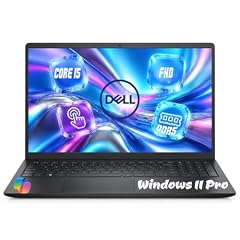
Dell 15.6" FHD Touchscreen Laptop
- CPU
- Intel Core i5-1334U
- RAM
- 32 GB
- Storage
- 1000 GB
- Screen
- 15.6 in
- Refresh
- 60 Hz
- Touchscreen
- Yes
- Weight
- 1.94 kg
- OS
- Windows 11 Pro
$1,129.00 (as of 10/20/2026 16:20 PDT - Details)
It pairs a 13th gen Core i5-1334U with a 15.6-inch full HD touch screen, 32GB of memory and 1TB of storage. It ships with Windows 11 Pro at 1.94 kg.
Pros
- 15.6-inch full HD touch screen
- 32GB of memory and 1TB of storage
- Windows 11 Pro
Cons
- 60Hz refresh
- 1.94 kg, heavier than the HP 1334U model with 64GB
Good fit if
- Remote workers who like touch input
- Small businesses that need Windows 11 Pro
Skip if
- You want the most memory: the HP model has 64GB
- You need a separate GPU
Verdict: A touch-screen office laptop with room to multitask.
10 Lightest H-series pick
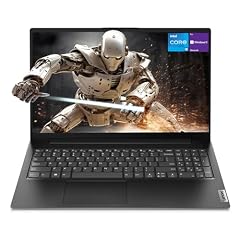
Lenovo V15 Gen 4 Business Laptop
- CPU
- Intel Core i5-13420H
- RAM
- 16 GB
- Storage
- 512 GB
- Screen
- 15.6 in
- Weight
- 1.65 kg
- OS
- Windows 11 Pro
$709.00 (as of 10/20/2026 16:22 PDT - Details)
It puts a Core i5-13420H, an H-series chip Intel lists with 45W base power, into a 1.65 kg business laptop with Windows 11 Pro. The listing names HDMI, RJ45 Ethernet and a numeric keypad.
Pros
- Core i5-13420H: 8 cores and 12 threads per Intel
- 1.65 kg, the lightest pick with an H-series chip
- Windows 11 Pro
- RJ45 Ethernet and numeric keypad per the listing
Cons
- 16GB of memory and 512GB of storage
- No separate graphics card
Good fit if
- Office users who want more processor headroom than a U chip
- Accountants who use a numeric keypad
Skip if
- You game or edit video
- You want 32GB of memory
Verdict: A light business laptop with a higher-power Core i5.
11 Lightest laptop in this list

Lenovo ThinkPad P14s Mobile Workstation Laptop
- CPU
- Intel Core i5-1135G7
- RAM
- 16 GB
- Storage
- 512 GB
- Screen
- 14 in
- Weight
- 1.47 kg
- OS
- Windows 11 Pro
$1,199.99 (as of 10/20/2026 16:22 PDT - Details)
At 1.47 kg it is the lightest pick, with a 14-inch full HD screen, 16GB of memory and Windows 11 Pro. Its Core i5-1135G7 is the oldest chip here by model number, so it suits light work on the move.
Pros
- 1.47 kg, the lightest in this list
- 14-inch FHD IPS screen per the listing
- Windows 11 Pro
Cons
- Core i5-1135G7, the oldest processor generation among the picks
- 16GB of memory and 512GB of storage
Good fit if
- Travelers who value weight above speed
- Office users who work in browsers and documents
Skip if
- You run heavy software
- You want a current processor generation
Verdict: The carry-everywhere Core i5 pick for light work.
12 Largest screen
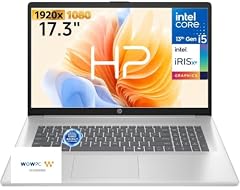
HP 17.3" FHD Home Office Laptop
- CPU
- Intel Core i5
- RAM
- 32 GB
- Storage
- 512 GB
- Screen
- 17.3 in
- Weight
- 2.09 kg
- OS
- Windows 11
$799.99 (as of 10/20/2026 16:21 PDT - Details)
It is the only pick with a 17.3-inch screen, and it pairs it with a 10-core Core i5 named in the listing, 32GB of memory and a numeric keypad. It weighs 2.09 kg.
Pros
- 17.3-inch FHD screen, the largest in this list
- 32GB of memory
- Numeric keypad and backlit keyboard per the listing
Cons
- Exact Core i5 model not stated by the seller
- 512GB of storage
Good fit if
- Home office users who want a large screen
- Buyers who work in spreadsheets with a keypad
Skip if
- You carry your laptop often
- You need to know the exact processor model
Verdict: The big-screen Core i5 laptop for a home desk.
Side by side
| # | Laptop | CPU | GPU | GPU memory | Rentable GPU model | RAM | Storage |
|---|---|---|---|---|---|---|---|
| 1 | ASUS TUF F16 Gaming Laptop RTX 5050 115W | Intel Core i5-13450HX | RTX 5050 | not stated | not stated | 32 GB | 2000 GB |
| 2 | acer Nitro V 15.6” FHD IPS 165Hz Gaming Laptop | Intel Core i5-13420H | GeForce RTX 5050 | 8 GB | not stated | 16 GB | 512 GB |
| 3 | ASUS ROG Strix G16 Gaming Laptop | Intel Core i5 | GeForce RTX 5050 Laptop | not stated | not stated | 16 GB | 512 GB |
| 4 | HP Victus Gaming Laptop | Intel Core i5-13420H | GeForce RTX 4050 | 6 GB | not stated | 16 GB | 1000 GB |
| 5 | HP Victus 15.6" Full HD 144Hz Gaming Laptop | Intel Core i5-12450H | GeForce RTX 3050 | 6 GB | not stated | 16 GB | 512 GB |
| 6 | Dell Precision 7680 Laptop | Intel Core i5-13600HX | RTX 1000 Ada | 6 GB | not stated | 32 GB | 2000 GB |
| 7 | Acer Aspire 5 Laptop | Intel Core i5-1240P | GeForce RTX 2050 | 4 GB | not stated | 16 GB | 512 GB |
| 8 | HP 15.6" HD Laptop Computer | Intel Core i5-1334U | not stated | not stated | not stated | 64 GB | 2000 GB |
| 9 | Dell 15.6" FHD Touchscreen Laptop | Intel Core i5-1334U | not stated | not stated | not stated | 32 GB | 1000 GB |
| 10 | Lenovo V15 Gen 4 Business Laptop | Intel Core i5-13420H | not stated | not stated | not stated | 16 GB | 512 GB |
| 11 | Lenovo ThinkPad P14s Mobile Workstation Laptop | Intel Core i5-1135G7 | not stated | not stated | not stated | 16 GB | 512 GB |
| 12 | HP 17.3" FHD Home Office Laptop | Intel Core i5 | not stated | not stated | not stated | 32 GB | 512 GB |
How we picked
How we picked: 36 laptops in our catalogue list an Intel Core i5 processor, and we read the specifications of 31 of those listings. We kept only machines whose listing states a Core i5 (we dropped one that names a Core i5-120U, since Intel sells the 120U as a Core 5, not a Core i5), preferred established makers sold new, and skipped renewed units, reseller rebuilds and duplicate configurations of the same model. We then kept one strong option per use: gaming, workstation, office, large screen and light travel. CPU facts come from Intel and GPU facts from NVIDIA. Prices on this page are live: each one is read from the store listing and shown with the time it was read. Nobody at wikilaptop.org has tested these units; every comparison below is drawn from the stated specifications.
How to choose
Read the whole processor name
Core i5 covers many generations and power classes, so the full model name tells you far more than the i5 label. The leading digits after the dash give the generation: a Core i5-13420H is a 13th gen chip, an i5-12450H a 12th gen one. Intel lists the i5-13420H as launched in early 2023 and the i5-12450H in early 2022.
Compare generations and suffixes, not only the tier.
The suffix: U, P, H or HX
Intel's naming guide classes U chips as power efficient, P chips as performance optimized for thin and light laptops, H chips as highest performance and HX chips as highest performance with all models unlocked. In this list, the i5-1334U machines are office laptops, the i5-1240P sits in the light Aspire 5, the i5-13420H and i5-12450H power mid-range gaming and business laptops, and the i5-13450HX and i5-13600HX sit in the heaviest gaming and workstation picks.
HX chips are high-power parts built for plugged-in use. If battery life matters, look at U and P-series models.
Graphics: integrated or a separate card
A Core i5 can game well when it sits next to a separate graphics card. Seven of the 12 picks have one, from an RTX 2050 up to an RTX 5050. NVIDIA's RTX 50 laptop GPUs use the Blackwell architecture, and NVIDIA lists 8GB of GDDR7 for the RTX 5050; the RTX 4050 belongs to the previous Ada Lovelace generation.
Without a separate card, a Core i5 handles office work, browsing and video, and only light or older games.
Memory and storage
16GB is a comfortable level for multitasking, and seven picks have it. Four have 32GB, and one HP model has 64GB. Storage runs from 512GB, enough for documents and a few games, to 2TB in three picks. If you buy a 512GB gaming laptop, plan for extra storage.
Screen and weight
Weight among picks with a stated figure runs from 1.47 kg (ThinkPad P14s) to 2.68 kg (Dell Precision 7680). A 15.6-inch screen gives room to work but adds weight; the 14-inch ThinkPad suits daily carrying and the 17.3-inch HP suits a desk. Gaming picks run at 144Hz or 165Hz; office picks list 60Hz or do not state a refresh rate.
Questions
Is an Intel Core i5 good enough for gaming?
It can be, when the laptop has a separate graphics card and an H or HX-series Core i5. The graphics card sets most of the frame rate. In this list, the TUF F16, Nitro V and ROG Strix G16 pair a Core i5 with an RTX 5050. A U-series Core i5 with integrated graphics suits only light or older games.
What is the difference between a Core i5 and a Core i7?
Within the same generation and suffix, a Core i7 usually has more cores, higher clock speeds or more cache, which helps heavy multitasking and exports. Across generations the comparison changes, so compare the full model names on Intel's specification pages, not only the tier.
How do I tell how new a Core i5 is?
Look at the digits after the dash in the model name: the leading digits give the generation, so i5-13420H is 13th gen and i5-1135G7 is 11th gen. Then check the suffix letter, which shows the power class. Where a listing only says Core i5, as with the ROG Strix G16 and HP 17.3-inch picks here, ask the seller or check the maker's page for the exact model.
Is a Core i5 the same as a Core 5 or Core Ultra 5?
No. Intel now sells Core 5 and Core Ultra 5 processors under newer names, and listings sometimes mix them up. We left out one listing that names a Core i5-120U, because Intel sells the 120U as a Core 5 120U. If the exact brand matters to you, check the processor model on Intel's site.
Did you test these laptops?
No. Nobody at wikilaptop.org has used these units. We chose them from the specifications stated on each listing, cross-checked with Intel and NVIDIA published data. We do not describe heat, noise, keyboard feel or battery hours, because those claims need testing we have not done.
Recent updates
- : First published.