
Best Laptops for Business Fleets in 2026: 12 Picks Compared on Specs
Our top pick for a business fleet is the Dell Pro 16 (PC16250) with an Intel Core 5 120U, 32GB of memory and 1TB of storage: it comes from Dell's business line, ships with Windows 11 Pro and uses an efficient U-series chip suited to office roles. The other 11 picks cover lighter travel machines and engineering workstations. We chose every pick from stated specifications and makers' published data, not from lab tests.
12 picks from 214 laptops that match this guide with a price we can quote today. Every price below is live and carries the moment it was read.
The picks at a glance
Which one should you buy?
- For standard office seats: The Dell Pro 16 with 32GB and 1TB covers email, documents and video calls on a 16-inch screen with Windows 11 Pro. See pick 1
- For staff who travel: The Dell XPS 13 with a Snapdragon X Elite weighs 1.19 kg, the lightest in this list, if your apps run well on Windows on Arm. See pick 4
- For engineers and CAD users: The Dell Precision 7680 pairs an RTX 2000 Ada with 8GB of graphics memory and 32GB of system memory in a 16-inch workstation. See pick 8
- For a compact business laptop: The Dell Precision 3490 fits an Intel Core Ultra 5 135H, 32GB and 1TB into a 14-inch body at 1.4 kg. See pick 3
The 12 picks
1 Best overall

Dell Pro 16 PC16250 Business Laptop
- CPU
- Intel Core 5 120U
- RAM
- 32 GB
- Storage
- 1000 GB
- Screen
- 16 in
- OS
- Windows 11 Pro
$1,229.99 (as of 10/20/2026 15:21 PDT - Details)
The Dell Pro 16 is part of Dell's business line and the listing states Windows 11 Pro, an Intel Core 5 120U, 32GB of memory and 1TB of storage. The listing title describes a 16-inch 2K anti-glare IPS screen. It suits the largest group in most fleets: staff who live in email, documents, browsers and video calls.
Pros
- Dell business line, sold as a Dell listing
- 32GB of memory and 1TB of storage
- Efficient U-series Intel processor
- Same model available in 16GB and 64GB configurations for different roles
Cons
- Weight not stated by the seller
- Integrated graphics only, not suited to CAD or 3D
Good fit if
- IT teams standardizing on one model for most office staff
- Organizations that want room to grow with 32GB of memory
Skip if
- Your staff travel daily and need something near 1.2 kg
- Users need a professional GPU
Verdict: A sensible default fleet laptop: business line, Windows 11 Pro and generous memory.
2 Best entry configuration for light roles
Dell Pro 16 PC16250 Business Laptop
- CPU
- Intel Core 5 120U
- RAM
- 16 GB
- Storage
- 512 GB
- Screen
- 16 in
- OS
- Windows 11 Pro
$959.99 (as of 10/20/2026 15:21 PDT - Details)
The same Dell Pro 16 model as our top pick with 16GB of memory and 512GB of storage. Keeping both configurations of one model lets IT image a single platform while matching memory to the role.
Pros
- Same model as the top pick, so one image and one set of drivers
- Windows 11 Pro
- Intel Core 5 120U
Cons
- 16GB of memory, the least in this list
- 512GB of storage, tied for the smallest here
Good fit if
- Front-desk, call center and kiosk-style roles
- Fleets that store files in the cloud rather than locally
Skip if
- Staff run many apps and browser tabs at once
- You plan a long refresh cycle and want memory headroom
Verdict: The light-duty sibling of our top pick for simpler roles.
3 Best compact business laptop

Dell Precision 3490 Mobile Workstation Laptop
- CPU
- Intel Core Ultra 5 135H
- RAM
- 32 GB
- Storage
- 1000 GB
- Screen
- 14 in
- Weight
- 1.4 kg
- OS
- Windows 11 Pro
Dell's Precision 3490 puts an Intel Core Ultra 5 135H, 32GB of memory and 1TB of storage into a 14-inch body at 1.4 kg. It is the lightest 14-inch or larger pick in this list and comes from Dell's workstation family.
Pros
- 1.4 kg, the second lightest pick
- 32GB of memory and 1TB of storage
- Dell Precision workstation family
Cons
- No dedicated GPU is stated by the seller
- 14-inch screen is small for spreadsheets side by side
Good fit if
- Consultants and managers who move between offices
- Analysts who want 32GB in a small laptop
Skip if
- Users need a professional GPU: see the Precision 7680
- Staff prefer a 16-inch screen for all-day desk work
Verdict: The best mix of size, memory and business-class pedigree in this list.
4 Lightest for traveling staff

Dell XPS 13.4" Laptop
- CPU
- Qualcomm Snapdragon X Elite
- RAM
- 32 GB
- Storage
- 512 GB
- Screen
- 13.4 in
- Refresh
- 120 Hz
- Weight
- 1.19 kg
- Battery
- 55 Wh
- OS
- Windows 11 Pro
At 1.19 kg it is the lightest pick, with a Qualcomm Snapdragon X Elite, 32GB of memory and a 13.4-inch 120Hz screen. It is an Arm-based Windows PC: Microsoft says x64 apps run under emulation on Arm and that Arm-native apps give the best performance and battery life, so check your line-of-business software and security agents first.
Pros
- 1.19 kg, the lightest in this list
- 32GB of memory
- Windows 11 Pro on an Arm processor, which Microsoft describes as power-frugal
Cons
- 512GB of storage, tied for the smallest here
- 55 Wh battery
- Drivers and older apps may not support Arm
Good fit if
- Executives and sales staff who travel
- Fleets whose apps are web-based or Arm-native
Skip if
- You depend on legacy x86 software, VPN clients or peripherals without Arm drivers
- Staff need more than 512GB locally
Verdict: The traveler's pick, once you confirm your software stack runs on Arm.
5 Most storage among office picks

Dell 16 Plus Laptop DB16250 Intel Core Ultra 7 258V 32GB LPDDR5X 2TB SSD
- CPU
- Intel Core Ultra 7 258V
- RAM
- 32 GB
- Storage
- 2000 GB
- Screen
- 16 in
- Weight
- 1.87 kg
- OS
- Windows 11 Pro
$1,599.99 (as of 10/20/2026 15:20 PDT - Details)
The Dell 16 Plus pairs an Intel Core Ultra 7 258V, which Intel lists with a 17 W processor base power, with 32GB of memory and 2TB of storage. It weighs 1.87 kg with a 16-inch touchscreen.
Pros
- 2TB of storage, the most outside the workstations
- Core Ultra 7 258V: 17 W base power per Intel
- 16-inch touchscreen
- 32GB of memory
Cons
- Dell 16 Plus is not Dell's Pro business line
- 1.87 kg, heavier than the Precision 3490
Good fit if
- Staff who keep large local files, such as media or field data
- Roles that benefit from a touchscreen
Skip if
- You standardize strictly on business-line models
- Staff mostly work from cloud storage
Verdict: An efficient, storage-heavy 16-inch for roles that keep data locally.
6 Lightest 16-inch

Acer Swift 16 AI Laptop 16" WUXGA 120Hz Touchscreen
- CPU
- AMD Ryzen AI 9 465
- GPU
- Radeon 880M
- RAM
- 32 GB
- Storage
- 1000 GB
- Screen
- 16 in
- Refresh
- 120 Hz
- Touchscreen
- Yes
- Weight
- 1.6 kg
$1,241.49 (as of 10/20/2026 15:20 PDT - Details)
At 1.6 kg it is the lightest 16-inch pick. It uses an AMD Ryzen AI 9 465 with Radeon 880M graphics, 32GB of memory, 1TB of storage and a 120Hz touchscreen, with Windows 11 Pro.
Pros
- 1.6 kg, the lightest 16-inch pick
- 32GB of memory and 1TB of storage
- 120Hz 16-inch touchscreen
Cons
- Acer Swift is a consumer line, not a business line
- Integrated graphics only
Good fit if
- Hybrid staff who want a large screen they can carry
- Small businesses without strict business-line requirements
Skip if
- Your IT policy requires business-line hardware and support
- Users need a professional GPU
Verdict: A light 16-inch option for smaller fleets that value portability.
7 Best 15.6-inch office machine
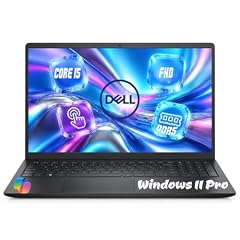
Dell 15.6" FHD Touchscreen Laptop
- CPU
- Intel Core i5-1334U
- RAM
- 32 GB
- Storage
- 1000 GB
- Screen
- 15.6 in
- Refresh
- 60 Hz
- Touchscreen
- Yes
- Weight
- 1.94 kg
- OS
- Windows 11 Pro
$1,129.00 (as of 10/20/2026 15:20 PDT - Details)
It pairs an Intel Core i5-1334U with 32GB of memory and 1TB of storage on a 15.6-inch Full HD touchscreen at 1.94 kg. It suits desk-bound staff who want a larger screen with plenty of memory.
Pros
- 32GB of memory and 1TB of storage
- 15.6-inch touchscreen
- Efficient U-series processor
Cons
- 1.94 kg, heavier than the 16-inch Swift at 1.6 kg
- Older 13th generation Intel chip than the Core Ultra picks
Good fit if
- Desk-based staff in accounting or administration
- Fleets that want a touchscreen on every seat
Skip if
- Staff travel often
- You want the newest processor generation for a long refresh cycle
Verdict: A straightforward 15.6-inch office laptop with generous memory.
8 Best engineering workstation

Dell Precision 7680 Laptop
- CPU
- Intel Core i7-13850HX
- GPU
- RTX 2000 Ada
- GPU memory
- 8 GB
- RAM
- 32 GB
- Storage
- 1000 GB
- Screen
- 16 in
- Weight
- 2.68 kg
- OS
- Windows 11 Pro
$2,599.99 (as of 10/20/2026 15:21 PDT - Details)
The Precision 7680 carries an Intel Core i7-13850HX and an NVIDIA RTX 2000 Ada with 8GB of graphics memory, with 32GB of system memory and 1TB of storage. It is a Dell listing, not a reseller build, and suits engineers who run CAD and simulation tools.
Pros
- RTX 2000 Ada professional GPU with 8GB
- Dell Precision workstation line, sold as a Dell listing
- 16-inch screen and 32GB of memory
Cons
- 2.68 kg
- 1TB of storage for large project files
Good fit if
- Engineering and design teams on CAD software
- Fleets that assign workstations only to technical staff
Skip if
- Staff need portability over GPU power
- Your work needs 12GB or more of graphics memory
Verdict: The workstation to assign to engineers in a mixed fleet.
9 Most memory from a maker listing

Dell Precision 7780 Laptop
- CPU
- Intel Core i9-13950HX
- GPU
- RTX 3500 Ada
- GPU memory
- 12 GB
- RAM
- 128 GB
- Storage
- 4000 GB
- Screen
- 17.3 in
- Weight
- 3.05 kg
- OS
- Windows 11 Pro
$6,299.99 (as of 10/20/2026 15:21 PDT - Details)
It has 128GB of memory, tied for the most in this list, with an NVIDIA RTX 3500 Ada with 12GB, an Intel Core i9-13950HX and 4TB of storage on a 17.3-inch screen. It is the pick for simulation, data science and large assemblies.
Pros
- 128GB of memory, tied for the most here
- RTX 3500 Ada with 12GB of graphics memory
- 4TB of storage, tied for the most here
- 17.3-inch screen
Cons
- 3.05 kg, the heaviest pick
- HX processor: built for performance, not battery life
Good fit if
- Simulation and data teams with very large datasets
- Staff who treat the laptop as a desktop replacement
Skip if
- Staff carry the laptop daily
- Work fits in 32GB
Verdict: The heavy-duty workstation for the few seats that need everything.
10 Most powerful workstation

EXCaliberPC (2026) ThinkPad P16 Gen 3 Intel Touchscreen Laptop
- CPU
- Intel Core Ultra 9 275HX
- GPU
- RTX PRO 5000
- RAM
- 128 GB
- Storage
- 4000 GB
- Screen
- 16 in
- Refresh
- 120 Hz
- Touchscreen
- Yes
- Weight
- 2.54 kg
This is a reseller configuration of Lenovo's ThinkPad P16 Gen 3 with an Intel Core Ultra 9 275HX, an NVIDIA RTX PRO 5000, 128GB of memory and 4TB of storage. It weighs 2.54 kg, less than the 3.05 kg Precision 7780.
Pros
- Core Ultra 9 275HX and RTX PRO 5000, the top processor and GPU tier in this list
- 128GB of memory and 4TB of storage
- 2.54 kg, lighter than the Precision 7780
- 16-inch 120Hz touchscreen
Cons
- Reseller configuration: confirm warranty terms with the seller
- Graphics memory not stated by the seller
Good fit if
- Visual effects, AI and simulation specialists
- Teams already standardized on ThinkPad
Skip if
- You buy only maker-direct hardware for warranty reasons
- The role does not need a top-tier GPU
Verdict: The top workstation in this list, bought through a reseller.
11 Most CPU power in a light office laptop
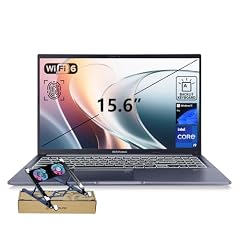
ASUS Vivobook 15 Laptop
- CPU
- Intel Core i9-13900H
- RAM
- 32 GB
- Storage
- 1000 GB
- Screen
- 15.6 in
- Touchscreen
- No
- Weight
- 1.7 kg
- OS
- Windows 11 Pro
$1,199.00 (as of 10/20/2026 15:20 PDT - Details)
It puts an Intel Core i9-13900H, which Intel lists with 14 cores and 20 threads, into a 1.7 kg 15.6-inch laptop with 32GB of memory and 1TB of storage. It suits staff who run heavy spreadsheets or local builds but do not need a workstation GPU.
Pros
- Core i9-13900H: 14 cores and 20 threads per Intel
- 1.7 kg for a 15.6-inch laptop
- 32GB of memory and 1TB of storage
Cons
- Vivobook is a consumer line, not a business line
- Core i9-13900H: 45 W base power per Intel, more than the U-series picks
Good fit if
- Finance and analytics staff with heavy spreadsheets
- Developers who compile locally
Skip if
- Your policy requires business-line models
- Battery life matters more than CPU speed
Verdict: Workstation-class CPU speed without workstation weight.
12 Best AMD 15.6-inch option
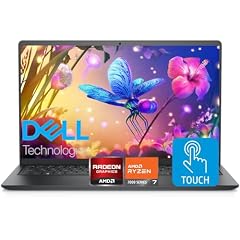
Dell Inspiron 15.6" FHD Touchscreen Laptop
- CPU
- AMD Ryzen 7 7730U
- RAM
- 32 GB
- Storage
- 1000 GB
- Screen
- 15.6 in
- Touchscreen
- Yes
- OS
- Windows 11 Pro
It pairs an AMD Ryzen 7 7730U with 32GB of memory and 1TB of storage on a 15.6-inch Full HD touchscreen, with Windows 11 Pro. It gives fleets that mix vendors an AMD-based alternative to the Dell 15.
Pros
- 32GB of memory and 1TB of storage
- Efficient U-series AMD processor
- 15.6-inch touchscreen
Cons
- Weight not stated by the seller
- Inspiron is a consumer line, not Dell's business line
Good fit if
- Desk-based staff in small businesses
- Fleets that want an AMD option
Skip if
- You need business-line support terms
- Staff travel often
Verdict: A capable AMD desk laptop for smaller fleets.
Side by side
| # | Laptop | CPU | GPU | GPU memory | Rentable GPU model | RAM | Storage |
|---|---|---|---|---|---|---|---|
| 1 | Dell Pro 16 PC16250 Business Laptop | Intel Core 5 120U | not stated | not stated | not stated | 32 GB | 1000 GB |
| 2 | Dell Pro 16 PC16250 Business Laptop | Intel Core 5 120U | not stated | not stated | not stated | 16 GB | 512 GB |
| 3 | Dell Precision 3490 Mobile Workstation Laptop | Intel Core Ultra 5 135H | not stated | not stated | not stated | 32 GB | 1000 GB |
| 4 | Dell XPS 13.4" Laptop | Qualcomm Snapdragon X Elite | not stated | not stated | not stated | 32 GB | 512 GB |
| 5 | Dell 16 Plus Laptop DB16250 Intel Core Ultra 7 258V 32GB LPDDR5X 2TB SSD | Intel Core Ultra 7 258V | not stated | not stated | not stated | 32 GB | 2000 GB |
| 6 | Acer Swift 16 AI Laptop 16" WUXGA 120Hz Touchscreen | AMD Ryzen AI 9 465 | Radeon 880M | not stated | not stated | 32 GB | 1000 GB |
| 7 | Dell 15.6" FHD Touchscreen Laptop | Intel Core i5-1334U | not stated | not stated | not stated | 32 GB | 1000 GB |
| 8 | Dell Precision 7680 Laptop | Intel Core i7-13850HX | RTX 2000 Ada | 8 GB | not stated | 32 GB | 1000 GB |
| 9 | Dell Precision 7780 Laptop | Intel Core i9-13950HX | RTX 3500 Ada | 12 GB | not stated | 128 GB | 4000 GB |
| 10 | EXCaliberPC (2026) ThinkPad P16 Gen 3 Intel Touchscreen Laptop | Intel Core Ultra 9 275HX | RTX PRO 5000 | not stated | not stated | 128 GB | 4000 GB |
| 11 | ASUS Vivobook 15 Laptop | Intel Core i9-13900H | not stated | not stated | not stated | 32 GB | 1000 GB |
| 12 | Dell Inspiron 15.6" FHD Touchscreen Laptop | AMD Ryzen 7 7730U | not stated | not stated | not stated | 32 GB | 1000 GB |
How we picked
How we picked: our catalogue places 185 laptops in the business fleet group, meaning the listing states Windows 11 Pro, and we worked from the 60 current listings among them. We removed gaming machines, since their high-power HX chips, fast screens and styling rarely suit an office fleet, and we removed duplicate configurations of the same model, keeping at most two where the difference maps to a real role (standard seat versus heavier user). We preferred business lines from established makers sold new; one workstation is a reseller configuration and is labeled as such. Windows edition facts come from Microsoft. Prices on this page are live: each one is read from the store listing and shown with the time it was read. Nobody at wikilaptop.org has tested these units.
How to choose
Windows 11 Pro is the baseline
Every laptop in this list states Windows 11 Pro. Microsoft lists features in Pro that Home lacks, including BitLocker device encryption, Group Policy, joining Microsoft Entra ID, mobile device management and Windows Autopilot, which sets up new devices through a preconfigured cloud process.
For a fleet, these tools are what let IT encrypt every drive, push settings centrally and ship a laptop straight to a new employee.
Standardize on as few models as possible
Every extra model adds a driver set, an image to maintain and a charger or dock to stock. A practical fleet uses one office model in two memory tiers and one workstation model for technical staff. In this list, the Dell Pro 16 in 16GB and 32GB configurations shows the idea.
Before ordering in volume, confirm with the maker how long the exact configuration will stay available, and what warranty and on-site service terms apply.
Match the processor to the role
Efficient U-series and V-series chips suit office work and long unplugged days. Intel lists a 17 W processor base power for the Core Ultra 7 258V in the Dell 16 Plus, while the Core i9-13900H in the Vivobook 15 has 45 W. HX chips, such as those in the Precision and ThinkPad workstations here, are built for sustained heavy work and belong only on the seats that need them.
Arm laptops such as the Snapdragon-based XPS 13 are light and power-frugal, but Microsoft notes that x64 apps run under emulation on Arm. Test your VPN, security agents and line-of-business apps before rolling them out.
Memory and storage for a multi-year refresh cycle
Nine of the 12 picks have 32GB of memory, one has 16GB and two have 128GB. For a fleet you plan to keep for several years, 32GB leaves headroom as browsers and collaboration apps grow.
Storage runs from 512GB (two picks) through 1TB (seven picks) and 2TB (one pick) to 4TB (two workstations). If your organization stores files in the cloud, 512GB can work for light roles.
Business line or consumer line
Business lines, such as Dell Pro and Precision or Lenovo ThinkPad, are typically sold with business warranty and support options, while consumer lines are aimed at home buyers. Nine of our picks come from Dell, one from Acer, one from ASUS and one is a reseller build of a Lenovo ThinkPad.
Consumer models with Windows 11 Pro can still work in a small business fleet, but check the warranty terms before buying in volume.
Questions
Why do fleet laptops need Windows 11 Pro instead of Home?
Microsoft lists BitLocker, Group Policy, Microsoft Entra ID join, mobile device management and Windows Autopilot among the features of Pro that Home lacks. These let IT encrypt drives, enforce settings and deploy devices centrally. Every laptop in this list states Windows 11 Pro.
Should a fleet buy Arm-based Windows laptops?
They can suit staff who travel, and Microsoft describes Arm as power-frugal. The catch is compatibility: Microsoft says x64 apps run under emulation on Arm, and Arm-native apps give the best performance. Pilot a few units with your VPN, security tools, printers and business apps before you commit a whole department.
How much memory should fleet laptops have?
For standard office roles, 16GB works today, and the Dell Pro 16 entry configuration in this list has it. For a multi-year refresh cycle, 32GB gives more headroom, which is why nine of our 12 picks have 32GB. Engineering and data roles may need 64GB or more; two workstations here have 128GB.
Do all staff need a workstation?
No. Workstations such as the Precision 7680, Precision 7780 and ThinkPad P16 Gen 3 carry HX processors and professional NVIDIA GPUs. They weigh 2.54 kg to 3.05 kg. Assign them only to engineers, designers and data staff, and give everyone else an office model.
Did you test these laptops?
No. Nobody at wikilaptop.org has used these units. We chose them from the specifications stated on each listing, cross-checked with Microsoft and Intel published data. Prices are read live from the store listing and shown with the time they were read, so we never write price comparisons into the text.
Recent updates
- : First published.