
Best Touchscreen Laptops in 2026: 14 Picks Compared on Specs
Our top pick is the 2026 Acer Aspire with an Intel Core Ultra 7 258V: a 14-inch touchscreen, 32GB of memory (the most Intel lists for that chip) and 1TB of storage at 1.4 kg. If you want to fold the screen back and use it as a tablet, the HP OmniBook X Flip is our 2-in-1 pick. The other picks cover business, creative and budget needs. We chose all 14 from stated specifications and the makers' published data, not from lab tests.
14 picks from 162 laptops that match this guide with a price we can quote today. Every price below is live and carries the moment it was read.
The picks at a glance
Which one should you buy?
- For notes and tablet use: The HP OmniBook X Flip is a 2-in-1 with a 16-inch OLED touch screen per the listing, so the screen can fold back for handwriting and reading. See pick 3
- For carrying every day: The ASUS Zenbook 14 OLED is the lightest pick at 1.28 kg, and the listing mentions a stylus. See pick 2
- For business: The ThinkPad T14 Gen 5 pairs a 14-inch touch screen with 32GB, 1TB and a stated 52.5Wh battery at 1.38 kg. See pick 5
- For creative work: The ASUS ProArt P16 build pairs a 16-inch 4K OLED touch screen (per the listing) with an RTX 5090 and 64GB at 1.85 kg. See pick 13
The 14 picks
1 Best overall
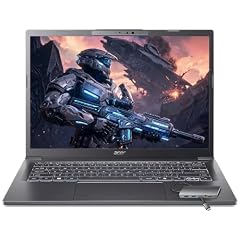
Acer Aspire Laptop 2026
- CPU
- Intel Core Ultra 7 258V
- RAM
- 32 GB
- Storage
- 1000 GB
- Screen
- 14 in
- Touchscreen
- Yes
- Weight
- 1.4 kg
- OS
- Windows 11 Home
$1,149.99 (as of 10/20/2026 16:20 PDT - Details)
It combines a 14-inch touchscreen with an Intel Core Ultra 7 258V, 32GB of memory and 1TB of storage at a stated 1.4 kg. Intel lists 32GB as the maximum memory for this chip, so you get the most it supports, and every key spec is stated on the listing.
Pros
- 32GB of memory, the maximum Intel lists for the Core Ultra 7 258V
- 1.4 kg, one of five picks under 1.5 kg
- 1TB of storage
- NPU with 47 peak TOPS per Intel, for on-device AI features
Cons
- Not described as a 2-in-1
- Windows 11 Home rather than Pro
Good fit if
- Students and home users who want touch on a light everyday laptop
- Buyers who want a complete spec sheet with no gaps
Skip if
- You want to use the laptop as a tablet: pick a 2-in-1
- You need a dedicated GPU for games or 3D work
Verdict: The most complete everyday touchscreen laptop in this list.
2 Lightest pick

ASUS Zenbook 14 OLED Laptop
- CPU
- AMD Ryzen AI 9 465
- Storage
- 1000 GB
- Screen
- 14 in
- Touchscreen
- Yes
- Weight
- 1.28 kg
- OS
- Windows 11 Pro
$1,278.99 (as of 10/20/2026 16:20 PDT - Details)
At 1.28 kg it is the lightest laptop in this list, with a 14-inch 2K OLED touch screen, an AMD Ryzen AI 9 465 and 1TB of storage. The listing title mentions a stylus, which suits note-taking and sketching.
Pros
- 1.28 kg, the lightest pick
- 14-inch 2K OLED touch screen per the listing
- Stylus mentioned in the listing
- AMD Ryzen AI 9 465 and 1TB of storage
Cons
- Memory not stated by the seller
- Not described as a 2-in-1
Good fit if
- Travelers and students who carry their laptop all day
- People who want to write or sketch with a pen
Skip if
- You need memory stated before you buy
- You want a screen that folds flat into a tablet
Verdict: The pick for the lightest bag, once you confirm the memory.
3 Best 16-inch 2-in-1

HP OmniBook X Flip 2-in-1 Laptop
- CPU
- AMD Ryzen AI 5 430
- GPU
- Radeon 840M
- RAM
- 16 GB
- Storage
- 1000 GB
- Screen
- 16 in
- Touchscreen
- Yes
- Weight
- 1.86 kg
- OS
- Windows 11 Pro
$1,899.99 (as of 10/20/2026 16:21 PDT - Details)
It is a 2-in-1 with a 16-inch FHD+ OLED touch screen per the listing, an AMD Ryzen AI 5 430 and 1TB of storage at 1.86 kg. A screen that folds back makes touch far more useful than on a standard clamshell.
Pros
- 2-in-1 design per the listing
- 16-inch OLED touch screen per the listing
- 1TB of storage
- Windows 11 Pro
Cons
- 16GB of memory, half the 32GB most picks have
- 1.86 kg is heavy to hold as a tablet
Good fit if
- Students who take handwritten notes and read in tablet mode
- People who present or annotate documents
Skip if
- You want a light tablet to hold in one hand
- You run heavy apps that need 32GB
Verdict: The best way in this list to get a large convertible touch screen.
4 2-in-1 alternative from Lenovo

Lenovo IdeaPad 5 2-in-1 Convertible Laptop
- CPU
- AMD Ryzen 7 8845HS
- GPU
- Radeon 780M
- RAM
- 16 GB
- Storage
- 512 GB
- Screen
- 16 in
- Touchscreen
- Yes
- Battery
- 57 Wh
- OS
- Windows 11 Home
$869.99 (as of 10/20/2026 16:21 PDT - Details)
A 16-inch convertible with an AMD Ryzen 7 8845HS and a WUXGA IPS touch screen per the listing, with 16GB, 512GB and a stated 57Wh battery. It is the other 2-in-1 in this list next to the OmniBook X Flip.
Pros
- 2-in-1 convertible design per the listing
- AMD Ryzen 7 8845HS
- 57Wh battery stated
Cons
- 512GB of storage, the least among the Windows picks
- 16GB of memory
- Weight not stated by the seller
Good fit if
- Buyers who want a convertible from Lenovo
- Students who store most files in the cloud
Skip if
- You need more than 512GB of local storage
- You want the weight confirmed before you buy
Verdict: A solid convertible if 512GB is enough for you.
5 Best for business travel

Lenovo 2024 Laptop
- CPU
- Intel Core Ultra 7 155U
- RAM
- 32 GB
- Storage
- 1000 GB
- Screen
- 14 in
- Touchscreen
- Yes
- Weight
- 1.38 kg
- Battery
- 52.5 Wh
- OS
- Windows 11 Pro
$1,639.00 (as of 10/20/2026 16:21 PDT - Details)
A 14-inch ThinkPad with a 1920 x 1200 touch IPS screen, an Intel Core Ultra 7 155U, 32GB and 1TB at 1.38 kg. It states a 52.5Wh battery, which few listings here do.
Pros
- 1.38 kg, the second-lightest Windows pick
- 32GB of memory and 1TB of storage
- 52.5Wh battery stated
- Windows 11 Pro
Cons
- Core Ultra 7 155U is an older generation than most processors here
- Standard clamshell, not a 2-in-1
Good fit if
- Office workers who travel and want touch for quick navigation
- Business buyers who want Windows 11 Pro
Skip if
- You want the newest processor generation
- You want tablet mode
Verdict: A light, complete business machine with touch.
6 Best 16-inch business pick

Lenovo 2026 Laptop
- CPU
- Intel Core Ultra 7 255H
- RAM
- 32 GB
- Storage
- 1000 GB
- Screen
- 16 in
- Touchscreen
- Yes
- Weight
- 1.79 kg
- Battery
- 52.5 Wh
- OS
- Windows 11 Pro
$2,019.00 (as of 10/20/2026 16:21 PDT - Details)
The 16-inch ThinkPad T16 Gen 4 steps up to an Intel Core Ultra 7 255H with 32GB and 1TB, on a 1920 x 1200 touch IPS screen, at 1.79 kg. Like the T14 it states a 52.5Wh battery.
Pros
- Intel Core Ultra 7 255H
- 32GB of memory and 1TB of storage
- 52.5Wh battery stated
- 1.79 kg for a 16-inch screen
Cons
- 1920 x 1200 resolution on a 16-inch screen is not the sharpest here
- Standard clamshell, not a 2-in-1
Good fit if
- Office workers who want a bigger screen for spreadsheets
- Business buyers who want Windows 11 Pro
Skip if
- You carry your laptop all day: the T14 is 0.41 kg lighter
- You want an OLED or high-resolution screen
Verdict: The larger-screen business option.
7 Best workstation

Lenovo 2026 ThinkPad P1 Gen 8 w Core Ultra 9 285H
- CPU
- Intel Core Ultra 9 285H
- GPU
- RTX PRO 2000
- RAM
- 64 GB
- Screen
- 16 in
- Refresh
- 120 Hz
- Touchscreen
- Yes
- Weight
- 1.84 kg
$4,548.80 (as of 10/20/2026 16:21 PDT - Details)
A 16-inch OLED touch mobile workstation per the listing, with an Intel Core Ultra 9 285H, NVIDIA RTX PRO 2000 graphics and 64GB at 1.84 kg. It suits engineering and design apps that expect a professional GPU.
Pros
- NVIDIA RTX PRO 2000 professional graphics
- 64GB of memory
- 16-inch OLED touch screen per the listing
- 1.84 kg for a workstation
Cons
- Storage not stated by the seller
- Operating system not stated by the seller
Good fit if
- Engineers and designers who use professional 3D and CAD software
- Professionals who want touch on a workstation
Skip if
- You do not use professional graphics apps
- You want every spec stated on the listing
Verdict: The professional's touchscreen, with storage to confirm with Lenovo.
8 Best 14-inch with a Ryzen AI PRO
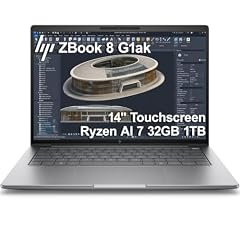
HP ZBook 8 G1ak Laptop
- CPU
- AMD Ryzen AI 7 PRO 350
- GPU
- Radeon 860M
- RAM
- 32 GB
- Storage
- 1000 GB
- Screen
- 14 in
- Touchscreen
- Yes
- Weight
- 1.44 kg
- OS
- Windows 11 Pro
$1,699.99 (as of 10/20/2026 16:21 PDT - Details)
A 14-inch HP ZBook with an AMD Ryzen AI 7 PRO 350 and Radeon 860M graphics, 32GB and 1TB at 1.44 kg.
Pros
- AMD Ryzen AI 7 PRO 350
- 32GB of memory and 1TB of storage
- 1.44 kg
- Windows 11 Pro
Cons
- Integrated graphics only
- Battery capacity not stated by the seller
Good fit if
- Business users who prefer AMD
- People who want a light 14-inch touch laptop with 32GB
Skip if
- You need a dedicated GPU
- You want a 2-in-1
Verdict: A compact AMD business alternative to the ThinkPad T14.
9 Lightest 16-inch pick

Acer Swift 16 AI Laptop 16" WUXGA 120Hz Touchscreen
- CPU
- AMD Ryzen AI 9 465
- GPU
- Radeon 880M
- RAM
- 32 GB
- Storage
- 1000 GB
- Screen
- 16 in
- Refresh
- 120 Hz
- Touchscreen
- Yes
- Weight
- 1.6 kg
$1,241.49 (as of 10/20/2026 16:20 PDT - Details)
At 1.6 kg it has the lowest stated weight of the 16-inch picks, with a 120Hz WUXGA touch screen covering 100% sRGB per the listing, an AMD Ryzen AI 9 465, 32GB and 1TB.
Pros
- 1.6 kg, the lightest stated 16-inch weight
- 120Hz 16-inch touch screen
- 32GB of memory and 1TB of storage
- Windows 11 Pro
Cons
- Integrated Radeon 880M graphics only
- Standard clamshell, not a 2-in-1
Good fit if
- People who want a big touch screen that is still easy to carry
- Students and home users who value smooth scrolling
Skip if
- You want tablet mode
- You need a dedicated GPU
Verdict: The easiest 16-inch touchscreen to carry in this list.
10 Most storage without a dedicated GPU at 16 inches

Dell 16 Plus Laptop DB16250 Intel Core Ultra 7 258V 32GB LPDDR5X 2TB SSD
- CPU
- Intel Core Ultra 7 258V
- RAM
- 32 GB
- Storage
- 2000 GB
- Screen
- 16 in
- Weight
- 1.87 kg
- OS
- Windows 11 Pro
$1,599.99 (as of 10/20/2026 16:20 PDT - Details)
It pairs a 16-inch touchscreen with an Intel Core Ultra 7 258V, 32GB and 2TB at 1.87 kg. The 2TB is twice the storage of the other 16-inch picks without a dedicated GPU.
Pros
- 2TB of storage
- 32GB of memory, the maximum Intel lists for this chip
- Intel Core Ultra 7 258V
- Windows 11 Pro
Cons
- 1.87 kg, 0.27 kg heavier than the Swift 16 AI
- Refresh rate not stated by the seller
Good fit if
- Users who keep many photos and files locally
- Home office buyers who want a large touch screen
Skip if
- You want the lightest 16-inch option
- You want a 2-in-1
Verdict: The storage-first 16-inch touchscreen.
11 Most memory without a dedicated GPU

HP OmniBook 7 16" 2K OLED Touchscreen Laptop
- CPU
- Intel Core 9 270H
- RAM
- 64 GB
- Storage
- 1000 GB
- Screen
- 16 in
- Refresh
- 120 Hz
- Touchscreen
- Yes
- Weight
- 1.92 kg
- OS
- Windows 11 Pro
It has 64GB of memory, the most of any pick without a dedicated GPU, with an Intel Core 9 270H and a 16-inch 2K OLED 120Hz touch screen at 1.92 kg.
Pros
- 64GB of memory
- 16-inch 2K OLED touch screen at 120Hz
- Intel Core 9 270H
- Windows 11 Pro
Cons
- 1TB of storage
- 1.92 kg
Good fit if
- Heavy multitaskers and developers who keep many apps open
- Photo editors who want an OLED screen
Skip if
- You only browse and write: 64GB will go unused
- You want the lightest 16-inch option
Verdict: The multitasking pick with an OLED touch screen.
12 Biggest screen

HP OmniBook 7 AI Laptop
- CPU
- Intel Core Ultra 7 258V
- GPU
- RTX 4050
- GPU memory
- 6 GB
- RAM
- 32 GB
- Storage
- 1000 GB
- Screen
- 17.3 in
- Touchscreen
- Yes
- Weight
- 2.35 kg
$1,599.99 (as of 10/20/2026 16:21 PDT - Details)
It is the only 17.3-inch pick, and it adds an NVIDIA RTX 4050 (Ada Lovelace generation) with 6GB of graphics memory to an Intel Core Ultra 7 258V and 32GB. It also states the largest battery here, 83Wh.
Pros
- 17.3-inch touch screen, the largest here
- NVIDIA RTX 4050 with 6GB of graphics memory
- 83Wh battery, the largest stated here
- 32GB of memory and 1TB of storage
Cons
- 2.35 kg, the heaviest stated weight here
- RTX 4050 is an entry GPU tier
Good fit if
- People who want the most screen area at home
- Light gaming and photo work on a big touch screen
Skip if
- You carry your laptop often
- You need a stronger GPU for 3D or AI work
Verdict: The big-screen touch laptop with some graphics headroom.
13 Most powerful GPU
![HIDevolution [2025] ASUS ProArt P16 H7606WX Black 16" 4K 120Hz OLED](https://m.media-amazon.com/images/I/41BUZNaAIUL._SL240_.jpg)
HIDevolution [2025] ASUS ProArt P16 H7606WX Black 16" 4K 120Hz OLED
- CPU
- AMD Ryzen AI 9 HX 370
- GPU
- RTX 5090
- GPU memory
- 24 GB
- RAM
- 64 GB
- Storage
- 4000 GB
- Screen
- 16 in
- Refresh
- 120 Hz
- Touchscreen
- Yes
$6,199.00 (as of 10/20/2026 16:21 PDT - Details)
A reseller build of the ASUS ProArt P16 with an RTX 5090 (24GB), an AMD Ryzen AI 9 HX 370, 64GB and 4TB, on a 16-inch 4K 120Hz OLED touch screen per the listing, at 1.85 kg.
Pros
- NVIDIA RTX 5090 with 24GB of graphics memory
- 16-inch 4K OLED touch screen per the listing
- 64GB of memory and 4TB of storage, the most storage here
- 1.85 kg
Cons
- Reseller configuration, not the maker's own listing
- HX processor built for performance, not battery life
Good fit if
- Video editors, 3D artists and AI users who want touch
- Creators who travel with a high-end machine
Skip if
- You only need touch for everyday tasks
- You prefer a maker-sold configuration
Verdict: The creator's touchscreen, with far more GPU than any other pick.
14 Only ChromeOS pick

ASUS Chromebook CX14 Laptop
- CPU
- Intel Celeron N4500
- RAM
- 8 GB
- Storage
- 128 GB
- Screen
- 14 in
- Touchscreen
- Yes
- Weight
- 1.39 kg
- OS
- ChromeOS
$389.99 (as of 10/20/2026 16:20 PDT - Details)
A 14-inch Chromebook with a touchscreen, an Intel Celeron N4500, 8GB and 128GB at 1.39 kg. It suits people who work mostly in a browser.
Pros
- ChromeOS, the only pick with it
- 1.39 kg
- 14-inch touchscreen
Cons
- 8GB of memory and 128GB of storage, the least here
- Intel Celeron N4500 is an entry-level chip
Good fit if
- Students and families who work mainly in a browser
- People who want a simple, light touch laptop
Skip if
- You need Windows software
- You keep many files locally
Verdict: The simple browser-first touch laptop.
Side by side
| # | Laptop | CPU | GPU | GPU memory | Rentable GPU model | RAM | Storage |
|---|---|---|---|---|---|---|---|
| 1 | Acer Aspire Laptop 2026 | Intel Core Ultra 7 258V | not stated | not stated | not stated | 32 GB | 1000 GB |
| 2 | ASUS Zenbook 14 OLED Laptop | AMD Ryzen AI 9 465 | not stated | not stated | not stated | not stated | 1000 GB |
| 3 | HP OmniBook X Flip 2-in-1 Laptop | AMD Ryzen AI 5 430 | Radeon 840M | not stated | not stated | 16 GB | 1000 GB |
| 4 | Lenovo IdeaPad 5 2-in-1 Convertible Laptop | AMD Ryzen 7 8845HS | Radeon 780M | not stated | not stated | 16 GB | 512 GB |
| 5 | Lenovo 2024 Laptop | Intel Core Ultra 7 155U | not stated | not stated | not stated | 32 GB | 1000 GB |
| 6 | Lenovo 2026 Laptop | Intel Core Ultra 7 255H | not stated | not stated | not stated | 32 GB | 1000 GB |
| 7 | Lenovo 2026 ThinkPad P1 Gen 8 w Core Ultra 9 285H | Intel Core Ultra 9 285H | RTX PRO 2000 | not stated | not stated | 64 GB | not stated |
| 8 | HP ZBook 8 G1ak Laptop | AMD Ryzen AI 7 PRO 350 | Radeon 860M | not stated | not stated | 32 GB | 1000 GB |
| 9 | Acer Swift 16 AI Laptop 16" WUXGA 120Hz Touchscreen | AMD Ryzen AI 9 465 | Radeon 880M | not stated | not stated | 32 GB | 1000 GB |
| 10 | Dell 16 Plus Laptop DB16250 Intel Core Ultra 7 258V 32GB LPDDR5X 2TB SSD | Intel Core Ultra 7 258V | not stated | not stated | not stated | 32 GB | 2000 GB |
| 11 | HP OmniBook 7 16" 2K OLED Touchscreen Laptop | Intel Core 9 270H | not stated | not stated | not stated | 64 GB | 1000 GB |
| 12 | HP OmniBook 7 AI Laptop | Intel Core Ultra 7 258V | RTX 4050 | 6 GB | not stated | 32 GB | 1000 GB |
| 13 | HIDevolution [2025] ASUS ProArt P16 H7606WX Black 16" 4K 120Hz OLED | AMD Ryzen AI 9 HX 370 | RTX 5090 | 24 GB | not stated | 64 GB | 4000 GB |
| 14 | ASUS Chromebook CX14 Laptop | Intel Celeron N4500 | not stated | not stated | not stated | 8 GB | 128 GB |
How we picked
How we picked: our catalogue lists 91 laptops with a touchscreen, and we reviewed the 60 current listings in our shortlist. We removed near-duplicates (the same Dell, HP OmniBook or Acer Swift model in several memory or storage configurations), skipped listings from unknown makers and listings with very old processors, and kept one strong option per need: everyday use, 2-in-1, business, creative work, workstation and ChromeOS. One pick, the ASUS ProArt P16, is a reseller build; we say so on it. Processor facts come from Intel and touch features from Microsoft and Lenovo. Prices on this page are live: each one is read from the store listing and shown with the time it was read. Nobody at wikilaptop.org has tested these units; every comparison below is drawn from the stated specifications.
How to choose
2-in-1 or standard clamshell
A touchscreen is far more useful when the screen folds all the way back into tablet or tent mode. Two picks here are described as 2-in-1s (the HP OmniBook X Flip and the Lenovo IdeaPad 5 2-in-1); the rest are standard laptops with a touch panel, where touch is handy for scrolling, zooming and tapping but you still use the keyboard most of the time.
Windows supports tapping, two-finger scrolling, pinch-to-zoom and multi-finger swipes on touchscreens, as Microsoft's gesture guide describes.
Pen support
Not every touch panel supports an active pen, and some support only one specific pen model. Only the Zenbook 14 OLED listing here mentions a stylus. If you want to write or draw, confirm pen support and whether a pen is included on the maker's spec page before you buy.
Weight: you will hold it
Touch invites you to lift the laptop and hold it, so weight matters more than usual. Five picks are under 1.5 kg (the lightest is the Zenbook 14 OLED at 1.28 kg). The 16-inch picks weigh 1.6 to 1.92 kg where stated, which is heavy to hold as a tablet for long.
Processor and memory
For everyday work, 16GB is workable and 32GB gives room for heavier multitasking; seven picks have exactly 32GB. Some thin-laptop chips, such as the Intel Core Ultra 7 258V, have a fixed memory maximum (Intel lists 32GB), so buy the amount you need at the start.
Only three picks have a dedicated GPU: the RTX 4050 in the HP OmniBook 7 17.3-inch, the RTX PRO 2000 in the ThinkPad P1 and the RTX 5090 in the ProArt P16 build.
Screen finish and operating system
Touch panels are often glossy, which can reflect bright light; check the finish if you work near windows. OLED panels, named in several listings here, give deep blacks. Windows 11 Pro adds business management features that home users may not need, and the only ChromeOS pick suits browser-first users.
Questions
Is a touchscreen worth it on a laptop?
It is worth it if you take handwritten notes, sketch, annotate documents or use the laptop as a tablet, especially on a 2-in-1. If you mostly type and use a mouse at a desk with an external monitor, you may rarely touch the screen, and a non-touch model gives you more choice.
Does a touchscreen reduce battery life?
The touch layer uses a small amount of power, and touch panels are often glossy and bright, so there can be a modest effect. Battery capacity and the processor matter more. Only four picks state a battery size here, from 52.5Wh in the ThinkPads to 83Wh in the HP OmniBook 7 17.3-inch.
Do all touchscreen laptops support a pen?
No. Some panels accept finger input only, while others support an active pen, sometimes a specific model. Among these picks, only the Zenbook 14 OLED listing mentions a stylus. Check the maker's specifications for pen support before relying on it.
What is the difference between a 2-in-1 and a touchscreen laptop?
A 2-in-1 has a hinge that folds the screen back so you can use it as a tablet or stand it like a tent. A standard touchscreen laptop keeps the usual clamshell shape; you can tap and scroll, but it is awkward for writing. In this list, the OmniBook X Flip and IdeaPad 5 2-in-1 are the convertibles.
Can I get a touchscreen on a powerful laptop?
Yes. The ThinkPad P1 Gen 8 pairs a touch OLED screen with NVIDIA RTX PRO 2000 graphics, and the ProArt P16 build adds an RTX 5090 with 24GB of graphics memory. Both suit creative and engineering work where touch helps with navigation and markup.
Recent updates
- : First published.